

Plugixa Exam 1.4.0: Exam Passes and Five Exam Screen Designs for WordPress
Plugixa Exam 1.4.0 is out, with two Pro features that change how exams are sold and how they look. Passes let one WooCommerce product cover a whole subject or every exam on your site, and exam screen designs give the screen candidates sit their exam on five new layouts, in your own colours and font. The release also fixes the select-all checkbox in the Add questions window.
Passes: one product for many exams
Until now, a product sold the exams you picked for it, one list per product. A site with forty mock tests needed forty products, or a bundle that went stale the day a new paper was published.
In 1.4.0, the Covers setting on a product’s Exam access tab has three choices: chosen exams, as before, every exam in chosen subjects, or every exam on the site. The last two are passes, and a pass covers exams added later too. Publish a new paper next month, or move one into a subject the pass covers, and everyone who holds the pass can sit it, with nothing to update.
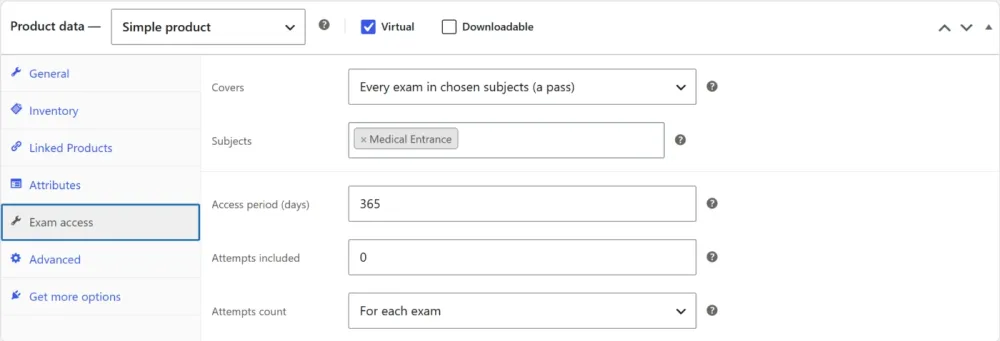
A pass also says how its attempts count:
- For each exam: 3 attempts means 3 sittings of every exam it covers.
- In total, across every exam: 3 attempts means 3 sittings altogether, like a pack of credits.
That covers the packages exam sites sell most:
| You want to sell | Covers | Access period | Attempts |
|---|---|---|---|
| Every exam of one course, for a year | Every exam in chosen subjects | 365 days | Unlimited |
| A monthly all-access pass | Every exam on the site | 30 days | Unlimited |
| A pack of 10 mock tests to use on any exam | Every exam on the site | 180 days | 10, in total |
On the exam page, the exam’s own products come first and the passes that cover it underneath, each saying what it covers:
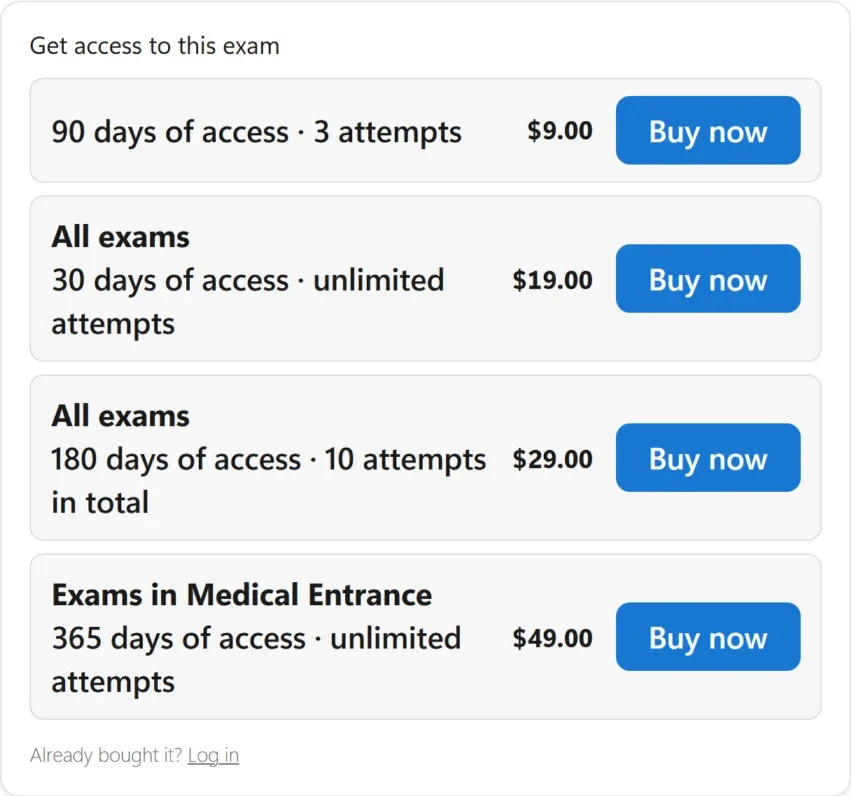
Renewals stay predictable. Buying a pass again before it ends runs on from the current end date, so a monthly pass bought each month never loses a day. Buying a single exam while a pass is running gives that exam its own period, instead of tying it to the pass’s end date.
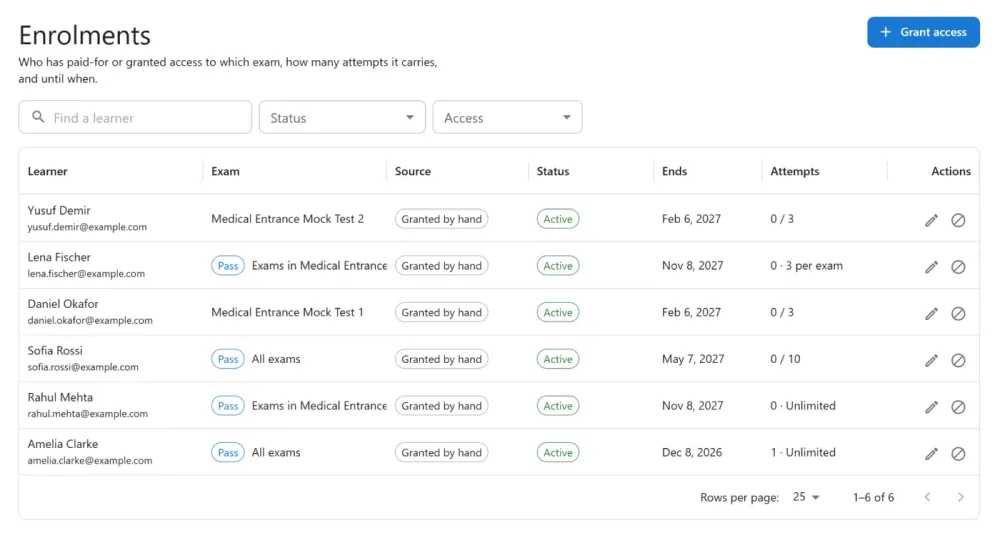
You can also grant a pass by hand, for a scholarship or a support case, under People → Enrolments. That screen now marks passes with a Pass chip, says what each one covers, and filters by single exams or passes.
The WooCommerce guide and the Enrolments guide cover every setting.
Five exam screen designs
The screen a candidate sits an exam on has always had one look, now called Classic. Pro adds five more, built from the same calm parts: a header card with the title, the time left and Submit, white question cards, and one dark main button.
- Exam Hall: section tabs over the question, its marks (+4 / -1) beside it, and a side panel with the section’s question palette and a legend that counts each colour. Made for entrance and recruitment exams.
- Split Screen: the question on one side and the answer on the other, with a divider the candidate can drag and text-size buttons. Made for reading papers, case studies and data interpretation.
- Focus: one large question at a time with a big question number and a thin progress bar.
- Classroom: a Quiz navigation block grouped by section, and an info box beside each question with its status and marks.
- Mobile App: a coloured header with section chips, one question card, swipe to move, and large buttons along the bottom.
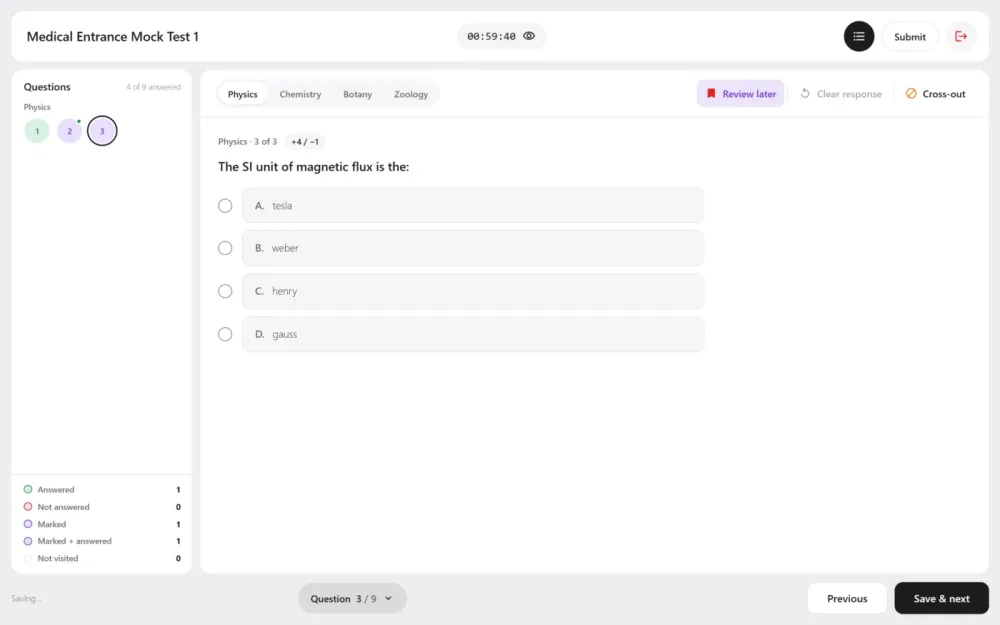
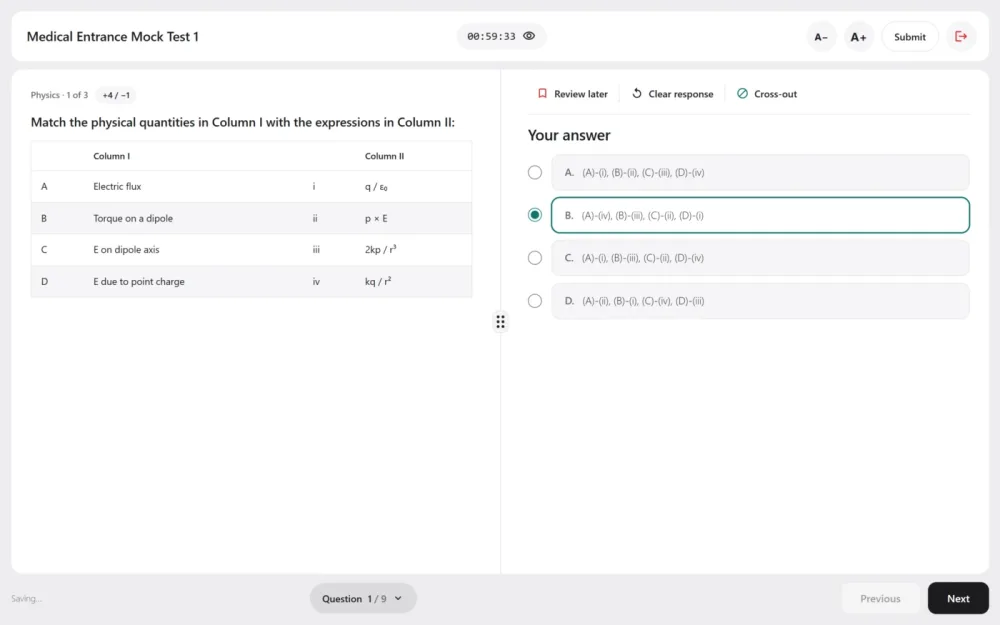
Every design has Review later, Clear response and Cross-out, which lets a candidate strike out an option they have ruled out without changing their answer. Before the final submit, every design shows an Exam summary of each section’s answered, unanswered, marked and unvisited questions.
Pick the design for the whole site under Settings → Exam screen, or for one exam on its own settings. Only the frame changes: saving, the timer, the question types, marking and the result page work the same in every design, and every design works from a 375 px phone up to a wide desktop.
Your colours and font
Each design keeps its own look until you change it. Settings → Exam screen → Style sets the font and the colours of the background, cards, header, text, main button, accent and the five question palette colours, for every design at once.
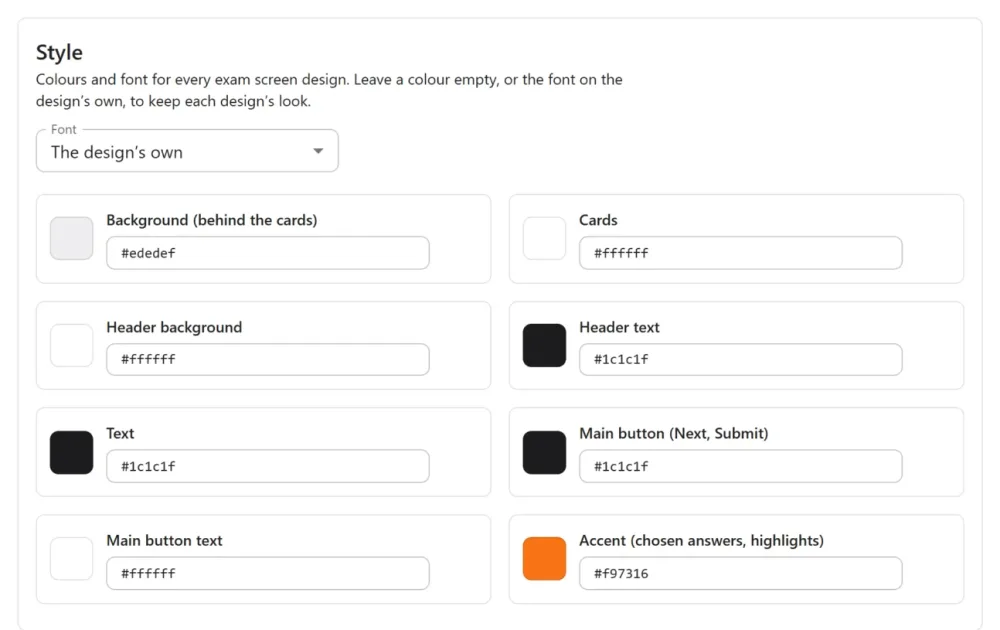
Any of them can be overridden for a single exam. Fonts are never downloaded from another site: choose the design’s own, your theme’s, a system font, or one your site already loads. The Exam screen designs guide shows all five.
Fixes
- In an exam’s Add questions window, the select-all checkbox did nothing. It now selects the whole page, and a new Select all N matching link picks every question the filter finds. Sections with more than 200 questions no longer show “not found”.
- Plain-text order emails and the product page no longer use a long dash.
Before you update
Nothing changes on its own. Existing products keep selling exactly the exams they sold, existing purchases keep working, and every exam stays on Classic until you choose a design. Automatic monthly charging through the WooCommerce Subscriptions extension is not supported yet: a monthly pass works by buying again, with a reminder email before it ends.
Every change is in the 1.4.0 changelog.