

Contents
Grading - Plugixa Exam
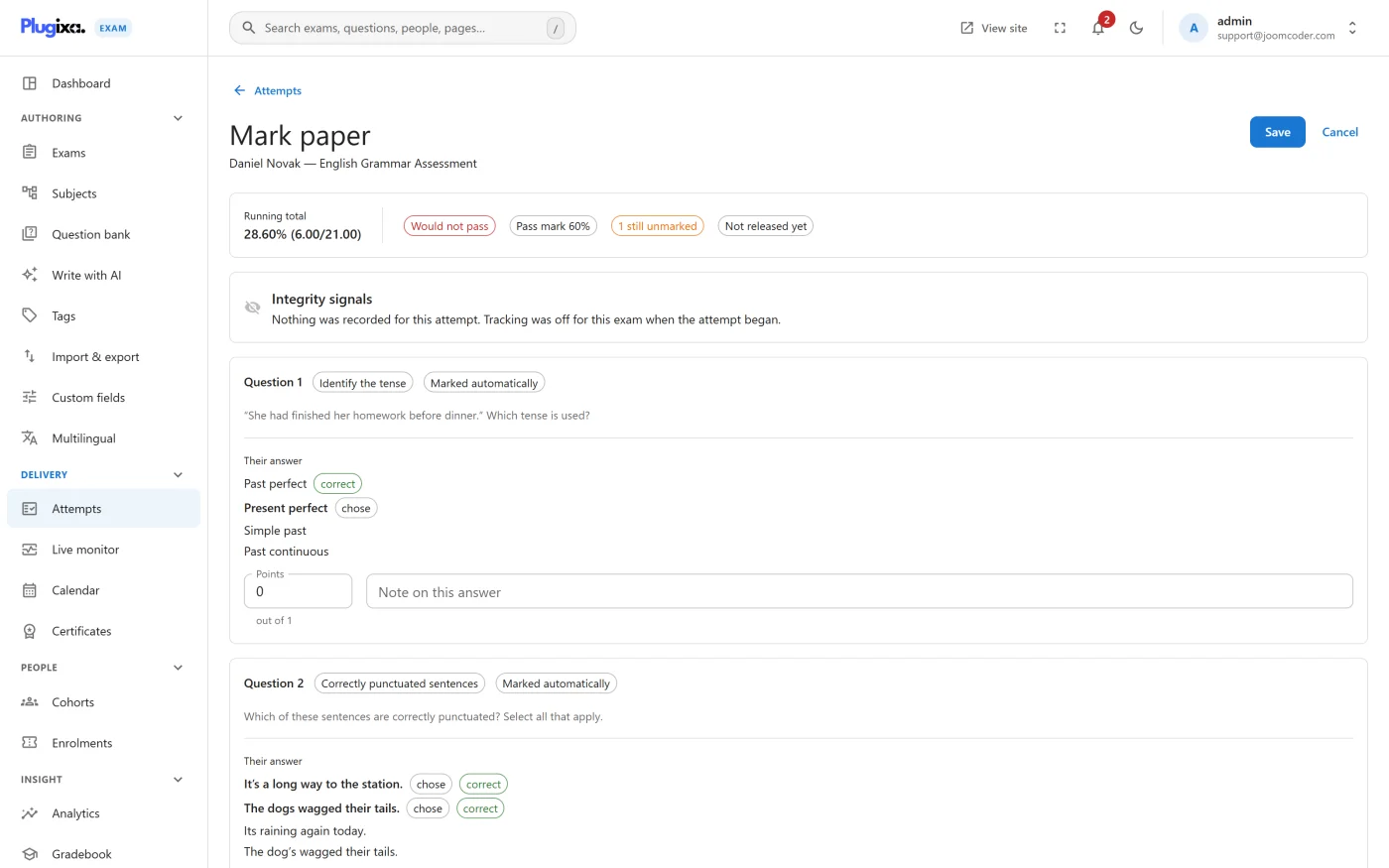
Marking happens the moment a paper is submitted. Everything that can be scored automatically is scored then; anything that needs a person goes into a queue.
A grading bug does not throw an error. It produces a plausible number, and somebody fails an exam they passed. That is why the rules below are worth reading once properly rather than discovering by experiment.
The rule that matters most
An unanswered auto-marked question scores zero, checked once before any type-specific marking runs.
This sounds obvious and is not. The natural implementation coerces a missing response into a value and compares it, which marks every blank True/False whose correct answer is “False” as correct, with full marks. Nobody notices, because a blank paper scoring well looks like a lenient exam.
The converse matters just as much: false, 0 and "0" are answers, not
blanks. A correct answer of “False” is not an empty one.
Points
A question’s value is resolved in this order, first hit wins:
- The points set on that question in this exam.
- The pool’s points-per-question, if it came from a pool.
- The question’s own default points.
So you can set a sensible default once in the bank, override it for a pool, and override it again for a single question in one exam.
Partial credit
Per question, via its answer key:
| Policy | Behaviour |
|---|---|
| All or nothing (default) | Full marks for a completely correct answer, nothing otherwise |
| Proportional | Marks in proportion to how much of the answer was right |
Proportional is what you want on multiple-answer, ordering, matching and fill in the blanks, where “three of four correct” is a meaningful outcome.
Note that partially correct is not correct. A proportionally credited answer awards marks but is not recorded as correct, so item analysis and per-subject breakdowns are not distorted by half-right answers counted as right.
Negative marking
Off by default. When on, a wrong selection can subtract rather than simply score nothing. This is the difference between the two policies above doing the same thing and doing different things:
- All or nothing, negative marking off - a wrong answer scores 0.
- All or nothing, negative marking on - a wrong answer can score below 0.
- Proportional, negative marking off - the fraction is floored at zero.
- Proportional, negative marking on - the fraction is not floored, so selecting three wrong options costs more than selecting one.
The floor
Each question carries a minimum score, defaulting to 0. Negative marking is
applied, then clamped to that floor.
The default exists so that negative marking cannot drag a question’s score below zero and eat into marks the candidate earned elsewhere on the paper. Set the floor lower deliberately, not by accident.
Short answer matching
| Mode | How it compares |
|---|---|
| Text | Case-insensitive, against every accepted answer you listed |
| Numeric | As a number, within a tolerance |
| Regular expression | Against a pattern |
Two details worth knowing:
- A tolerance only applies when both the accepted answer and the response are
genuinely numeric. A non-numeric response is not coerced to
0and then matched by a generous tolerance. - An invalid regular expression is rejected rather than quietly matching nothing, so a typo in a pattern does not fail a whole cohort silently.
What a person marks
Essays and file uploads are never auto-marked. They arrive in the marking queue with the rubric beside them.
The same applies to a question whose type is not installed on this site. It is left for a person rather than scored zero, because a missing module must not silently fail every candidate on a question the site merely cannot read.
Until an attempt’s manual questions are marked, the candidate’s review of the whole paper stays locked. A partial score would disclose the rest.
See Manual Marking.
Pass or fail
An exam has a pass mark, expressed as a percentage. The result carries a pass or fail verdict and, per exam, the pass message or fail message you wrote.
With Pro, a Gradebook turns the percentage into a letter band as well.
When the score becomes visible
Per exam:
| Release | When the candidate sees the score |
|---|---|
| Immediately | As soon as the paper is marked |
| When the exam closes | At the exam’s closing time |
| On a date | At a time you pick |
| By hand | Only when you release it |
Show answers is separate, and controls whether the review shows which answers were right and the explanations you wrote.
A withheld score is genuinely withheld: the candidate sees that the paper was submitted, not what it scored, and no total that moves discloses it indirectly.
Troubleshooting
| Symptom | Usual cause |
|---|---|
| Everybody scored zero on one question | Nothing is marked correct on it. The editor warns at save time. |
| Blank papers score higher than expected | Check whether the question is really auto-marked. An unrecognised type is left for a person, not zeroed. |
| A multi-answer question feels too generous | It is on all-or-nothing with negative marking off. Proportional plus negative marking is the stricter pair. |
| A numeric answer is marked wrong despite looking right | The accepted answer is stored as text, so it is being compared as text. Set the mode to numeric. |
| Candidate sees “submitted” but no score | Either the release policy is withholding it, or an essay on the paper is still unmarked. |
What to do next
- Mark what the machine could not in Manual Marking.
- See what candidates actually get in Results and Reports.
- Find the questions that are unclear rather than hard with Analytics PRO.