

Contents
Pages settings - Plugixa Exam
The Pages section of Plugixa Exams -> Settings. The plugin’s front-end screens work at built-in addresses from the moment it is installed; this section moves the learner-facing ones onto pages of your own.
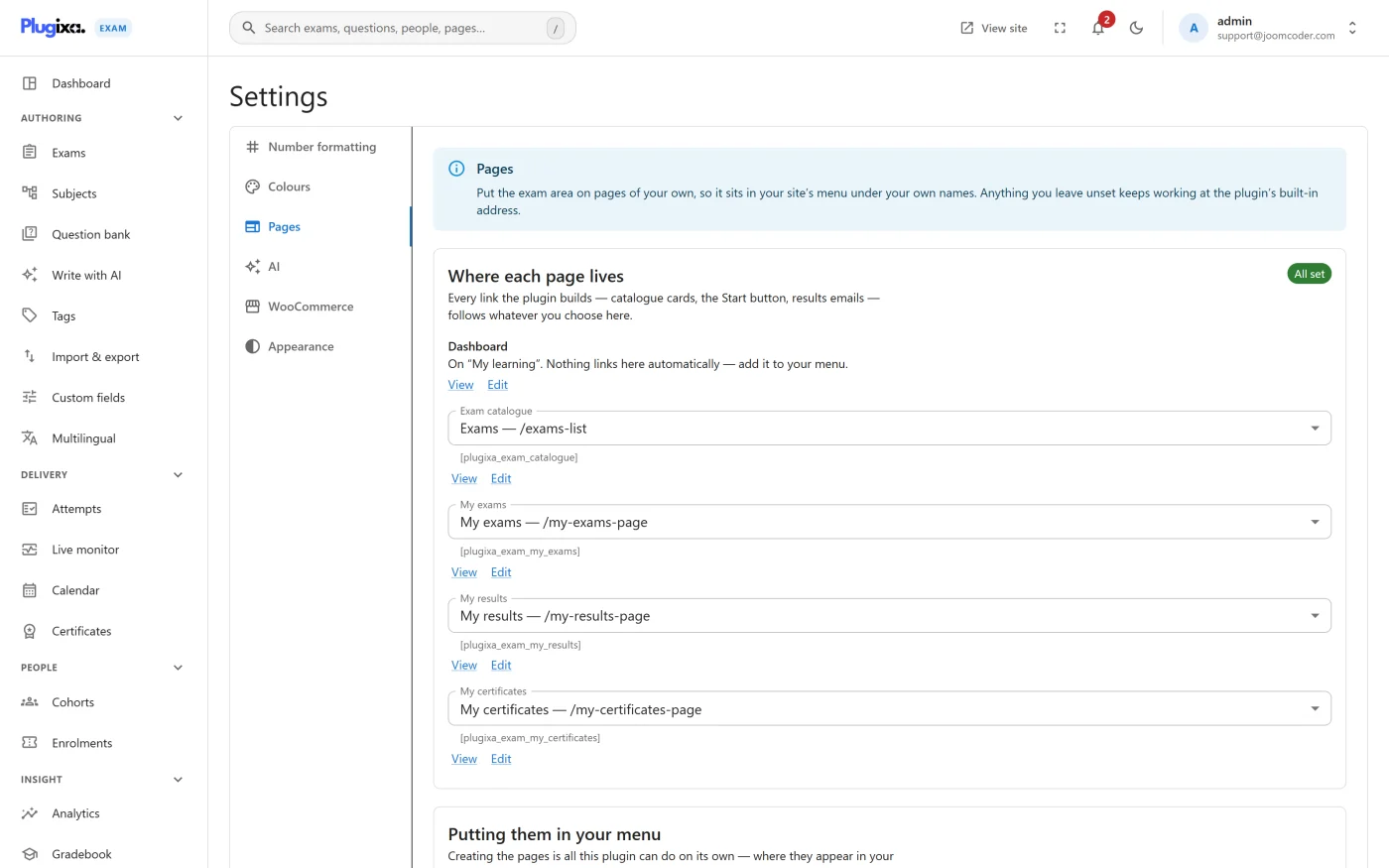
Where each page lives
| Destination | Created as | Built-in address if left unset |
|---|---|---|
| Dashboard | My learning | None, so create a page for it |
| Exam catalogue | Exams | /exams/ |
| My exams | My exams | /my-exams/ |
| My results | My results | /my-results/ |
| My certificates | My certificates | /my-certificates/ |
Pick an existing page from each list, or press Create the missing pages and the plugin makes a page carrying the right shortcode for every destination that has none yet. It never makes a second copy of one you already have: a page already carrying the shortcode is adopted instead. Each row then offers View and Edit links, and the section reads All set once every destination has a page.
Putting them in your menu is the one step left to you, because where a page appears in your navigation is your theme’s business. On a block theme the section links straight to the site editor’s Navigation block; on a classic theme, to the menu editor.
The routes
An exam’s own page, the runner, a result and certificate verification are not mapped here: they always live at the plugin’s addresses, which follow the catalogue’s base.
| Route | Shows |
|---|---|
/exams/ |
The catalogue of published exams |
/exams/<slug>/ |
One exam, with its Start button |
/exams/<slug>/take/ |
The runner |
/result/<id>/ |
One result |
/my-exams/ |
The learner portal |
/my-results/ |
The learner’s results |
/my-certificates/ |
The learner’s certificates |
/verify/<token>/ |
Public certificate verification |
Mapping the learner screens to real pages means they inherit your theme, appear in your menus, and can carry your own content above or below the plugin’s output.
Changing the base
exams is the default first segment. To serve /assessments/ instead, filter it
in code:
add_filter( 'plugixa_exam_url_base', fn() => 'assessments' );
Every route follows. See Hooks.
Multilingual sites
Every route answers under a language prefix, so /fr/exams/ works, in the free
edition as well as Pro.
This was broken before 1.0.0: on a site using Polylang with language directories,
an exam had no address in any language but the default, and /fr/exams/ reported
that the page did not exist. If you are seeing that, update.
Caching
The runner and result pages are always uncached. The catalogue and an exam’s page are uncached only for somebody signed in or part-way through an exam, since those carry their own history; for a first-time visitor they are unchanged and still cacheable, and looking at an exam sets no cookie.
Troubleshooting
| Symptom | Usual cause |
|---|---|
| Every front-end URL 404s | Visit Settings -> Permalinks once to flush rewrite rules. |
| The Dashboard link goes nowhere | The Dashboard has no built-in address. Create its page here. |
/fr/exams/ 404s but /exams/ works |
An older build. Update. |
| The page renders twice | The mapped page also contains a shortcode for the same view. Use one or the other. |
What to do next
- Place individual lists yourself with Shortcodes.
- Change the markup in Templates and Overrides.
- Back to Settings.