

Contents
Live monitoring - Plugixa Exam
An exam in progress is the one time you cannot go back and fix anything afterwards. The monitoring board is for that hour.
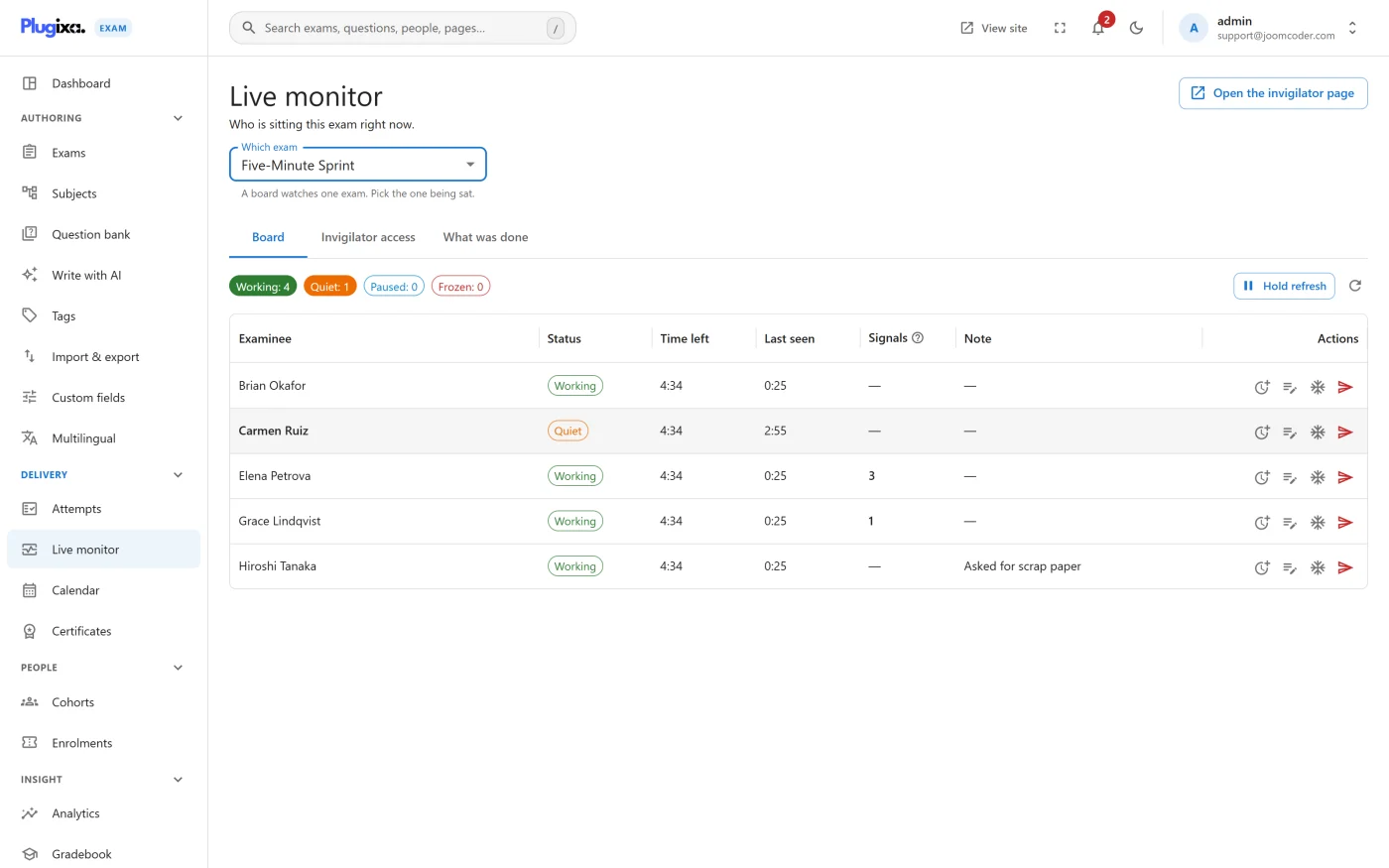
The board
Pick an exam and you see everybody currently sitting it: who they are, how far through the paper they have got, how long they have left, and whether they have gone quiet.
“Gone quiet” is the useful column. A candidate whose answers stopped arriving ten minutes ago has either finished thinking or lost their connection, and those need different responses.
Interventions
| Action | When you would use it |
|---|---|
| Extend time | A genuine technical problem cost somebody minutes |
| Allow a resume | Their attempt closed and it should not have |
| Pause the room | A fire alarm, a power cut, an announcement |
| Leave a note | Anything a marker or a second invigilator should know |
| Force submit | Time is up and somebody is not handing in |
Every one of these is recorded against the attempt, with who did it and when. That is the point: an intervention that leaves no trace is indistinguishable from tampering when somebody queries a mark later.
Who may do what
The seeded Proctor role can extend time, allow a resume and leave notes, but cannot force-submit a paper. Extending time is recoverable; ending an exam is not, so it needs a role that is accountable for it.
The permission grid has seven separate monitoring actions, so you can draw the line somewhere else if your invigilators are more senior. See Roles and Permissions.
Invigilators without accounts
You can grant somebody monitoring access to one exam by link or PIN, without creating a WordPress account for them. It is scoped to that exam and it expires.
Useful when the person watching the room is not the person who runs the site.
Troubleshooting
| Symptom | Usual cause |
|---|---|
| The board is empty | Nobody is sitting that exam right now. It shows attempts in progress, not scheduled ones. |
| A candidate shows as quiet but is fine | Autosave fires on change, not on a timer. Somebody reading a long passage looks idle. |
| A Proctor cannot force submit | By design. Use a Grader or an Exam Admin. |
| An intervention seems not to have applied | Check the audit log on the attempt. A refused action is recorded too. |
What to do next
- Understand what the candidate sees in Exam Runner.
- Record what happened during the sitting with Integrity Signals.
- Set who may intervene in Roles and Permissions.