

Contents
On this page
Images in questions - Plugixa Exam
A question can carry pictures in its text and its explanation, and a picture-choice question’s options are images. Both are added from the question editor.
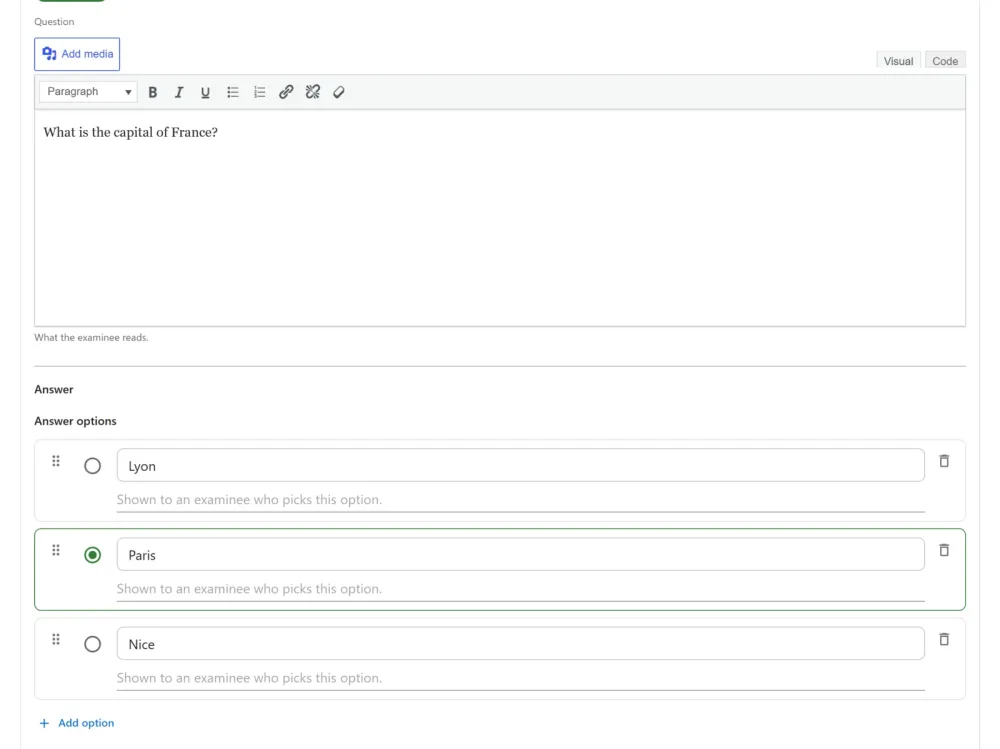
Adding a picture to the text
Every text editor in the plugin has WordPress’s own Add media button above it: the question text and its explanation, passage text and transcripts, exam descriptions and instructions, messages, subjects and notifications.
- Put the cursor where the picture should go and choose Add media.
- Upload a file from your computer under Upload files, or pick one already on the site under Media Library.
- Fill in its Alt Text (see below), and a Caption if you want one.
- Choose an Alignment if you want one, then Insert into post.
The picture goes in where the cursor was. A caption shows under the picture on the exam page, and left, right and centre alignment are kept, mirrored on a right-to-left paper.
The button is there for anybody WordPress lets into its Media Library: Administrators, Editors and Authors. Pictures added this way are ordinary media library attachments, so your usual media tools still work on them.
Upgrading from 1.2.x? The plugin’s own Insert image link under the question text has been replaced by Add media. Pictures already in your questions are not changed and still show as before.
Picture-choice options
Each option of a picture-choice question has its own upload control, which picks or uploads one image for that option. Those files are checked by the plugin itself, as described next.
What a picture-choice option accepts
PNG, JPG, GIF and WebP.
Files are checked by decoding them, not by trusting the name or the type the browser claimed. So a site that allows SVG uploads elsewhere still cannot use one as an answer option, and a
.pngthat is not really a PNG is rejected.
That is deliberate: an exam is rendered to candidates you do not control, often on machines you do not control.
Alt text
Every image asks for a description, and a site can make that required.
This is not a formality on a picture question. If the options are images and one of them has no description, a candidate using a screen reader is being asked to choose between things they cannot perceive. Requiring it is the setting to use anywhere the exam counts.
Without JavaScript
Picture choice falls back to a labelled list, and hotspot questions fall back to a labelled grid. Both stay answerable.
The alt text is what those fallbacks are built from, which is the second reason to write it properly.
Files handed in by candidates
Different thing, and worth not confusing with this.
A file upload question PRO collects work from candidates, and those files are kept out of the media library, in a private directory under an unguessable name with a deny rule beside them, served only through a route that checks who is asking.
An attachment would have sat at a public URL that no permission check ever runs on. Coursework is not media.
Troubleshooting
| Symptom | Usual cause |
|---|---|
| There is no Add media button | Your account cannot upload files. WordPress gives the Media Library to Administrators, Editors and Authors. |
| The picture-choice upload control is missing | The Images capability is off in the App Manager. Existing picture questions still render and mark. |
| A picture-choice upload is refused | The file is not really the type its extension claims, or it is a format outside the four allowed. |
| A picture question cannot be saved | No option is marked as the correct picture. |
| Pictures did not come through an import | Expected. The import formats reference files the export does not carry. |
| A candidate cannot open an uploaded answer file | Those are permission-checked, not public. Check the role can reach the attempt. |
What to do next
- The types that use images: Question Types.
- Writing questions generally: Questions.
- What happens to candidate files: Privacy and GDPR.
Quick Links
Share