

Contents
Learner portal - Plugixa Exam
Everything a learner has, in one place: what they have been assigned, what they scored, and what they have earned.
Where it lives
/my-exams/ by default, mapped to a page of your own in
Pages settings. Create the missing pages there
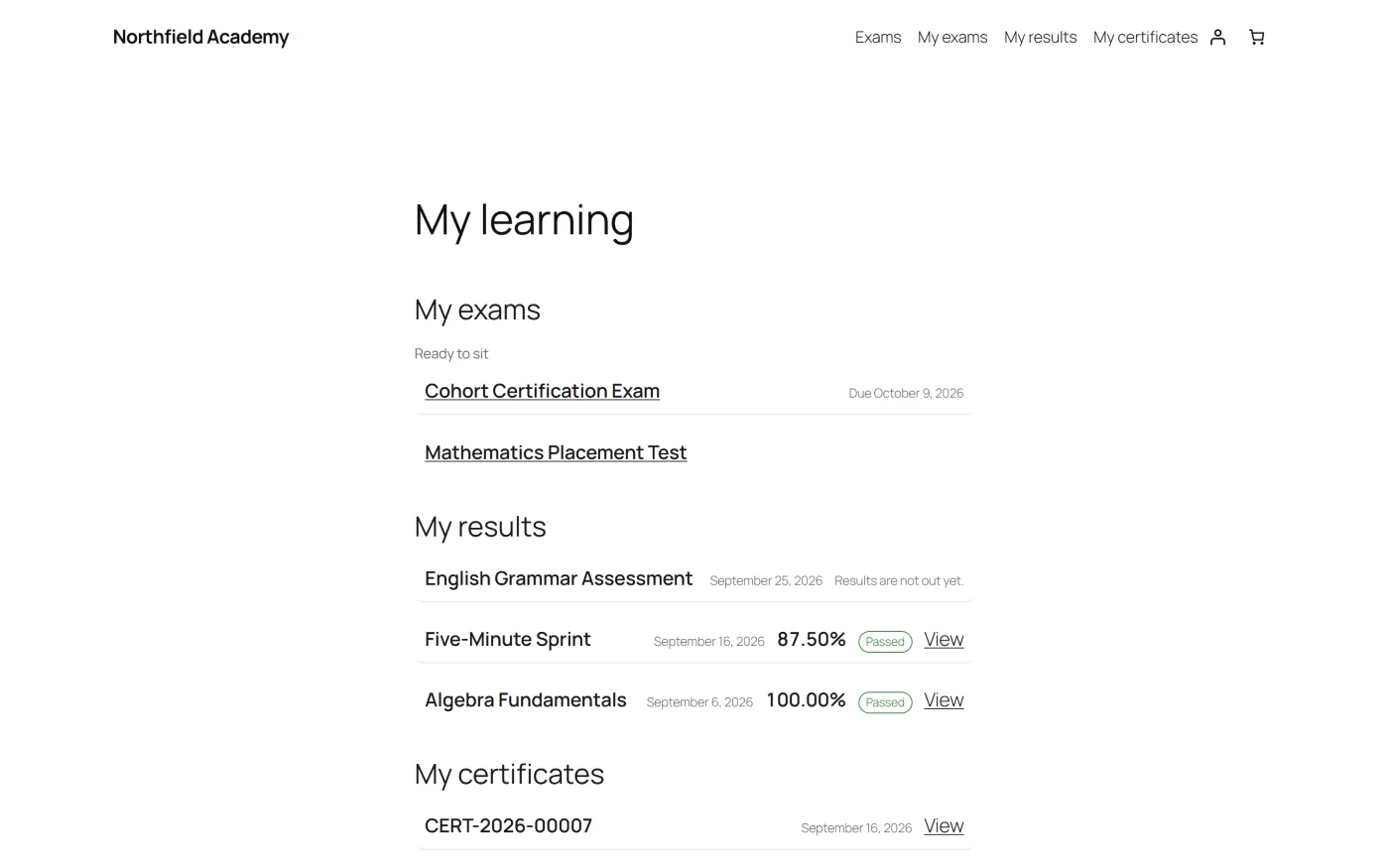
also makes a My learning page carrying [plugixa_exam_dashboard], which shows all
three lists together, as pictured above.
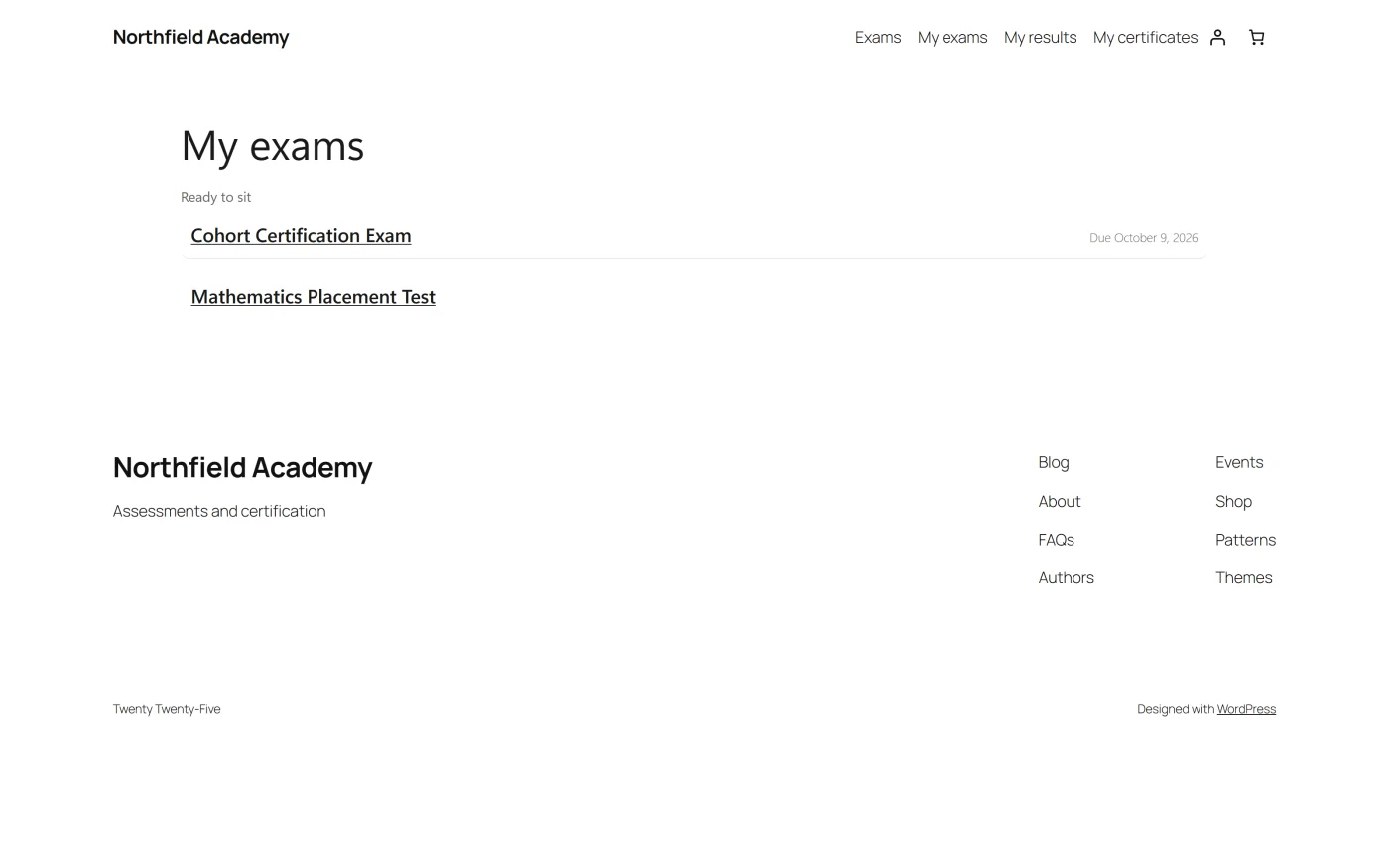
Or place any part of it wherever you like:
| Shortcode / block | Shows |
|---|---|
[plugixa_exam_dashboard] |
All three lists |
[plugixa_exam_my_exams] |
Assigned and ready to sit |
[plugixa_exam_my_results] |
What they scored |
[plugixa_exam_my_certificates] |
What they earned |
[plugixa_exam_dashboard] takes sections (default
exams,results,certificates) and limit (default 10).
What a learner sees on an exam
Their own standing, everywhere the exam appears: in the catalogue, in this portal, and on the exam’s own page.
| State | Meaning |
|---|---|
| Ready to sit | Not attempted, or attempts remain |
| In progress | An attempt is open |
| Submitted | Handed in, result not released yet |
| Passed | Moves out of “ready to sit” |
| Not passed | Attempts may remain |
A score the release policy is still withholding is never shown here. The learner sees that the paper was submitted, not what it scored.
Server-rendered, and never cached
The portal is HTML from the server, so it works with JavaScript switched off.
It is also never cached, and the plugin sets both no-cache headers and the
DONOTCACHEPAGE constant that WP Super Cache, W3 Total Cache, WP Rocket and
LiteSpeed Cache honour. One person’s results must not be served to the next
visitor.
What this costs you, precisely. For a signed-in learner, or a guest who has started an exam, the catalogue and each exam page are also served uncached, because they carry that person’s own history. For a first-time visitor they are unchanged and still cacheable, and looking at an exam sets no cookie. The runner and result pages are always uncached.
Guests
A guest who sat an exam is identified by a signed cookie rather than an account, so they can reach their own result without registering. They do not get a portal across sittings, because there is no account to hang one on.
Troubleshooting
| Symptom | Usual cause |
|---|---|
| The portal is empty for a signed-in user | Nothing has been assigned yet, or the Portal capability is off in the App Manager. |
/my-exams/ 404s |
The page is not mapped in Settings, or permalinks need flushing. |
| Certificates are missing from the portal | The learner has to have passed something whose marking is finished, and Certificates has to be on in the App Manager. |
| A result shows as submitted with no score | The release policy is holding it. Correct behaviour. |
| A whole site got slower after adding the portal | Signed-in pages carrying personal data are uncached. Put the portal on its own page rather than in a global sidebar. |
What to do next
- Place the lists yourself with Shortcodes or Blocks.
- Control when scores appear in Results and Reports.
- Restyle it with Templates and Overrides.