

Contents
Formatting and colours - Plugixa Exam
The first two sections of Plugixa Exams -> Settings, both global. They share one draft and one Save button at the top of the screen, so a separator and a colour changed together are saved together.
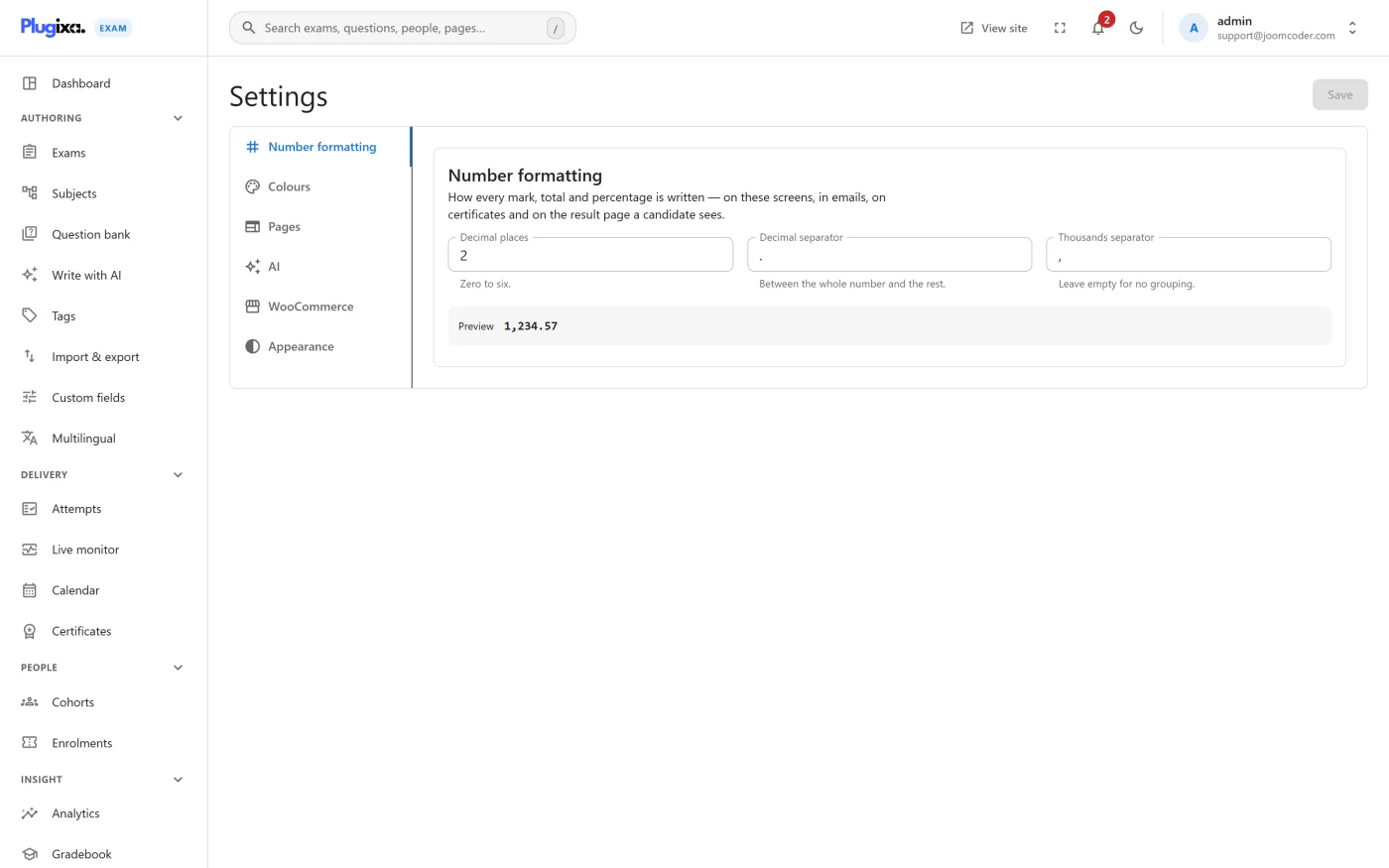
Number formatting
Decides how every mark, total and percentage is written everywhere: the admin screens, the result pages, the notification emails and the certificates.
| Setting | Effect |
|---|---|
| Decimal places | 0 for whole marks, 2 for 65.55 |
| Decimal separator | . or , |
| Thousands separator | Leave empty for no grouping |
A live preview shows the result, so 1,234.57 becoming 1.234,57 is something
you see rather than deduce.
Set decimal places to 0 unless your marks genuinely have fractions. A score of
65.00% reads worse than 65% and appears in every email you send.
Colours
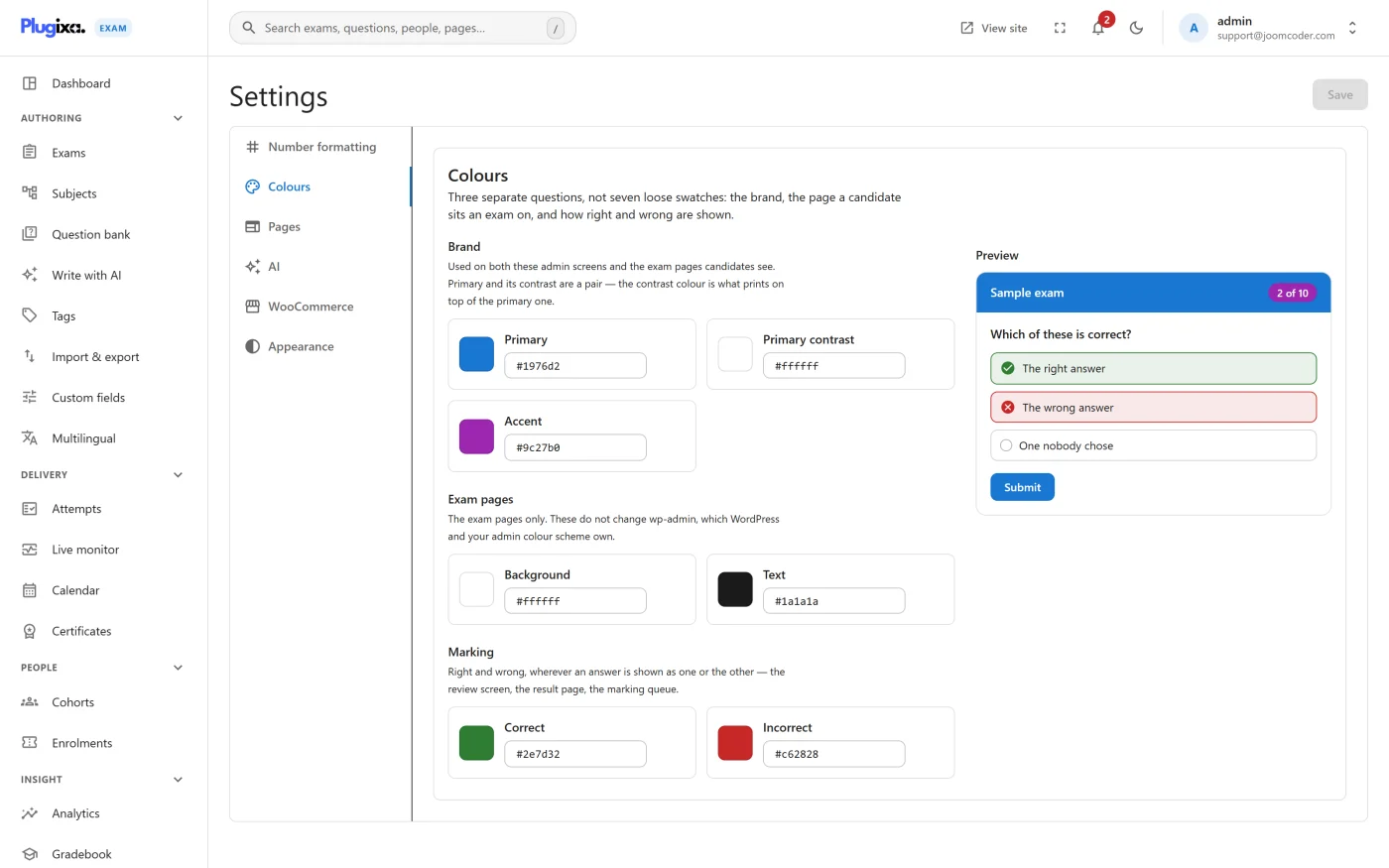
Seven values, asked as three questions rather than as seven loose swatches.
| Group | Values | What it decides |
|---|---|---|
| Brand | Primary, Primary contrast, Accent | The brand colour across the admin and the exam pages, what prints on top of it, and secondary emphasis |
| Exam pages | Background, Text | The page a candidate actually sits an exam on. These do not change wp-admin, which WordPress and your admin colour scheme own |
| Marking | Correct, Incorrect | How a marked answer is shown, wherever one appears: the review screen, the result page, the marking queue |
Primary and primary contrast are a pair: the contrast is what sits on top of the primary, so a dark contrast against a dark primary produces something nobody can read.
The marking pair is the one worth choosing deliberately rather than accepting. It is read by somebody looking at a score they may be unhappy with, and red-on-green is the most common pairing that fails for colour-blind readers.
The preview panel shows a sample question with right and wrong answers styled the way a candidate would see them, so you are choosing against the real thing.
Dates and times
There is no date setting here on purpose. Every date the plugin prints (admin screens, result pages, emails, certificates) follows the date and time formats in WordPress’s own Settings -> General, in your site’s time zone.
Site search
Exams are added to the WordPress search index, so a visitor searching your site
finds them. This is on by default and has no switch on this screen; it is stored as
the search_integration setting, beside search_include_upcoming, which decides
whether exams whose window has not opened yet appear too.
Exams also appear in the block editor’s link picker, which is not a setting: it is simply how an exam is found when you are linking to one from a page.
These sit beside the GDPR exporters and erasers, which deliberately have no switch at all. A privacy obligation is not a feature, so it does not get a feature toggle - the search integration is a genuine preference, so it does.
Troubleshooting
| Symptom | Usual cause |
|---|---|
| Percentages look odd in emails | Formatting is global. Emails use the same settings. |
| A date reads in the wrong order | It follows WordPress’s own date format under Settings -> General. |
| Exams do not appear in site search | The exam’s window has not opened and upcoming exams are excluded, or the search integration was switched off. |
| Colours are right in the admin and wrong on the exam page | The theme is overriding them. These are variables; a theme with !important rules wins. |
| Text on the primary colour is unreadable | Primary contrast is not paired with it. |
What to do next
- Map the front-end pages in Pages settings.
- Turn capabilities off in the App manager.
- Back to Settings.