

Contents
Manual marking - Plugixa Exam
Two of the fourteen question types cannot be marked by a machine: essay and file upload. So can anything else you have chosen to mark by hand, and any question whose type is not installed on this site.
Those go into a queue.
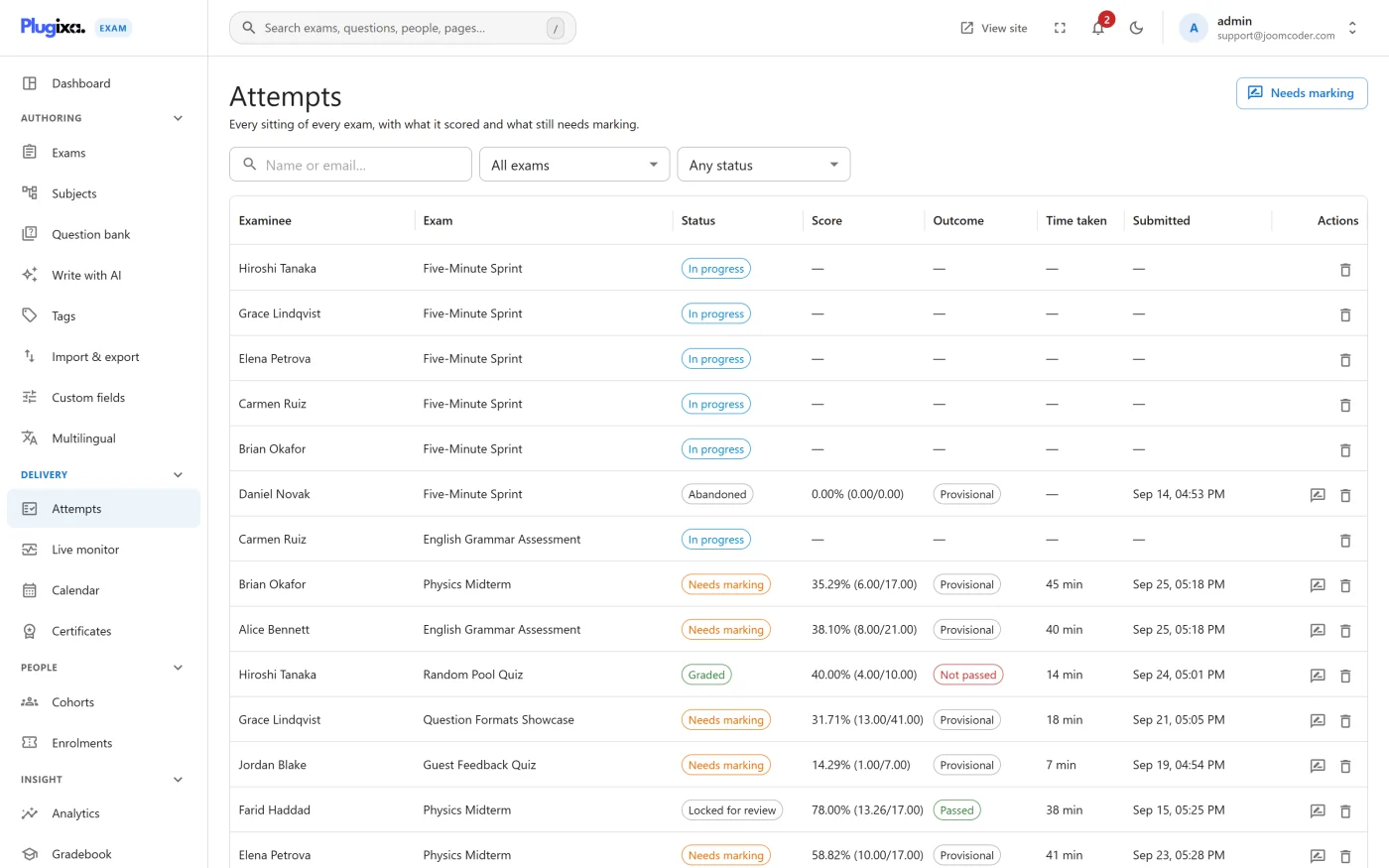
The queue
Plugixa Exams -> Attempts, filtered to papers waiting on a person. The dashboard links straight to it, and the count there is the number that matters on a Monday morning.
Marking a paper
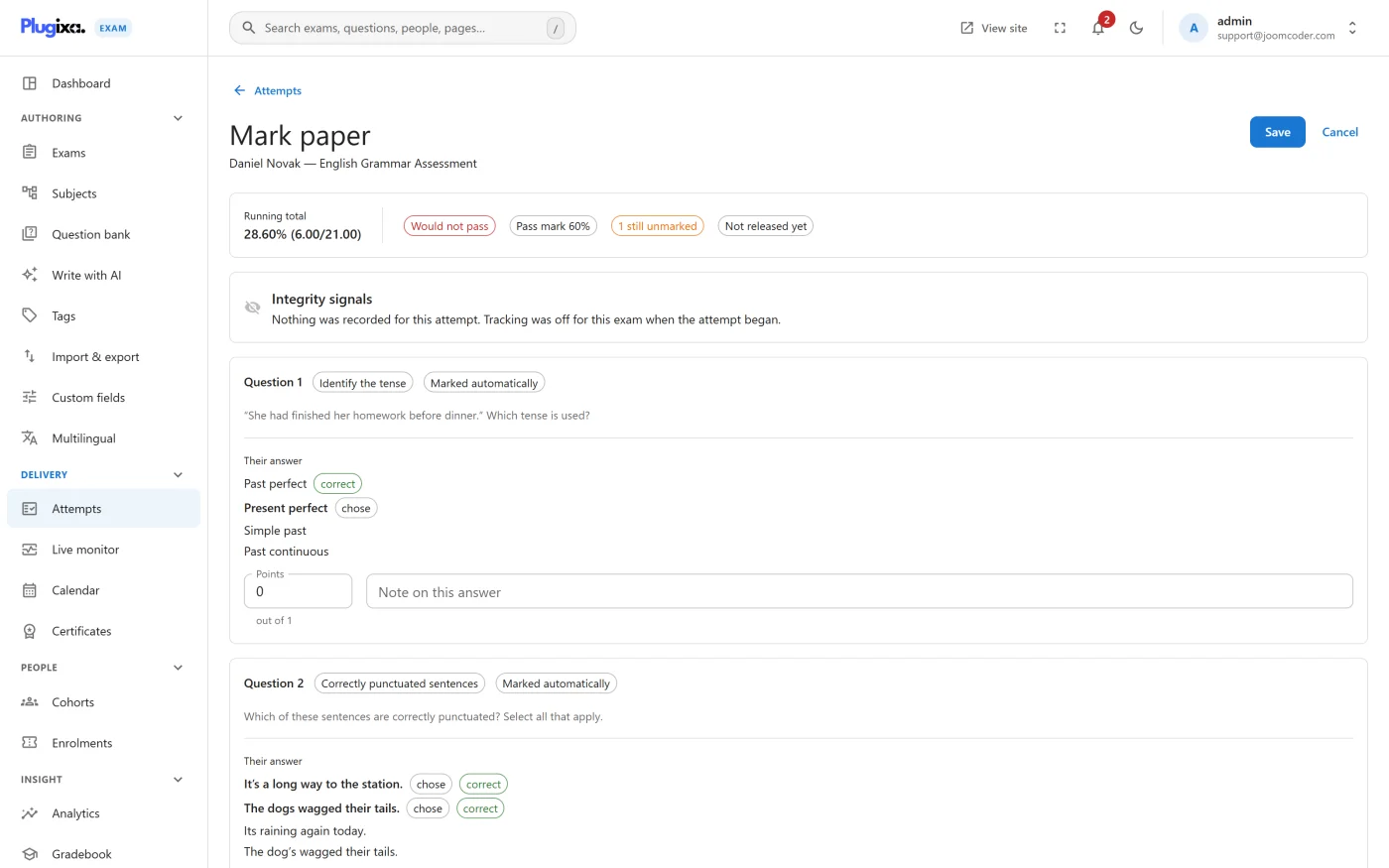
Opening an attempt gives you the whole paper, in order, with the automatically marked questions already scored and the ones needing you highlighted.
For each question you mark:
- The rubric you wrote on the question is shown beside the answer, so the standard is in front of you rather than in your memory.
- You award points up to the question’s value on this paper.
- You can leave a comment on the question, which the candidate sees with their review.
There is also a comment on the attempt as a whole, for the thing that is about the paper rather than about one answer.
Why the review stays locked
Until every manually marked question on an attempt is done, the candidate’s review of the whole paper is locked. They can see that it was submitted; they cannot see the automatically marked questions.
That is deliberate. Releasing the auto-marked half early would tell a candidate most of their score before the marker has finished, and any total that moves afterwards discloses what the marker decided.
An unknown type is not a zero
If the plugin meets a question type it does not recognise, the response is left for a person rather than scored zero.
This matters on a site that has downgraded from Pro, or has a capability switched off: a missing module must never silently fail a whole cohort on a question the site merely cannot read. It turns up in the queue instead, which is visible.
Who can mark
The Grader role marks attempts and reads content, and cannot author or delete anything. Author deliberately cannot grade.
Both attempts -> grade and attempts -> unlock are separate actions in the
permission grid, so “can mark” and “can reopen a marked paper” are different
grants. See
Roles and Permissions.
After marking
The result follows the exam’s release policy, which may be immediate or may hold it until you release it by hand. Marking and releasing are separate steps for a reason: a cohort’s papers should usually all land at once.
Troubleshooting
| Symptom | Usual cause |
|---|---|
| A paper is in the queue with no essay on it | It carries a question whose type is not installed here, or one the exam marks by hand. |
| The candidate says they can see nothing | Correct until marking finishes. The whole review is locked, not just the essay. |
| A marked paper still shows no score to the candidate | The release policy is holding it. Marking and releasing are separate. |
| A grader cannot open the paper | Their role has attempts -> view but not attempts -> grade. |
| An uploaded file will not open | Files are served through a permission-checked route, not from the media library. A grader without access to the attempt cannot fetch it. |
What to do next
- Understand what the machine did first in Grading.
- Decide when scores appear in Results and Reports.
- Give the right people the right grants in Roles and Permissions.