

Contents
Practice mode - Plugixa Exam
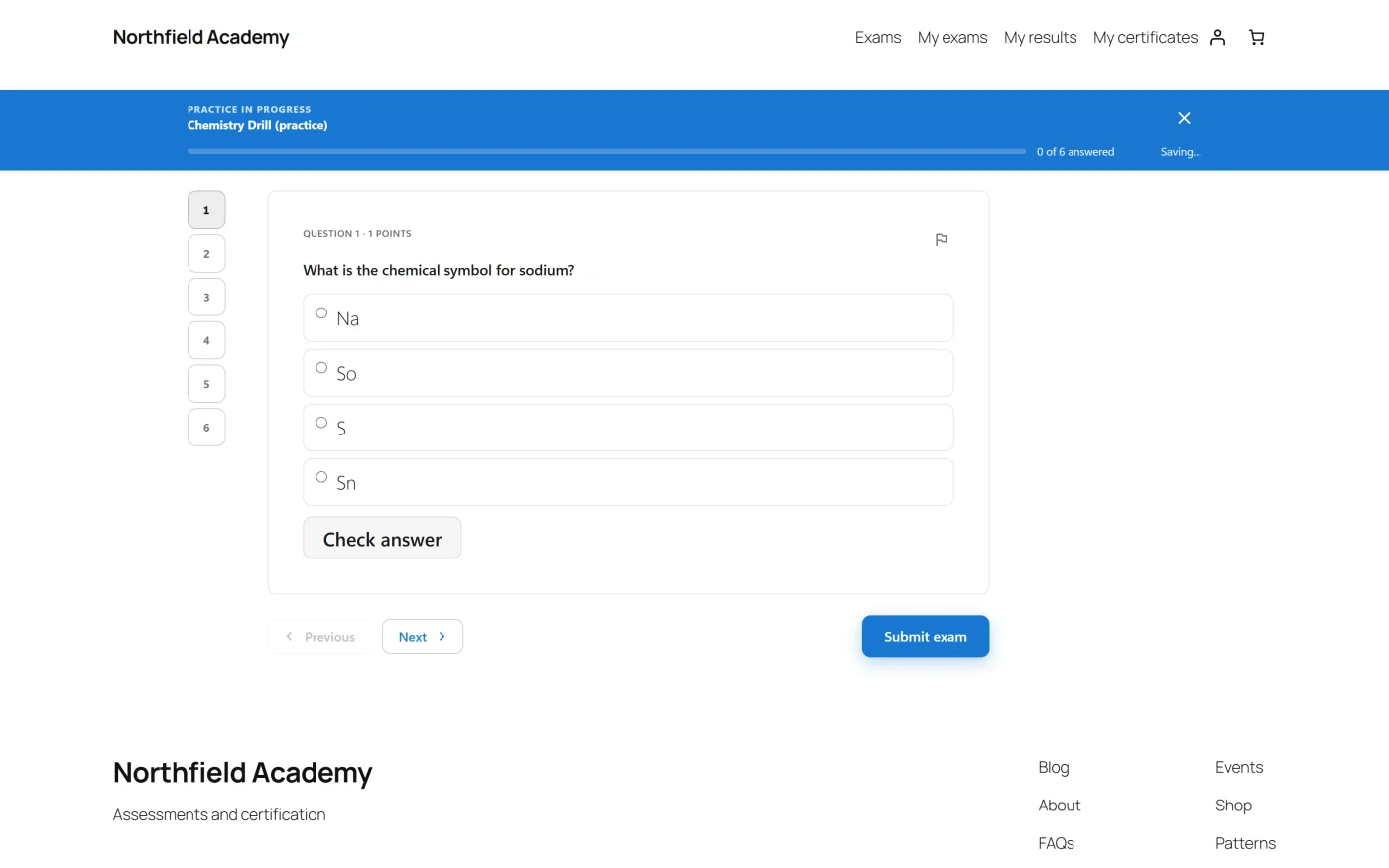
An exam in practice mode is the same paper, drawn from the same bank, without the parts that make it an exam.
What changes
| Exam mode | Practice mode | |
|---|---|---|
| Timer | As configured | None |
| Attempts | Capped | Uncapped |
| Feedback | After release | Per question, or on submit |
| Counts toward a transcript | Yes | No |
Per-question feedback
The setting that makes practice worth having. A learner answers, presses Check answer, and finds out immediately - with the explanation you wrote on the question.
The alternative is to reveal everything on submit, which is closer to a real sitting and better for a final rehearsal.
This is the strongest argument for writing explanations properly. In an exam they are a courtesy; in practice mode they are the entire teaching mechanism.
Using the same bank
A practice exam draws from the same questions, so revision material stays in step with the real paper automatically. Pair it with a pool and each rehearsal is a different paper.
If you would rather practise on a different set, tag the practice questions and give the practice exam a pool that selects on that tag.
Troubleshooting
| Symptom | Usual cause |
|---|---|
| No Check answer button | The exam reveals on submit rather than per question. |
| Practice attempts are appearing in the gradebook | They should not. Check the exam is genuinely in practice mode rather than an exam with unlimited attempts. |
| Feedback shows no explanation | The questions have none written. |
| A practice paper is timed | The time limit is still set. Practice mode ignores caps, not a limit you set deliberately. |
What to do next
- Write the explanations that make it work: Questions.
- Give each rehearsal a different paper with Sections and Pools.
- Require the practice first: Prerequisites.