

Contents
Questions - Plugixa Exam
Questions live in a bank, not inside an exam. Write one once and every exam you build afterwards can use it.
Plugixa Exams -> Question bank lists everything, filterable by subject, tag, type, difficulty and status.
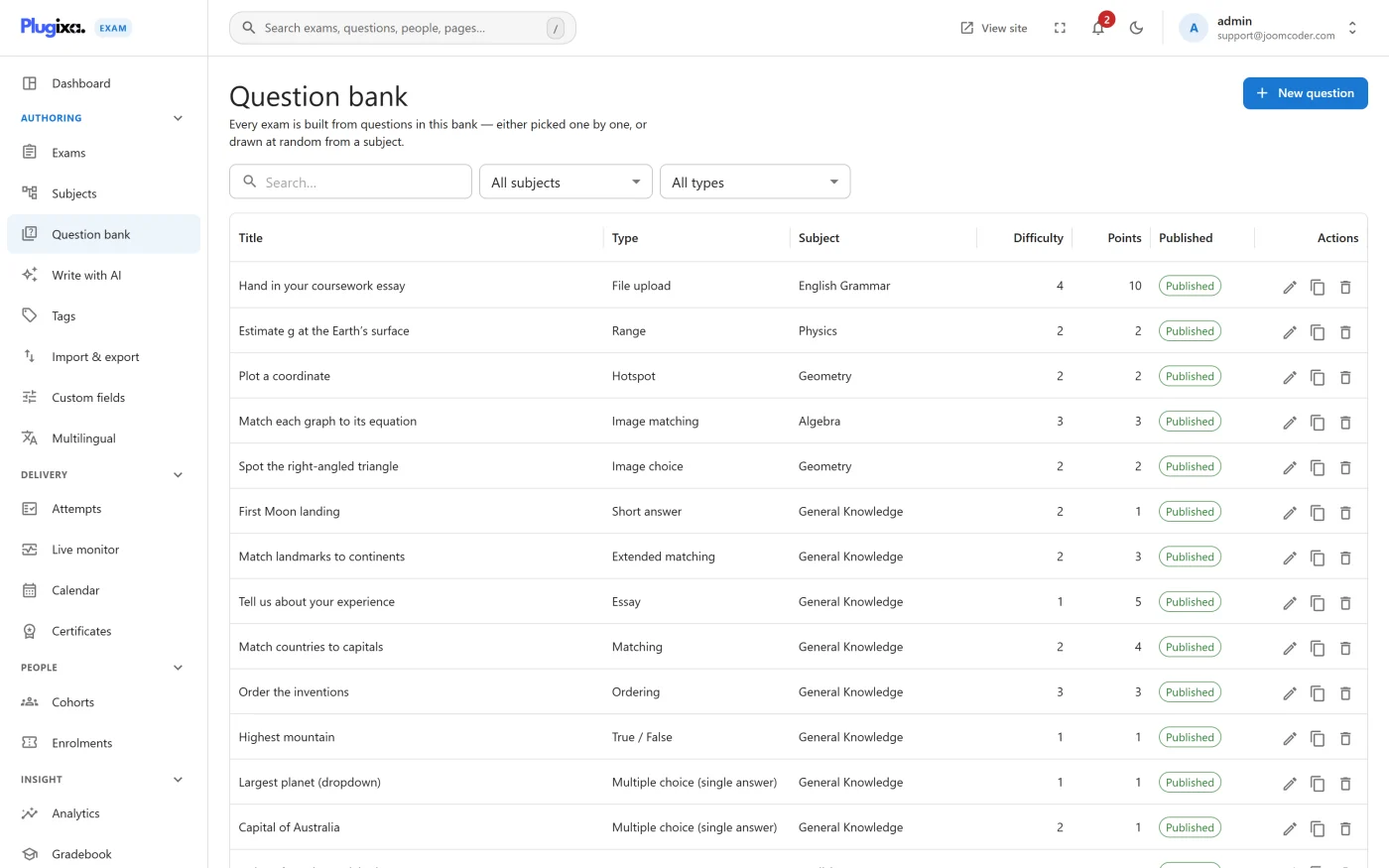
Writing a question
Add question opens the editor. Whatever type you pick, the same spine is there.
| Field | What it is for |
|---|---|
| Title | An internal label, for finding the question later. Not shown to candidates |
| Subject | Where it sits in the tree. Drives the per-subject result breakdown |
| Stem | The question itself, in WordPress’s own rich text editor |
| Answer key | Type-specific: options, accepted answers, pairs, a region |
| Explanation | Shown after marking, if the exam reveals answers |
| Difficulty | Selectable by pool rules |
| Default points | What it is worth, unless an exam or pool overrides it |
| Tags | Free-form labels the pools can also select on |
| Rubric | Guidance for whoever marks it by hand. Essays especially |
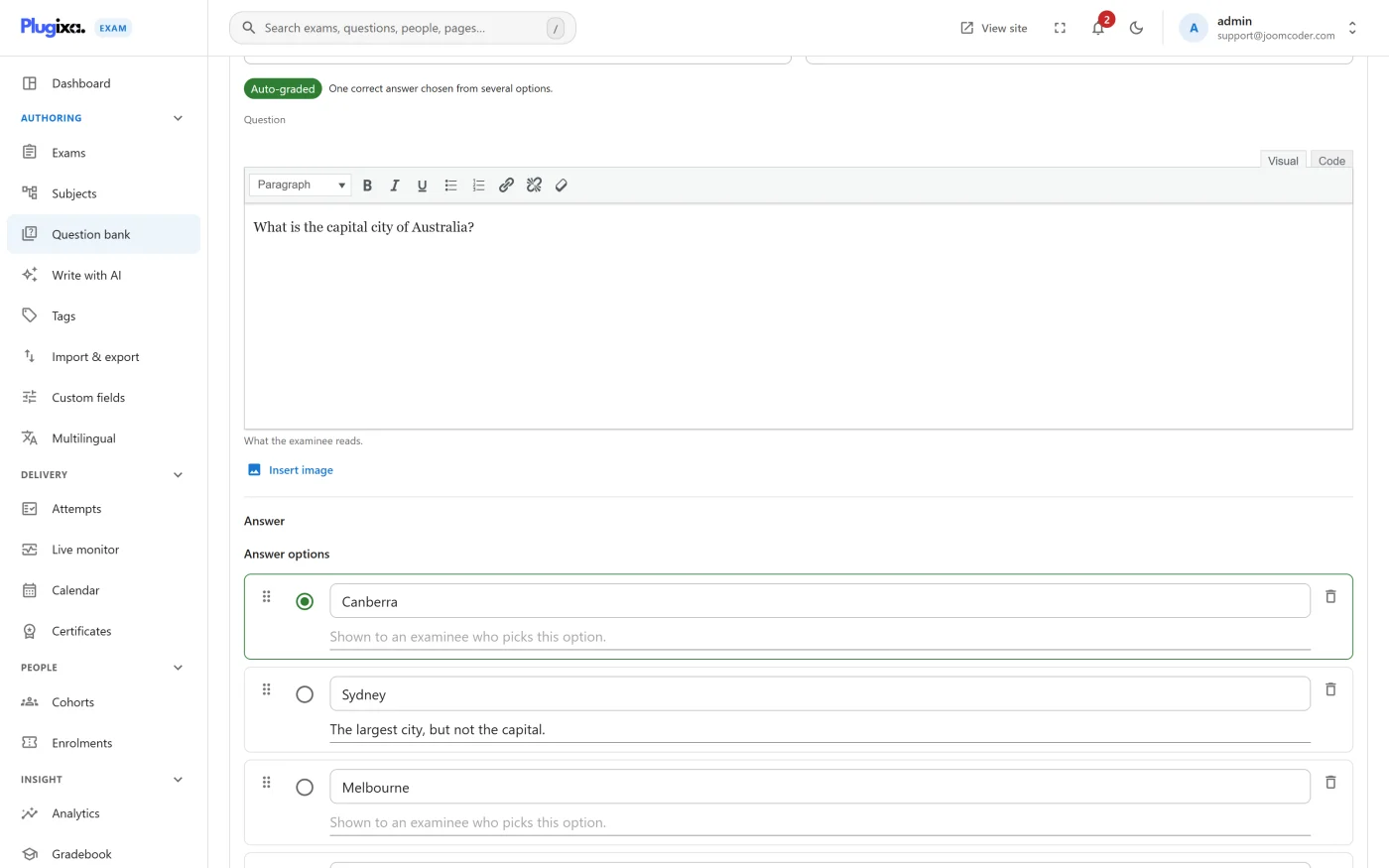
Mark a correct answer. A question saved with nothing marked correct renders perfectly and marks every candidate zero. The editor warns about this at save time, and it is the single most expensive mistake in the whole plugin.
Explanations earn their keep
An explanation turns a score into teaching. It is shown when the exam’s show answers setting allows it, so the same bank can serve a practice paper that explains itself and a real exam that says nothing.
Write it as though the candidate got the question wrong, because that is who reads it.
Shuffling options
Per question, independent of the exam’s own shuffle setting. Turn it off for a question whose options are an ordered sequence (“all of the above”, ranges in order), where reordering would make nonsense of them.
Status and versions
A question is published or not. Unpublished questions are invisible to exams and to pools, which makes “draft it now, use it next term” straightforward.
With Pro, Version History keeps every edit, so you can see what a paper actually asked at the time somebody sat it, rather than what the question says today.
Bulk work
Filter the list, then act on the selection. For anything larger, go through Import and Export: CSV, Aiken, GIFT, Moodle XML and QTI in, and CSV, Moodle XML and QTI out.
Deleting
Deleting a question does not alter any paper that already asked it. An attempt holds its own frozen copy of the questions, their order and their points, so history stays truthful.
What it does affect is pools: a pool that was drawing three from a set of five is now drawing three from four.
Troubleshooting
| Symptom | Usual cause |
|---|---|
| Everybody scored zero on one question | Nothing is marked correct on it. |
| A question never appears in a pool | It is unpublished, or it does not match the pool’s subject, tag, difficulty or type. |
| A question cannot be saved | The answer key is incomplete for its type. Picture choice needs a correct picture; matching needs both sides of every pair. |
| A type is missing from the editor | It is a Pro type, or its capability is off in the App Manager. |
| Edits are not showing in a live exam | Correct. The paper is frozen at the start of each attempt. |
What to do next
- Understand each type in Question Types.
- Organise the bank with Subjects and Tags.
- Add pictures properly in Images in Questions.
- Build an exam from it in Sections and Pools.