

Contents
Shortcodes - Plugixa Exam
Ten shortcodes ship free, and Pro adds one more. They work anywhere WordPress expands shortcodes: posts, pages, text widgets and page builders.
If you are using the block editor, the same output is available as Blocks.
The full list
| Shortcode | Shows | Edition |
|---|---|---|
[plugixa_exam_catalogue] |
Every published exam | Free |
[plugixa_exam] |
One exam, with its Start button | Free |
[plugixa_exam_search] |
A search box over the catalogue | Free |
[plugixa_exam_result] |
One result | Free |
[plugixa_exam_landing] |
An exam’s landing page | Free |
[plugixa_exam_alerts] |
The learner’s own alerts feed | Free |
[plugixa_exam_dashboard] |
The whole learner portal | Free |
[plugixa_exam_my_exams] |
What the learner has been assigned | Free |
[plugixa_exam_my_results] |
What they have scored | Free |
[plugixa_exam_my_certificates] |
What they have earned | Free |
[plugixa_exam_leaderboard] |
Opt-in public rankings | PRO |
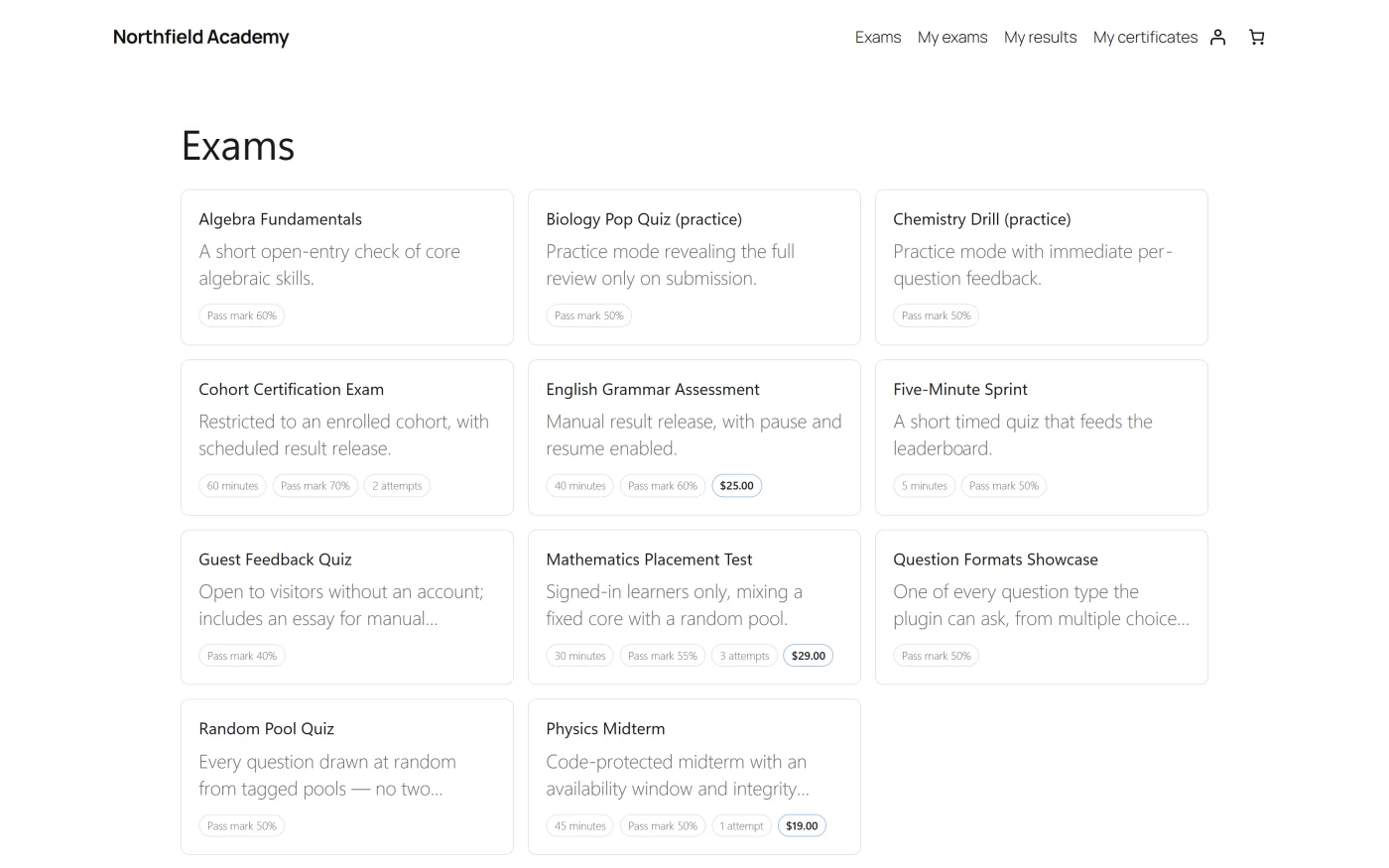
The catalogue
[plugixa_exam_catalogue]
[plugixa_exam_catalogue limit="6"]
[plugixa_exam_catalogue limit="6" empty="No exams are open at the moment."]
| Attribute | Default | What it does |
|---|---|---|
limit |
0 |
How many exams to show. 0 shows all |
empty |
none | The message shown when nothing matches. Omit it to show the built-in text |
A signed-in visitor sees their own standing against each exam: passed, not passed, in progress, or submitted and awaiting a result. An exam they have passed moves out of “ready to sit”.
One exam
[plugixa_exam id="12"]
| Attribute | Default | What it does |
|---|---|---|
id |
0 |
The exam to show. Required |
This is the exam’s own page: title, description, what the rules are, and the Start button, gated by the exam’s access mode.
Search
[plugixa_exam_search]
[plugixa_exam_search per_page="20"]
| Attribute | Default | What it does |
|---|---|---|
per_page |
10 |
Results per page |
A result
[plugixa_exam_result id="484"]
| Attribute | Default | What it does |
|---|---|---|
id |
0 |
The attempt to show. Required |
Subject to the exam’s release policy, and to who is asking. A result page is never cached.
A landing page
[plugixa_exam_landing slug="final-assessment"]
[plugixa_exam_landing id="12"]
| Attribute | Default | What it does |
|---|---|---|
slug |
none | The exam’s slug |
id |
0 |
The exam’s id, if you would rather use it |
Give one or the other.
The learner portal
[plugixa_exam_dashboard]
[plugixa_exam_dashboard sections="exams,results" limit="5"]
| Attribute | Default | What it does |
|---|---|---|
sections |
exams,results,certificates |
Which lists to include, comma separated |
limit |
10 |
How many rows per list |
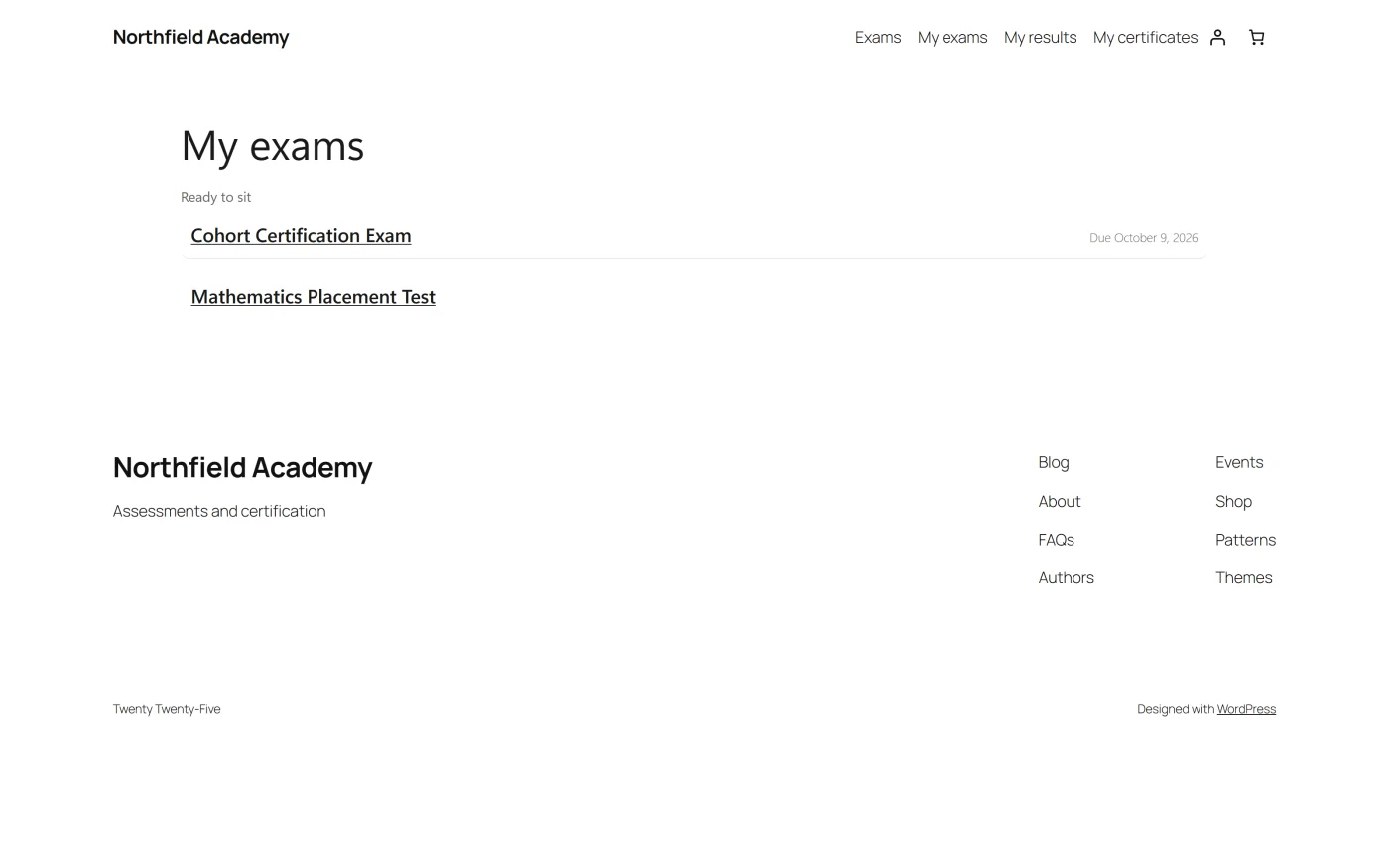
The three lists are also available on their own:
[plugixa_exam_my_exams]
[plugixa_exam_my_results limit="20"]
[plugixa_exam_my_certificates]
[plugixa_exam_my_results] takes limit (default 10).
All four are server-rendered, so they work with JavaScript switched off, and they are never cached: one person’s results must not be served to the next visitor.
Alerts
[plugixa_exam_alerts]
The learner’s own notifications feed. Administrators get the same thing as a bell in the admin bar.
Leaderboard PRO
[plugixa_exam_leaderboard exam="12" top="10" title="Top scores"]
| Attribute | Default | What it does |
|---|---|---|
exam |
0 |
Which exam to rank |
top |
10 |
How many places to show |
title |
none | A heading above the table |
Participation is opt-in. See Leaderboards.
Caching
Anything that shows one person’s own data is served uncached, and the plugin sets
both no-cache headers and the DONOTCACHEPAGE constant that WP Super Cache, W3
Total Cache, WP Rocket and LiteSpeed Cache honour.
For a visitor who is not signed in and has not started an exam, the catalogue and an exam’s page are unchanged and still cacheable. Looking at an exam sets no cookie.
Troubleshooting
| Symptom | Usual cause |
|---|---|
| The shortcode prints as raw text | The tag is misspelled, or the capability is switched off in the App Manager. A capability that is off does not register its shortcode. |
| Nothing renders, no error | The shortcode needs an id or slug and did not get one. |
| The portal is empty for a logged-in user | Nothing has been assigned to them yet, or the Portal capability is off. |
| Styles are missing inside a page builder | Only post content is inspected when deciding whether to load assets. A shortcode stored in a builder’s own storage needs to opt in through the plugixa_exam_needs_frontend_assets filter. See Hooks. |
| One person sees another’s results | Should not happen: these pages are uncached and send DONOTCACHEPAGE. Check a proxy or CDN in front of WordPress is honouring it. |
What to do next
- The same output as blocks: Blocks.
- The pages the plugin creates for itself: Learner Portal.
- Restyling any of it: Templates and Overrides.