

Contents
AI drafting - Plugixa Exam
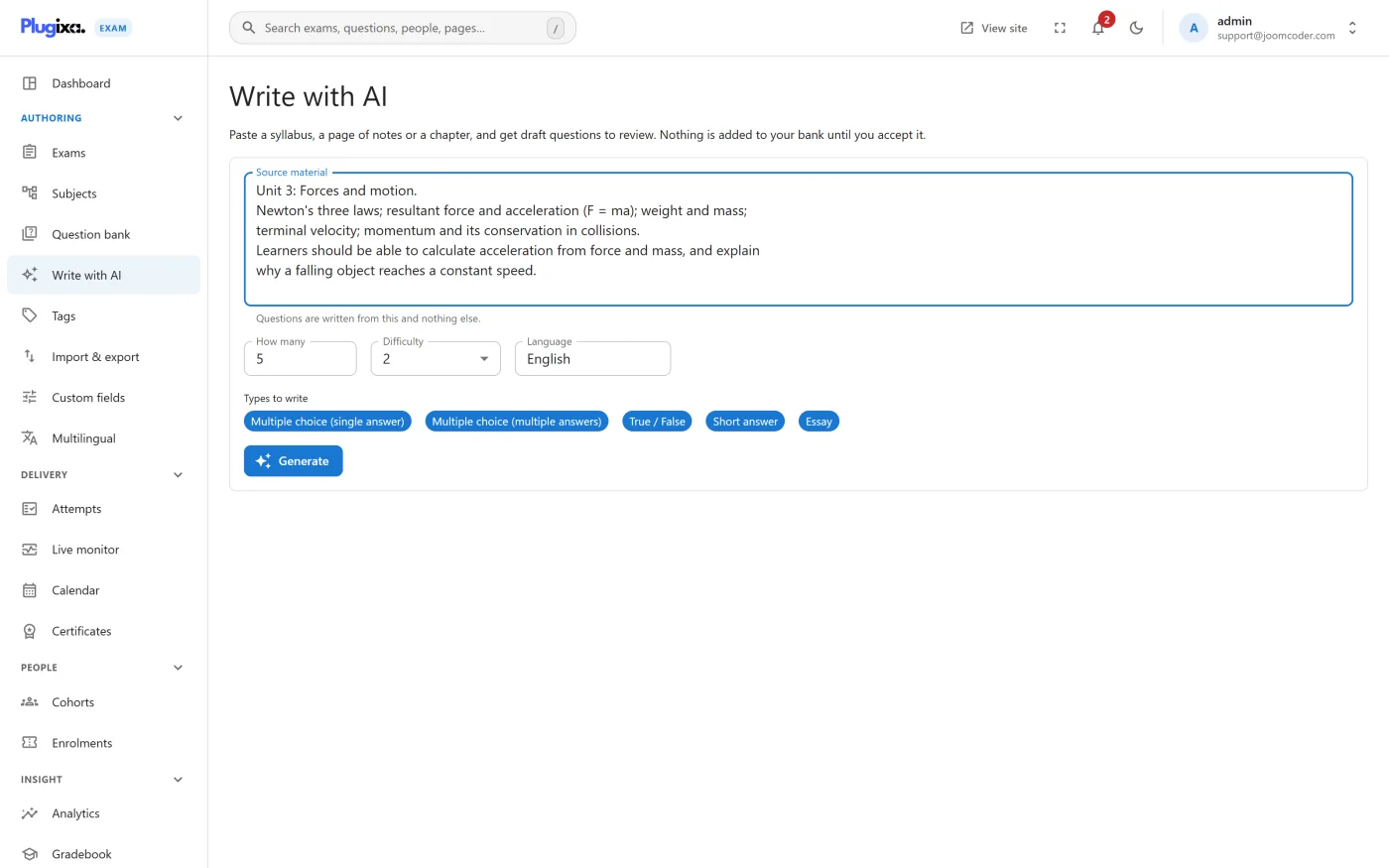
Paste a syllabus or a page of notes and get draft questions back to review. Plugixa Exams -> Write with AI.
Your key, your provider
Nothing is generated until you enter an API key, and the plugin has no key of its own. Three shapes are supported:
| Provider | Notes |
|---|---|
| OpenAI | The default shape |
| Anthropic | Claude, through its own adapter |
| Any OpenAI-compatible endpoint | Including a model running on your own machine |
The base URL is a setting, which is what makes the third case work: point it at a local server and no request leaves your network at all.
| Setting | What it is |
|---|---|
ai_provider |
Which adapter to use |
ai_model |
The model name |
ai_api_key |
Stored on your site, never sent to a browser |
ai_base_url |
For OpenAI-compatible and local endpoints |
ai_max_tokens |
Caps the response size |
ai_timeout |
How long to wait |
They live on the AI tab in Settings.
Nothing is published behind your back
Drafts arrive unpublished, through the same route and the same validation as a question you typed yourself. They are invisible to exams and to pools until you publish them.
The review screen marks the correct answer on every draft, and warns about the failure that matters most: a question with nothing marked correct, which saves and renders perfectly and marks every candidate zero. Read that warning.
What it is good at, and what it is not
Good at the mechanical part: turning prose you already have into the shape of a question, producing plausible distractors, and saving the typing on a bank you are starting from nothing.
Not good at deciding what should be assessed, or at being right. Treat every draft as a first pass by somebody who has not read your syllabus carefully. The review step is not a formality.
Disclosure
This is one of four external services the plugin can talk to, and one of three
that contact nothing until an administrator configures them. If you publish
a privacy policy, the provider you choose belongs in it, because your syllabus
text is sent to them. See
Privacy and GDPR and the
plugin’s readme.txt under External services.
Troubleshooting
| Symptom | Usual cause |
|---|---|
| The screen says nothing can be generated | No API key entered, or the AI capability is off in the App Manager. |
| Requests time out | ai_timeout is short for the model, or a local endpoint is not running. |
| Drafts are truncated | ai_max_tokens is too low. |
| A generated question marks everybody zero | Nothing was marked correct on it. The review screen warns; the warning was passed over. |
| Drafts never appear in an exam | They arrive unpublished, on purpose. Publish them. |
What to do next
- Review and publish what came back in Questions.
- Check the types it produced in Question Types.
- Bring in questions you already own instead: Import and Export.