

Contents
Tutor LMS - Plugixa Exam
The Tutor LMS bridge makes an exam part of a course rather than something running alongside it.
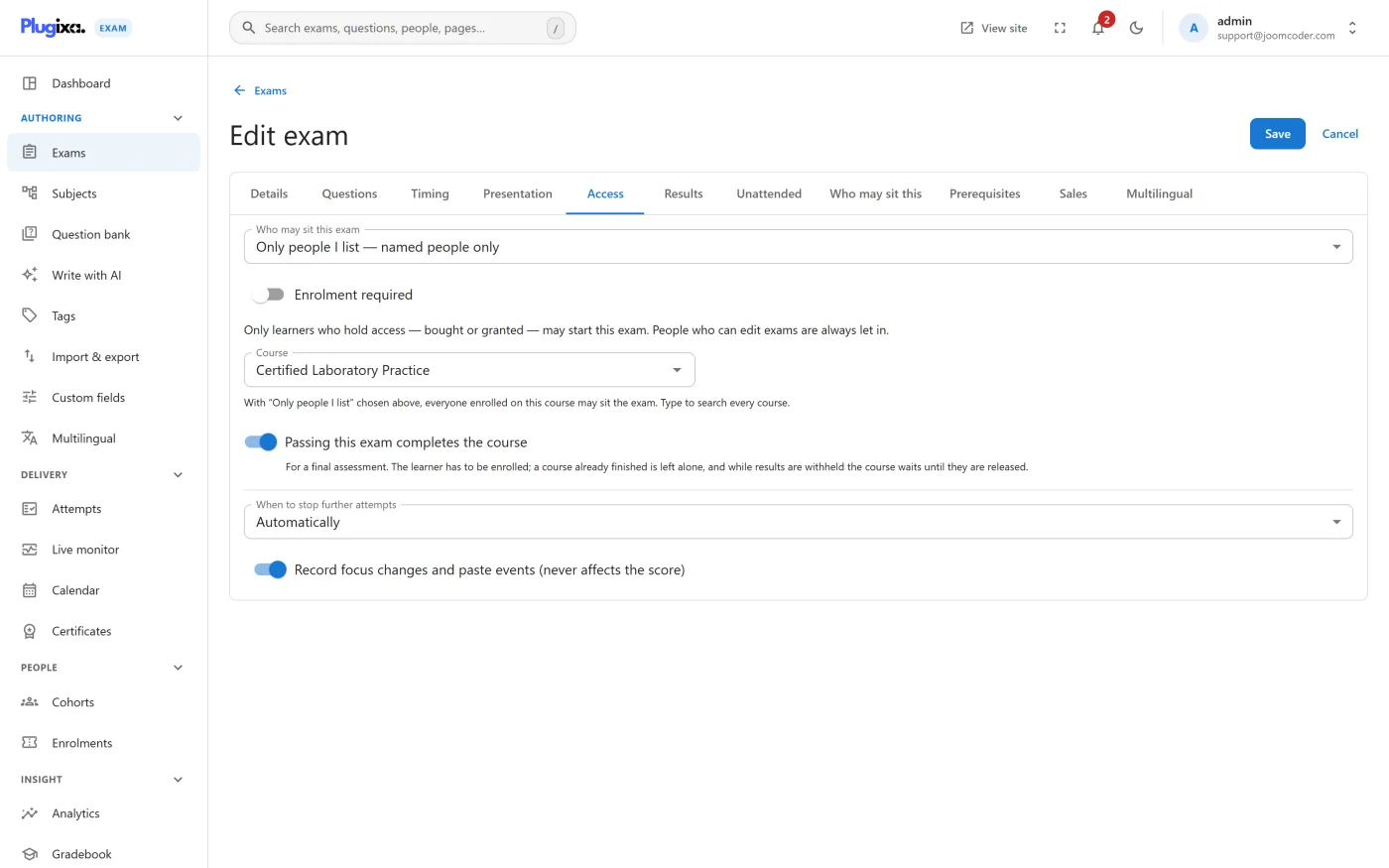
What it does
Two things, both per exam:
- Restrict by enrollment. Only learners enrolled on the course you name may sit the exam.
- Complete on pass. Passing the exam can mark that course finished.
One exam, one course
The three LMS bridges - Tutor LMS, LearnDash and LifterLMS - are deliberately one feature, not three. An exam names one course in one system.
That prevents an exam being linked into two LMSs at once and completing both, which is not something anybody means to configure and is unpleasant to unpick afterwards.
Inert when Tutor LMS is absent
The bridge does nothing on a site without Tutor LMS installed. No settings appear, nothing is hooked, and the exam behaves exactly as it would without it.
The course picker
The picker reads courses from this plugin rather than from WordPress’s REST API.
That is not an arbitrary choice: the REST route only lists course types that have opted into it, and not every LMS does. Reading directly means the picker shows what is actually there.
Troubleshooting
| Symptom | Usual cause |
|---|---|
| No LMS options on the exam | Tutor LMS is not active, or the LMS bridge capability is off. |
| The course list is empty | No published courses, or the courses are of a type the bridge does not recognise. |
| A learner enrolled on the course is refused | Check the exam’s access mode is the LMS-restricted one, and that their enrollment is active rather than pending. |
| Passing does not complete the course | Complete-on-pass is a separate switch from restrict-by-enrollment. |
What to do next
- The same bridge for other systems: LearnDash, LifterLMS.
- Launch from an external LMS instead: LTI 1.3.
- Compare with the built-in ways in at Access and Enrollment.