

Contents
Certificates - Plugixa Exam
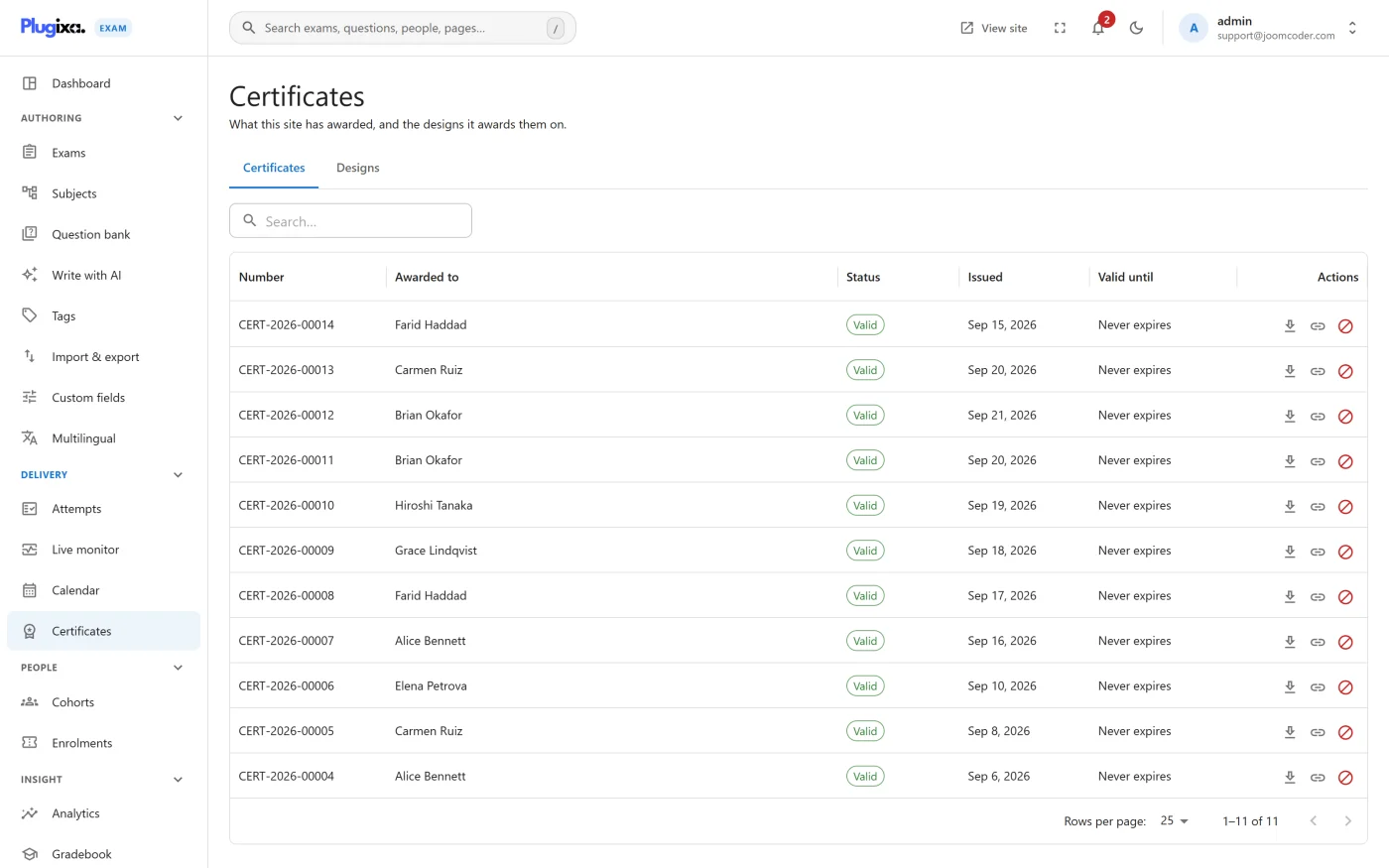
A certificate is issued when somebody passes an exam that awards one. It is a PDF they can keep, and a page anyone can check.
The design
Your site comes with one, ready to award: an A4 landscape certificate carrying the recipient’s name, the exam, the score, the date, your site’s name, the serial and a verification QR code. Nobody has to draw anything before the first pass is awarded.
Plugixa Exams -> Certificates -> Designs is where you change it. The wording, the paper, the orientation, how long it stays valid and how it is numbered are all fields on that screen, and the layout itself can be opened, edited and pasted in as JSON - positions are millimetres from the top-left of the page.
Fields are filled at issue time: the recipient’s name, the exam, the score, the date, the serial, and the verification QR code.
Pro adds a drag-and-drop canvas for that layout, as many designs as you like, and a picker on each exam so different exams award different certificates. See Certificate designer.
Issuing
Automatic, on a qualifying pass. You set the pass standard; anybody who meets it gets one without anybody remembering to send it. With one design, every exam awards that one. With several - which is Pro - each exam can name its own, and an exam that names none awards whichever design is published.
A certificate is frozen at issue. It is rendered from the template as it stood at that moment, so editing a template later does not rewrite the certificates already awarded. Last year’s certificates still look like last year’s.
Verification
Every certificate carries a QR code pointing at /verify/<token>/, a public page
that confirms it is genuine.
The token is random, not sequential. Holding one certificate tells you nothing about anybody else’s, which a guessable serial number would not guarantee. The public page confirms validity without exposing the holder’s other results.
Right-to-left
The PDF engine shapes Arabic and reorders bidirectional text properly. An earlier engine produced disconnected letterforms in reverse order; the verification page had always been correct and only the download was wrong. If you serve right-to-left languages, this is the release that fixed it.
Where learners find them
In the portal at /my-exams/, or through the
[plugixa_exam_my_certificates] shortcode and the My certificates block
anywhere on the site.
Troubleshooting
| Symptom | Usual cause |
|---|---|
| Nobody is getting certificates | No design is published, or the pass standard is not being met. Certificates are only awarded once marking is finished. |
| The design changed but old certificates did not | Correct. They are frozen at issue. |
| Arabic renders as disconnected letters | An older build. Update. |
| The verification page says not found | The token is wrong, or the certificate was revoked. |
| A learner cannot download theirs | Check certificates -> view on their role, and that the Certificates capability is on. |
| “This site keeps 1 certificate design” | The free edition keeps one. Edit the one you have, or add the designer with Pro. |
What to do next
- Set the pass standard in Grading.
- Let learners collect them at Learner Portal.
- Grade against letter bands with Gradebook.