

Contents
Settings - Plugixa Exam
Everything configurable lives under Plugixa Exams -> Settings: one screen with its
sections listed down the left, three in the free edition and three more with Pro.
Each section has its own address (#/settings?tab=colours), so a link to one lands
on it.
| Section | What it controls | Edition |
|---|---|---|
| Number formatting | How every mark, total and percentage is written | Free |
| Colours | The brand, the exam page and how right and wrong are shown | Free |
| Pages | Which pages the plugin’s screens live on | Free |
| AI | The provider and key for question drafting | PRO |
| WooCommerce | Checkout, storefront and what happens after a refund | PRO |
| Appearance | Light or dark admin, for the whole site and per device | PRO |
Switching whole capabilities on and off is not a section here any more. It is the App manager, a screen of its own under Administration in the sidebar.
There is nothing you have to set before writing your first question. These exist for when you want them.
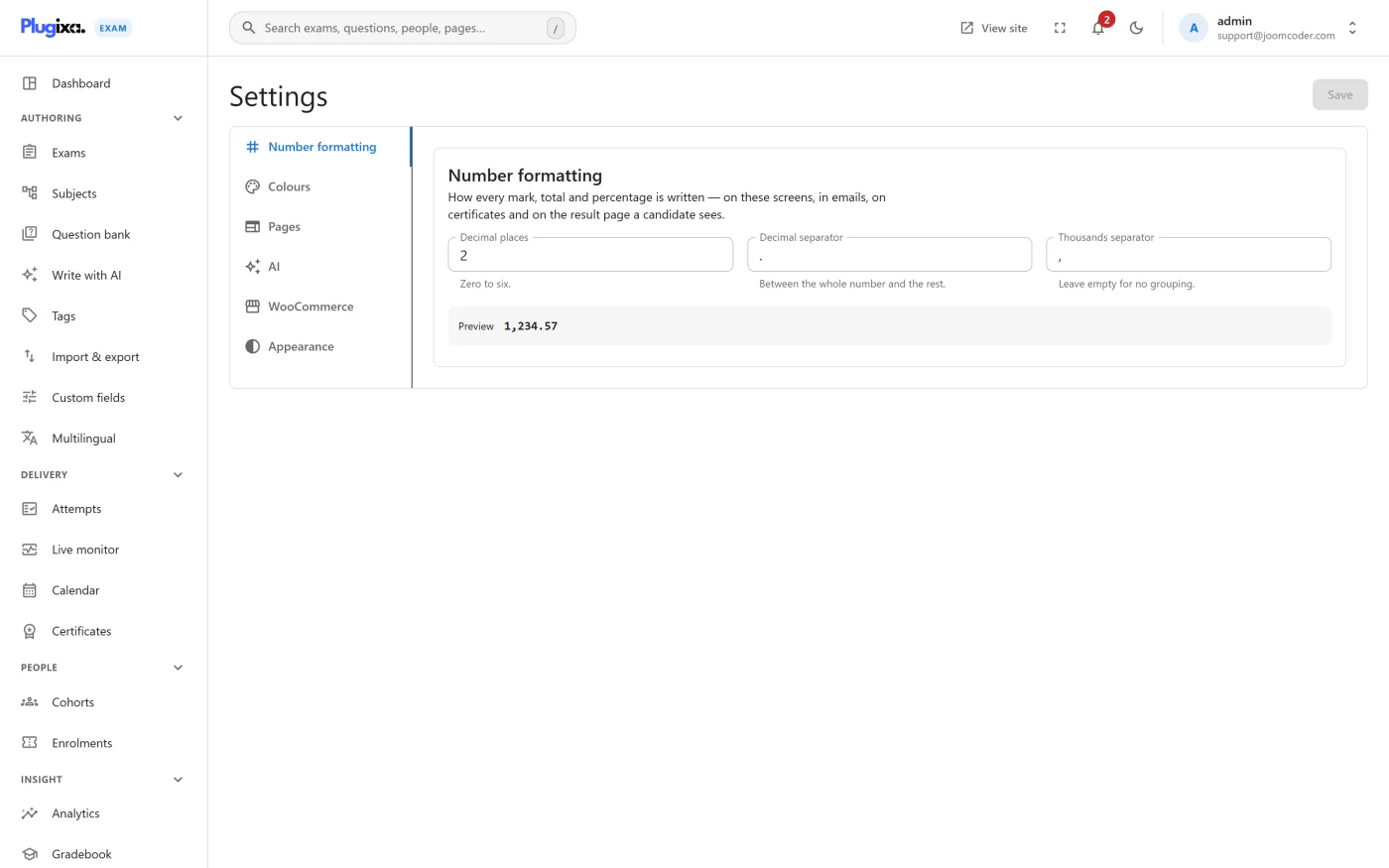
Number formatting and colours
The first two sections share one draft and one Save button at the top of the screen, so you can change a separator and a colour and save them together.
Number formatting decides how every mark, total and percentage is written,
everywhere a candidate sees one: the admin screens, the emails, the certificates
and the result page. Decimal places, the decimal separator and the thousands
separator, with a live preview so you can see 1,234.57 become 1.234,57.
Colours are seven values asked as three questions: the brand, the page a candidate sits an exam on, and how right and wrong answers are shown. A preview panel shows a sample question styled the way a candidate would see it.
Both are covered in detail in Formatting and colours.
Pages
The plugin’s front-end screens (the catalogue, the learner’s exams, results and certificates) work at built-in addresses from the start. This section puts them on pages of your own instead, so they sit inside your theme and your menus, and Create the missing pages makes any that do not exist yet. See Pages settings.
The URL base is also filterable in code if you want /assessments/ rather than
/exams/. See Hooks.
AI PRO
Where you enter the provider, the model and the API key used for drafting questions, plus the base URL for an OpenAI-compatible or local endpoint. Nothing is generated until a key is entered, and the key is stored on your own site and never sent to a browser. See AI drafting.
WooCommerce PRO
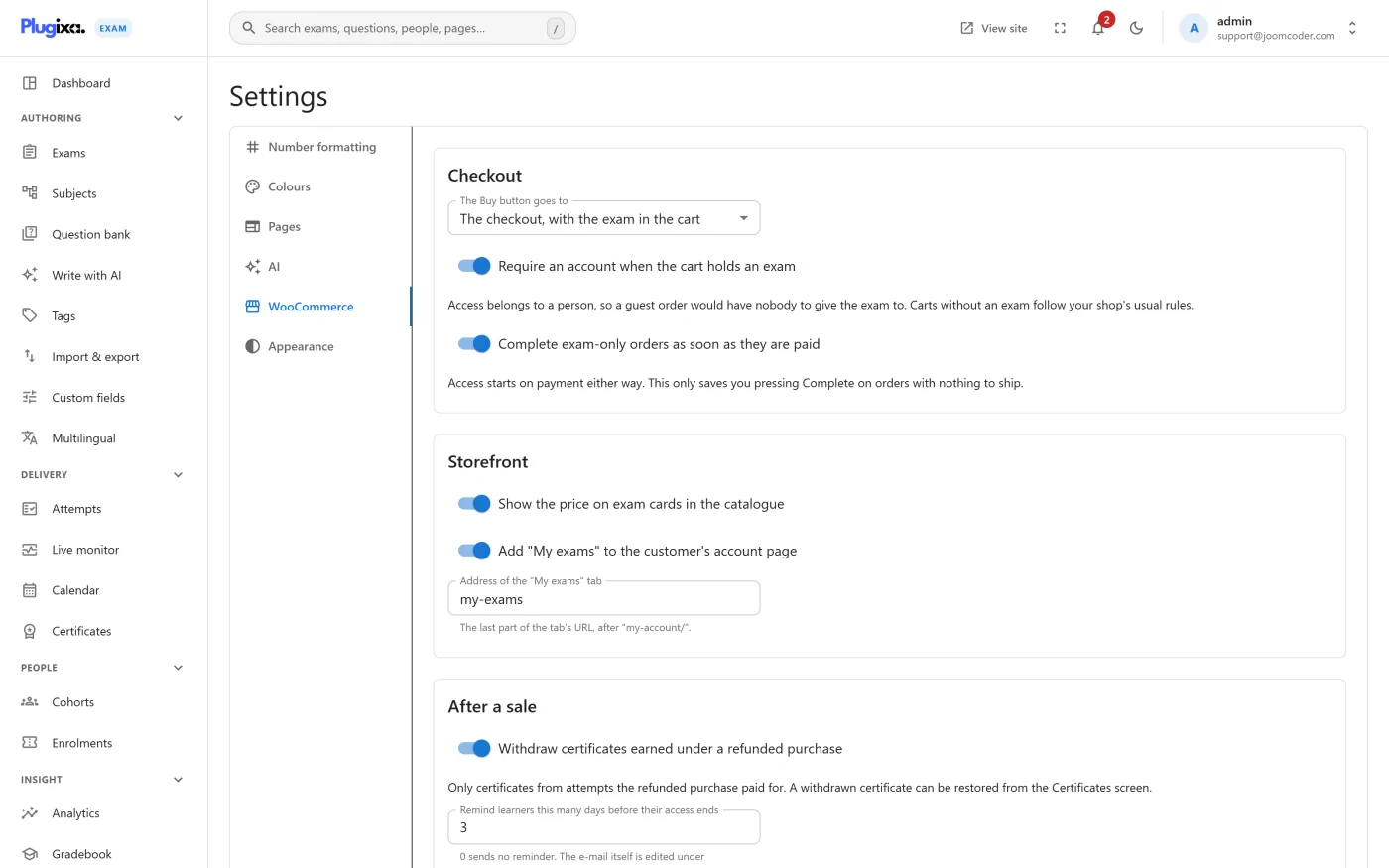
Present when WooCommerce is active. Three groups: Checkout (where the Buy button goes, whether an account is required, whether exam-only orders complete themselves), Storefront (the price on catalogue cards, a My exams tab on the customer’s account page) and After a sale (withdrawing certificates earned under a refunded purchase, and the reminder before access ends). See Selling exams with WooCommerce.
Appearance PRO
Whether the admin screens are light or dark. The site-wide default is set here and is light out of the box; anybody can still flip their own device with the moon button in the header, and that choice is remembered in their browser only. Choosing System follows the device’s own light or dark setting.
Troubleshooting
| Symptom | Usual cause |
|---|---|
| A menu item vanished | Its capability is off in the App manager. |
| A shortcode prints as raw text | Same cause: a capability that is off does not register its shortcode. |
| A section is missing from the list | It belongs to a capability that is off, or to Pro. WooCommerce appears only while WooCommerce is active. |
| Percentages read oddly in emails | Number formatting is global, including emails and certificates. Check the separators. |
| Front-end pages 404 | Visit Settings -> Permalinks in WordPress once to rebuild the site’s addresses. |
| Colours look right in admin, wrong on the exam page | The theme is overriding them. The colours are variables; a theme with its own !important rules will win. |
What to do next
- Decide who can change all this in Roles and Permissions.
- Set up the messages that go out in Notifications.
- Put the plugin’s pages where you want them with Shortcodes.