

Contents
LTI 1.3 - Plugixa Exam
LTI 1.3 lets a learning management system launch an exam here, as though it were part of the course, and receive the mark back.
What it does
- A learner clicks an activity in the LMS and lands in the exam runner here, already identified. No second account, no second login.
- When they finish, the score goes back to the LMS gradebook.
Setting it up
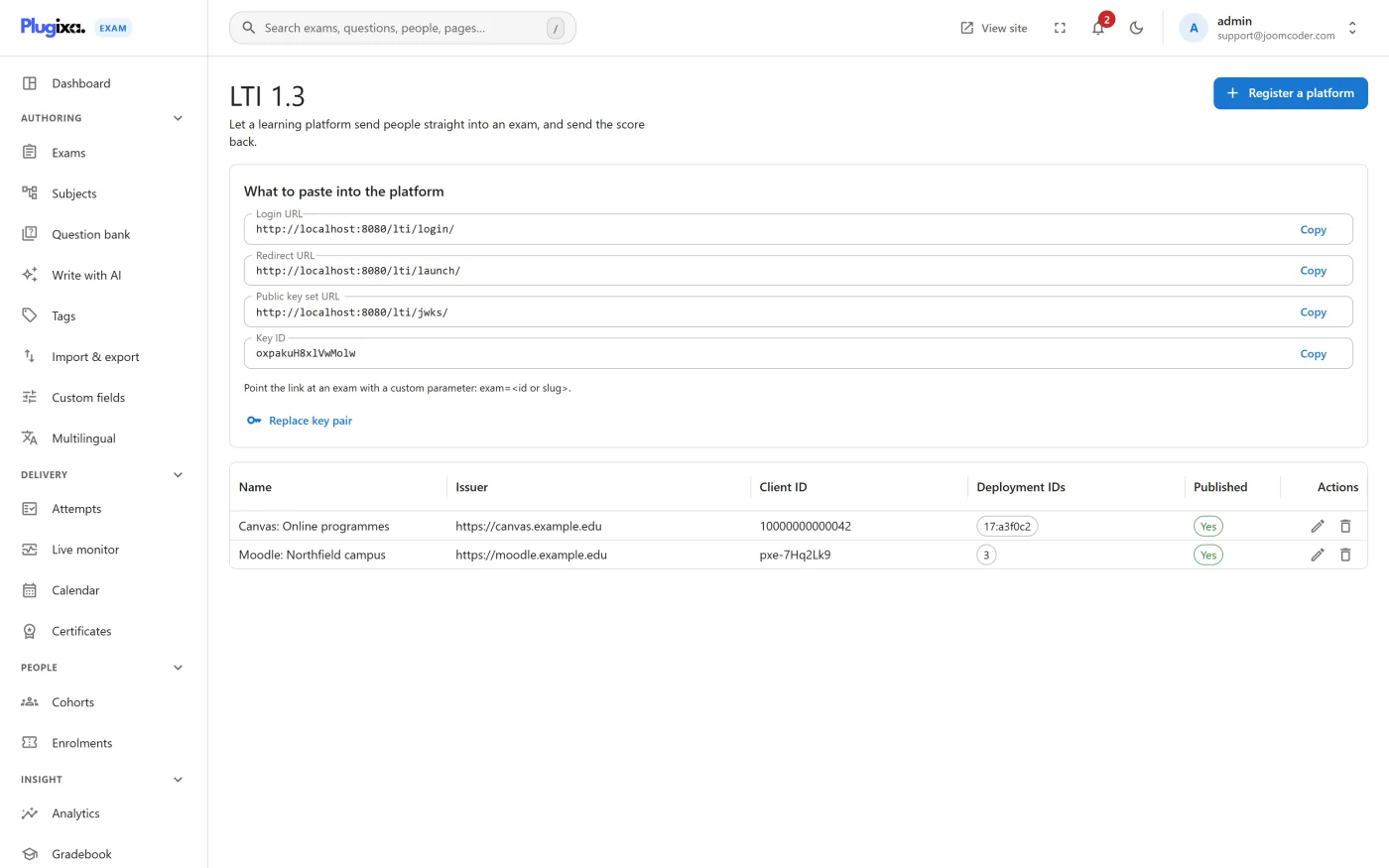
Registration is a swap of details between two systems. This screen shows everything the platform needs from you:
| Endpoint | What the platform does with it |
|---|---|
| Login | Starts the launch |
| Redirect | Where the launch lands |
| Keyset | Public keys, so the platform can verify what it receives |
Register the platform here with the details it gives you in return, then add the activity on the LMS side.
It contacts nothing until you configure it
There is no default endpoint. A site where nobody has registered a platform makes no outbound request of any kind. That is worth knowing for the external-services disclosure on your own privacy page.
Troubleshooting
| Symptom | Usual cause |
|---|---|
| The launch fails with a signature error | The keys do not match. Re-copy the keyset URL; do not paste keys by hand. |
| The learner lands but is not recognised | The platform is sending a different user identifier than it registered with. |
| Scores are not reaching the gradebook | Grade passback is a separate service on the platform side. Check it is enabled for that activity. |
| Nothing at all happens | No platform is registered. The screen lists them; an empty list means no launches are possible. |
What to do next
- Push events outward as well: Webhooks.
- Drive the plugin from a script with API Tokens.
- Bridge a WordPress LMS instead: Tutor LMS.