

Plugixa Inventory 1.1.0: Sell From Your Warehouse With WooCommerce

Plugixa Inventory 1.1.0 is out, with a WooCommerce integration PRO. Your shop now sells what a real warehouse holds, and every sale, cancellation and refund ends up in the stock ledger, as a document you can trace. Here is how it works.
One warehouse, one source of truth
A shop and a stockroom that each keep their own count will disagree sooner or later, and nobody can say which one is right. In 1.1.0 there is only one count.
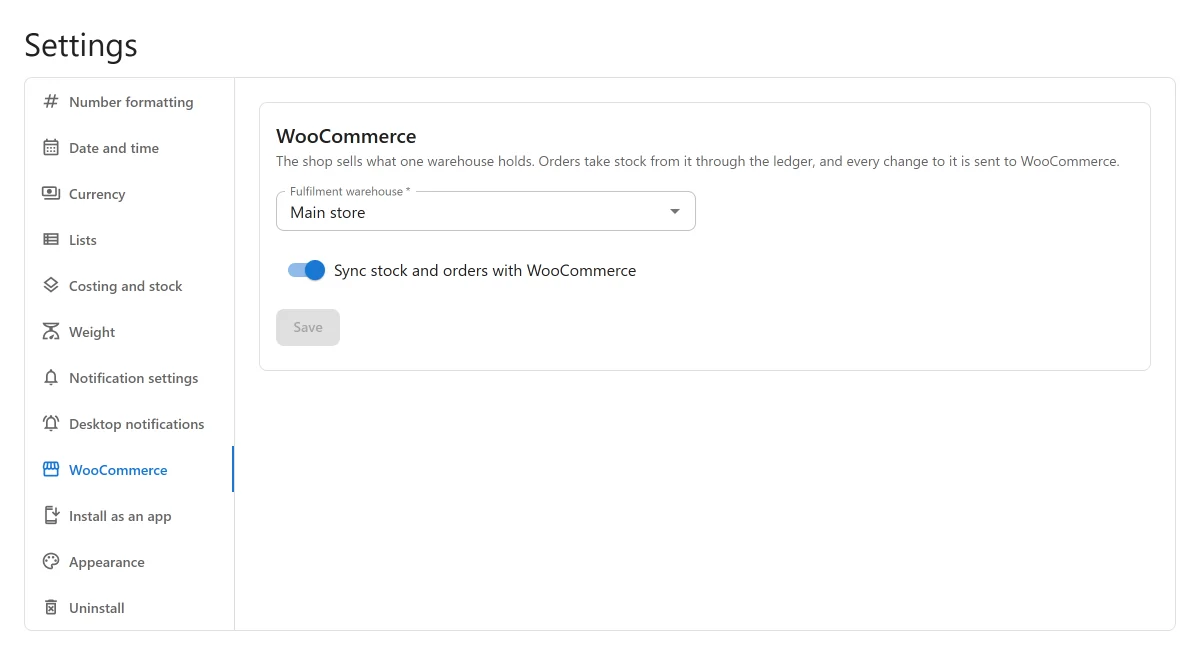
You choose the warehouse your shop sells from in Settings -> WooCommerce, and switch syncing on. From then on WooCommerce always shows what that warehouse holds, and every change WooCommerce makes to stock is posted to the ledger:
- an order takes its stock out of the warehouse,
- a cancelled order, a failed payment, or an order set back to pending puts it back,
- a refund with Restock refunded items puts the restocked quantity back.
Each one is an ordinary finalised stock movement, WooCommerce order #123, with the cost of what left. A return goes back at the cost it left at, so it never revalues the warehouse. The order gets a note too: Plugixa Inventory: removed 4 × LED floodlight 50W from Main store.
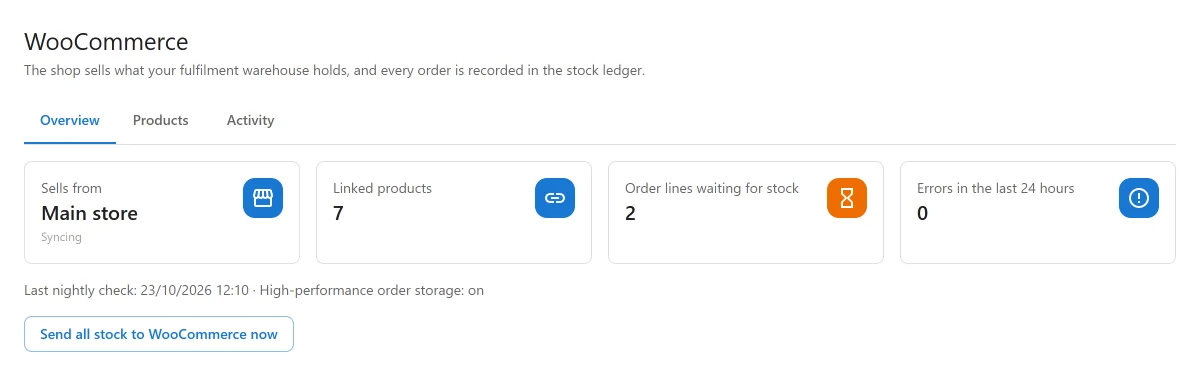
The new WooCommerce screen shows it all at a glance: where the shop sells from, how many products are linked, which order lines are waiting for stock, and any errors.
Link your products, or import them
A product follows the inventory once it is linked to an item. There are three ways to do that, from the Products tab:
- Link by matching SKU links every product whose SKU is already the SKU of an item, in one click.
- Link to item links one product or variation by hand.
- Import selected as items creates the items for you, already linked. The product’s WooCommerce stock becomes the opening balance, posted as a real finalised movement, so the ledger and the valuation agree with it from the first day.
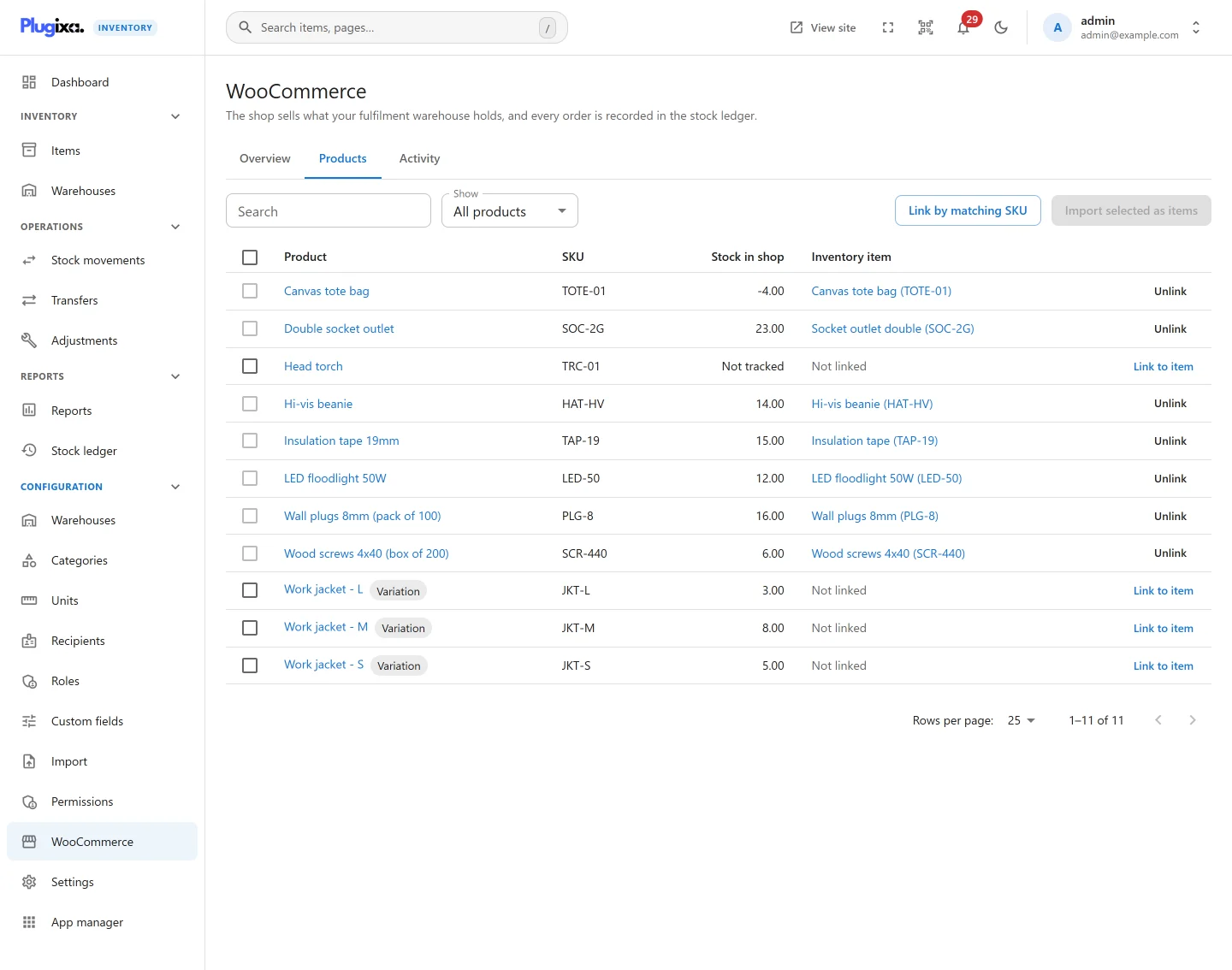
Variations are linked one by one, so each size or colour has its own stock. Only sellable and consumable items can be linked: an asset is something you own, not something you sell.
Backorders that fill themselves
When a shop allows backorders, an order can ask for more than the warehouse holds. The order takes what is there, and the rest waits in Orders waiting for stock. As soon as stock arrives in the warehouse, the waiting lines are filled automatically, oldest order first. Nobody has to remember which customer was next.
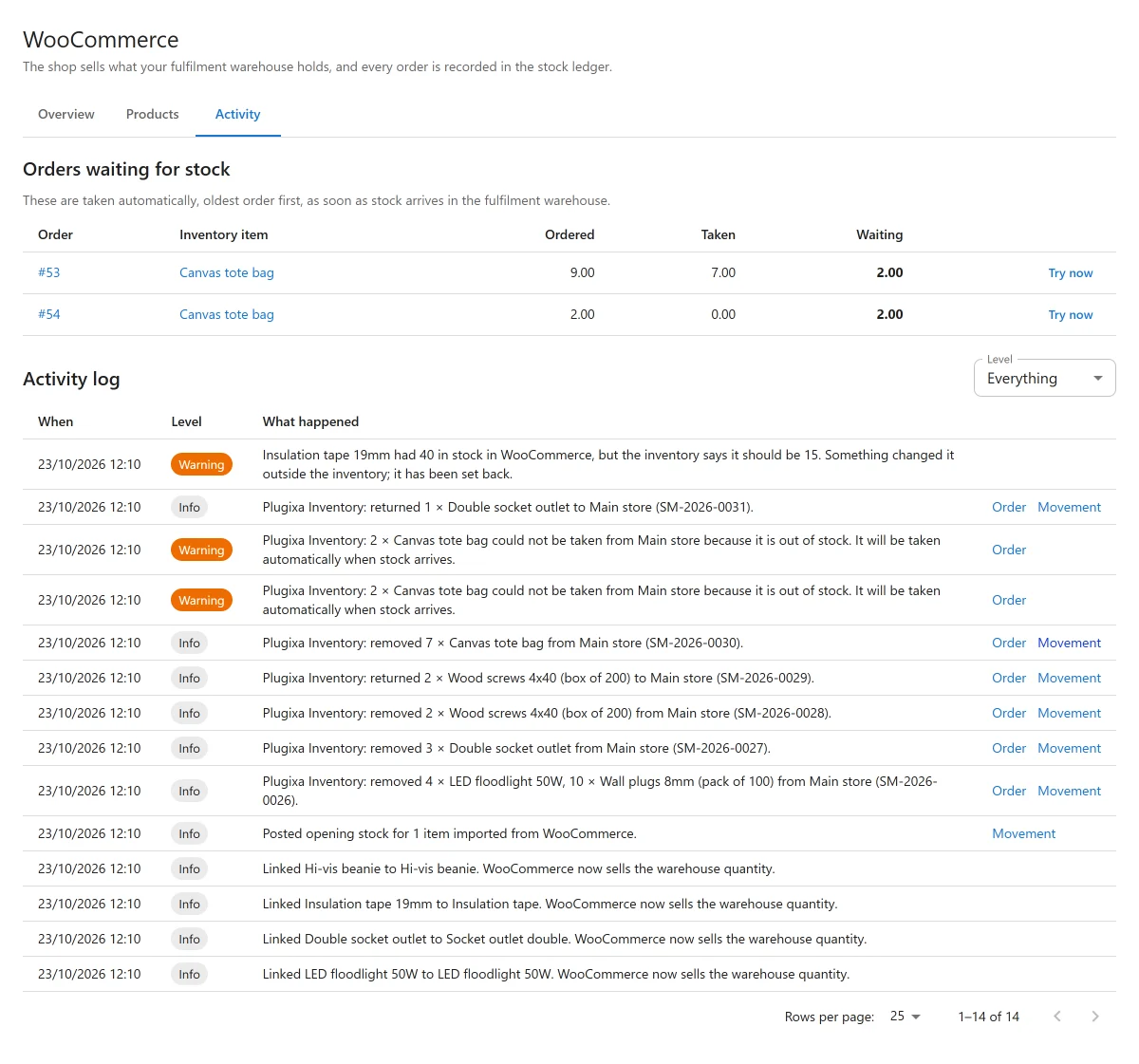
Everything the integration does is in the Activity log next to it: links, sales, returns, shortfalls and corrections, each with a link to its order and its stock movement.
Nothing is missed while it is off
If syncing is switched off for a while, or Pro is inactive, the shop keeps selling. When it comes back, the integration catches up first: it goes through the orders it missed and posts them to the ledger, and only then updates the shop’s stock. So the shop is never set back up to units that were already sold.
Stock is changed in one place
The stock of a linked product is read-only in WooCommerce. The quantity field on the product screen is locked, with a note saying where to change it:
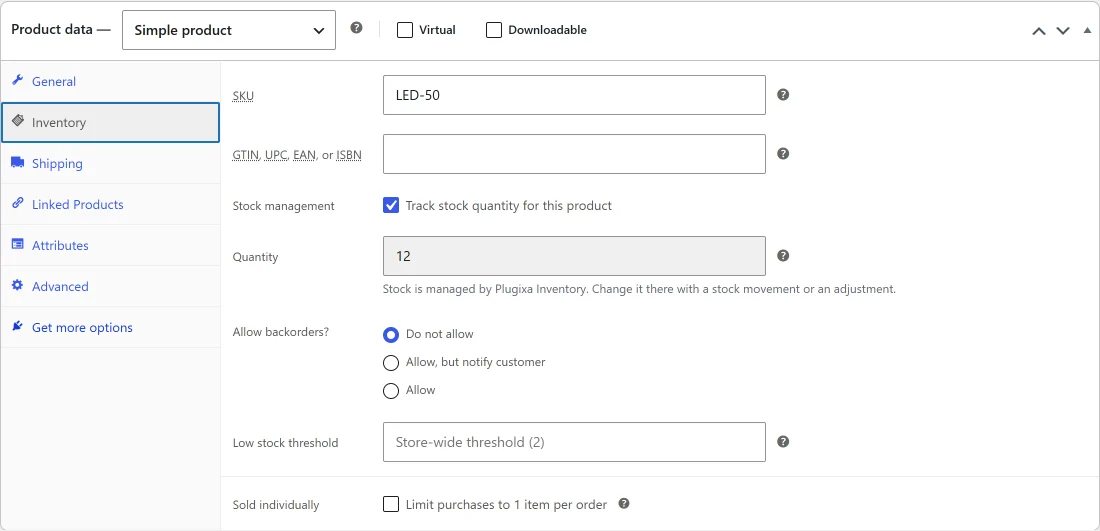
If something changes it anyway, through another plugin, an import or a quick edit, the nightly check finds it, sets it back to what the warehouse holds, and logs what it found.
And more
- HPOS ready: the integration supports WooCommerce High-Performance Order Storage, and works with either order storage.
- Safe update: updating does not change any of your existing items, stock or history. Nothing is synced until you choose a warehouse and switch syncing on.
- Off without losing anything: the integration is an app in the App Manager. Switch it off and every link and movement stays.
The WooCommerce guide covers the set-up, linking, backorders and the nightly check in detail, and every change is listed in the 1.1.0 changelog.
Plugixa Inventory 1.1.0 is available now. Turn on stock management in WooCommerce, choose your warehouse, and link your products.