

Contents
Integrations - Plugixa Permalink Manager
Some plugins have their own ideas about addresses: a shop page that is really an archive, a translation with a language prefix, a primary category. An integration teaches Plugixa Permalink Manager to cooperate with one of them.
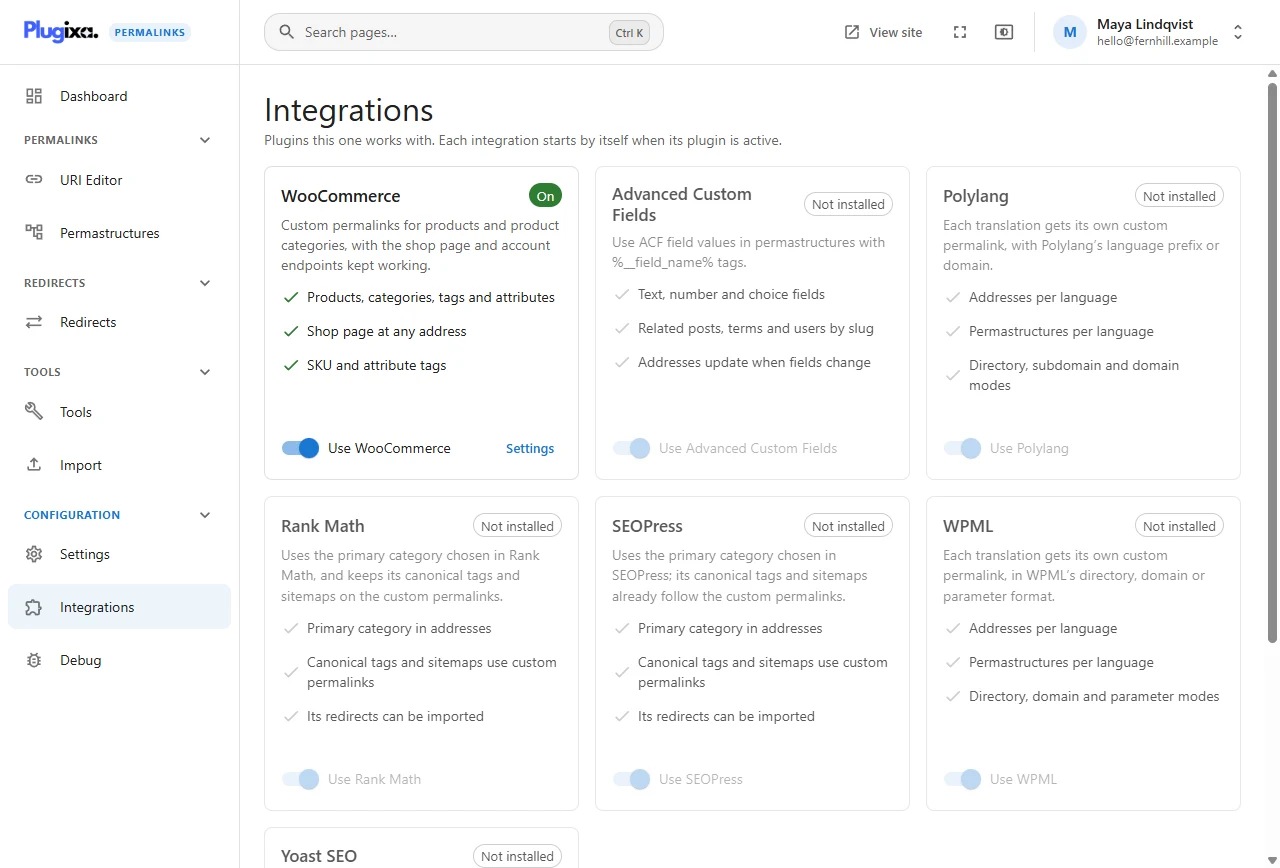
The integrations
| Integration | What it does | Edition |
|---|---|---|
| WooCommerce | The shop page at any address, SKU and attribute tags, account and checkout pages kept working | Pro |
| Advanced Custom Fields | Field values in addresses, including related posts, terms and users | Pro |
| Polylang | An address and a pattern per language | Free |
| WPML | An address and a pattern per language | Free |
| Yoast SEO | Primary category in addresses; canonical tags and sitemaps use custom addresses | Free |
| Rank Math | The same, for Rank Math | Free |
| SEOPress | The same, for SEOPress | Free |
Integrations start by themselves
There is nothing to configure. Each card shows one of three states:
| State | Meaning |
|---|---|
| Not installed | The other plugin is not active on this site. The integration does nothing |
| On | The other plugin is active and the integration is running |
| Off | The other plugin is active but you switched the integration off |
Install WooCommerce tomorrow and its integration is on the next time a page loads.
Switching one off
Each card has a switch, for example Use WooCommerce. Turn it off if you would rather the two plugins ignored each other. Your addresses are not changed; only the cooperation stops.
A card’s Settings link opens the screen where that integration is used: the Permastructures screen for WooCommerce, the Import screen for an SEO plugin’s redirects. No integration has options of its own.
Products without Pro
A product is a post type and a product category is a taxonomy, so the free plugin already gives them custom addresses and patterns like any other content. What the Pro WooCommerce integration adds is everything specific to a shop: the shop page, SKU and attribute tags, and protection for WooCommerce’s own addresses.
Other plugins
Custom post types and taxonomies registered by any plugin work without an integration, as long as they are public. If one is missing from the lists, see Skip content types that are not meant to be visited in Content settings.
Running beside another permalink plugin is a different matter; see Import.