

Contents
On this page
Bunny Stream - Plugixa Stream
Bunny Stream is a video hosting service from bunny.net. With it connected, new episodes upload straight from your browser to Bunny, Bunny encodes them into several qualities, and viewers stream them from Bunny’s CDN. Your server stores no video and does no encoding, which suits shared hosting.
The player plays Bunny’s adaptive stream (HLS) itself, so the swipe feed, the side buttons, locked episodes and the quality menu work as for any other episode.
1. Connect your library
-
In your Bunny dashboard, open Stream, then your video library, then API.
-
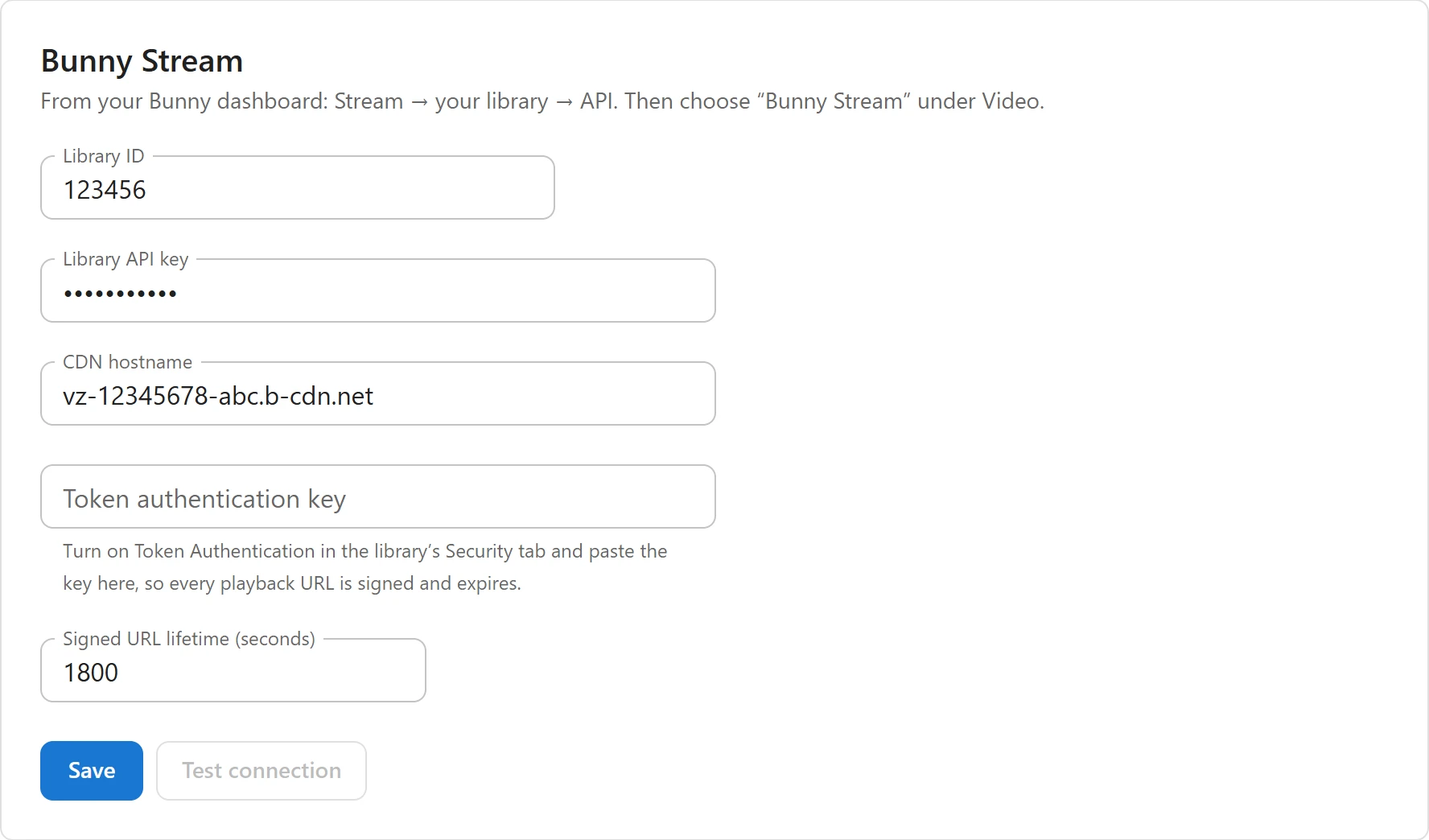
In WordPress, open Settings -> Bunny Stream and fill in:
Field What it is Library ID The number of your Stream library. Library API key The library’s own API key, not your account key. CDN hostname The library’s delivery host, such as vz-xxxxxxxx-xxx.b-cdn.net.Token authentication key Optional, see step 3. Signed URL lifetime (seconds) How long a signed playback link works. 60 to 86400, default 1800 (30 minutes). -
Click Save, then Test connection. “Connected.” means Bunny accepted the key. “Bunny refused the API key. Check the library API key (not the account key).” means it did not.
The two keys are stored encrypted and never sent back to the browser. A saved key shows as dots with “Saved. Leave empty to keep it.”; type a new one to replace it.
2. Upload new episodes to Bunny
Open Settings -> Video and set Upload new episodes to to Bunny Stream, then click Save. “Existing episodes keep playing from wherever they were uploaded.”
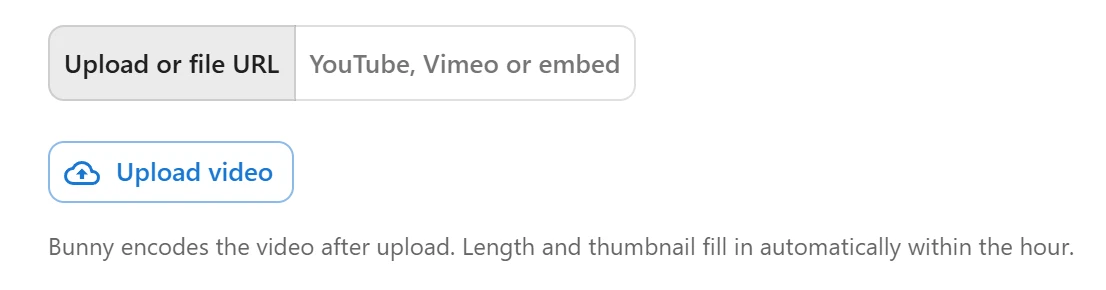
From now on, the episode dialog’s Upload or file URL source is a Bunny upload:
- Open an episode, or click Add episode in the title’s Episodes list.
- Click Upload video and choose the file.
- Wait for the progress bar to finish, then click Save.
The file goes from the browser straight to Bunny with the tus upload protocol: it never passes through WordPress, so PHP’s upload size limit does not apply. WordPress only creates the empty video in your library and signs a ticket that lets the browser upload that one video, for 6 hours. The episode then shows Bunny video and the video’s id; Replace video uploads a new file.
“Bunny encodes the video after upload. Length and thumbnail fill in automatically within the hour.” An hourly task asks Bunny about episodes that still have no duration, 25 at a time, and fills in the duration and, when the episode has no thumbnail of its own, Bunny’s thumbnail.
3. Protect the links
Without a token key, playback links are not signed: “Anyone with a URL can share it.” The tab shows that warning until you add one.
- In Bunny, open the library’s Security tab and turn on Token Authentication.
- Copy its key into Token authentication key and click Save.
Every playback link is then signed and expires after the Signed URL lifetime. The signature covers the video’s whole folder, so the stream’s segments play, and a link for one video cannot open another. A viewer only gets a link when they may watch the episode, so a locked episode’s stream stays locked.
To stop signing, tick Remove the token key (URLs stop being signed).
Bunny’s own DRM player (MediaCage) is not used: it requires Bunny’s embed player.
AI subtitles from Bunny episodes
AI subtitles from speech need a file to send to the speech-to-text service. For a Bunny episode, the plugin downloads Bunny’s 480p MP4 copy. Turn on MP4 fallback in the library’s encoding settings in Bunny, or transcription fails for Bunny episodes.
External service
When Bunny Stream is set up, the site uses Bunny’s services as follows:
- From your server to
video.bunnycdn.com: your library ID and API key, the title of each video you upload (the file name), requests for a video’s encoding status, duration and thumbnail, and the connection test. - From your browser to
video.bunnycdn.com/tusupload: the video files you upload. - From viewers’ browsers to your CDN hostname: the video stream and its thumbnails. Bunny receives the viewer’s IP address and browser details, as with any CDN.
Nothing is sent to Bunny until you save your library details. Bunny’s own terms and privacy policy apply to what it stores.
Related
Quick Links
Share