

Contents
On this page
Plugixa Stream: User Documentation
Welcome to the official documentation for Plugixa Stream, a plugin that turns a WordPress site into a series streaming platform. You add series and movies with their posters, genres and episodes, choose how many opening episodes are free, and your viewers watch in a full-screen player made for phones, tablets, desktops and TVs. You manage everything from one admin app in WordPress.
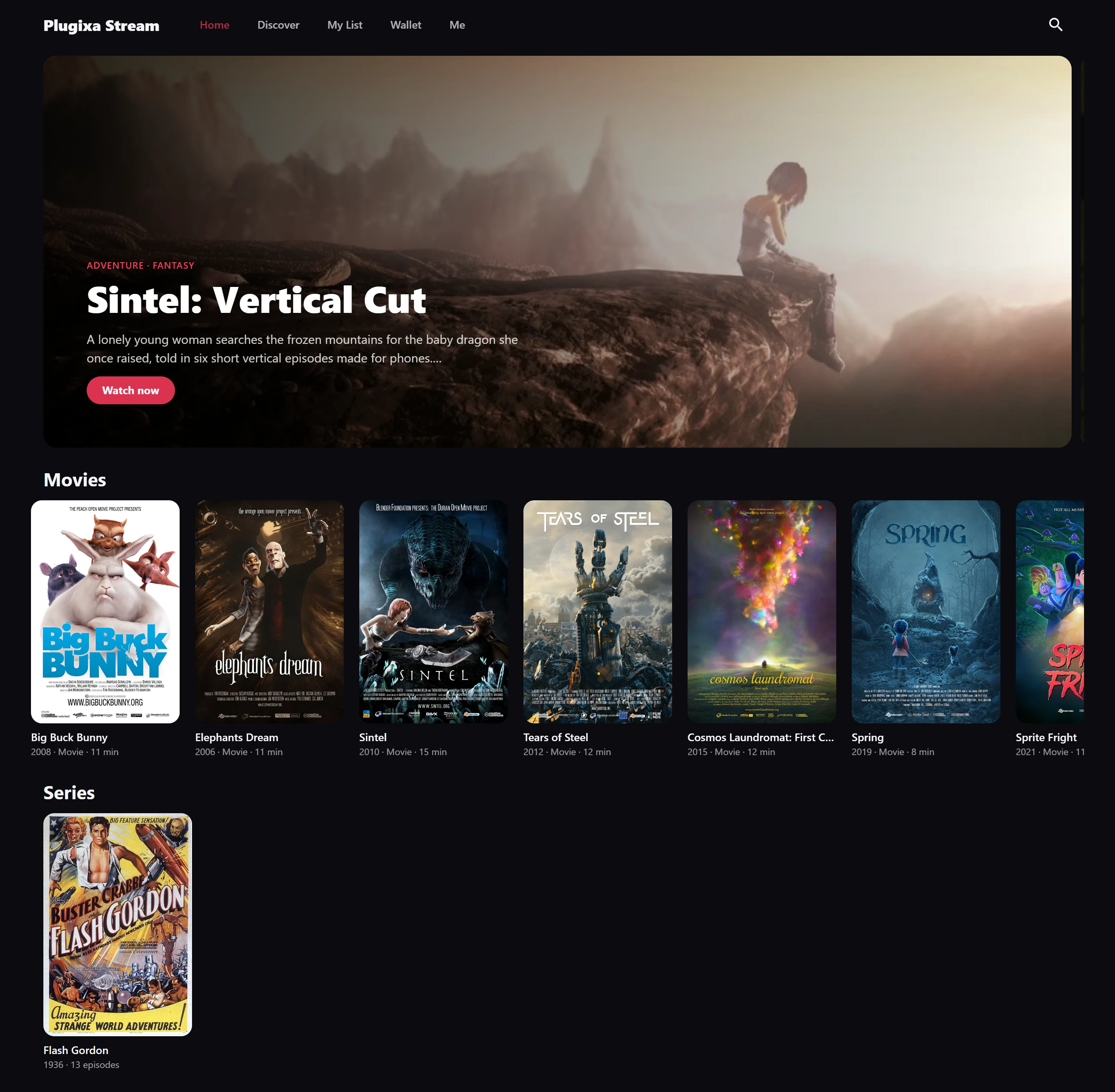
Plugixa Stream suits vertical short dramas with dozens of one-minute episodes, full-length widescreen series, movies, documentaries and anime, or a mix of all of them. Every video is shown at its own shape: a vertical episode fills a phone, a widescreen episode fills a desktop or TV, and nothing is cropped to fit a screen it was not made for.
The plugin ships in two editions:
- Free - series and movies with posters, banners, trailers, genres, tags, studios and languages, episodes from the Media Library, an MP4 link, or a YouTube, Vimeo or other embed, a whole season added at once, scheduled releases, free and locked episodes, the full-screen swipe player, resume on any device, My List, home rows and a featured carousel, search and genre filters, a CSV import and export, server-rendered series and episode pages, shortcodes and blocks, and a dashboard of what your viewers watch.
- Pro PRO - everything in Free, plus coins and episode unlocks, VIP subscriptions, Stripe and PayPal checkout, promo codes and free trials, a daily check-in bonus, video ads, HLS streams with a quality menu, quality encoding, Bunny Stream hosting, subtitles and dubbed audio, AI subtitles, casting to a TV, a Video.js player style, profiles and kids mode, screen limits, email notifications, ratings and reviews, cast and crew pages, custom fields and filling titles from The Movie Database.
Nothing in the free edition is time-limited. See the complete Free vs Pro comparison.
Who it is for
- Studios and creators publishing short vertical dramas, one episode at a time.
- Channels and archives with full-length series, films, documentaries or anime.
- Anyone who wants their own streaming site on WordPress, with their own domain, look and viewers, instead of a page on someone else’s platform.
Start in 3 steps
- Create a series. Open Plugixa Stream > Series & movies, click New series, give it a title, a poster and its genres, and save. See Series and movies.
- Add its episodes one by one, or a whole season at once from the Media Library, and choose how many opening episodes are free. See Episodes and Free and locked episodes.
- Open the Watch page the plugin created on activation, at
/watch/, and press play.
The full walkthrough is in Getting started.
Key concepts
| Term | What it is |
|---|---|
| Series | A title that holds episodes, numbered from 1, with an optional season number on each. |
| Movie | A title that holds exactly one video. It has the same poster, genres and page as a series. |
| Episode | One video of a series, with its number, title, source, thumbnail and release date. |
| Free episodes | How many opening episodes anyone can watch. 5 by default, and each series can set its own. |
| Locked episode | An episode that is not free. In Free it does not play; with Pro viewers unlock it with coins or VIP PRO. |
| Watch page | The page with the [plugixa_stream_app] shortcode, shown full-screen without your theme. It holds the whole viewer app. |
| Home rows | The rows of posters on the viewer app’s home screen, such as Trending now or a genre. |
Where to start
| Section | Description |
|---|---|
| Getting started | Requirements, install, what activation sets up, a first series and its episodes |
| Free vs Pro | What each edition contains |
Content
| Section | Description |
|---|---|
| Series and movies | The Series & movies list, its filters and the title form |
| Episodes | Adding, ordering and scheduling episodes, a whole season at once, skip-intro markers |
| Video sources | Media Library files, MP4 links, HLS links with Pro, YouTube, Vimeo and other embeds |
| Free and locked episodes | How many episodes are free, what a locked episode does, the email watermark |
| Genres and taxonomies | Genres, tags, studios and languages, and their archive pages |
| Home rows | The rows on the home screen and the featured carousel |
| Import and export | The whole catalogue as one CSV file |
| Dashboard | Viewers, watch time, scheduled releases and where viewers stop |
| Ratings and reviews PRO | Star ratings and reviews from viewers |
| Cast and crew PRO | Actors and directors on each title, with a page per person |
| Custom fields PRO | Your own details on titles, shown and filterable |
Viewer app
| Section | Description |
|---|---|
| The watch app | Home, series screens, Discover and the account screen |
| The player | Swiping, controls, keyboard shortcuts, quality and skip intro |
| Resume and My List | Continue watching, My List, likes and history |
| SEO | Server-rendered series and episode pages with structured data |
| Appearance | Colours, font, corners and logo of the viewer app |
| Shortcodes | The app, rows, series cards and continue-watching on any page |
| Blocks | The same embeds as blocks |
| Page templates | The series, episode and archive templates for your theme |
| Multilingual | Translated sites and right-to-left languages |
Monetization (Pro)
| Section | Description |
|---|---|
| Coins and unlocks PRO | Coin packs and unlocking episodes, series and movies |
| VIP subscriptions PRO | Recurring plans that open every episode |
| Prices PRO | Site, series and episode prices, and whole-series discounts |
| Stripe PRO | Card payments |
| PayPal PRO | PayPal payments |
| Coupons and free trials PRO | Promo codes and a free trial on a first VIP plan |
| Daily check-in PRO | Free coins for coming back each day |
| Orders and viewers PRO | Payments, refunds and viewer wallets |
| Video ads PRO | Ads before and during episodes |
Video and subtitles (Pro)
| Section | Description |
|---|---|
| Subtitles and audio tracks PRO | Subtitle files, captions and dubbed audio |
| Encoding PRO | 4K, 1080p, 720p and 480p streams made on your server |
| AI subtitles PRO | Subtitles written from the audio, and translations |
| Cast to a TV PRO | Chromecast and Google TV |
| Video.js player PRO | The Video.js control bar style |
Viewers (Pro)
| Section | Description |
|---|---|
| Profiles and kids mode PRO | Several profiles per account and kids profiles |
| Screen limits PRO | How many devices may watch at the same time |
| Email notifications PRO | New-episode emails, receipts and renewal reminders |
Integrations
| Section | Description |
|---|---|
| Bunny Stream PRO | Hosting and streaming through Bunny.net |
| TMDB PRO | Filling titles from The Movie Database |
Running the site
| Section | Description |
|---|---|
| Settings | Every settings tab |
| Privacy and uninstall | What is stored, what is sent and what deleting the plugin removes |
| Troubleshooting | Common problems and their causes |
Developers
| Section | Description |
|---|---|
| REST API | The plugixa-stream/v1 routes |
| Hooks | Actions and filters |
System requirements
- WordPress: 6.7 or higher
- PHP: 8.2 or higher
- REST API: the viewer app talks to your site through the WordPress REST API, so it must be reachable by visitors who are not signed in.
Series and episodes are stored as WordPress posts. Deleting the plugin keeps them unless you switch on the delete option under Settings > Data. See Privacy and uninstall.
Getting help
- Check Troubleshooting first.
- Read the page for the screen you are using.
- Contact support through your Plugixa account.
License
Plugixa Stream is licensed under the GPL v2 or later. Pro features are part of the Pro build of the plugin.
Quick Links
Share