

Contents
Email notifications - Plugixa Stream
The plugin sends three kinds of email to signed-in viewers:
| Sent when | Who can switch it off | |
|---|---|---|
| New episodes | Once a day at most, when series on the viewer’s My List got new episodes | The viewer (opt-in), and you |
| Purchase receipt | When an order is paid | You |
| VIP reminder | 3 days before a VIP plan renews or ends | You |
Emails go out through WordPress’s own mail, so an SMTP plugin or mail service you use delivers them too. Each one uses your app’s name, logo and brand colour, with a plain-text version for mail apps that want one.
Settings
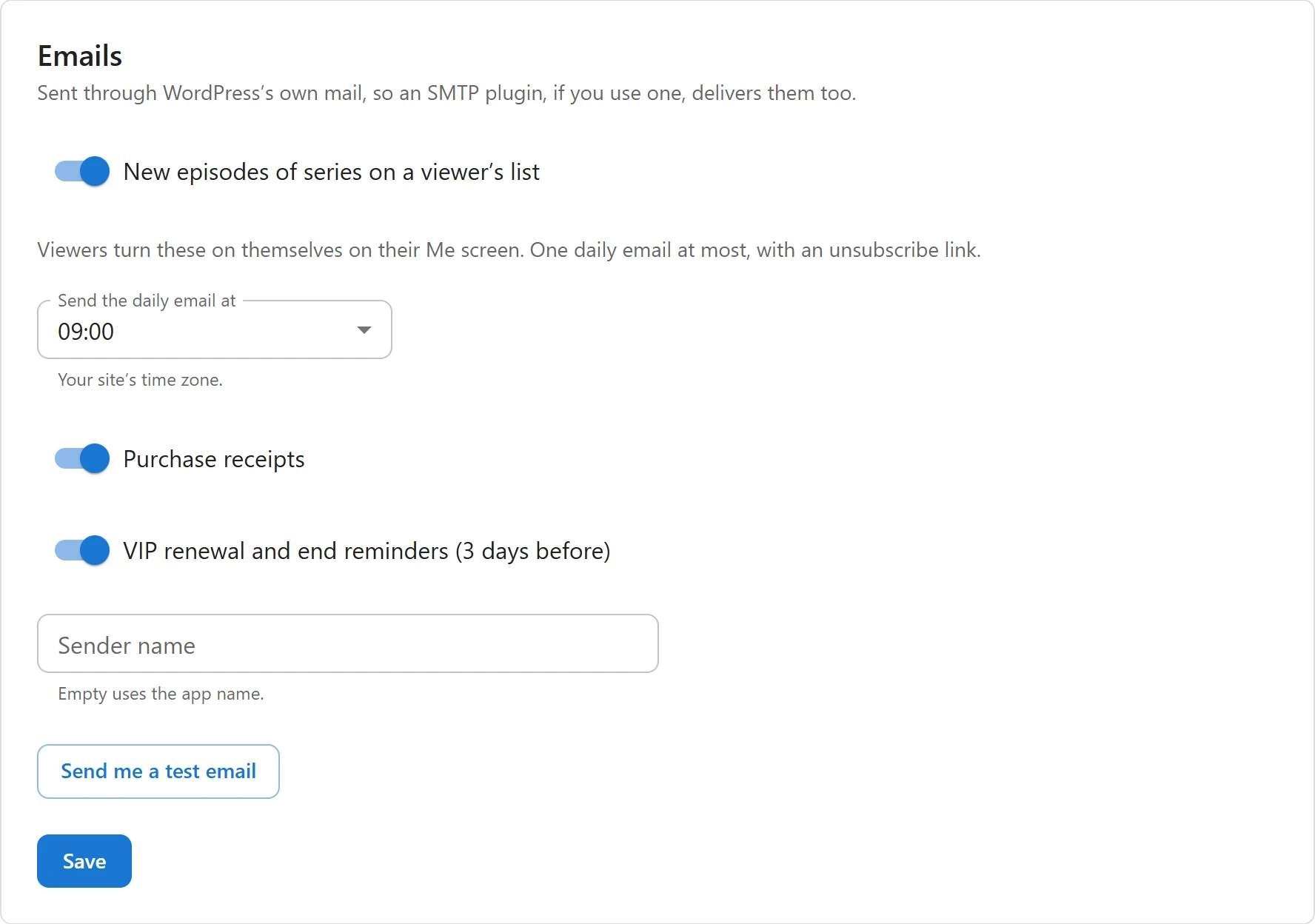
Open Settings -> Emails.
| Setting | What it does | Default |
|---|---|---|
| New episodes of series on a viewer’s list | Allows the new-episodes email. Off, nothing is queued and viewers do not see the choice. | On |
| Send the daily email at | The hour, from 00:00 to 23:00, in your site’s time zone. | 09:00 |
| Purchase receipts | A receipt for each paid order. | On |
| VIP renewal and end reminders (3 days before) | The reminder before a VIP plan renews or ends. | On |
| Sender name | The name emails come from. “Empty uses the app name.” | Empty |
Click Save.
The sender address is WordPress’s default, wordpress@ and your domain, unless an SMTP plugin
or another plugin changes it.
Send me a test email sends a sample new-episodes email to your own address, so you see what viewers get. “Sent to” and your address confirms it. If WordPress cannot send mail, the tab says so: check your mail setup, for example with an SMTP plugin.
New episodes on My List
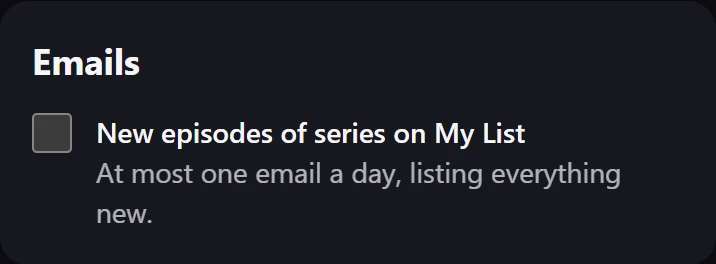
This email is opt-in: a viewer gets it only after turning it on. On the Me screen, under Emails, they tick New episodes of series on My List: “At most one email a day, listing everything new.”
How it works:
- When an episode is published, its series goes into the day’s queue. A scheduled episode joins when it actually comes out. A movie’s video is not a new episode and is never queued.
- Every hour, the plugin checks the time. From your chosen hour, once a day, every account that opted in and has one of those series on My List gets one email.
- The email lists each series with its poster and the new episode numbers and titles, up to 10 series, with a Watch now button. The subject reads like “3 new episodes on your list”.
With profiles, an account gets one email whatever the number of profiles: the series on every profile’s My List count. See Profiles and kids mode.
A large mailing list is sent 150 emails per run, so it may finish over several hourly runs.
Unsubscribe
Every new-episodes email has a Stop these emails link at the bottom, and the headers that let Gmail, Outlook and other mail apps show their own unsubscribe button. One click turns the email off, with no sign-in needed. The viewer lands on the Watch page with “Done. You will not get new-episode emails any more.” The link is signed for that account, so nobody can unsubscribe someone else.
Viewers can also untick the choice on the Me screen at any time.
Receipts
When an order is paid, the buyer gets “Your receipt:” followed by what they bought: a number of coins, or “VIP ·” and the plan name. The receipt shows the amount paid, the order number and the date, plus the free trial or the coupon code when there was one, and a Start watching button.
Receipts concern money the viewer paid, so viewers cannot unsubscribe from them; only the site can switch them off. See Orders and viewers.
VIP reminders
Three days before the end of a VIP period, the subscriber gets one reminder:
- An active plan: “Your VIP renews on” and the date, with a Manage VIP button.
- A cancelled plan: “Your VIP ends on” and the date, with a Renew VIP button.
Both buttons open the viewer’s wallet in the Watch app. The reminder goes out once per period. See VIP subscriptions.
Scheduling
The emails rely on WP-Cron, which runs when someone visits the site. On a quiet site, the daily
email can go out later than the chosen hour. A real cron job that calls wp-cron.php keeps it on
time.
Related
Quick Links
Share