

Contents
On this page
Cast and crew - Plugixa Stream
Cast and crew are people, not text: one person, many titles. Each person has a name, a photo and a biography, and is credited on titles with a role. Viewers see the cast on every title page, and each person has a page in the Watch app listing every title they are in.
The Cast & crew page
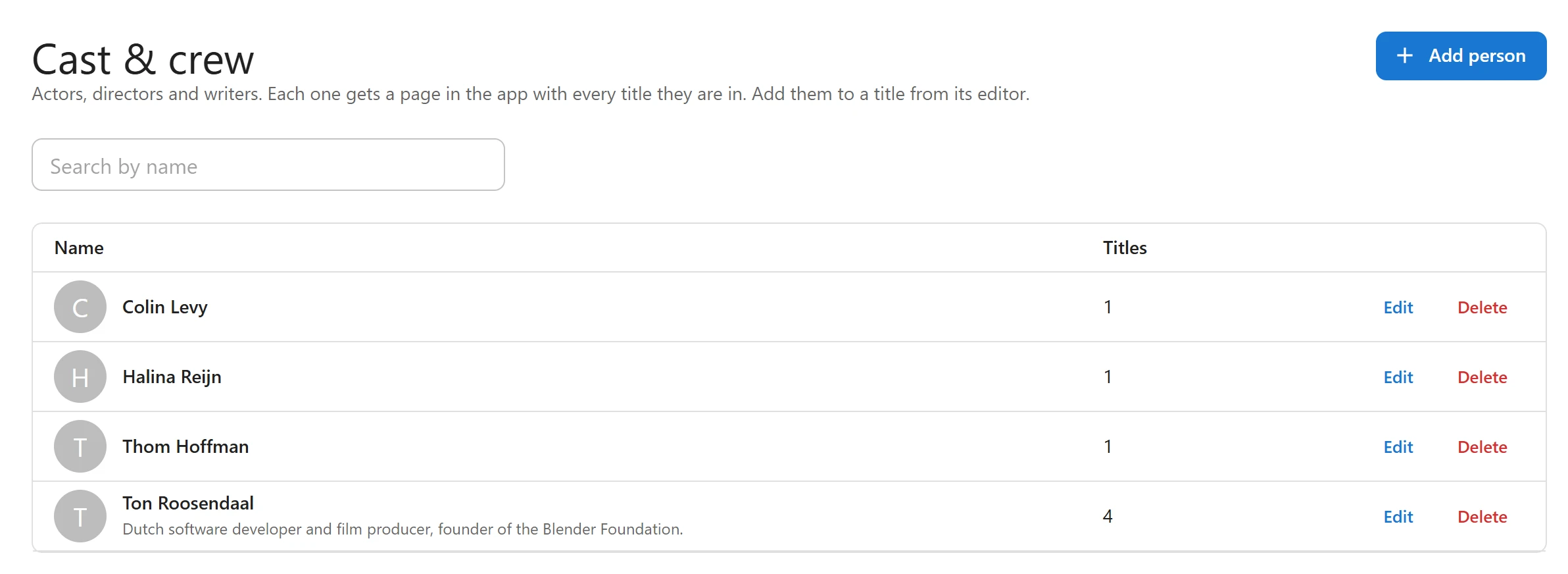
Open Cast & crew in the admin sidebar (#/people). The table lists every person by name, with
their photo and the number of Titles they are credited on. Search by name filters it.
- Add person opens a dialog with Name (required), Biography and Photo. Click Save.
- Edit opens the same dialog for a person.
- Delete asks “Remove from every title?”, then deletes the person and takes them off every title they were on.
You rarely need this page to add people: people typed on a title, or imported from TMDB, are created for you. Use it to add photos and biographies, and to fix names.
Credit people on a title
-
Open the title under Series & movies.
-
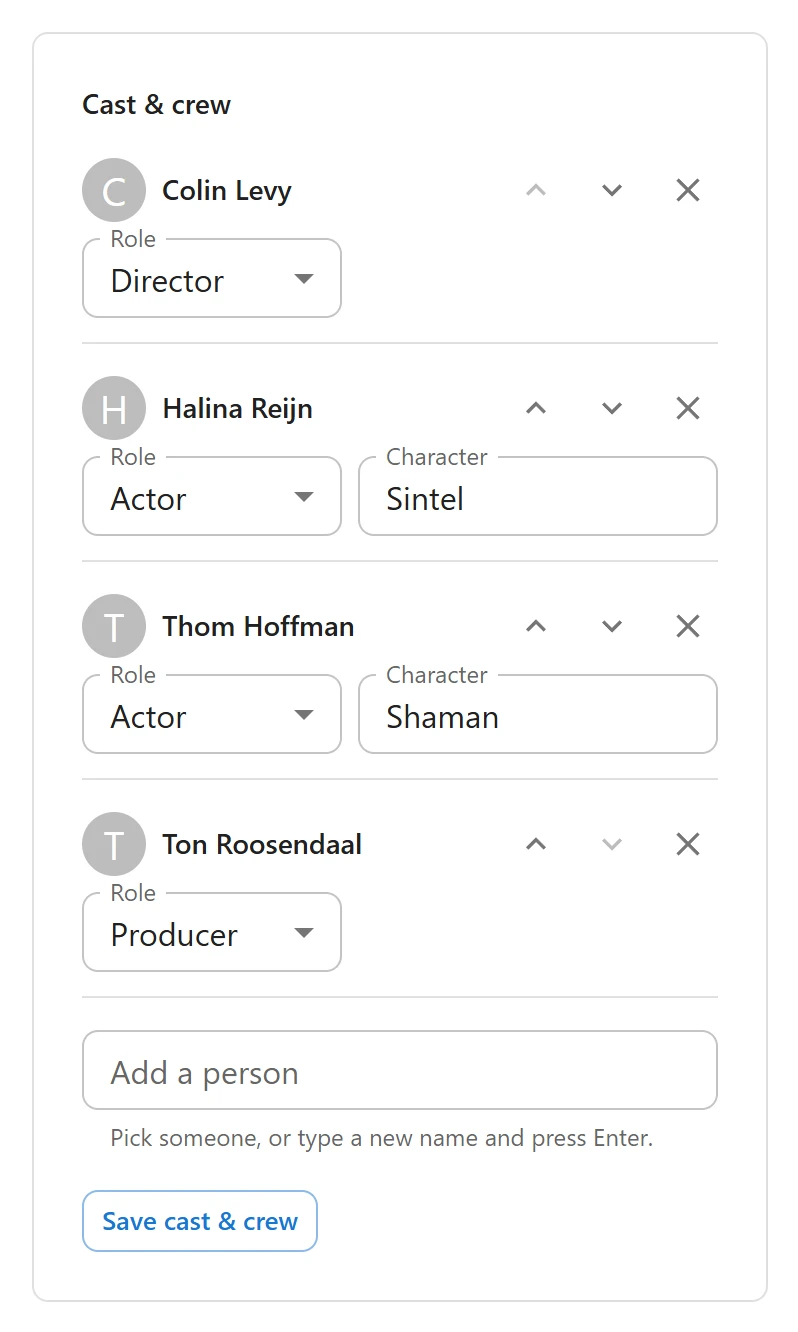
In the Cast & crew panel, use Add a person: “Pick someone, or type a new name and press Enter.” A typed name shows (new) until you save, and the person is then created.
-
For each line, choose the Role:
Role Note Actor Has a Character field, for the part played. Director Creator For a series’ creators. Writer Producer -
Put the lines in billing order with Move up and Move down. Remove takes a line off.
-
Click Save cast & crew.
A person can have two jobs on one title, such as director and actor: add them twice with each role. The same person with the same role twice is kept once. A title holds up to 60 lines.
Credits are saved apart from the rest of the title, with their own button.
What viewers see
On a title page
At the foot of a title page in the Watch app, Cast & crew lists the people in billing order, each with a photo and what they did: “as” and the character, or the role, such as Director. Someone with two jobs is one card naming both. Each card opens the person’s page.
The person page

A person’s page (#/person/<id> in the Watch app) shows their photo, name, number of titles
(“1 title”, “3 titles”) and biography. A long biography is cut short with More. Known for
lists every published title they are in, newest first, with what they did on each.
Person pages live inside the Watch app only: there is no separate public page or URL per person outside it.
On a kids profile, a person page lists only the titles the profile may watch. See Profiles and kids mode.
Related
Quick Links
Share