

Contents
Genres and taxonomies - Plugixa Stream
Plugixa Stream sorts titles with four lists of names, called taxonomies in WordPress. A title can have any number of each, and every name gets its own public archive page.
| Taxonomy | Form field | What it is for | Archive address |
|---|---|---|---|
| Genres | Genres | What kind of title it is: Drama, Romance, Anime, Sci-Fi… Used by filters, rows and search engines. | /series-genres/<slug>/ |
| Tags | Tags | Free keywords | /series-tags/<slug>/ |
| Studios | Studio | Who made it | /series-studios/<slug>/ |
| Languages | Language | The languages it is available in | /series-languages/<slug>/ |
Genres do the most work, so start there. Use a genre for anime, documentaries or short dramas too: the plugin’s only types of title are series and movies.
Languages is a list of names for browsing. The language a title is spoken in is a separate field, Spoken language, in the title’s settings panel. See Series and movies.
Add a genre, tag, studio or language
There is no separate screen for these lists: they grow from the title form.

- Open a series or movie under Plugixa Stream > Series & movies.
- Click into Genres (or Tags, Studio, Language) and start typing.
- Pick an existing name from the list, or choose Add “…” to create the name you typed.
- Click Save on the form.
The new name is created at once and can be picked on every other title. To take a name off a title, click the cross on its chip and save.
A CSV import creates names too: list them in the
genres, tags, studios and languages columns, separated by |. Names that do not exist
yet are created.
With Pro, TMDB PRO can fill a title’s genres from The Movie Database.
Archive pages
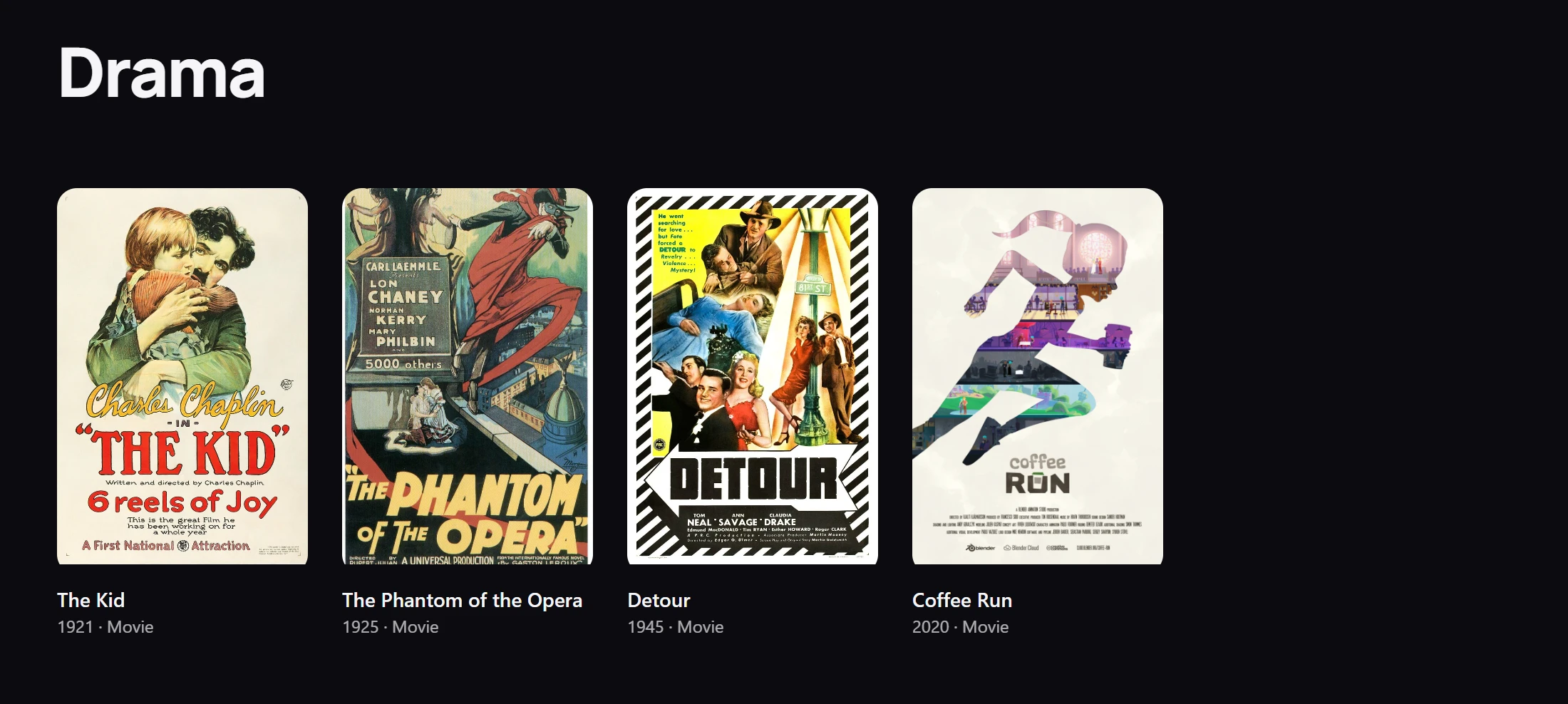
Each genre, tag, studio and language has a public page listing its published titles as a
poster grid, 24 per page. All published titles are listed together on the browse page at
/series/. For example, the Drama genre lives at /series-genres/drama/.
These pages use your theme’s header and footer:
- On a block theme, they use the plugin’s Stream: Genre, Stream: Tag, Stream: Studio and Stream: Language templates, which you can change in the Site Editor.
- On a classic theme, the same content is placed between your theme’s header and footer.
A theme that ships its own taxonomy-pxstream_genre.php (or _tag, _studio, _language)
template is used instead. See Page templates.
Where genres appear
| Where | What viewers get |
|---|---|
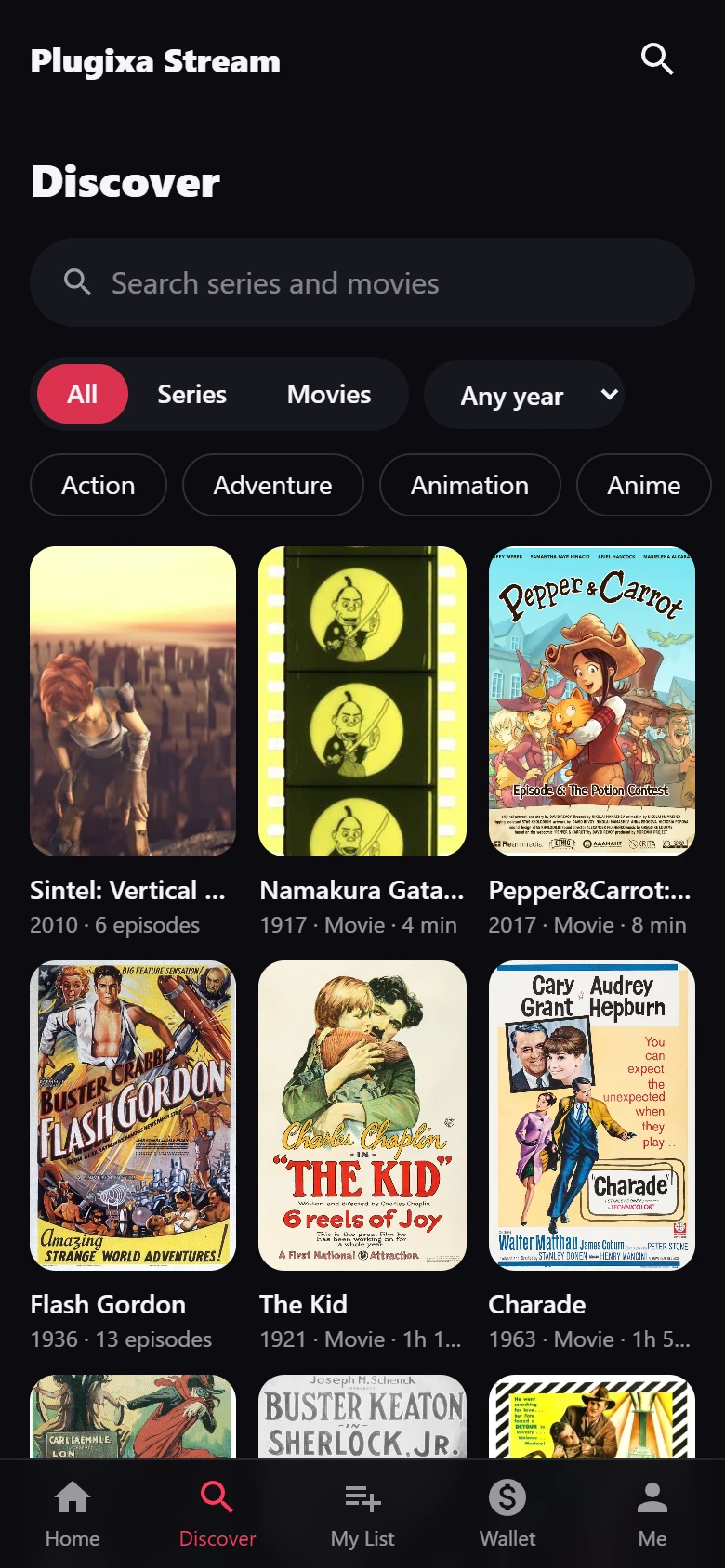
| Discover in the viewer app | Genre chips to narrow the search, beside the All, Series and Movies switch and the release year filter |
| The series screen in the viewer app | Up to three genres in the line under the title |
| The series page (block themes) | The genres as links to their archive pages |
| Search engines | The genres in the series and episode structured data |
| Home rows | A row of one genre, with the One genre row type |
| The admin list | The Genres filter of the Series & movies list |
To show one genre on any page of your site, use a row embed:
[plugixa_stream_row type="genre" genre="drama"]
The genre value is the genre’s slug, the last part of its archive address. See
Shortcodes and
Blocks.
Good to know
- These lists belong to series and movies, not to episodes. Every episode shares its series’ genres.
- Names are stored as normal WordPress terms. They stay on your site when the plugin is deleted, unless you switch on the delete option under Settings > Data. See Privacy and uninstall.
Quick Links
Share