

Contents
On this page
Privacy and uninstall - Plugixa Stream
This page is for site owners who answer to their viewers about personal data, and for anyone about to remove the plugin.
What the plugin stores about viewers
For signed-in viewers, the free plugin keeps two kinds of records in its own database tables:
- Viewing progress: for each episode they started, the position reached, the episode’s length, whether it was finished and when it was last watched. This is what lets an episode resume on any device and fills Continue watching.
- My List and likes: which series they added to My List or liked, and when.
Guests have nothing stored on the server. Their resume points stay in their own browser (see In the viewer’s browser). When a guest signs in, those points are sent to the account once and cleared from the browser.
The plugin keeps no view log and no IP address. To slow down bots, a few routes count requests per minute; for a guest the counter is named after a one-way hash of the IP address, never the address itself, and it expires within two minutes. See Troubleshooting.
With Pro
Pro PRO adds these records, each only when the feature is in use:
| Feature | What is stored per account |
|---|---|
| Coins and unlocks | The coin balance, every coin movement (bought, spent, bonus, refunded, given or removed by an admin), bonus coins and their expiry, and which episodes were unlocked. |
| Orders and VIP subscriptions | Each order (gateway, payment reference, product, amount, coupon, status and dates) and each subscription (plan, status, period end). For Stripe, the Stripe customer id. Card details never reach your site. |
| Daily check-in | The day of each check-in, the streak and the coins given. |
| Profiles | Each profile’s name and kids setting, a hashed PIN when one is set, and each profile’s own progress and My List. |
| Screen limits | For each screen in use: a hash of the login session (or of the browser when there is none), a label naming the browser, the episode playing and when it was last seen. |
| Ratings and reviews | Each rating and review, with the author name shown, and who reported a review. |
| Email notifications | The viewer’s email choices from their Me screen. |
Export or erase one person’s data
The plugin plugs into WordPress’s own privacy tools.
- Open Tools -> Export Personal Data (or Tools -> Erase Personal Data).
- Enter the person’s email address and send the request.
- Once they confirm, run the export or the erase.
| Group in the export | Contents | Erased by the erase tool |
|---|---|---|
| Viewing history | Each episode, the position in seconds and when it was last watched (UTC). | Yes |
| My List and likes | Each series and whether it is in My List or liked. | Yes |
| Plugixa Stream profiles PRO | Each profile’s name, whether it is a kids profile, and how many episodes it watched. | Yes, with each profile’s history and lists |
| Plugixa Stream reviews PRO | Each review: title, stars, text and date. | Yes |
| Coin history PRO | Each coin movement: date, type, coins and note. | No |
Coin movements, orders and subscriptions are records of payments, so the erase tool leaves them in place. Remove an account’s purchases yourself only if you have no legal duty to keep them.
When a WordPress user is deleted, their viewing history, My List, likes, profiles, reviews and screens are deleted with them.
In the viewer’s browser
The plugin sets no cookie of its own. Signed-in viewers use WordPress’s normal login cookie. The Watch app keeps a few values in the viewer’s browser storage:
| Key | Storage | What it holds |
|---|---|---|
plugixa_stream_guest_progress |
Local | A guest’s resume points, until they sign in. |
plugixa_stream_lang_prefs PRO |
Local | The subtitle and audio languages the viewer picked. |
plugixa_stream_sub_style PRO |
Local | The viewer’s subtitle size, colour and background. |
plugixa_stream_auto_unlock PRO |
Local | Whether the next locked episode unlocks with coins without asking. |
plugixa_stream_ads_played PRO |
Session | How many episodes were played since the last ad, for “an ad every few episodes”. |
pxstream_profile_chosen PRO |
Session | That a profile was already picked in this browser session. |
Session storage is cleared when the tab is closed. None of these values is sent to another site.
Outside services
Nothing is sent to another service for videos stored on your own server. The plugin contacts other services only in these cases:
| Service | When | What it receives |
|---|---|---|
| YouTube (Google) | A viewer plays a YouTube episode, or opens a title whose trailer is a YouTube link. | The browser loads the YouTube IFrame Player API from www.youtube.com and the video from www.youtube-nocookie.com, and sends its IP address and browser details. |
| Vimeo | A viewer plays a Vimeo episode, or opens a title whose trailer is a Vimeo link. | The browser loads the player from player.vimeo.com, with its IP address and browser details. |
| Other embed URLs | A viewer plays an episode set to an embed URL you entered. | That address, under the host’s own terms. |
| Bunny Stream PRO | You upload to Bunny, and viewers play Bunny episodes. | Your uploaded files; viewers’ browsers fetch video from your Bunny CDN hostname. |
| Google Cast PRO | The player opens in a Chromium browser such as Chrome or Edge. | The browser loads Google’s Cast library from www.gstatic.com. |
| Ad server and Google IMA PRO | Video ads are on and an ad break starts. | The viewer’s browser requests your ad tag from your ad server. With the Google IMA SDK, the SDK loads from imasdk.googleapis.com. |
| Stripe and PayPal PRO | A viewer buys coins or VIP. | The order, and for Stripe the viewer’s email. The viewer pays on Stripe’s or PayPal’s own page. |
| Anthropic PRO | An editor clicks Translate. | The subtitle text and the series title and synopsis, sent to api.anthropic.com. |
| OpenAI PRO | An editor clicks Generate from speech. | The episode’s video file, sent to api.openai.com. |
| TMDB PRO | An editor searches TMDB. | What the editor typed and the ids of the titles they pick, sent to api.themoviedb.org. Images are downloaded from image.tmdb.org into your media library. |
The AI, TMDB and payment services are used with your own accounts and keys, entered under Settings. Mention the ones you use in your site’s privacy policy.
Deactivating
Deactivating the plugin removes nothing. Your series, episodes, viewer data and settings stay as they are, and come back when you activate it again.
Deleting the plugin
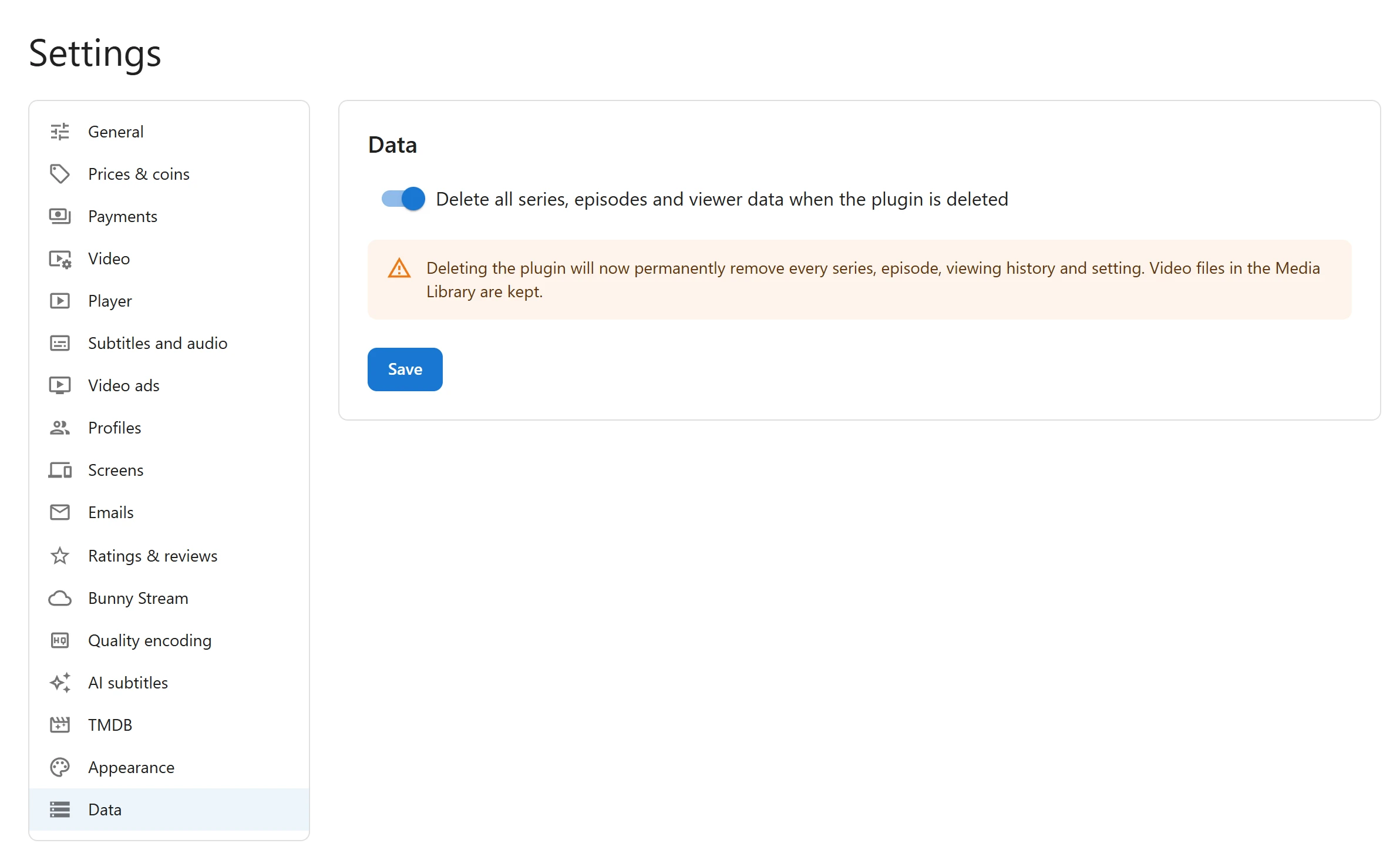
By default, deleting the plugin from the Plugins screen removes its files and keeps your content, so a reinstall brings everything back. To remove the content too:
- Open Plugixa Stream -> Settings -> Data.
- Turn on Delete all series, episodes and viewer data when the plugin is deleted. Only a site administrator can change it.
- Click Save.
- Deactivate and delete the plugin from the Plugins screen.
With the switch on, deleting removes:
- Every series and episode, and the genres, tags, studios and languages.
- Every table the plugin created: viewing progress, My List and likes, and with Pro the coins, unlocks, orders, subscriptions, check-ins, reviews and screens.
- The plugin’s settings, the home rows and its permissions on roles and users.
- With Pro, the payment, Bunny, AI and TMDB settings, coupons, free trial records, custom field values, cast and crew, profiles, the email queue and viewers’ email choices, and the encoding queue.
Video files, posters and other images in the Media Library are kept.
Deleting is refused, and everything is kept, in two cases:
- Another copy of the plugin is installed, active or not, such as the free copy beside Pro. Both copies use the same content, so erasing it would leave the other copy with nothing. Delete the copy you do not need first; the last copy you delete erases the data.
- The user deleting the plugin is not allowed to activate plugins.
Quick Links
Share