

Contents
On this page
Page templates - Plugixa Stream
Your series, movies, episodes and genres each have a page on your site, inside your theme’s header and footer. On a block theme these pages come from Stream templates that you can edit in the Site Editor like any other template. On a classic theme the plugin fills them in for you.
These are the pages search engines index. See SEO pages for their URLs and structured data.
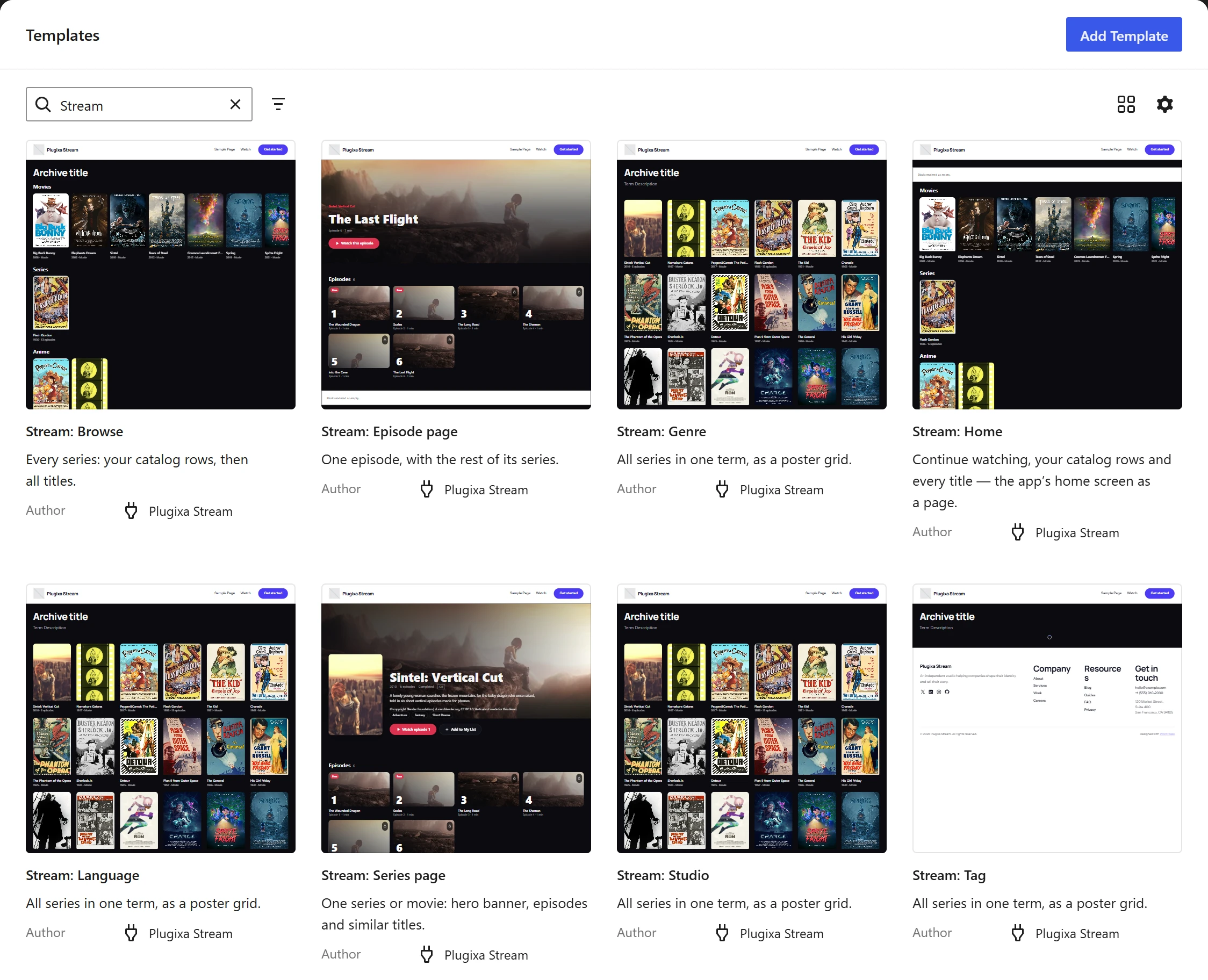
The templates on a block theme
Open Appearance -> Editor -> Templates. The plugin adds:
| Template | Used for | What is in it |
|---|---|---|
| Stream: Series page | Every series and movie page, /series/<slug>/ |
Series hero, Episode grid, a “More like this” row |
| Stream: Episode page | Every episode page, /episode/<slug>/ |
Episode hero, Episode grid of its series, a “More like this” row |
| Stream: Browse | The browse page, /series/ |
The archive title, Catalog rows, Series grid of every title |
| Stream: Genre | A genre page, /series-genres/<slug>/ |
The genre name and description, Series grid |
| Stream: Tag | A tag page, /series-tags/<slug>/ |
The same as the genre page |
| Stream: Studio | A studio page, /series-studios/<slug>/ |
The same as the genre page |
| Stream: Language | A language page, /series-languages/<slug>/ |
The same as the genre page |
| Stream: Home | A page you choose, see below | Continue watching, Catalog rows, Series grid |
Each template is your theme’s Header and Footer around a group that holds the Stream blocks. The blocks are described in Blocks.
On the browse and term pages the grid shows 24 titles per page, with page links. On page 2 and later, the catalog rows step aside so the grid starts at the top.
Edit a template
- Open Appearance -> Editor -> Templates and click a Stream template.
- Move, remove or add blocks, change a block’s settings in the sidebar, or switch a block to another style (for example the Episode grid to List).
- Click Save.
The editor previews your newest series or episode, since a template stands for all of them. Your saved copy replaces the plugin’s for every page of that kind. To go back to the plugin’s version, open the template’s menu and choose Reset.
A theme that ships its own template with the same name (for example
single-pxstream_series.html) wins over the plugin’s.
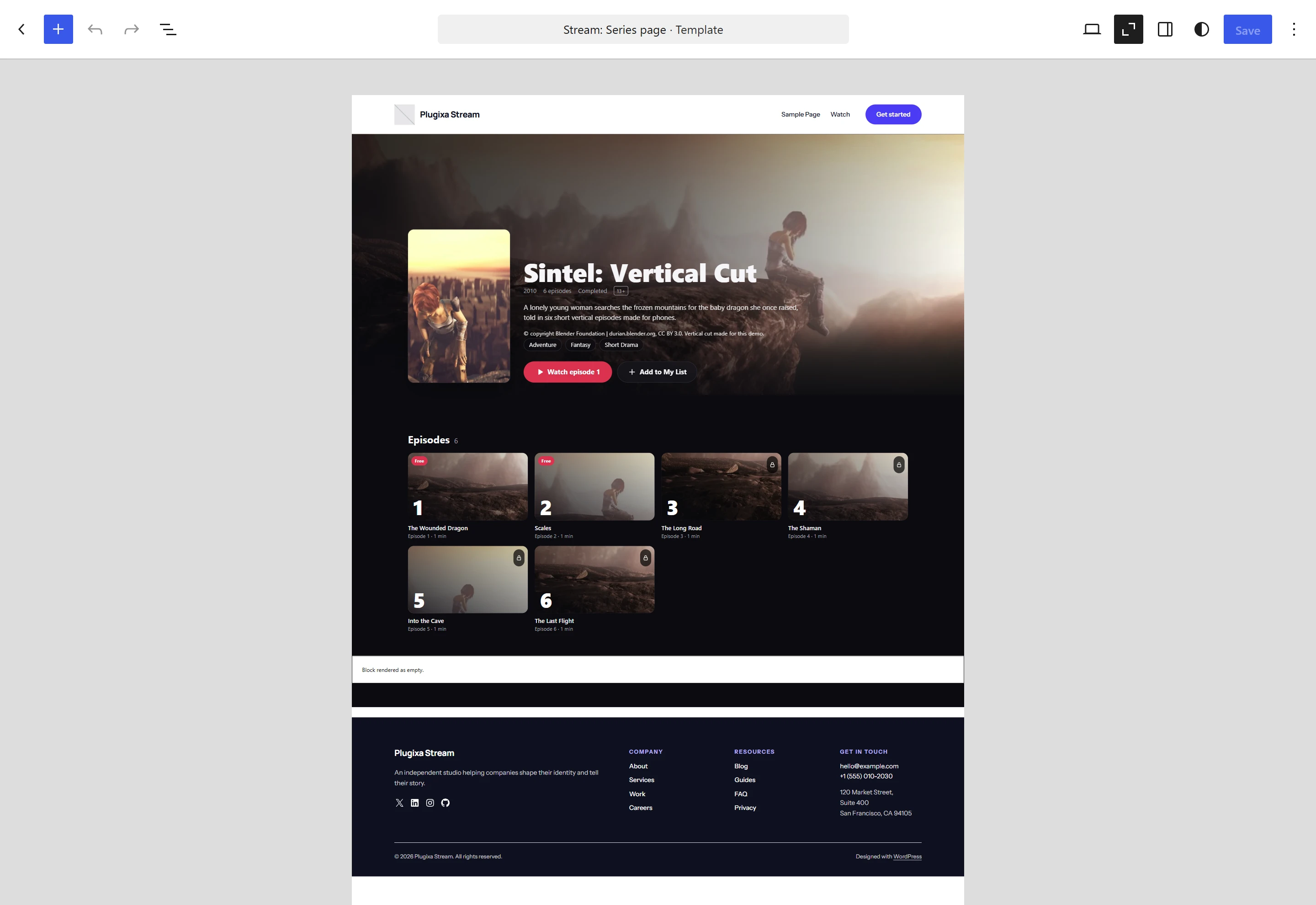
Stream colours on a light theme
The group around the Stream blocks uses the Stream colours style: it paints the area between your header and footer in the background, text colour and font from Appearance, and the theme keeps its own colours above and below.
If your theme is light and you would rather keep its colours, select that group, open Styles in the sidebar and choose Default. You can also give a single block its own colours from the sidebar.
The Stream: Home page template
Stream: Home is the Watch app’s home screen as an ordinary page of your site: the viewer’s Continue watching row, your catalog rows, then a grid of every title. It suits a front page that should look like the app while keeping your theme’s header, menu and footer.
- Edit the page (for example your front page).
- In the page settings, under Template, choose Stream: Home.
- Save the page.
The page’s own content is not shown with this template.
The Genre showcase pattern
Genre showcase, under Patterns -> Stream in the inserter, adds a heading and a six-column poster grid of 12 titles from one genre. It starts with the genre that has the most titles on your site. To show another genre, select the grid and change Only one genre to its slug, then edit the heading to match.
It works in a page, a post or a template, on a block theme or a classic one. The other Stream patterns are listed in Blocks.
Classic themes
A classic theme has no Site Editor templates, so the plugin does the same work differently:
- Series, movie and episode pages use your theme’s own single-post layout. The plugin fills the content area with the poster, facts, synopsis, the Watch button and the episode list. See SEO pages.
- The browse page and the genre, tag, studio and language pages show the same blocks as the block-theme templates (catalog rows and the series grid, or the term’s title, description and grid) between your theme’s header and footer.
A theme can take any of these pages over with its own template file:
archive-pxstream_series.php for the browse page, or taxonomy-pxstream_genre.php,
taxonomy-pxstream_tag.php, taxonomy-pxstream_studio.php and
taxonomy-pxstream_language.php for the term pages.
On a classic theme you can still build pages from the Stream blocks and patterns in the block editor, and use the shortcodes.
The Watch page
The Watch page is not a template: it shows the full-screen Watch app without your theme. See The Watch app.
Quick Links
Share