

Contents
Daily check-in - Plugixa Stream
The daily check-in gives each signed-in viewer free bonus coins once a day. The reward grows with each day in a row and starts again at day 1 after a missed day. It brings viewers back, and the coins they collect go toward unlocking episodes.
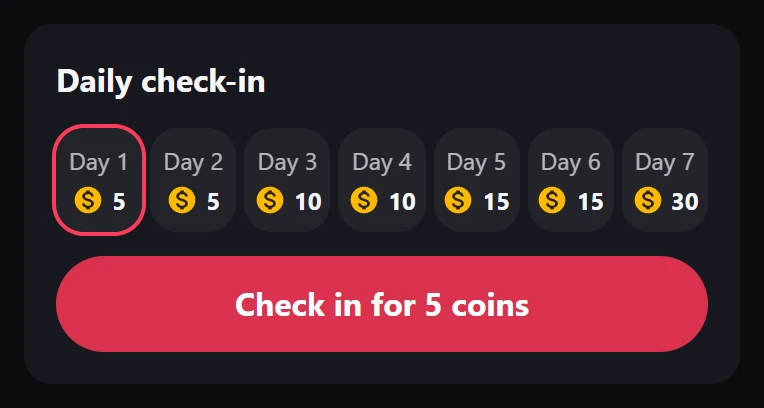
How viewers check in
- The viewer opens Wallet in the Watch app. The Daily check-in card shows one tile per day with its reward, the days already done in this streak, and the current streak, such as “3-day streak”.
- They tap Check in for 10 coins (the amount is today’s reward).
- The wallet shows “+10 coins. See you tomorrow!” and the button turns to Come back tomorrow until the next day.
The coins arrive as bonus coins, and Coin history shows “Daily check-in, day 3”. A second check-in on the same day gives nothing: “You already checked in today. Come back tomorrow.”
Guests see the wallet’s sign-in message instead. There is no switch to turn the check-in off, but you can set every day’s reward to 0.
The rules
- One check-in per day. A day is your site’s day, in the timezone set in WordPress. The new day starts at your midnight, the same for every viewer, whatever their own clock says.
- The streak grows by one for each day in a row with a check-in.
- A missed day starts the streak again at day 1.
- After the last day of your ladder, the rewards repeat from day 1 while the streak goes on.
Set the rewards
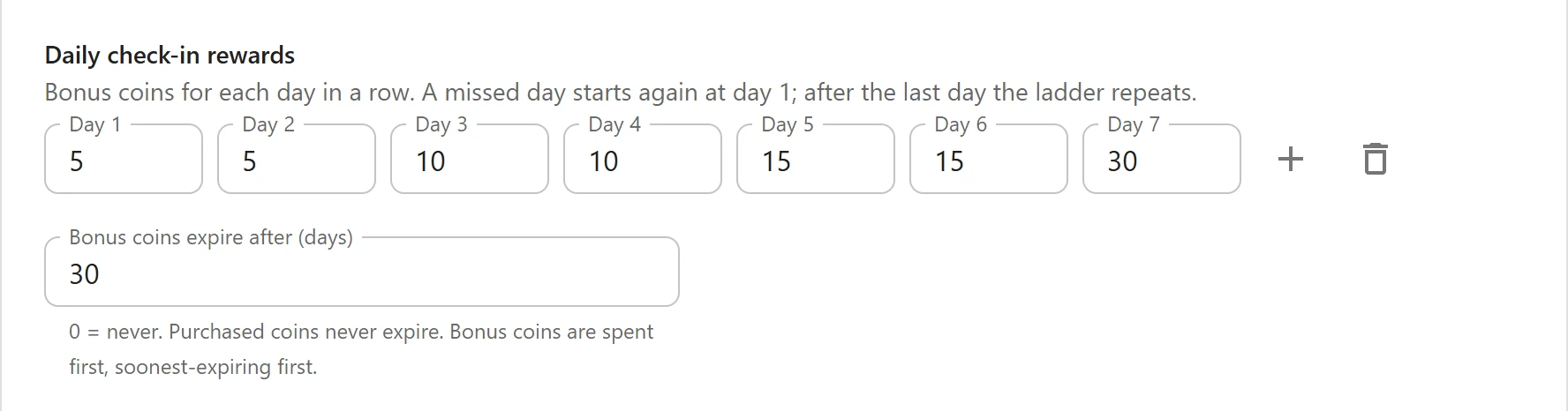
- Open Settings > Prices & coins and scroll to Daily check-in rewards: “Bonus coins for each day in a row. A missed day starts again at day 1; after the last day the ladder repeats.”
- Enter the coins for each day in the Day 1, Day 2 fields and so on.
- The plus button (Add a day) adds a day with the same reward as the last one. The delete button removes the last day.
- Click Save.
A new site rewards 5, 5, 10, 10, 15, 15 and 30 coins: 90 coins for a full week. The ladder holds up to 31 days, and each day up to 10,000 coins.
Bonus coins expiry
Bonus coins expire after (days) decides how long bonus coins last. “0 = never. Purchased coins never expire. Bonus coins are spent first, soonest-expiring first.” It is 0 on a new site, up to 3650.
With a number of days set:
- Each grant of bonus coins gets its own end date: a check-in, a pack’s bonus, or bonus coins you grant by hand.
- The end date is fixed when the coins are given. Changing the setting later applies to new bonus coins only.
- Once a day, coins past their date leave the wallet, and an “expire” line shows in Coin history.
- When the viewer spends coins, the bonus coins that expire soonest go first, then bonus coins that never expire, then purchased coins.
Purchased coins, from a pack, never expire.
Related
Quick Links
Share