

Contents
Custom Fields - Plugixa Testimonial
Attach custom data to testimonials - anything from a “region” tag to a product SKU to a downloadable resource URL. Each testimonial then renders those fields alongside the card (or you can access them via the API for your own display logic).
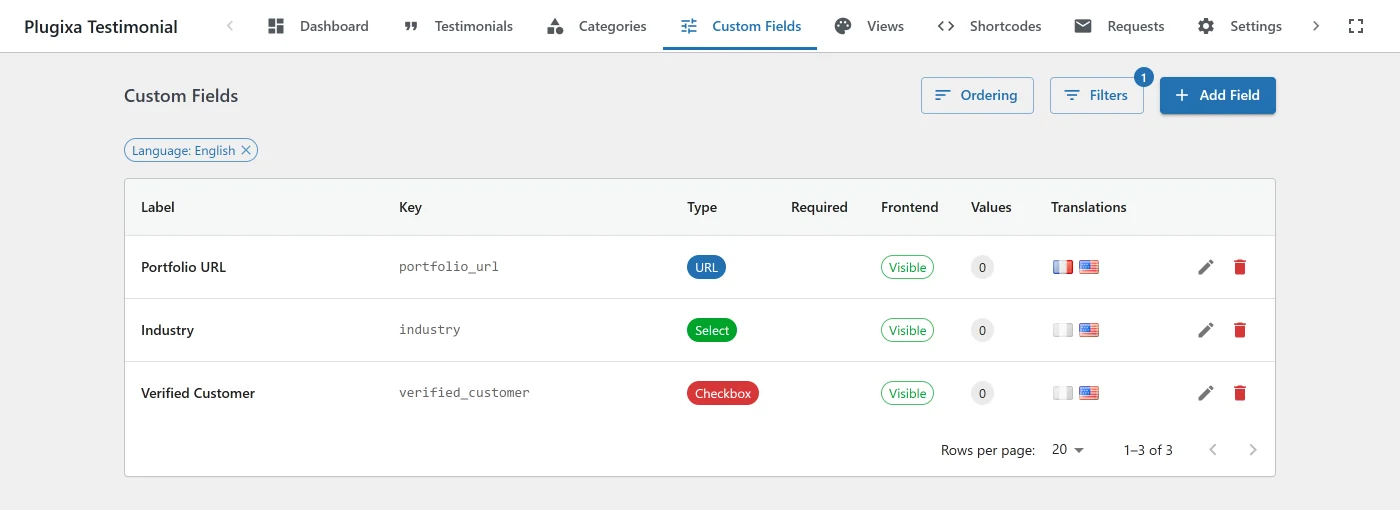
Typical use cases
- Agencies / SaaS - tag testimonials with
industry,team_size,deployment_date. - E-commerce - attach
product_sku,order_value,region. - Service businesses -
service_type,project_duration,project_value. - Multi-team workflows -
owning_team,account_manager.
Creating a field definition
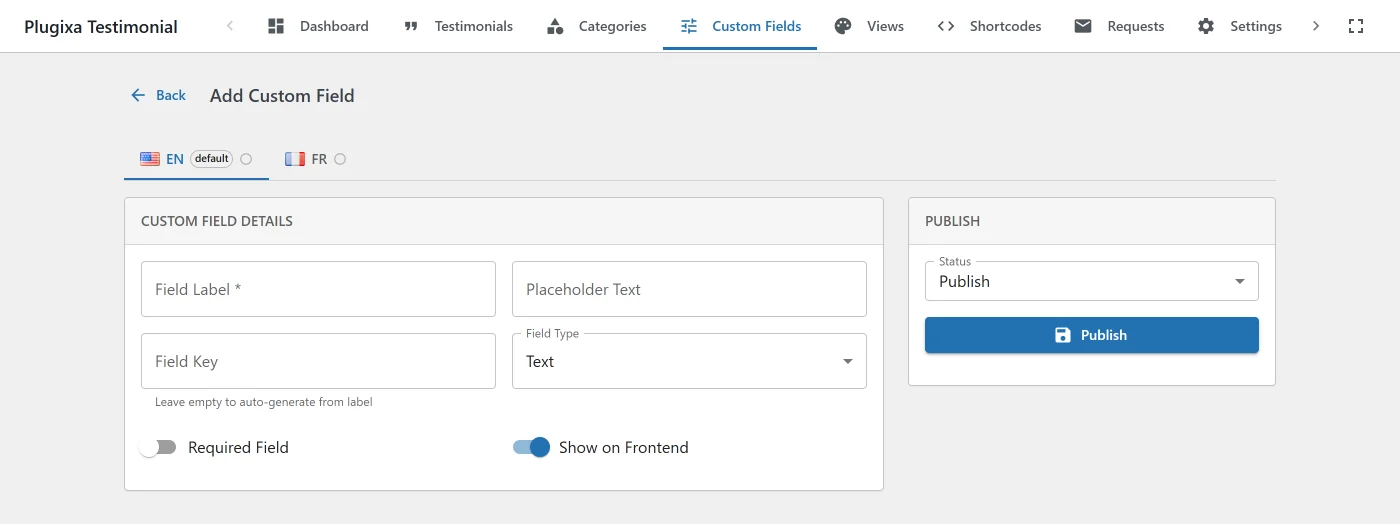
Go to Plugixa Testimonial → Custom Fields → Add New.
| Field | Notes |
|---|---|
| Field label | Displayed in the testimonial editor and (optionally) the frontend. Translatable. |
| Field key | Machine name (industry, order_value). Must be unique per language. Immutable after creation. Used in REST responses and templates. |
| Field type | See table below. |
| Options | For select - one option per line. |
| Placeholder | Shown in the input. Translatable. |
| Required | Gate save when empty. |
| Show in frontend | Toggle public visibility on the submission form and display cards. |
| Menu order | Position in the testimonial editor (drag-and-drop in the Custom Fields list). |
| Status | publish, draft, trash. |
| Language | When multilingual is active. |
Field types
| Type | Input | Value stored |
|---|---|---|
text |
Single-line text | string |
textarea |
Multi-line text | string |
url |
URL input | validated URL string |
number |
Number input | number |
date |
Date picker | ISO date string |
select |
Dropdown | single option value |
checkbox |
Checkbox | 1 / 0 |
color |
Color picker | hex string (rendered as a swatch on frontend) |
Adding a new type requires a small plugin-side addition to the field-type registry. File a feature request.
Assigning values to testimonials
When you open a testimonial editor, the custom-fields panel appears below the default fields. Enter values for any defined fields, then save.
Values are stored in wp_plugixatestimonial_meta with meta_key = field_key.
Frontend rendering
On the submission form
Fields with show_in_frontend = true automatically appear on [plugixa_testimonial_form], rendered by their field type. Required fields are enforced client- and server-side.
On testimonial cards
When a shortcode has show_custom_fields="1", the card renders:
<div class="pxt-custom-fields">
  <div class="pxt-custom-field pxt-custom-field--text">
    <span class="pxt-custom-field-label">Industry</span>
    <span class="pxt-custom-field-value">SaaS</span>
  </div>
  <div class="pxt-custom-field pxt-custom-field--color">
    <span class="pxt-custom-field-label">Brand color</span>
    <span class="pxt-custom-field-value">
      <span class="pxt-color-swatch" style="background:#4a90e2"></span> #4a90e2
    </span>
  </div>
</div>
Color values render as an inline swatch. URL values render as clickable <a> links. Other types render as plain text.
Template override
Copy templates/grid.php (or slider.php / masonry.php / list.php) to {your-theme}/plugixa-testimonial/{layout}.php and edit. The $custom_fields variable is an associative array keyed by field_key.
<?php if ( ! empty( $custom_fields['industry'] ) ) : ?>
    <span class="pxt-custom-badge">
        <?php echo esc_html( $custom_fields['industry'] ); ?>
    </span>
<?php endif; ?>
Multilingual custom fields
Custom fields are multilingual-aware.
Translatable fields: field_label, placeholder.
Shared fields: field_key, field_type, field_options, is_required, show_in_frontend, menu_order.
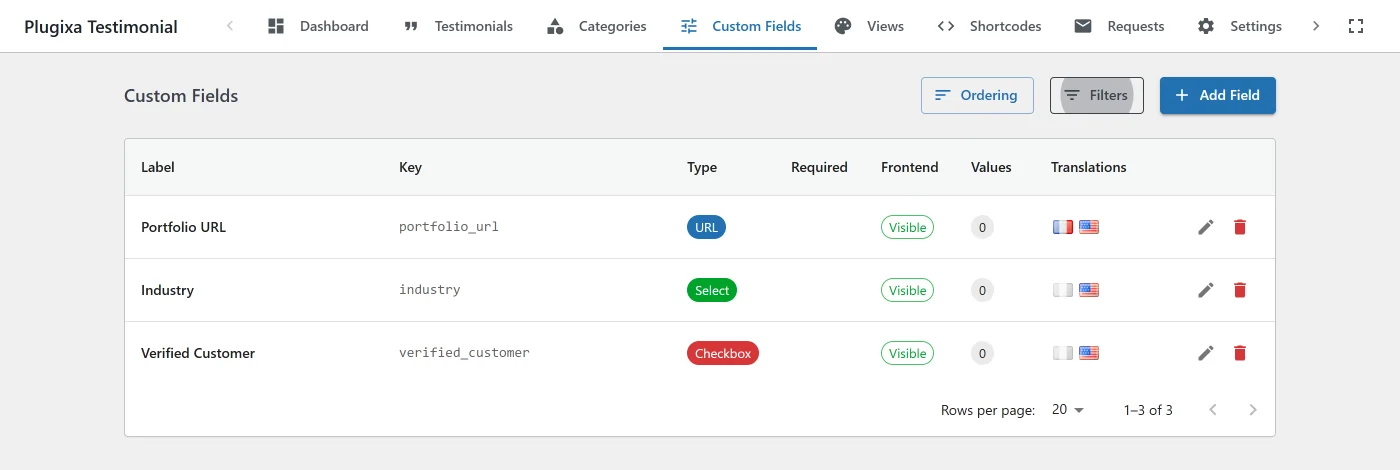
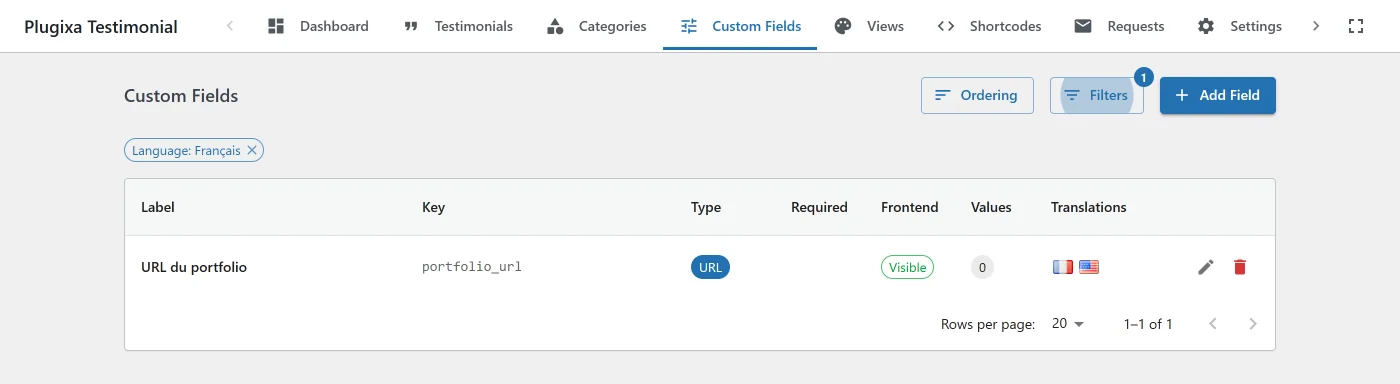
This means you can translate the label users see (Industry → Industrie) while the machine name (industry) stays the same across all languages - so your templates keep working regardless of language.
Ordering
In the Custom Fields list, use Order Fields for drag-and-drop reordering. The order affects:
- The order of fields in the testimonial editor.
- The order of fields in the frontend submission form.
- The render order of fields on testimonial cards.
Deleting a field
Click Delete on a row and confirm. The deletion:
- Removes the field definition from
custom_fields. - Cascade-deletes every value in
metawith matchingmeta_key.
There is no “orphan values” option currently - deleting the definition is destructive. Export your data first if you need to preserve values.
REST API
| Method | Endpoint | Description |
|---|---|---|
GET |
/wp-json/plugixatestimonial/v1/custom-fields |
List ordered by menu_order, includes value_count. |
POST |
/wp-json/plugixatestimonial/v1/custom-fields |
Create (auto-generates field_key from label if missing). |
GET |
/wp-json/plugixatestimonial/v1/custom-fields/{id} |
Get one. |
PUT |
/wp-json/plugixatestimonial/v1/custom-fields/{id} |
Update (field_key is ignored on update). |
DELETE |
/wp-json/plugixatestimonial/v1/custom-fields/{id} |
Delete with cascade. |
POST |
/wp-json/plugixatestimonial/v1/custom-fields/reorder |
Bulk update menu_order. |
Custom-field values for a specific testimonial appear on the custom_fields key in GET /testimonials/{id} and the frontend API.
All endpoints require manage_options + Pro license.
Saving values on create/update
The plugin automatically persists custom_fields values when you create or update a testimonial via POST / PUT /testimonials. The request body:
{
  "client_name": "Jane Doe",
  "testimonial_text": "...",
  "custom_fields": {
    "industry": "SaaS",
    "team_size": "50-200",
    "brand_color": "#4a90e2"
  }
}
Import / Export
When you export testimonials via Import / Export, custom-field values appear as separate columns (CSV) or nested keys (JSON). On import, matching keys are auto-populated.
Hooks
There are no custom-field hooks. The plugin fires eight filters in total and no actions; see the Hooks Reference for the full list and what each one can change.
Troubleshooting
Field not appearing in the testimonial form
- Check the field
status=publish, notdraft/trash. - For multilingual: the field must have a translation in the current admin language.
Field value not showing on the frontend
show_in_frontendis on.- The shortcode has
show_custom_fields="1". - The testimonial actually has a value saved for that field.
Can’t change the field_key
Correct - the field_key is immutable after creation to protect existing data. If you need a new key, create a new field, migrate the values (via SQL or the API), and delete the old field.
Related
- Testimonials Management
- Submission Form - frontend custom field rendering
- Multilingual
- Import / Export
- Hooks Reference