

Contents
Submission - Plugixa Testimonial
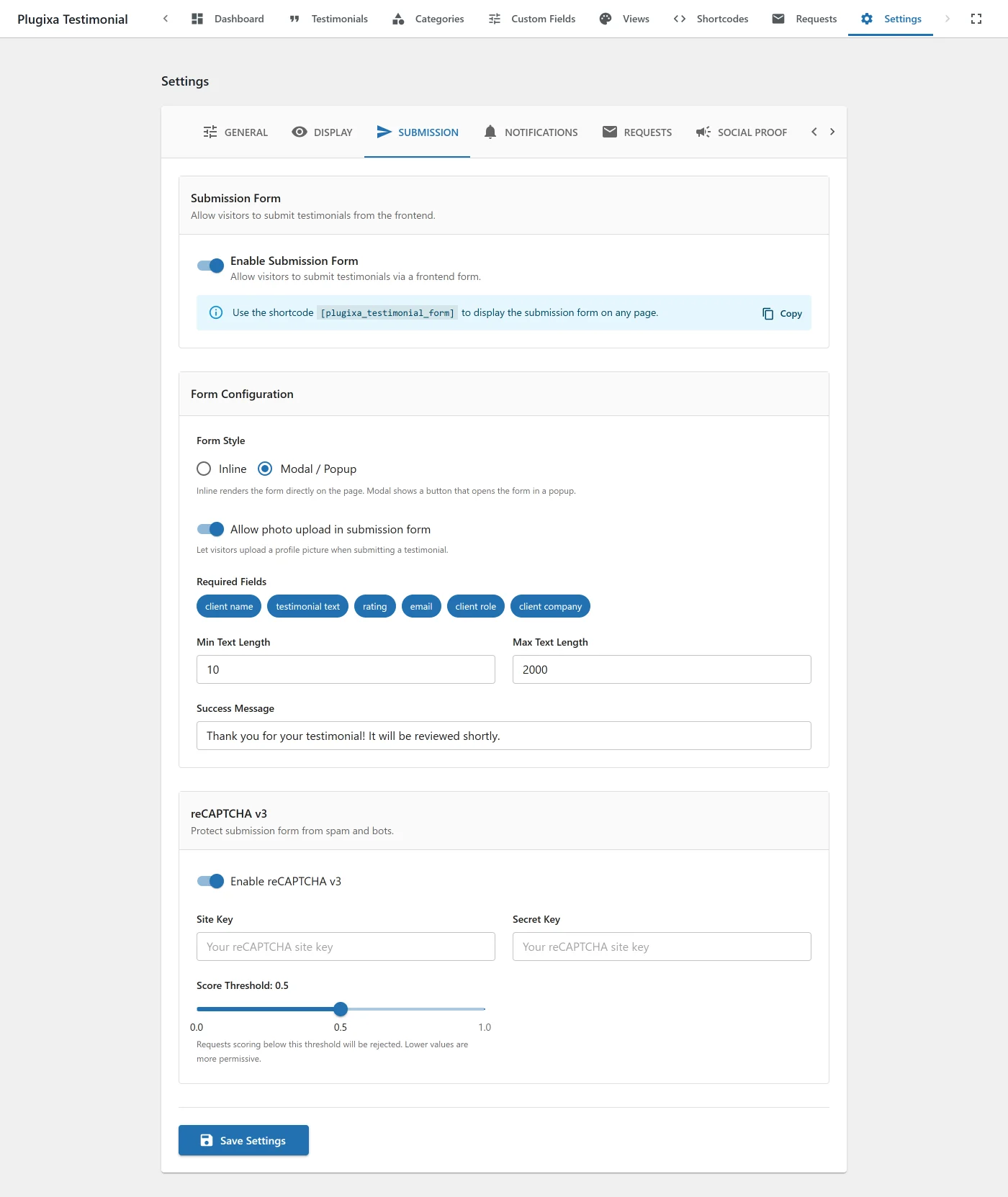
Form behavior and reCAPTCHA. See Submission Form for the full guide.
| Key | Default | Notes |
|---|---|---|
submission_enabled |
false |
Master toggle - when off, [plugixa_testimonial_form] renders nothing. |
form_style |
inline |
inline, modal |
photo_upload_enabled |
true |
Add a photo upload field. |
max_photo_size |
2 |
MB. |
allowed_photo_types |
jpg,jpeg,png,webp,gif |
Comma-separated extensions. |
success_message |
Thank you... |
Post-submit message. |
required_fields |
[client_name, testimonial_text] |
Required field keys. |
recaptcha_enabled |
false |
Master toggle for reCAPTCHA. |
recaptcha_version |
v2 |
v2 (checkbox) or v3 (invisible). |
recaptcha_site_key |
"" |
From Google reCAPTCHA admin. |
recaptcha_secret_key |
"" |
From Google reCAPTCHA admin. |
recaptcha_v3_score_threshold |
0.5 |
For v3 only. |