

Contents
Testimonials Management - Plugixa Testimonial
Everything you can do with individual testimonials - create, edit, reorder, filter, approve, translate, attach video.
The testimonial list
Go to Plugixa Testimonial → Testimonials.
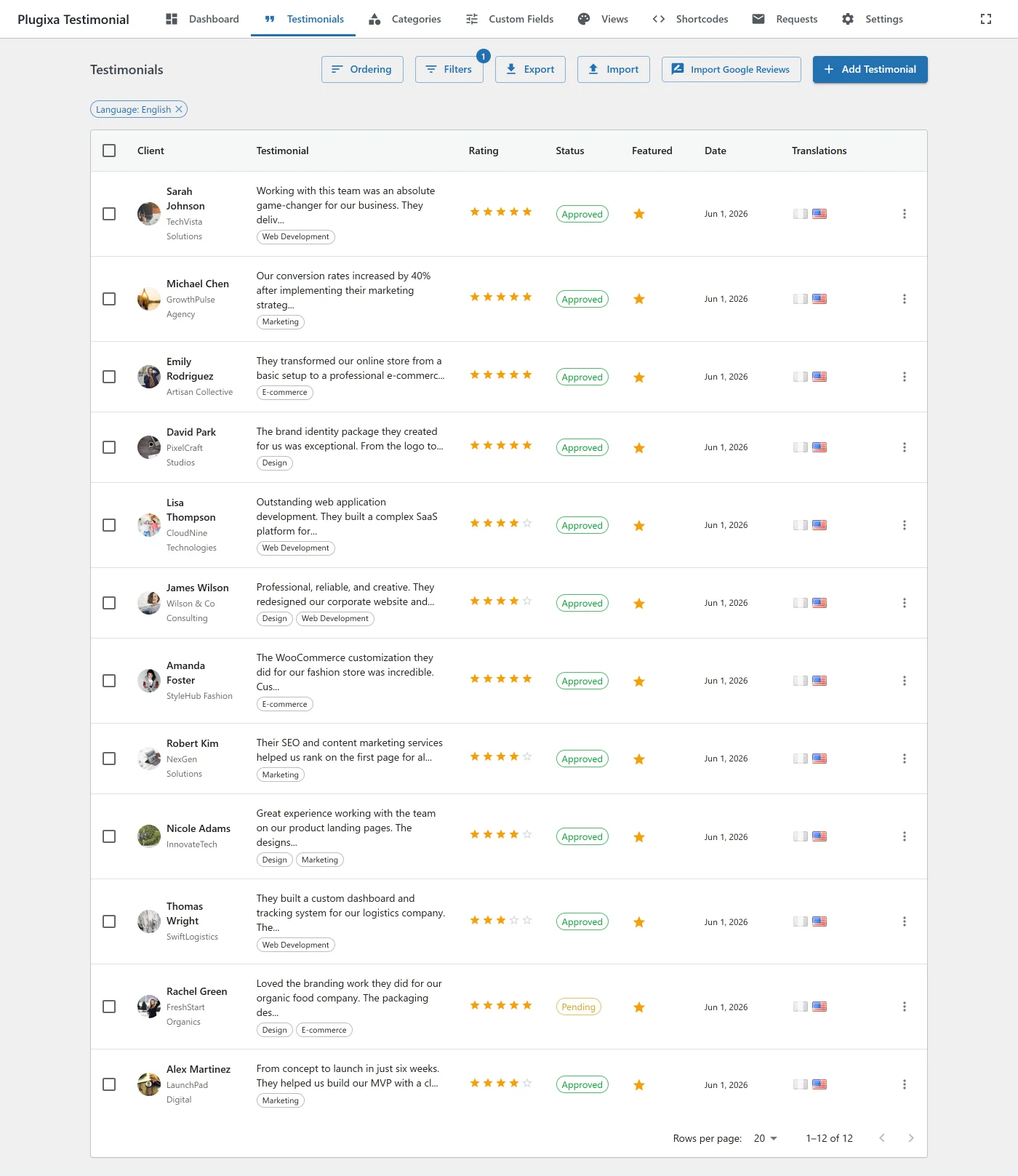
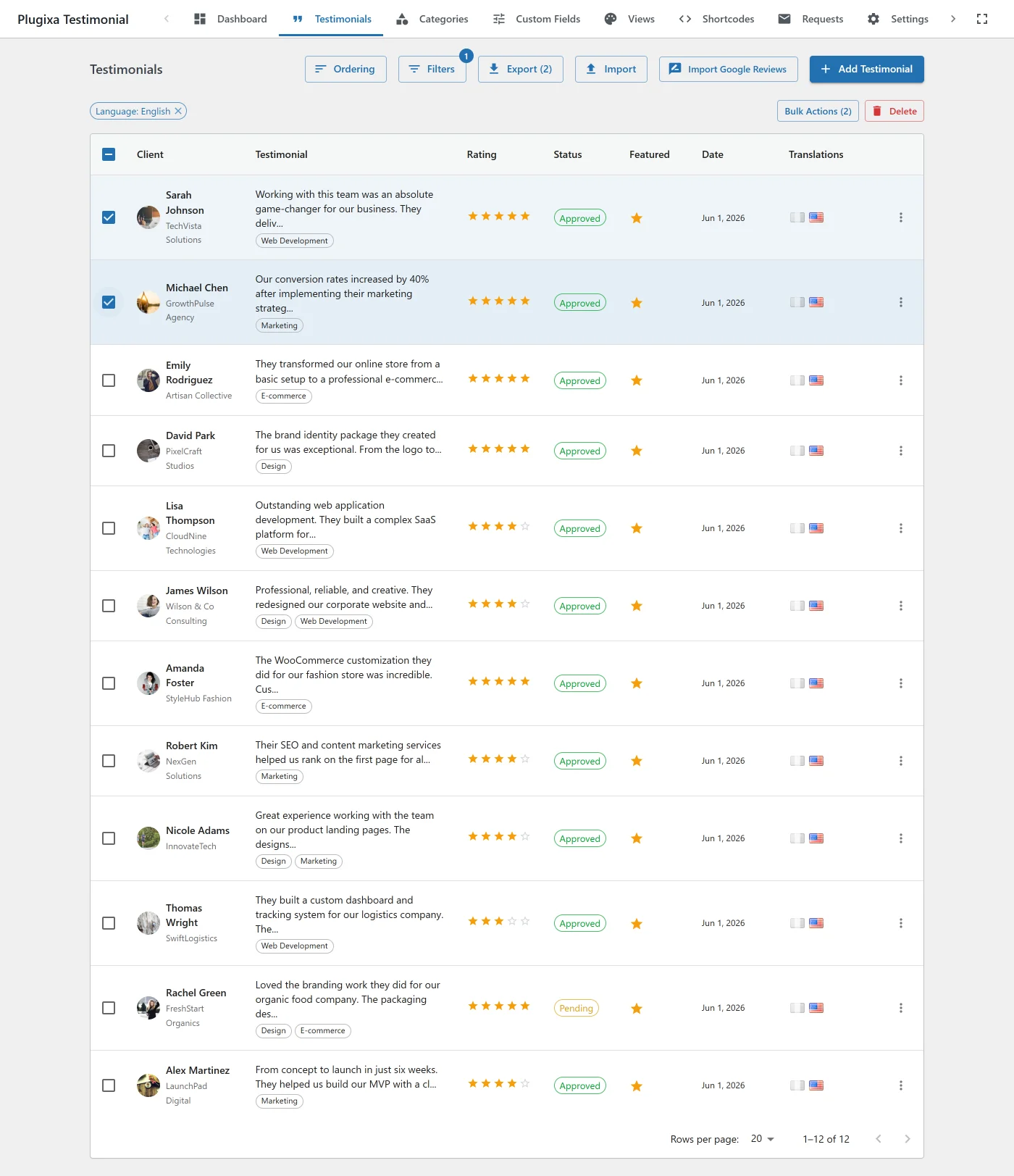
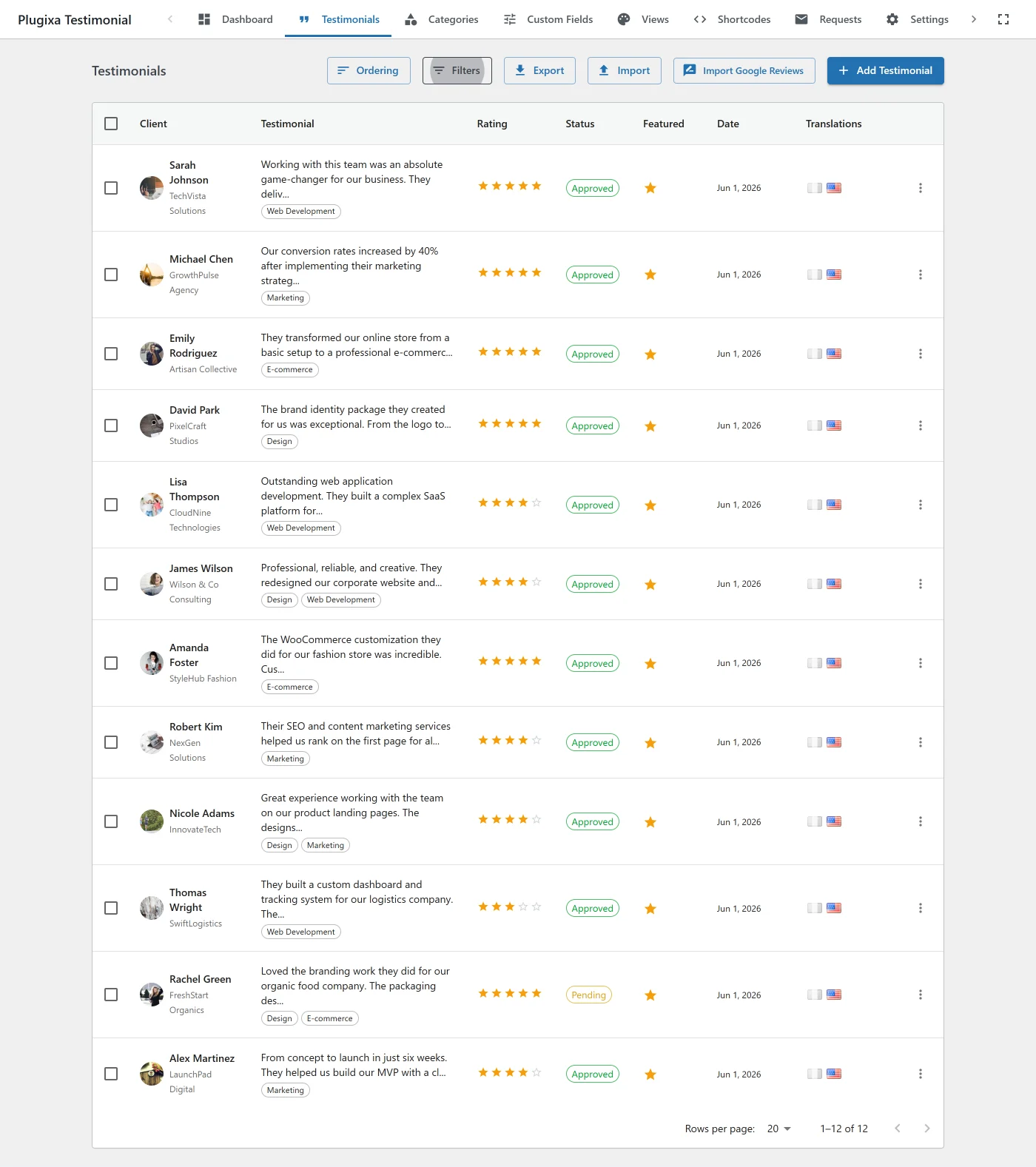
Columns shown:
- Client name - with company preview on hover.
- Photo - thumbnail or initials fallback.
- Rating - 1–5 stars.
- Categories - multi-select badges.
- Status -
approved/pending/rejected/draft(color-coded). - Featured - star badge.
- Language - when Multilingual is active.
- Source -
manual/form/import/ai-generated/google-reviews. - Created - timestamp.
- Order - drag handle for reordering.
Creating a testimonial
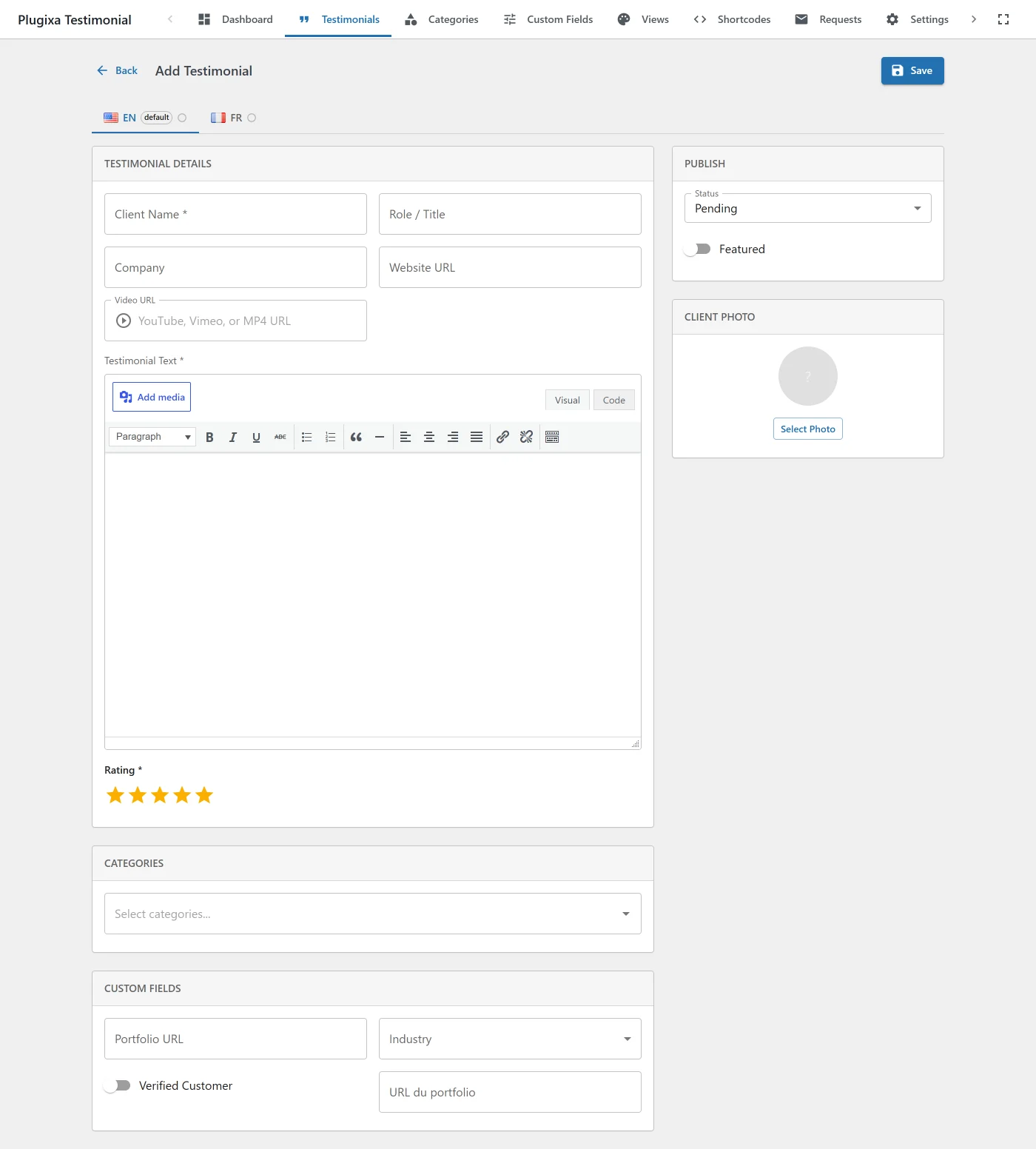
Click Add New.
Fields
| Field | Notes |
|---|---|
| Client name | Required. Up to 255 characters. |
| Role / Position | Optional (e.g., “Marketing Director”). |
| Company | Optional. |
| Testimonial text | Rich-text (TinyMCE) with media uploads. Required. |
| Rating | 1–5 stars. Empty = no stars rendered. |
| Photo | WP Media Library attachment. Initials or icon fallback if empty. |
| Website URL | Optional. Displayed as a clickable link on some layouts. |
| Video URL | YouTube, Vimeo, or self-hosted .mp4 / .webm / .ogg / .mov. Type is auto-detected. |
| Categories | Multi-select. See Categories. |
| Featured | Toggle for featured="1" shortcodes. |
| Status | approved, pending, rejected, draft. |
| Language | Only shown when multilingual is active. Immutable on edit. |
| Custom fields | Any fields you’ve defined. |
Click Save to keep it as a draft, Approve to make it live.
Editing
Click the client name in the list or the Edit action. The editor behaves like the WordPress post editor - save explicitly.
Quick status toggle
From the list, click the status badge to toggle between pending and approved without opening the editor.
Approval workflow
Every testimonial has one of four statuses:
| Status | Color | Frontend visible | Notes |
|---|---|---|---|
approved |
Green | ✓ | Live. |
pending |
Amber | - | Awaiting review. Default for frontend submissions + request submissions. |
rejected |
Red | - | Reviewed and declined. |
draft |
Grey | - | Work in progress. Default for admin-created testimonials. |
Changing status
- Single - edit the testimonial, change the Status field.
- Bulk - select rows and use the bulk action dropdown (
Approve,Reject,Set pending,Set draft).
Status changes fire no hook. The plugin has no CRUD actions at all; see the Hooks Reference.
Ordering testimonials
Global ordering (drag-and-drop)
In the testimonials list, drag the handle on the left of each row. The display_order column updates on drop.
Per-category ordering
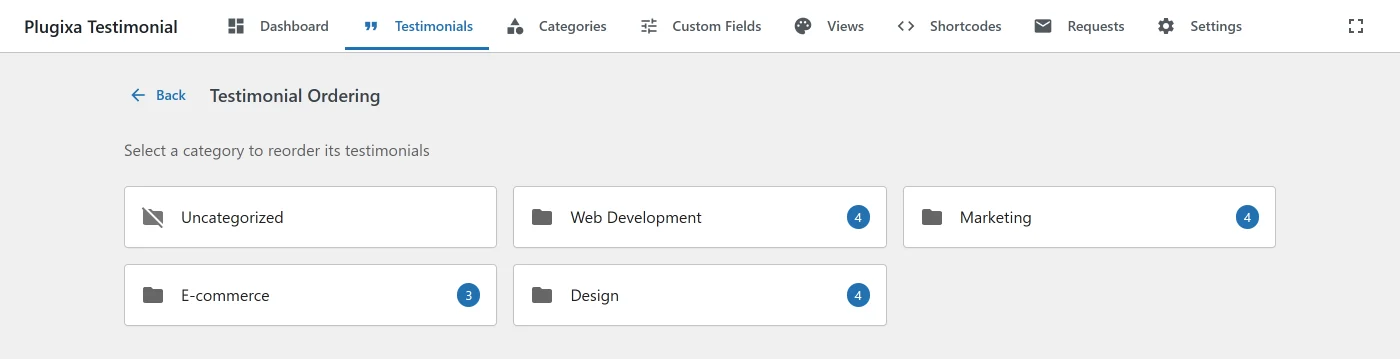
Because the pivot table has its own display_order column, testimonials can be ordered differently in each category.
- Go to Plugixa Testimonial → Testimonials → Order.
- Click By Category.
- Pick a category - only testimonials in that category appear.
- Drag to reorder. The order is saved in the pivot, not the global
display_order.
Apply in a shortcode via orderby="display_order" with a category filter.
By API
POST /wp-json/plugixatestimonial/v1/testimonials/reorder
Content-Type: application/json

{
  "items": [
    { "id": 5, "display_order": 0 },
    { "id": 12, "display_order": 1 },
    { "id": 3, "display_order": 2 }
  ],
  "category_id": 7
}
Omit category_id for global ordering.
Filtering
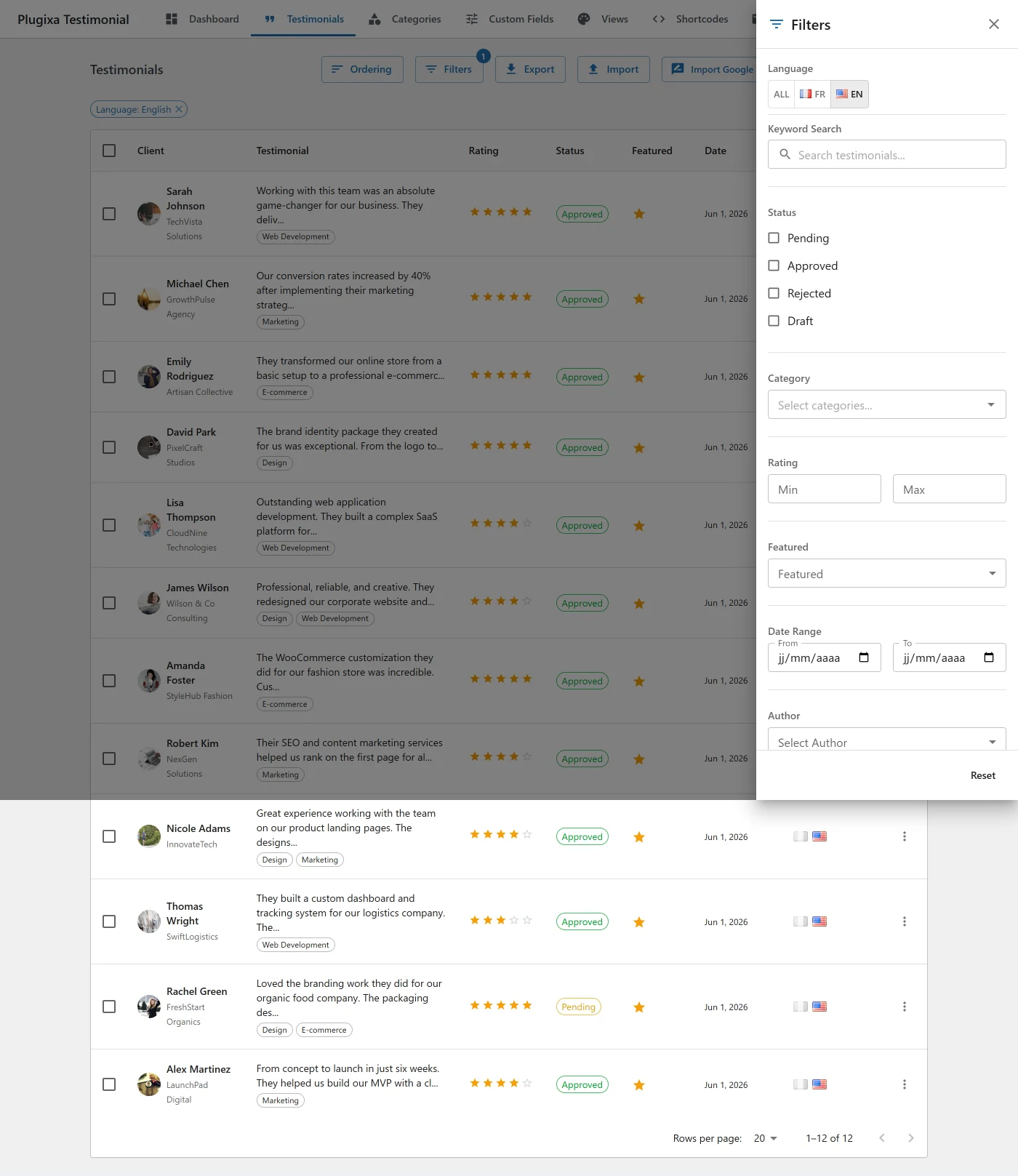
The filter drawer (sidebar) on the testimonials list supports:
- Search - client name, company, testimonial text.
- Status tabs -
all,approved,pending,rejected,draft(with counts). - Categories - multi-select. Special
"uncategorized"/"0"value for testimonials with no category. - Rating - any / 1 / 2 / 3 / 4 / 5.
- Featured - featured / not featured / any.
- Language - when Multilingual is active.
- Source -
manual,form,import,ai-generated,google-reviews. - Date range - created between two dates.
Active filters render as dismissable chips above the table.
Bulk actions
Select multiple testimonials via the checkboxes:
| Action | Description |
|---|---|
| Approve | Set to approved. |
| Reject | Set to rejected. |
| Set as Pending | Set to pending. |
| Set as Draft | Set to draft. |
| Toggle Featured | Flip the featured flag. |
| Delete | Permanent - cascades to pivot and custom-field meta. |
| Export | JSON or CSV - see Import / Export. |
Video testimonials
Pro users can attach a Video URL to any testimonial. Type is auto-detected as you type:
| URL pattern | Detected type | Rendering |
|---|---|---|
youtube.com/watch, youtu.be, youtube.com/embed, youtube.com/shorts |
youtube |
HQ thumbnail + click → youtube-nocookie.com iframe. |
vimeo.com/{id}, player.vimeo.com/video/{id} |
vimeo |
Placeholder + click → player.vimeo.com iframe. |
.mp4, .webm, .ogg, .mov |
self-hosted |
HTML5 <video> with controls, preload="metadata", playsinline. |
Videos render after the testimonial text and before the rating stars. Iframes are lazy-loaded on click.
Hide video for a specific shortcode with show_video="0".
See Video Testimonials for the full guide.
Custom fields
Define custom fields under Plugixa Testimonial → Custom Fields. Once defined, they appear automatically in the testimonial form, in the frontend submission form (if show_in_frontend is on), and in card rendering (with show_custom_fields="1").
Field types: text, textarea, url, number, date, select, checkbox, color.
See Custom Fields for the complete workflow.
Translations Multilingual
When WPML or Polylang is active:
- The Language dropdown appears in the Publish sidebar (immutable on edit to protect translation links).
- The TranslationStatus panel shows flag icons per language - colored = translation exists, grey = missing.
- Click a grey flag to open Create Translation - the plugin clones the testimonial with a new
language_codeand a sharedtranslation_groupUUID. - Click a colored flag to jump to the existing translation.
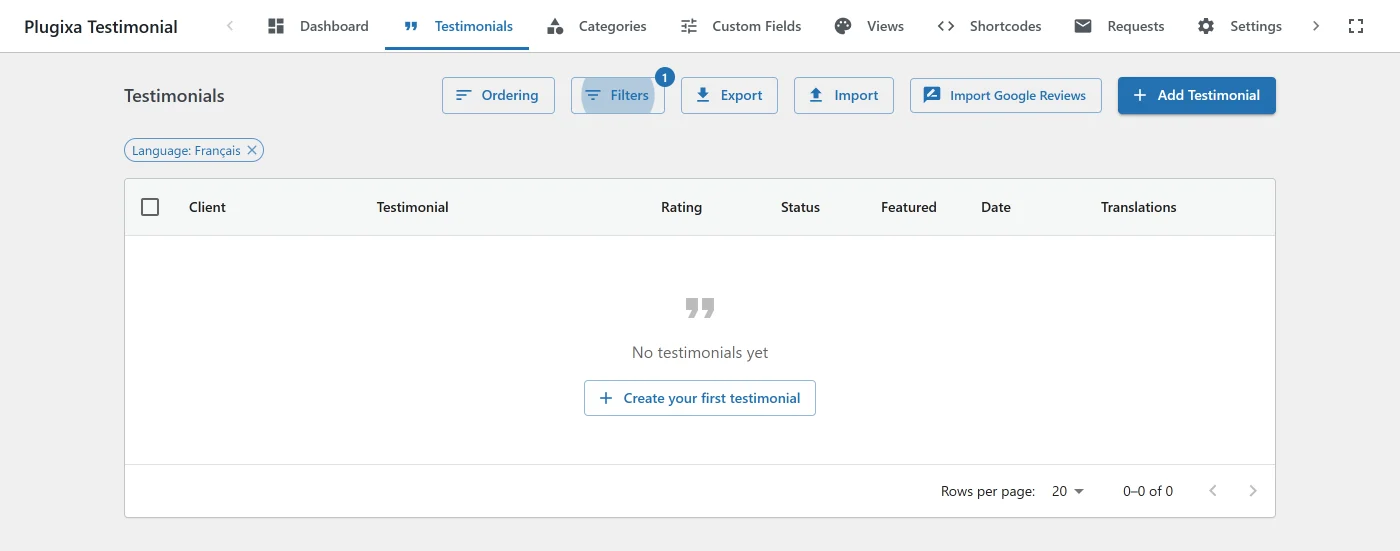
- The filter drawer has a Language section for filtering the list.
- Row-level flag indicators show per-row translation coverage.
See Multilingual for the complete workflow.
Permissions
Five capabilities gate testimonial actions:
| Capability | Allows |
|---|---|
plugixa_testimonial_manage |
Full access to all operations. |
plugixa_testimonial_edit |
Create and edit testimonials. |
plugixa_testimonial_delete |
Delete testimonials. |
plugixa_testimonial_approve |
Change status (approve / reject). |
plugixa_testimonial_settings |
Access the settings page. |
All capabilities are granted to the Administrator role on activation. Map them to other roles with a capability manager plugin or via $role->add_cap().
REST API
| Method | Endpoint | Description |
|---|---|---|
GET |
/wp-json/plugixatestimonial/v1/testimonials |
List (filters: status, category, min_rating, featured, search, source, language, page, per_page). |
POST |
/wp-json/plugixatestimonial/v1/testimonials |
Create. |
GET |
/wp-json/plugixatestimonial/v1/testimonials/{id} |
Get one. |
PUT |
/wp-json/plugixatestimonial/v1/testimonials/{id} |
Update. |
DELETE |
/wp-json/plugixatestimonial/v1/testimonials/{id} |
Delete. |
PATCH |
/wp-json/plugixatestimonial/v1/testimonials/{id}/status |
Change status. |
POST |
/wp-json/plugixatestimonial/v1/testimonials/reorder |
Reorder (global or per-category via category_id). |
DELETE |
/wp-json/plugixatestimonial/v1/testimonials/bulk |
Bulk delete. |
POST |
/wp-json/plugixatestimonial/v1/testimonials/bulk-action |
Bulk approve/reject/feature. |
GET |
/wp-json/plugixatestimonial/v1/testimonials/authors |
List unique author names. |
All endpoints require edit_posts capability unless marked public.
Hooks
There are no testimonial CRUD hooks. The plugin fires eight filters in total and no actions; see the Hooks Reference for the full list and what each one can change.