

Contents
Categories - Plugixa Testimonial
Categories group related testimonials. They support per-category ordering, translations, and are rendered as tabs / pills / dropdown / sidebar navigation on the frontend.
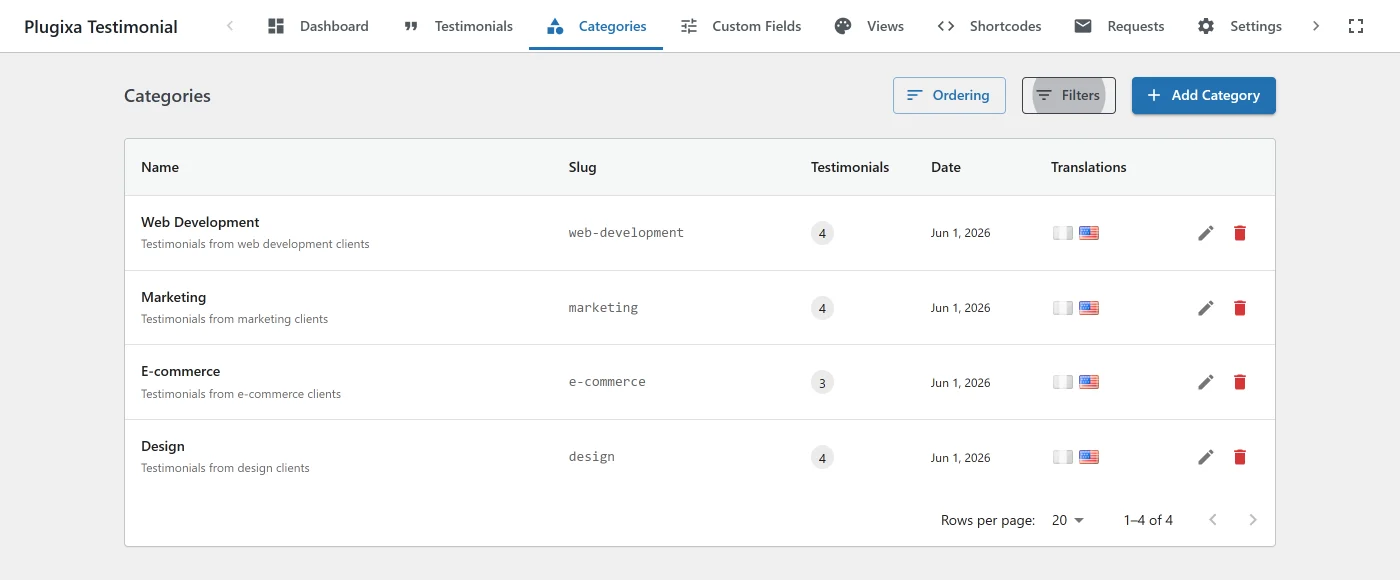
The category list
Go to Plugixa Testimonial → Categories.
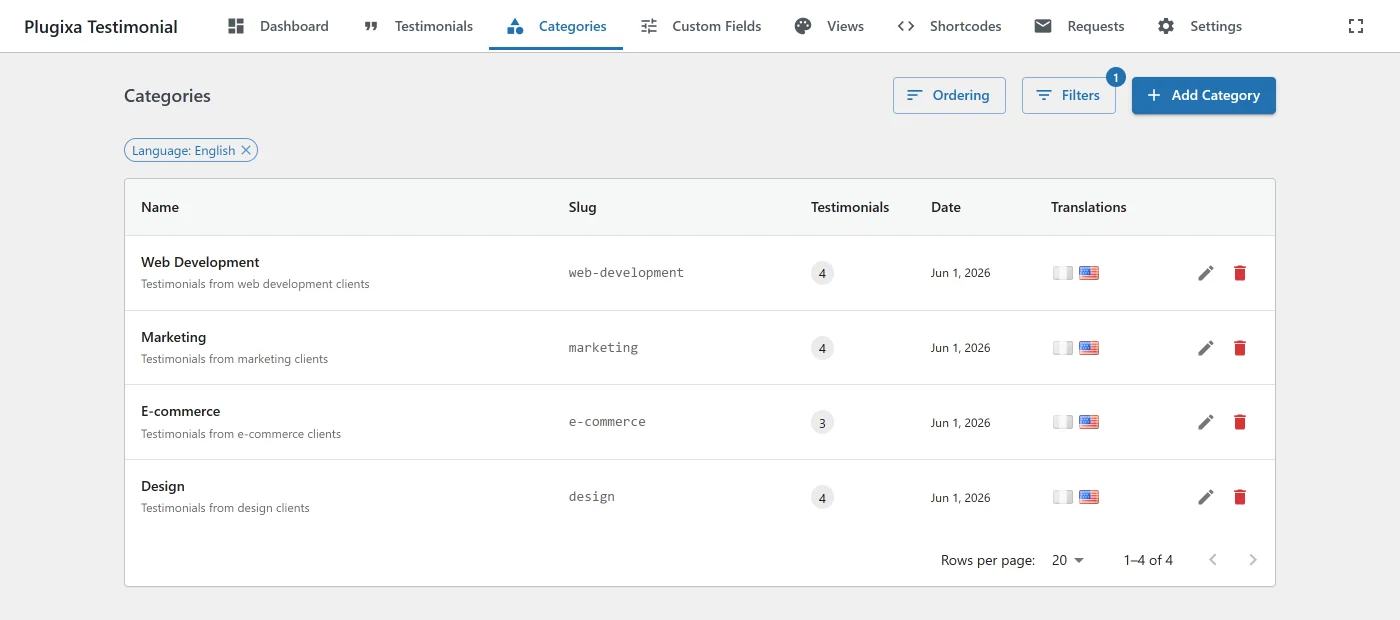
Columns:
- Name / Slug - display name and URL slug.
- Description - optional, displayed above filtered testimonials when the view’s
showCategoryDescriptionis on. - Testimonials - count of testimonials assigned.
- Status -
publish/draft/trash. - Language - when Multilingual is active.
- Order - drag handle for reordering.
Creating a category
Click Add New.
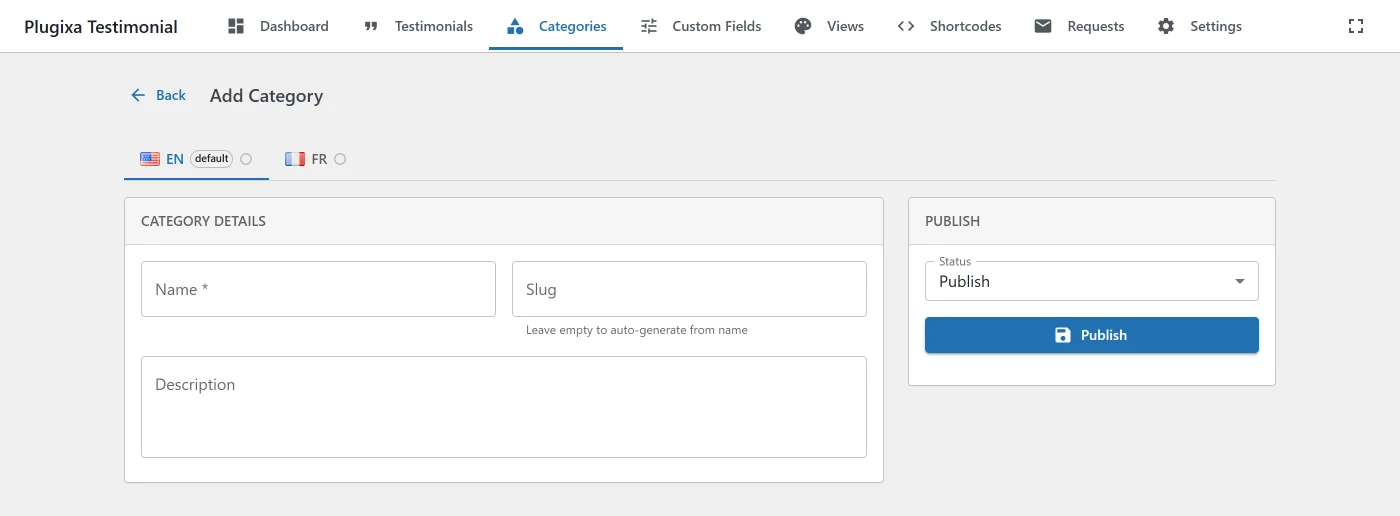
| Field | Notes |
|---|---|
| Name | Up to 255 characters. Required. |
| Slug | Auto-generated from the name. Unique. Used in shortcodes. |
| Description | Optional. Shown at the top of a filtered testimonial display when show_category_description="true". |
| Status | publish (default), draft, trash. Only publish categories appear in filters. |
| Display Order | Integer. Controls nav ordering; drag-and-drop updates this. |
| Language | Conditional - only when multilingual is active. |
Editing
Click a category name or the Edit action. All fields above are editable. Changing the slug breaks any shortcode that references the old slug - update with care.
Ordering
Go to Plugixa Testimonial → Categories → Order Categories.
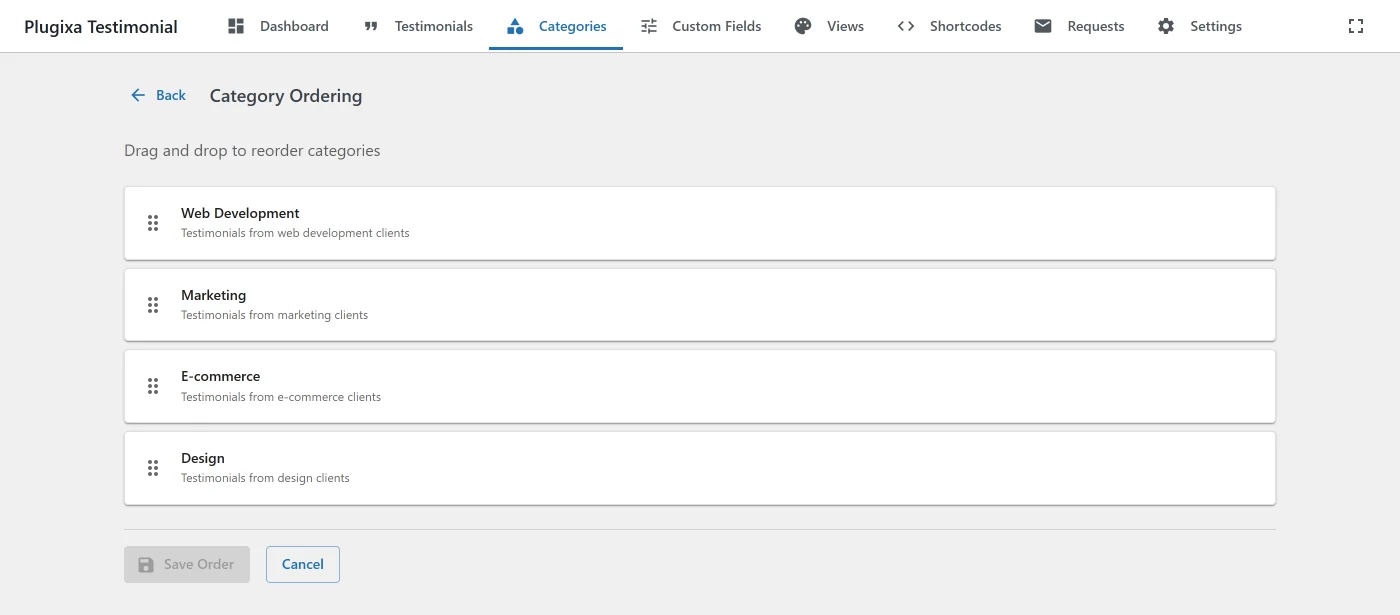
Drag the handle on each row. Updates the display_order column. The order affects:
- The category navigation on the frontend.
- The admin testimonial filter dropdown.
- The Shortcode Builder’s category multi-select.
Filtering by language Multilingual
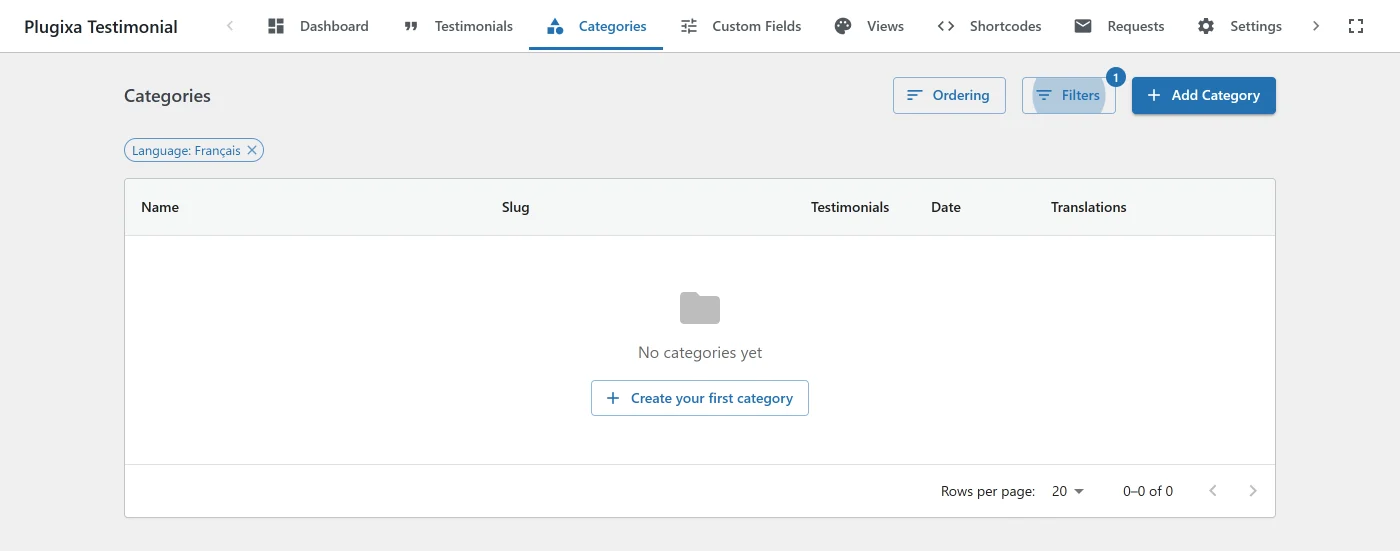
When WPML or Polylang is active, the filter drawer includes a Language section (All / 🇺🇸 EN / 🇫🇷 FR …):
- One language selected - shows only that language’s categories.
- All languages - shows every category grouped by translation.
Deleting
Click Delete on a row and confirm. Deleting a category:
- Removes it from the categories table.
- Removes all pivot rows associating testimonials with it.
- Does not delete the testimonials themselves - they lose that category association.
Assigning categories to testimonials
From the testimonial editor
In the testimonial form, use the Categories multi-select. A testimonial can belong to multiple categories (many-to-many).
From the Categories list
Click the Count number on a category row to jump to the Testimonials list filtered by that category.
Many-to-many relationships
The plugin uses a pivot table (wp_plugixatestimonial_testimonial_categories):
| Column | Description |
|---|---|
testimonial_id |
FK to testimonials. |
category_id |
FK to categories. |
display_order |
Per-category ordering. |
Cascade deletion: when a testimonial or category is deleted, pivot rows are cleaned up automatically.
Shortcode filtering
Filter testimonials by category in the [plugixa_testimonials] shortcode:
Single category (by ID)
[plugixa_testimonials category="3"]
Multiple categories (comma-separated)
[plugixa_testimonials category="1,3,5"]
Uncategorized (no category assigned)
[plugixa_testimonials category="uncategorized"]
or:
[plugixa_testimonials category="0"]
Combined with other filters
[plugixa_testimonials category="3" featured="1" min_rating="4" limit="6"]
See Shortcodes for the full attribute list.
Category navigation
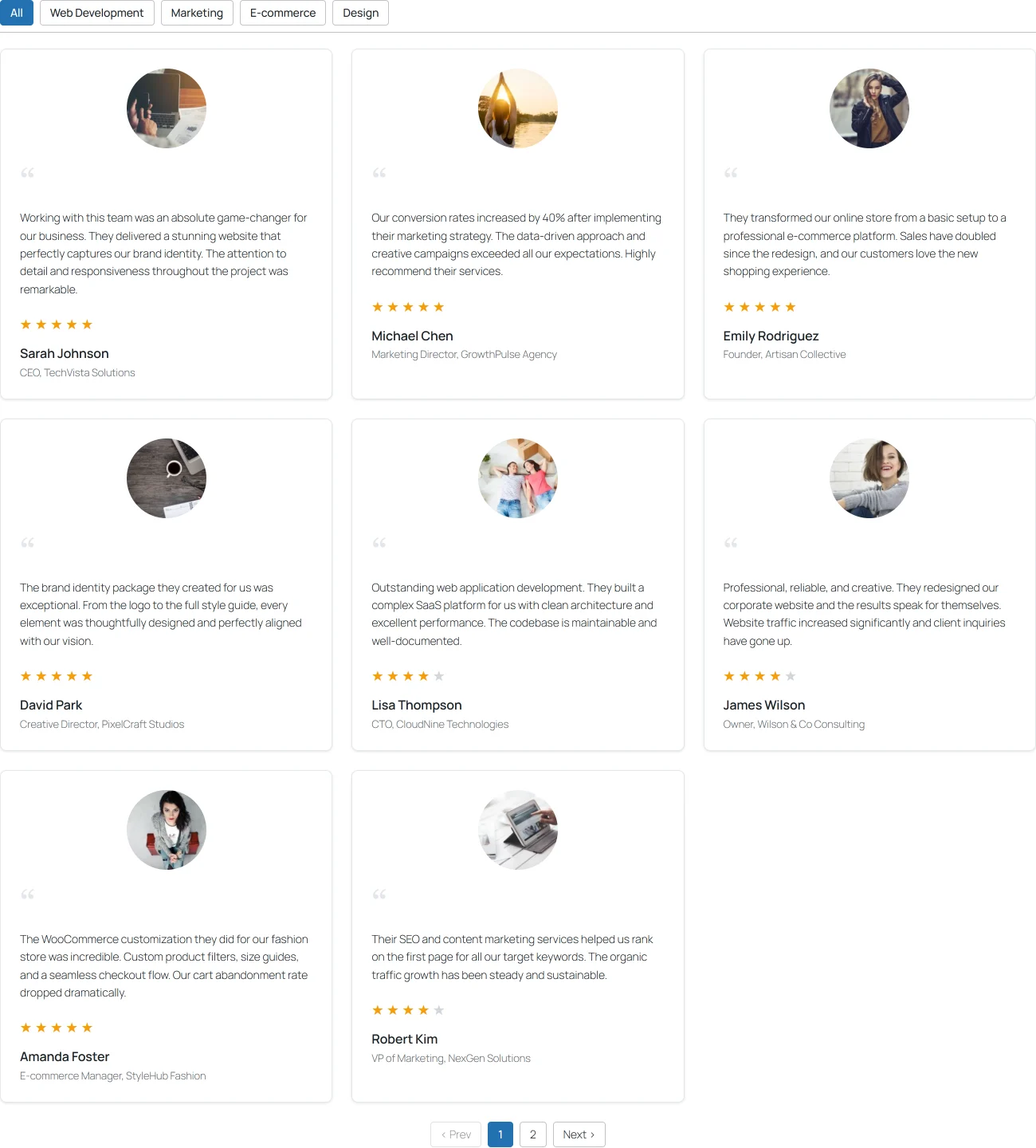
Views can render an interactive category filter inside the testimonials container. Configure it in Views → [view name] → Categories tab:
| Display style | Description |
|---|---|
none (default) |
No navigation rendered. |
tabs |
Horizontal tab buttons with underline on active. |
pills |
Pill-shaped buttons. |
dropdown |
<select> element. |
sidebar |
Vertical list to the left of the testimonials (two-column layout). |
The nav has full color / typography / spacing / border controls for both default and active states, plus a description box when showCategoryDescription is on.
Category nav performs client-side filtering using data-pxt-categories attributes on each card - composable with the rating filter via AND logic. Clicking a nav item toggles the display of matching/non-matching cards without a page reload.
Nested categories
Nested categories (parent/child hierarchy) are not currently supported. Each category is flat. Use slugs like support-shipping / support-returns to imply grouping, or wait for a future release.
Creating categories from the testimonial editor
In the testimonial form’s Category multi-select, type a new name and click Create. The plugin creates the category with a slug auto-generated from the name. No need to switch screens.
Translations Multilingual
Each category can have translations linked by translation_group. Translatable fields: name, slug, description. Shared fields (display_order, status) stay identical across all translations.
See Multilingual for how translation groups work and how to link items.
REST API
| Method | Endpoint |
|---|---|
GET |
/wp-json/plugixatestimonial/v1/categories |
POST |
/wp-json/plugixatestimonial/v1/categories |
GET |
/wp-json/plugixatestimonial/v1/categories/{id} |
PUT |
/wp-json/plugixatestimonial/v1/categories/{id} |
DELETE |
/wp-json/plugixatestimonial/v1/categories/{id} |
POST |
/wp-json/plugixatestimonial/v1/categories/reorder |
See Hooks → Category CRUD for before_* / after_* action hooks on every mutation.
Related
- Testimonials Management
- Views - category navigation styling
- Shortcodes -
categoryfilter - Multilingual