

Plugixa Car Parking 1.2.0: Mollie, Adyen and Klarna Payments
Plugixa Car Parking 1.2.0 is out. Pro now takes payments through three more providers, Mollie, Adyen and Klarna, so drivers across Europe can pay for parking the way they already pay everywhere else. Behind them, everything a provider reports after the customer has left is handled with more care: a payment still being confirmed, a payment that arrives too late, a refund that fails and a disputed charge. Here is what changed.
Five ways to pay online
Until now, Pro offered cards by Stripe and PayPal. 1.2.0 adds three hosted checkouts. Each sends the customer to the provider’s own payment page and brings them back to the booking, so no card details ever touch your site.
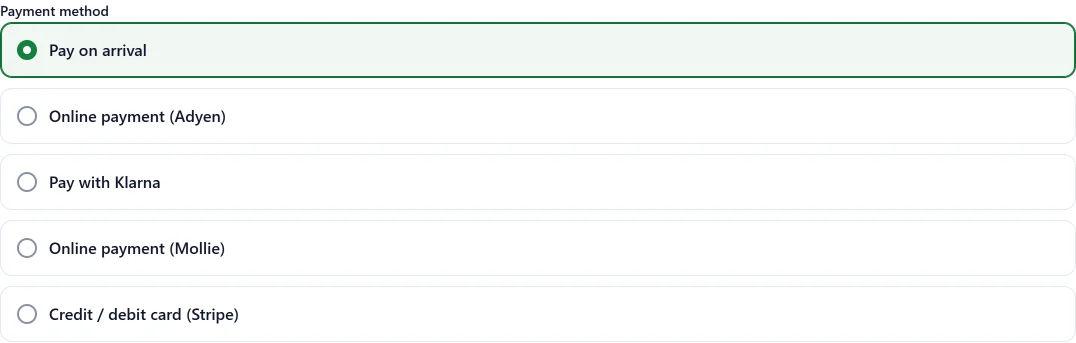
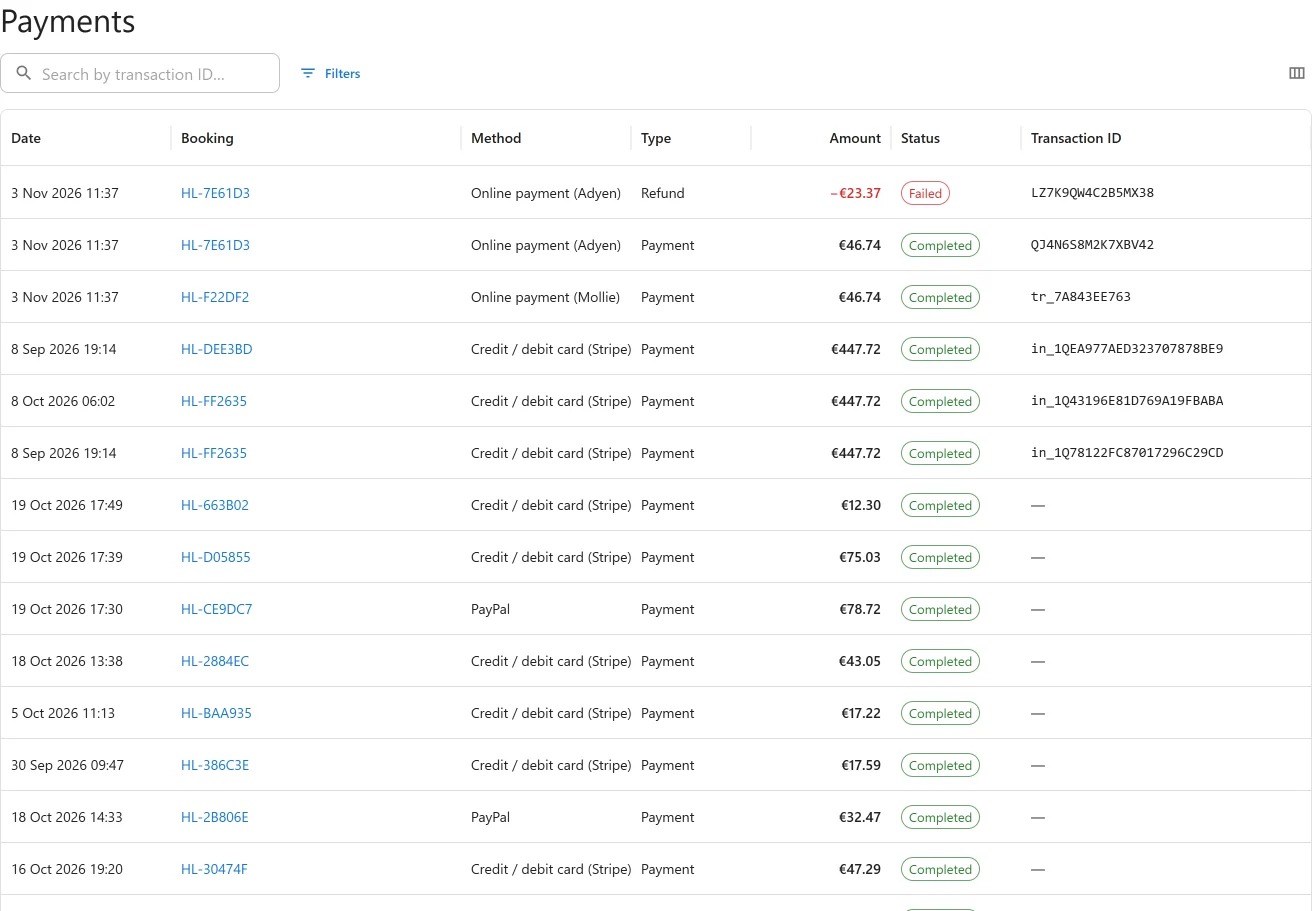
Every provider writes to the same payments ledger, and every refund made from a booking goes through the provider and is recorded with its refund id.
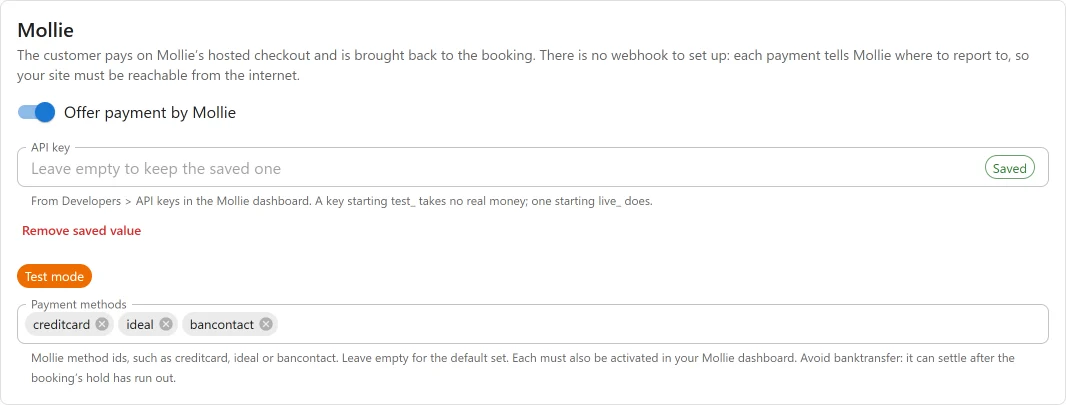
Mollie: iDEAL, Bancontact and cards
Mollie PRO is the natural choice in the Netherlands and Belgium. Paste an API key, list the methods you want (cards, iDEAL and Bancontact by default), and you are done: there is no webhook to set up, because each payment tells Mollie where to report. A test_ key takes no real money and the settings show a Test mode badge. Refunds made in the Mollie dashboard and chargebacks are reported back to the booking.
Adyen: Hosted Checkout for larger operators
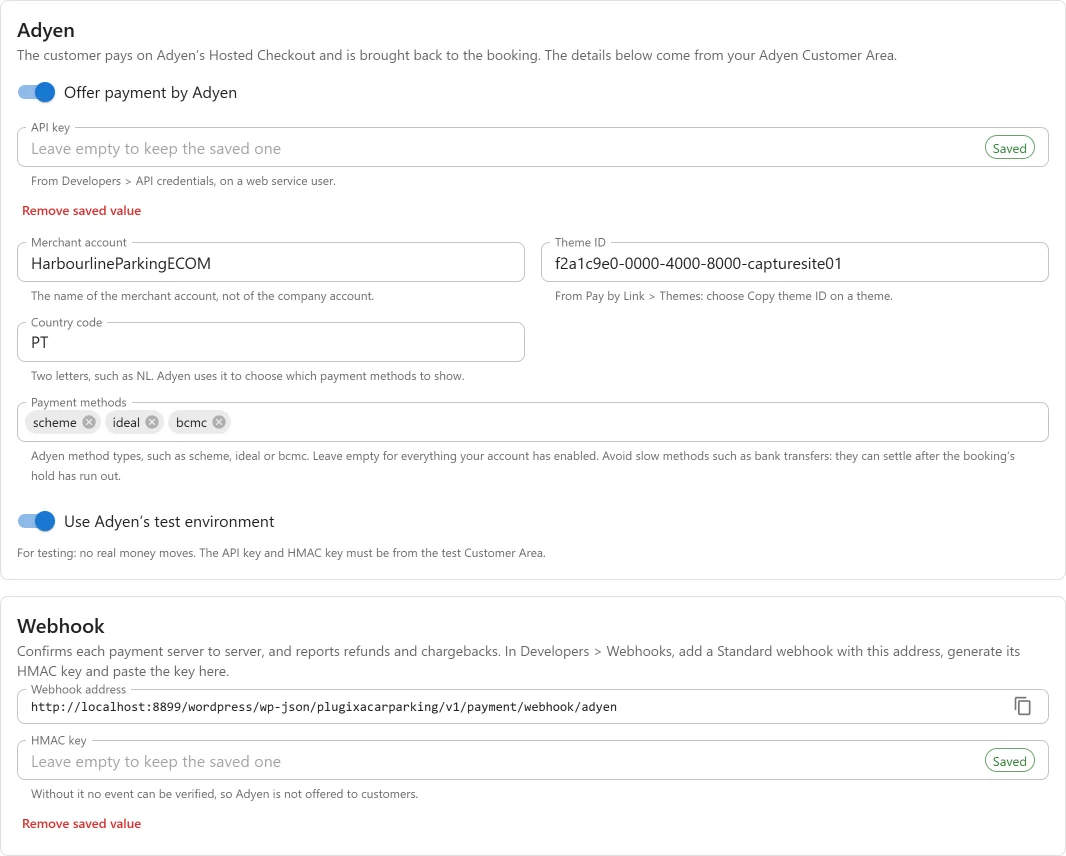
Adyen PRO suits airport and city operators who already process through Adyen. Enter the API key, merchant account, theme ID and country, then add a Standard webhook with an HMAC key, so every event is verified before it is believed. Refunds made in the Customer Area and chargebacks come back to the booking.
Klarna: pay with Klarna
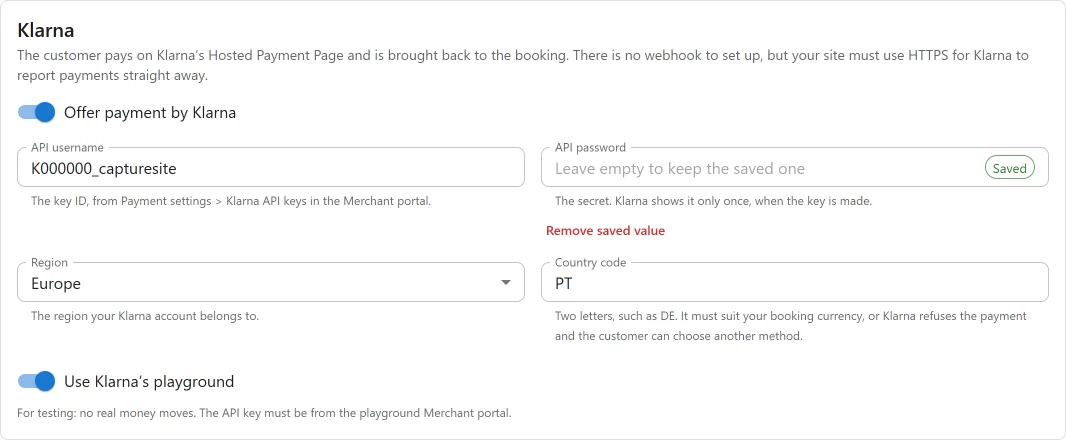
Klarna PRO appears to customers as Pay with Klarna. Enter the API username and password, the region and the country, and test in Klarna’s playground first. Each payment is captured as soon as the customer completes it, so the booking counts as paid at once. There is no webhook to set up.
Monthly payments for long stays stay with Stripe. See Monthly payments.
“Confirming your payment”
Hosted checkouts do not always decide at once. A bank payment can be pending for a moment, and the customer is often back on your site before the provider has made up its mind. Before 1.2.0 they saw Payment not completed, which invites a second payment.
Now they see Confirming your payment, with their booking reference and a reassuring note that there is no need to pay again. The booking updates by itself as soon as the provider reports.

A space is never sold twice
A booking that is not paid in time expires and frees its space. Before 1.2.0, a payment that arrived after that still confirmed the booking, even when the space had since been booked by someone else. Two drivers, one bay.
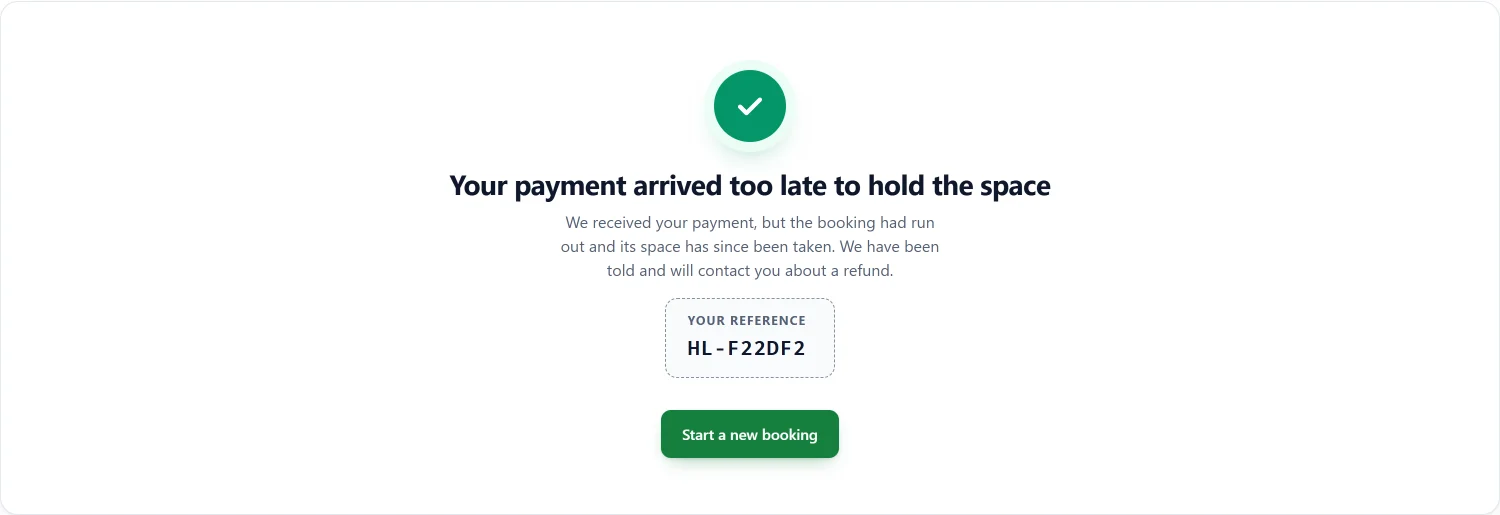
In 1.2.0, if the space is still free, the late payment confirms the booking as before. If it has gone, the booking stays expired, the money stays on its Payments panel, you are emailed (“Late payment needs attention”) and the customer is told on the screen they come back to:
Failed refunds and disputes
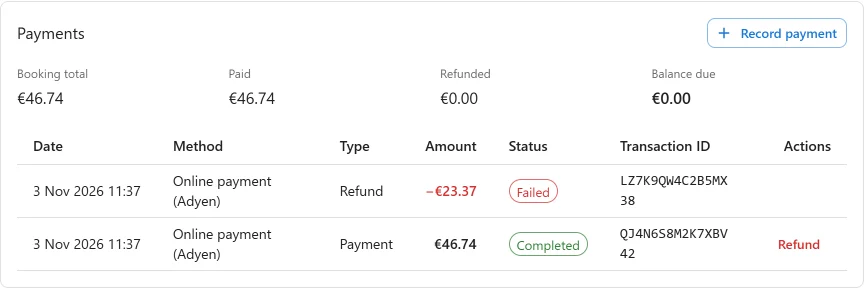
A provider can accept a refund and fail to pay it out days later, for example when the customer’s card has been closed. Before 1.2.0 the refund stayed on the booking as if the customer had the money. Now it is marked Failed, the booking holds the money again with its Refund button back, and you are emailed. This covers Stripe, PayPal, Mollie and Adyen.
When a customer’s bank disputes a payment, you are emailed once, on every gateway that reports disputes, so the provider’s deadline to respond is not missed. These emails are sent even when booking emails are switched off, and each one is listed in the message log. The Payments guide has the details.
Booking forms that work behind a page cache
A page cache can keep a page for days: LiteSpeed Cache keeps it for a week by default. A booking form served from a copy more than a day old used to fail at the last step with “Your session expired”, and refreshing served the same copy. In 1.2.0 a signed-out visitor’s form keeps working for as long as a cache is likely to keep the page, so you no longer need to exclude it from your cache.
The opposite holds for the private pages. A booking’s summary link and the screen shown after paying are now kept out of page caches, so a customer never sees a stale payment status, or another customer’s booking on a cache set to ignore the address. See Kept out of page caches.
Also since 1.1.0
- 1.1.1: if the database refuses to create one of the plugin’s tables, administrators now see a notice naming it, with a Try again button, instead of a silent failure. The invoice PDF library (Pro) is updated to dompdf 3.1.6 for a published security advisory.
- 1.1.2: the plugin’s custom CSS setting is gone. Move any rules to Appearance -> Customize -> Additional CSS, or to Styles in the Site Editor.
- Developers: a gateway’s webhook handler can now answer several events from one notification, ask the provider to retry, or take back a recorded refund, and
plugixa_carparking_payment_noticeannounceslate_payment_no_space. See the Hooks reference.
Every change is listed in the changelog.
Plugixa Car Parking 1.2.0 is available now. If you take payments online, update before switching Mollie, Adyen or Klarna on, and add the Adyen webhook with its HMAC key before offering Adyen to customers.