

Contents
Payments - Plugixa Car Parking
The free plugin has one way to pay: Pay on arrival. The customer books online and pays at the car park, and you record the money on the booking when it is taken. Every payment and refund is kept in a ledger that you can read under Car Parking -> Payments, in the Sales group of the sidebar.
Online payment is part of Pro: see Stripe PRO and PayPal PRO. Both write to the same ledger, so everything on this page applies to them too.
Pay on arrival
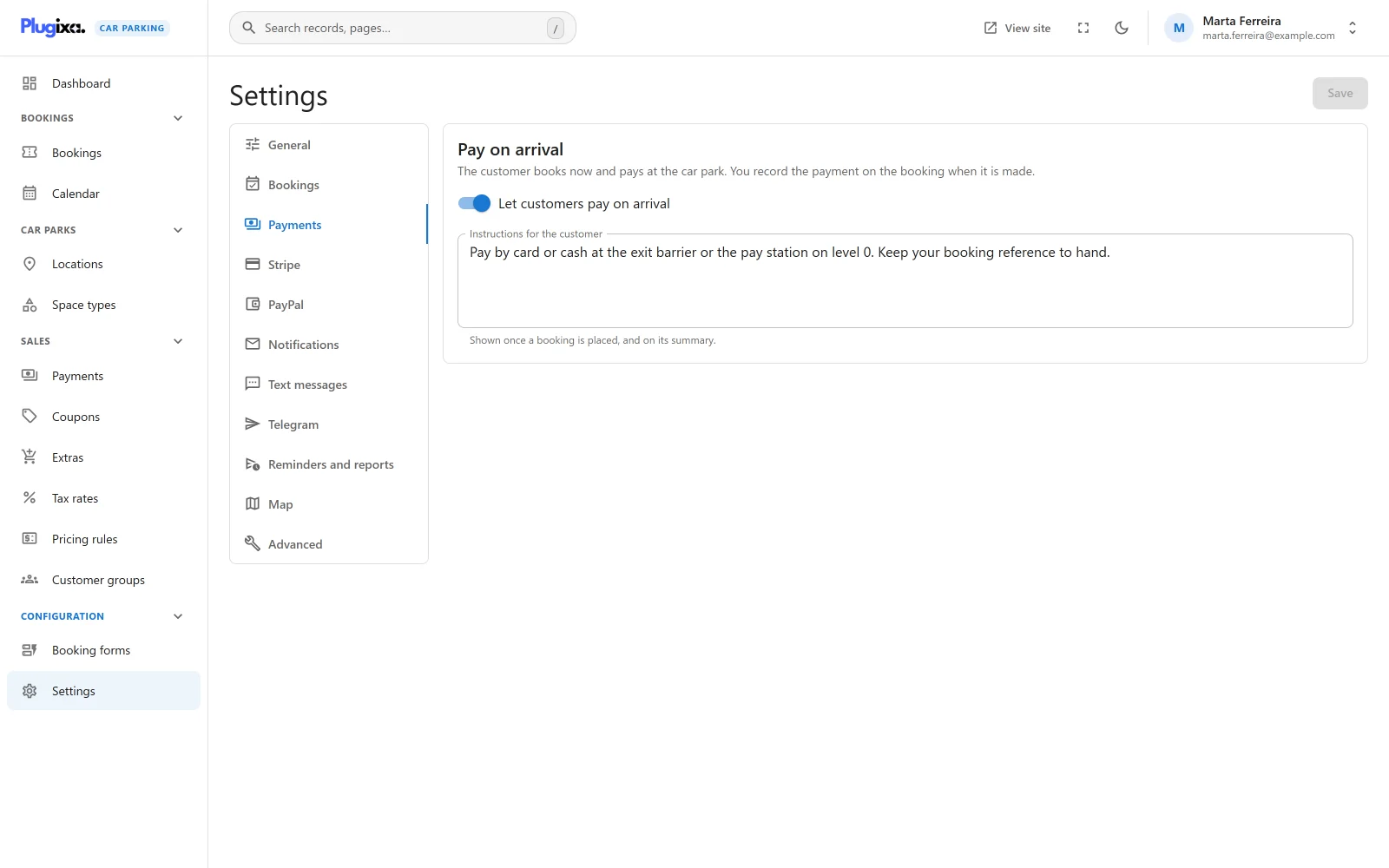
Open Car Parking -> Settings -> Payments. The Pay on arrival card says: “The customer books now and pays at the car park. You record the payment on the booking when it is made.”
| Field | Default | Notes |
|---|---|---|
| Let customers pay on arrival | On | Adds or removes offline in the enabled_gateways setting. |
| Instructions for the customer | “Please pay on arrival at the parking entrance.” | “Shown once a booking is placed, and on its summary.” Stored as offline_instructions. Plain text, line breaks kept. |
Press Save when you are done. The Settings screen needs the
plugixa_carparking_manage_settings capability. See
Settings.
What the customer sees
- With one way to pay, the booking form has no payment step. The instructions are shown on the confirmation step and again on the success screen.
- With two or more ways to pay, the form adds a Payment step that lists them as a choice. The instructions appear when Pay on arrival is the one selected. A second method needs Pro.
- On the booking summary, a booking that still owes money shows a Pay now box with one button per available method. Pressing Pay on arrival shows the instructions and charges nothing.
A way to pay is offered only when it is switched on and has what it needs to work. Pay on arrival needs nothing, so the switch alone decides.
What is saved
A pay-on-arrival booking is saved with the payment status Unpaid and with the status chosen in Settings -> Bookings -> Status of a new booking (Pending by default). Nothing is written to the ledger until you record a payment.
A pending booking holds its space for the time set in Hold an unconfirmed booking for (minutes), 30 by default, and then expires. For pay on arrival you will usually want new bookings to start as Confirmed, or the hold set to 0, so that a booking is not released before the customer arrives. See Availability.
Bookings with nothing to pay
There is no separate “free” payment method. A booking whose total is zero, for example after a 100% coupon, is saved like any other and stays Unpaid: the ledger marks a booking Paid only when its total is above zero and has been covered. Its summary shows no Pay now box because nothing is owed.
Recording a payment
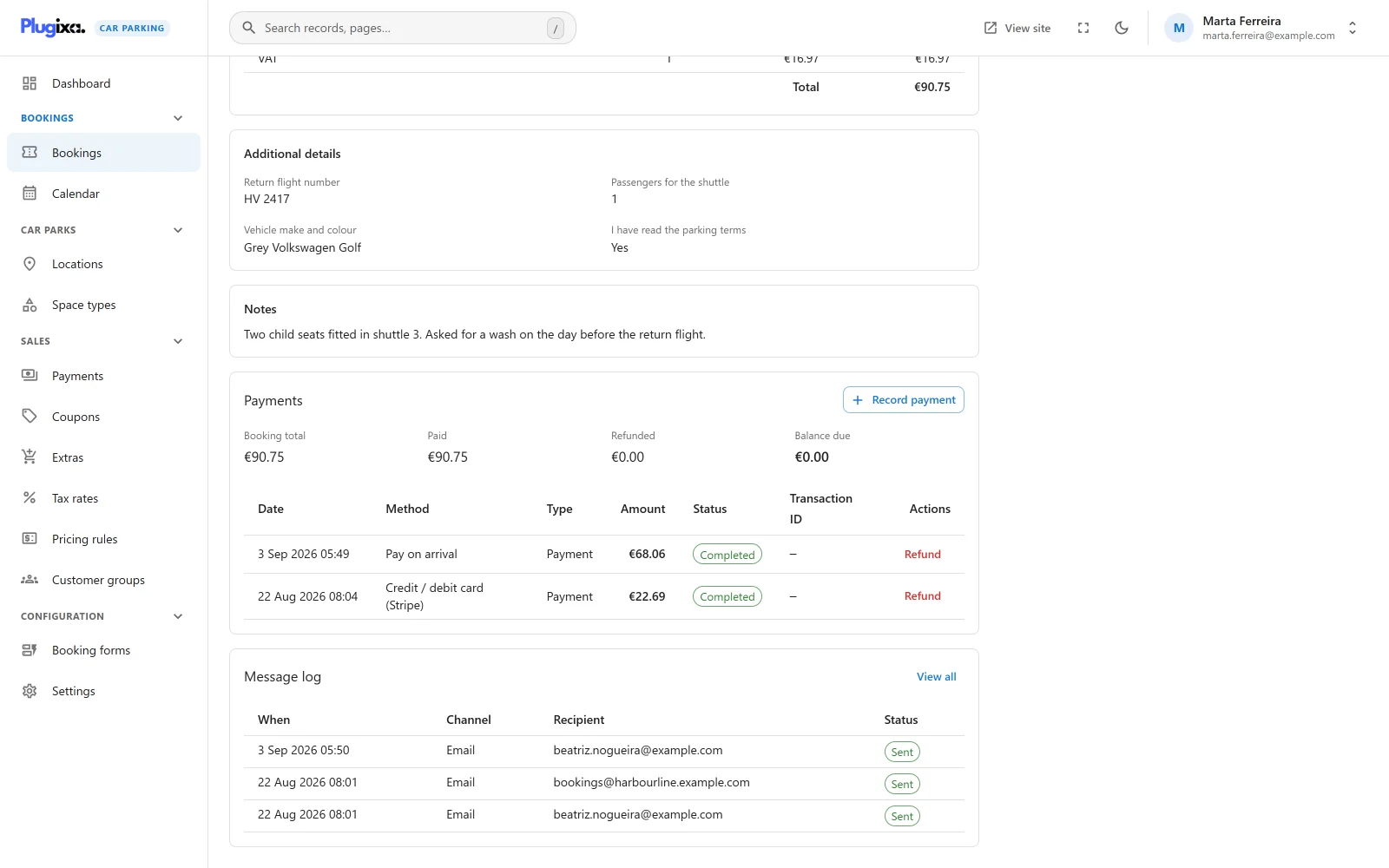
Open the booking from Car Parking -> Bookings. The Payments panel shows four figures and the booking’s own ledger rows.
| Figure | Meaning |
|---|---|
| Booking total | What the booking costs |
| Paid | Completed payments less completed refunds |
| Refunded | The sum of the booking’s completed refunds |
| Balance due | Total less paid, never below zero |
With no rows the panel says “Nothing has been paid on this booking yet.”
- Click Record payment.
- The dialog explains: “For money taken outside the booking form, such as cash on arrival or a bank transfer.”
- Amount is pre-filled with the balance due, and the line under it says how much “is still owed on this booking”. Change it to record a part payment.
- Click Record payment.
| Rule | Message |
|---|---|
| The amount must be a plain number with a dot for decimals | “A number, with a dot for decimals.” |
| The amount must be above zero | “The amount must be more than zero.” |
| A payment has no upper limit | An overpaid booking shows a balance due of zero |
A payment recorded by hand is saved as Completed, with Pay on arrival
as its method and no transaction ID. The button is shown to users who hold
both the edit and the create capability
(plugixa_carparking_edit, plugixa_carparking_create).
Refunding a payment
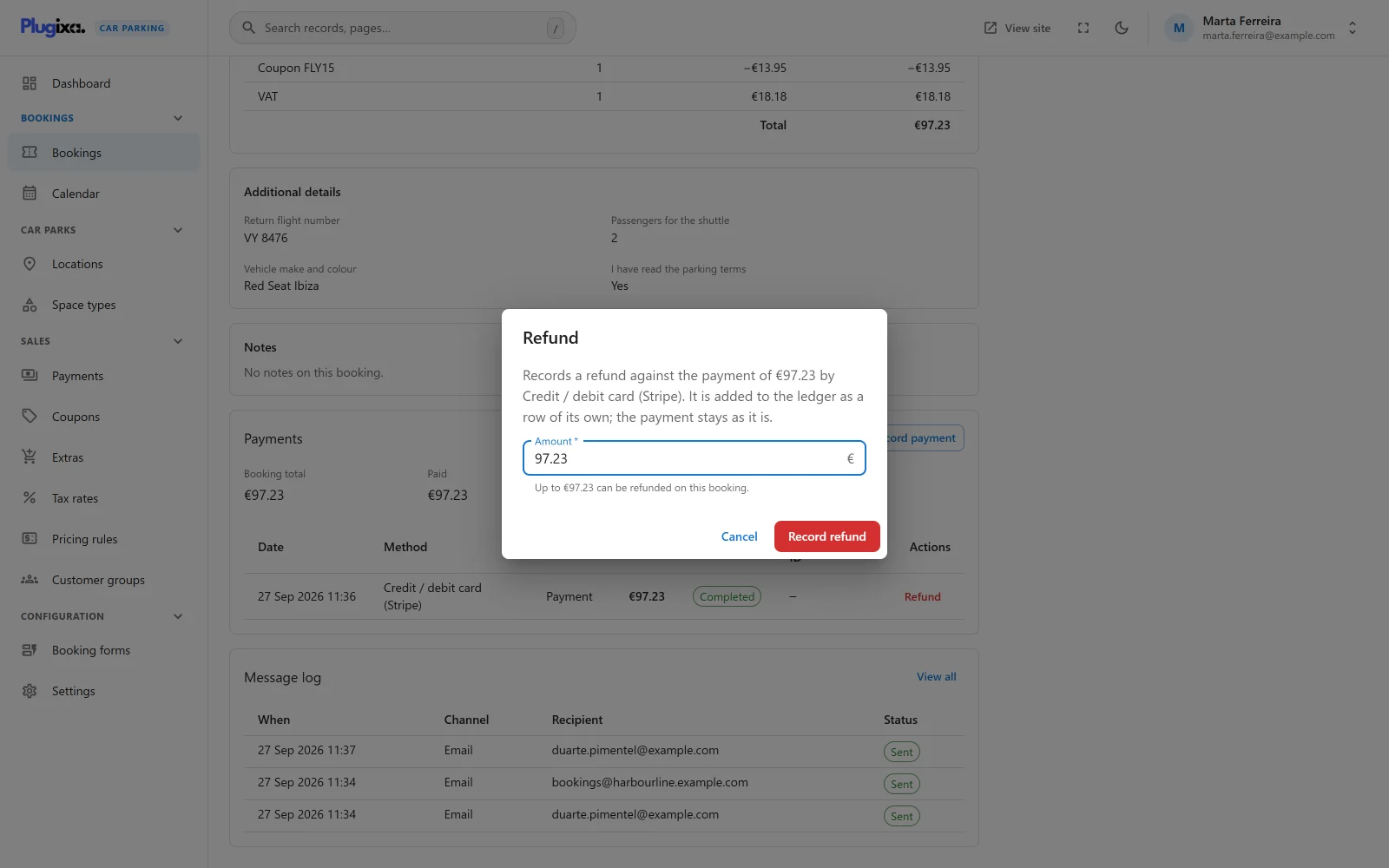
In the same panel, each completed payment has a Refund button while the booking still holds money.
- Click Refund on the payment’s row.
- The dialog says the refund “is added to the ledger as a row of its own; the payment stays as it is.”
- Amount starts at the payment’s amount, or at what the booking still holds if that is less. The line under it reads “Up to … can be refunded on this booking.”
- Click Record refund.
| Rule | Message |
|---|---|
| Only a completed payment can be refunded, and a refund cannot be refunded | “Only a completed payment can be refunded.” |
| A refund cannot exceed what the booking has been paid, less earlier refunds | “A refund cannot be more than the booking has been paid (…).” |
| The booking must not be in the trash | “This payment belongs to a booking that is in the trash or no longer exists. Restore the booking before refunding it.” |
| Nothing left to refund | “This booking holds no money to refund.” |
The refund is recorded under the same method as the payment it answers. Refunding needs the edit capability.
A refund here is a record, not a transfer. The plugin does not send money back through Stripe or PayPal. Return the money in the provider’s dashboard, or in cash, then record the refund so the booking and the ledger agree.
The ledger never changes
There is no way to edit or delete a ledger row. A payment entered by mistake is put right with a refund, which leaves both on record. For the same reason a booking with a completed payment or refund against it cannot be deleted permanently: “This booking has payments recorded against it, so it cannot be deleted permanently.” It can still be moved to the trash.
How a payment changes the booking
A booking’s paid state is always worked out from the ledger, each time a completed payment or refund is recorded.
| Ledger says | Payment status | Booking status |
|---|---|---|
| Paid in full (and the total is above zero) | Paid | Paid |
| Something paid, less than the total | Part paid | Confirmed |
| Nothing held, and the booking was Paid or Confirmed | Unpaid | Refunded |
| Nothing held, any other status | Unpaid | Unchanged |
Three more things follow from this:
- As soon as any money is held, the booking’s hold no longer expires.
- When a booking becomes Paid in full, the Payment received email is sent to the customer, provided Send booking emails is on. A part payment sends nothing. See Emails.
- If a booking is repriced after money was taken, its paid state is worked out again against the new total.
The Payments screen
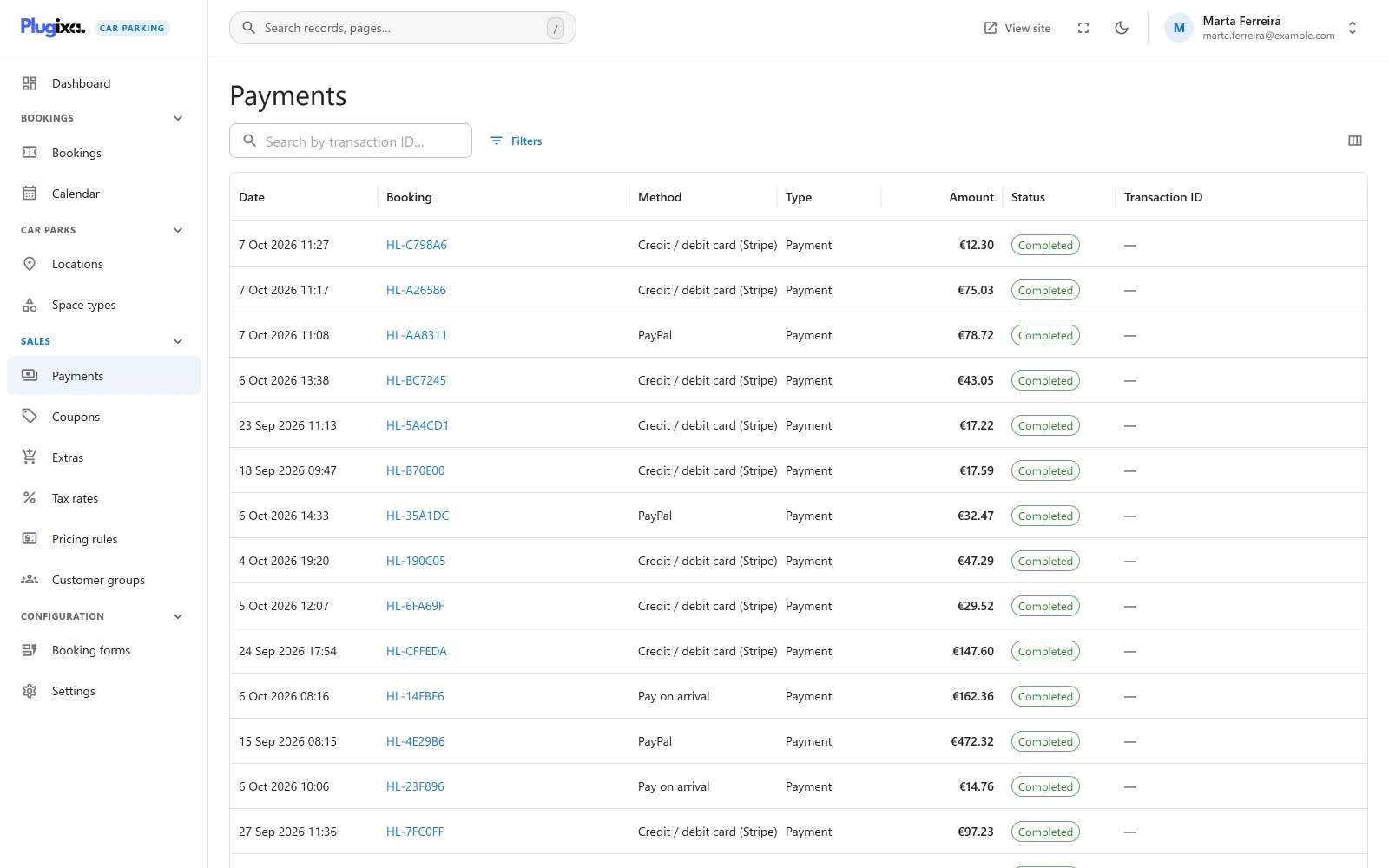
Car Parking -> Payments lists every row of the ledger, across all bookings, newest first.
| Column | What it shows |
|---|---|
| Date | When the row was recorded |
| Booking | The booking reference, linked to the booking |
| Method | The way of paying, by its own name, such as Pay on arrival |
| Type | Payment or Refund |
| Amount | The amount. A refund is shown in red with a minus sign. A row in a currency other than the site’s carries its currency code. |
| Status | Completed, Pending or Failed |
| Transaction ID | The provider’s reference, when there is one |
The search box matches the transaction ID (“Search by transaction ID…”). The list can be filtered by booking, gateway, type (full, deposit, balance, refund), status and amount, and sorted by any column except the transaction ID. Method, Type and Transaction ID are optional columns.
The screen is read-only. It has no add button, no trash and no export: “Every payment and refund recorded against a booking is listed here. Record one from the booking it belongs to.” Reading it needs the view capability.
A row keeps the id of the method that took the money. If that method is no
longer installed, for example after going from Pro back to free, the row stays
and shows the id (stripe, paypal) in place of a name.
Coming back from an online payment
When a customer pays on a provider’s page PRO, the provider sends their browser back to your site. The plugin confirms the payment with the provider, records it, and redirects the customer to a page that says how it went. That page is chosen in this order:
- Booking page in Settings -> Bookings -> Pages
- Booking summary page in the same card
- The first published page that holds the booking form
- The home page, which cannot show the result
Choose at least one of the two pages. The screen replaces the booking form or the summary for that one visit and has three states.
| State | Heading | When |
|---|---|---|
| Paid | Payment received | The booking has money recorded against it |
| Confirming | Confirming your payment | The provider said paid, but the booking is not recorded as paid yet. “This can take a few minutes; there is no need to pay again.” |
| Failed | Payment not completed | “The payment was cancelled or did not go through, and nothing has been charged.” |
The screen shows Your reference when the address names a real booking. What is shown is read from the booking, not from the address, so a link with “paid” typed into it proves nothing. On the failed screen a note says where the booking stands: saved but unpaid, already paid in full, cancelled, or expired because it was not paid in time.
Public payment routes
Three public REST routes serve payments. They exist in the free plugin, where only pay on arrival answers them.
| Route | Method | Purpose |
|---|---|---|
/plugixa-car-parking/v1/payment/start |
POST | Begin a payment for a booking reference with a chosen method |
/plugixa-car-parking/v1/payment/return |
GET, POST | Where a provider sends the customer’s browser back to |
/plugixa-car-parking/v1/payment/webhook/<gateway> |
POST | Where a provider reports a payment server to server |
The return and webhook routes are also answered at the older address,
/plugixacarparking/v1/payment/return and
/plugixacarparking/v1/payment/webhook/<gateway>. Those are the addresses the
plugin hands to payment providers, and they are kept for good because a
provider’s dashboard is somewhere an update cannot reach.
- Start is rate limited to 20 requests an hour per IP address and needs the form’s security token. A method that is off or not configured is refused with “That payment method is unavailable.”
- Return and webhook are not rate limited: a refused call there would be a payment your site never hears about. They rely on the gateway, which confirms a return with the provider and checks a webhook’s signature before anything is recorded.
- A webhook the gateway does not accept is acknowledged and ignored. The answer is always 200 for a known gateway, so nothing is revealed and the provider stops retrying.
One payment is recorded once
An online payment is reported twice by design: by the customer’s return and by the webhook, often in the same second. Each report is written under a lock held per booking, and a completed transaction whose provider reference is already in the ledger is not written again. The booking is marked paid once and the Payment received email is sent once.
What is stored
Payments live in the {prefix}plugixacarparking_payments table: the booking,
the gateway id, the provider’s transaction ID, the type (full, deposit,
balance or refund), the amount, the currency, the status (completed,
pending or failed) and what the provider reported. See
Privacy and uninstall.
For developers
| Hook | Type | Purpose |
|---|---|---|
plugixa_carparking_register_gateways |
action | Register another payment gateway |
plugixa_carparking_payment_charge |
filter | Decide what a customer is charged when a payment starts |
plugixa_carparking_payment_recorded |
action | React after a booking’s paid state has been worked out again |
See Hooks reference and REST API.