

Contents
Tax rates - Plugixa Car Parking
Tax rates PRO add tax to a booking’s total: VAT, a sales tax, a local levy. Every active rate that applies at the booking’s location is charged, after any discount, and each one is a line of its own on the price breakdown.
Open the screen from Car Parking -> Tax rates. In the app’s sidebar it sits in the Sales group.
Tax is always added on top of your prices. Version 1.0.0 has no setting for prices that already include tax.
The list
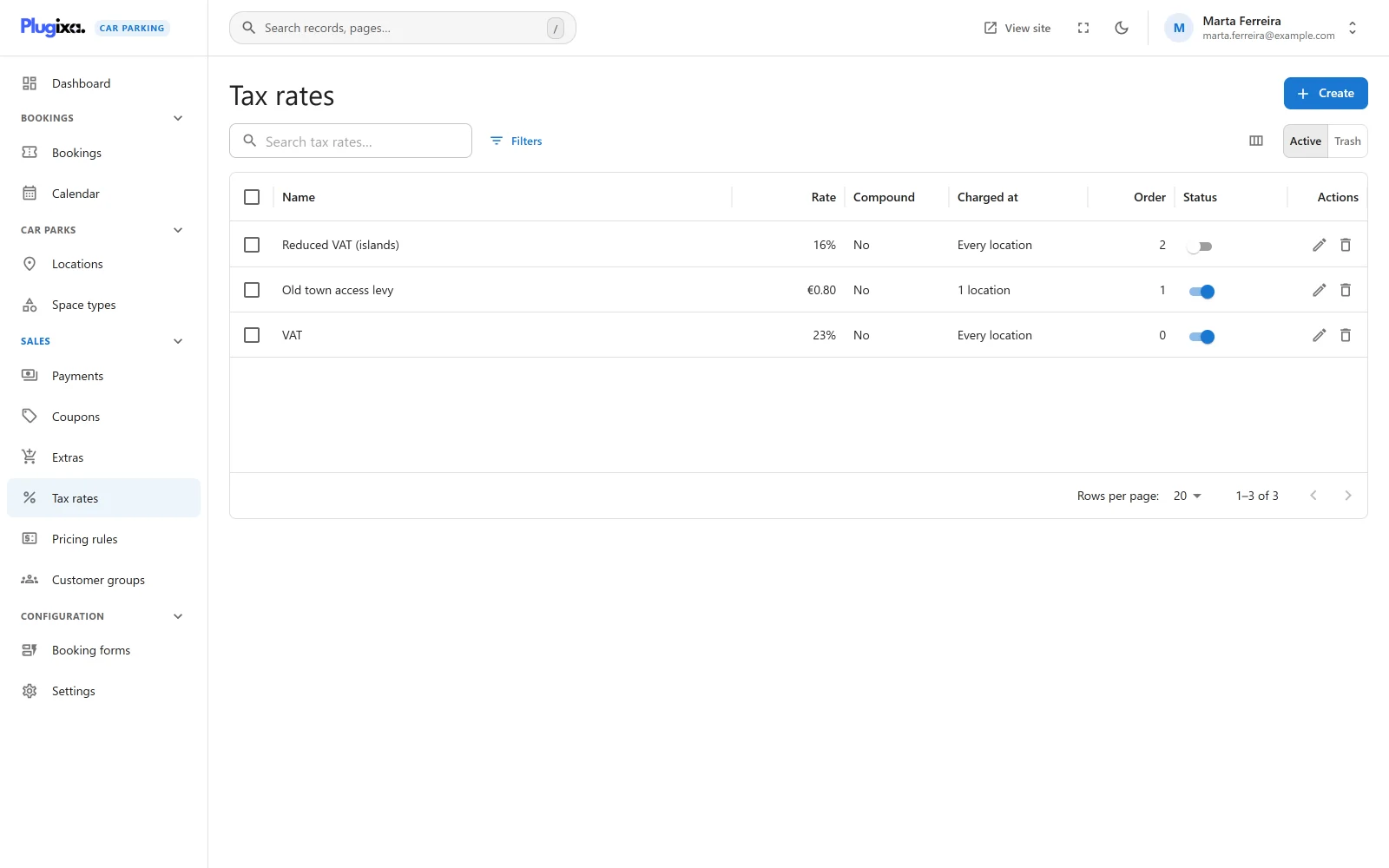
| Column | What it shows |
|---|---|
| Name | The rate’s name |
| Rate | A percentage such as “20%”, or an amount of money for a fixed rate |
| Compound | Yes or No |
| Charged at | “Every location”, “1 location” or a count of locations |
| Order | The order the rate is charged in |
| Status | Active or Inactive |
On a narrow screen the Order and Compound columns are left out first.
The search box matches the name. The list can be filtered by status, type and rate. Selecting rows offers the mass actions: activate, deactivate and move to the trash. A trashed rate is not charged. Restoring it charges it again if it was active when it was trashed.
An empty list shows “No tax rates yet” with the New tax rate button.
Adding a tax rate
Click New tax rate.
Main fields
| Field | Notes |
|---|---|
| Name | Required. “Shown to the customer on the price breakdown, for example VAT.” |
| Type | Percentage or Fixed amount. Default: Percentage. |
| Rate | Required. Zero or more. Stored with up to four decimals. |
| Compound: charge it on top of the tax before it | A switch, off by default. |
| Charged at | The locations the rate is charged at. “Leave empty to charge the rate at every location.” |
Side panel
| Field | Notes |
|---|---|
| Status | Active or Inactive. “Only an active rate is charged.” New rates start active. |
| Order | “Rates are charged lowest number first, which decides what a compound rate is charged on.” Default: 0. |
Limits on the rate
| Type | Limit | Message |
|---|---|---|
| Percentage | 0 to 100 | “A percentage rate must be between 0 and 100.” |
| Fixed amount | 0 to 999.9999 | “A fixed rate can be at most 999.9999.” |
How tax is worked out
Tax is charged on the taxable amount: the subtotal less any coupon discount. The subtotal is the booking fee, the parking and any extras. See Pricing for the full order.
The rates that apply are the ones that are active, not in the trash, and either have no location chosen or include the booking’s location. They are taken in Order, lowest number first, and rates with the same number in the order they were created.
| Rate | Amount charged |
|---|---|
| Percentage, not compound | Taxable amount x rate / 100 |
| Percentage, compound | (Taxable amount + the tax of every rate before it) x rate / 100 |
| Fixed amount | The rate, as entered. The same on every booking, whatever its total and however many spaces it has. |
Each amount is rounded to two decimals. A rate that comes to zero adds no line.
The Compound switch has no effect on a fixed amount. A fixed amount does count toward the tax a later compound rate is charged on.
Worked example
A booking with a subtotal of 100.00 and a coupon discount of 10.00 has a taxable amount of 90.00. Two active rates apply:
| Order | Name | Type | Rate | Compound |
|---|---|---|---|---|
| 1 | VAT | Percentage | 20 | No |
| 2 | City levy | Percentage | 5 | Yes |
- VAT: 90.00 x 20 / 100 = 18.00.
- City levy: (90.00 + 18.00) x 5 / 100 = 5.40.
The tax is 23.40 and the total is 90.00 + 23.40 = 113.40. With Compound off, the levy would be 90.00 x 5 / 100 = 4.50.
Where the tax appears
- In the booking wizard and on the booking. Each rate is a line of the price breakdown under its own name, so use a name your customers will recognise.
- On the invoice. The invoice prints one row, Tax, with the booking’s tax total, between the discount and the total. The row is left out when the tax is zero.
- In the bookings export. The CSV export of bookings gains a Tax column, placed before the total.
A deposit is a share of the total, so it includes its share of the tax.
Tax is fixed when a booking is priced. Changing a rate later does not change bookings already made. A booking that is priced again, for example when a customer reschedules, is taxed at the rates in force at that moment.
What is stored
Tax rates live in the {prefix}plugixacarparking_tax_rates table. The table is
created by Pro and is not part of the free plugin.
The tax charged on a booking is stored on the booking itself: one line per rate
in {prefix}plugixacarparking_booking_items, with the type tax, and the sum
in the booking’s tax_total. Both belong to the free plugin.
Without Pro the tax rates table stays in the database and no tax is added to new bookings. Existing bookings keep their tax lines and totals. See Free vs Pro.