

Contents
Blocks - Plugixa Car Parking
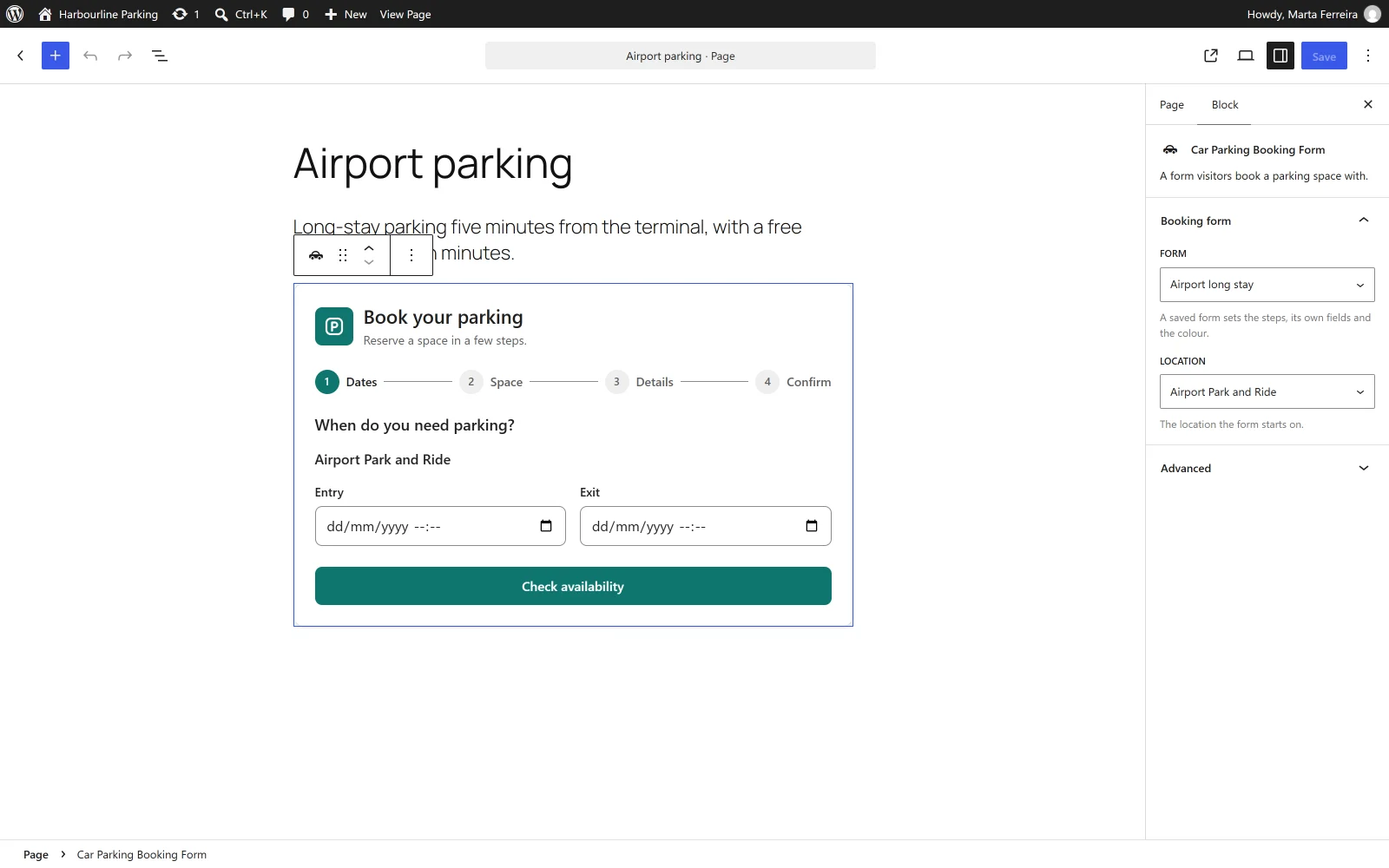
The plugin registers one block, Car Parking Booking Form. It puts the booking wizard on a page without typing a shortcode.
| Name in the inserter | Car Parking Booking Form |
| Description | “A form visitors book a parking space with.” |
| Category | Widgets |
| Block name | plugixacarparking/booking-form |
Adding the block
- Edit the page where the form should appear.
- Add a block and search for Car Parking Booking Form.
- Choose a form and a location in the sidebar, or leave both as they are.
- Update or publish the page.
Settings
The block has one panel in the sidebar, Booking form, with two lists.
| Setting | Default | What it does |
|---|---|---|
| Form | Standard form | “A saved form sets the steps, its own fields and the colour.” The list holds your active booking forms, by name. |
| Location | First available | “The location the form starts on.” The list holds your active locations. |
These are the same two choices as the form and location attributes of the
[plugixa_car_parking]
shortcode. The block is drawn
by the same code as the shortcode, so the two always look and behave the same.
A form or a location that was chosen earlier and has since been deactivated or trashed stays selected in the list, shown by its slug. Opening the sidebar never changes what a published page says.
The preview in the editor
The editor shows the form as it will appear on the site, with the form’s own colour. It is a preview: clicking it selects the block, and the fields and buttons do not respond. Open the page itself, or its preview, to try a booking.
If the chosen form is inactive, the editor shows “This booking form is inactive, so visitors do not see it.” Visitors see nothing in that place.
The other pages
The booking summary, the customer account and the Pro map have no block. Add them with the Shortcode block that comes with WordPress:
-
Add a block and search for Shortcode.
-
Paste one of these:
[plugixa_car_parking_summary] [plugixa_car_parking_account] -
Update or publish the page.
Layout
The form fills the width of the block it sits in and rearranges itself to the room it is given: the order summary sits beside the steps when there is room and under them otherwise. Put the block in a column or a group to control its width.
What to do next
- The shortcodes and their attributes are covered in Shortcodes.
- What appears on the page is covered in Booking wizard.