

Contents
Space types - Plugixa Car Parking
A space type is a kind of parking space, such as standard, covered or accessible. Space types are shared by the whole site: you define a type once, give it its prices, and then say on each location how many spaces of that type it has.
Open the list from Car Parking, then Space types in the Car parks group of the app’s sidebar.
The starter space types
Activating the plugin on a site that has no space type at all, trashed ones included, creates four.
| Name | Slug | Icon | Colour | Feature |
|---|---|---|---|---|
| Standard | standard |
Car | #2271b1 |
None |
| Covered | covered |
Garage | #2e7d32 |
Covered |
| Disabled | disabled |
Accessible | #0288d1 |
Accessible |
| Electric | electric |
Charging point | #ed6c02 |
Charging point |
All four are active and measured in metres, with no width or length set. Their prices are added together with the starter location: 10.00, 15.00, 8.00 and 18.00 per day, and 2.00, 3.00, 1.50 and 4.00 per hour. If the site already had a location when the plugin was activated, the starter types are created without prices.
The list
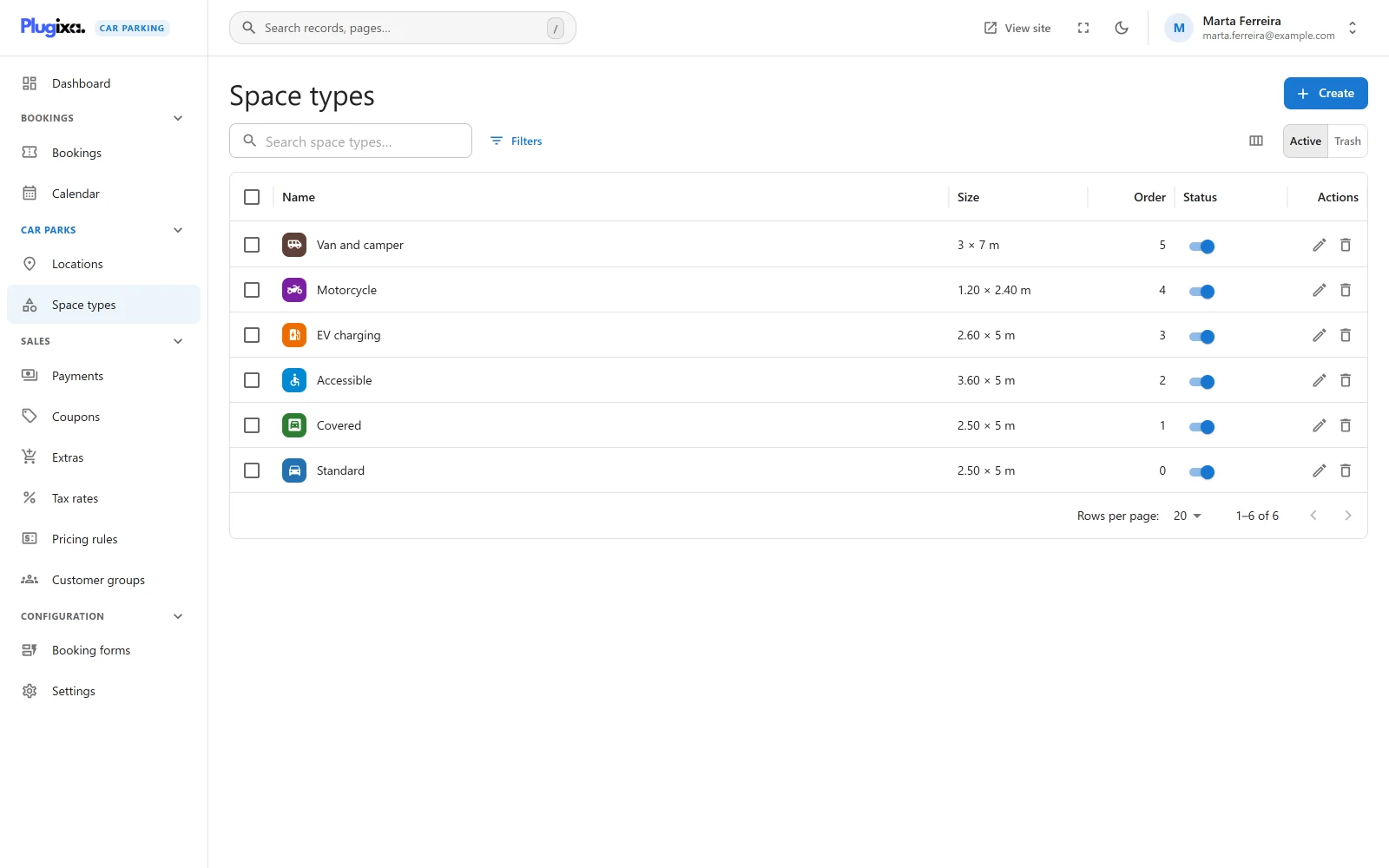
| Column | What it shows |
|---|---|
| Name | The type’s icon on its colour, then its name. |
| Size | Width by length and the unit, when a size is set. |
| Order | The display order. |
| Status | Active or Inactive, with a switch to change it from the list. |
The search box is labelled “Search space types…”. Tick rows to change the status of several types at once or to move them to the trash.
An empty list reads “No space types yet” with the hint “A space type is a kind of parking space, such as standard, covered or accessible. Add one, give it a price, then say how many of it each location has.”
Adding a space type
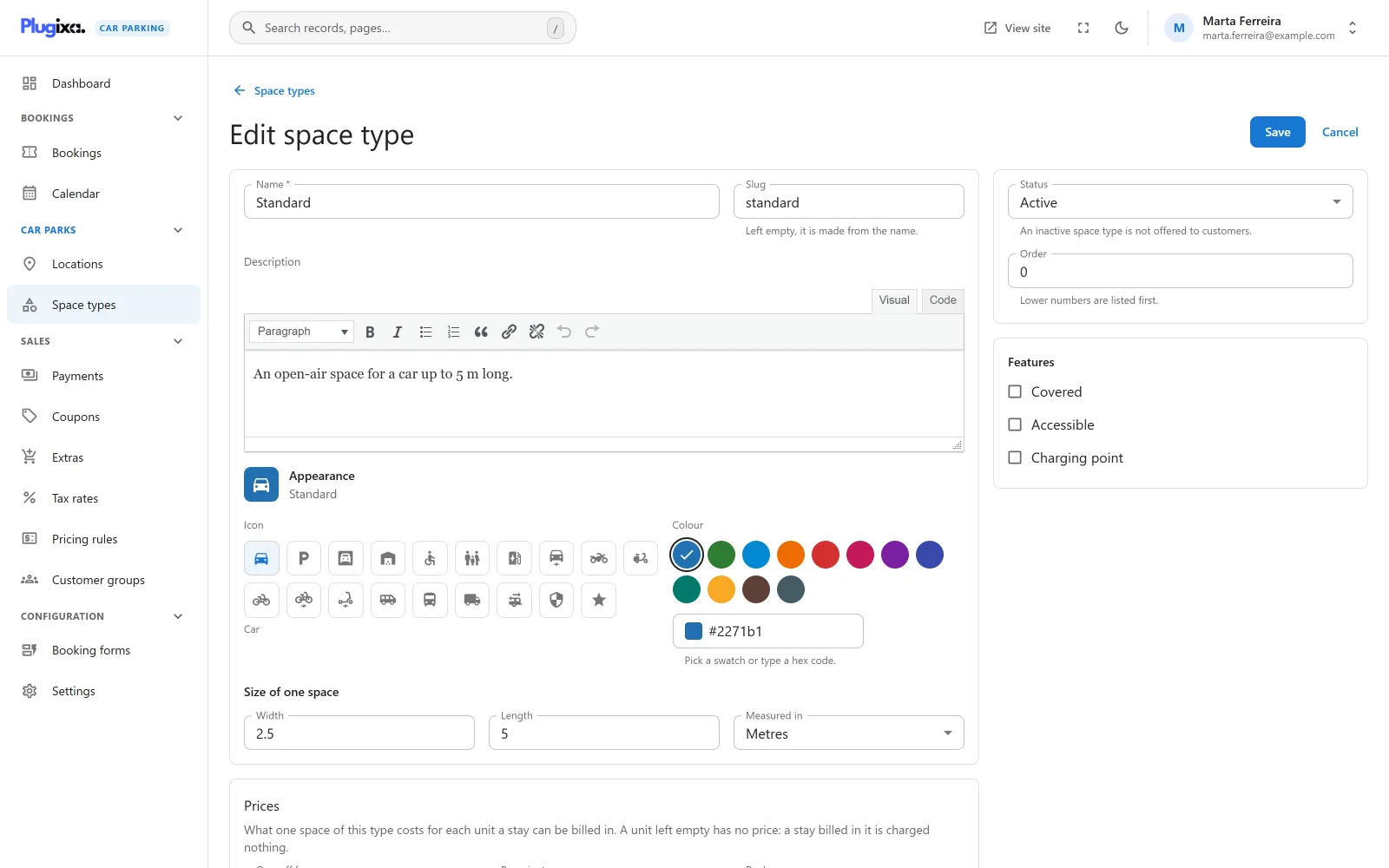
Click New space type. The type is saved first and priced second: a new form shows “Save the space type to set its prices.” After the first save the Prices panel appears below the form.
Main fields
| Field | Notes |
|---|---|
| Name | Required, up to 255 characters. “A space type needs a name.” |
| Slug | “Left empty, it is made from the name.” A slug that is already taken gets a number added to make it unique. |
| Description | Formatted text. |
Appearance
“How this space type is marked in lists and on the booking form.”
| Field | Notes |
|---|---|
| Icon | One of 19 icons: Car, Parking, Garage, Indoor, Accessible, Family, Charging point, Electric car, Motorcycle, Moped, Bicycle, Electric bicycle, Scooter, Van, Bus or coach, Truck, Motorhome, Secured and Reserved. New types start on Car. |
| Colour | “Pick a swatch or type a hex code.” Twelve swatches are offered. A typed value has to be a hex colour: “A hex colour such as #2271b1.” New types start on #2271b1. |
Size of one space
| Field | Notes |
|---|---|
| Width | Optional. “A number with at most two decimals.” The largest value is 999999.99. |
| Length | Optional, with the same rule. |
| Measured in | Metres or Feet. A new type starts in the Length unit chosen in Settings, which is metres by default. |
The size is information for you and your customers. It is not used to check whether a vehicle fits.
Side panel
| Field | Notes |
|---|---|
| Status | Active or Inactive. “An inactive space type is not offered to customers.” |
| Order | “Lower numbers are listed first.” A whole number. |
| Features | Three switches: Covered, Accessible and Charging point. |
Prices
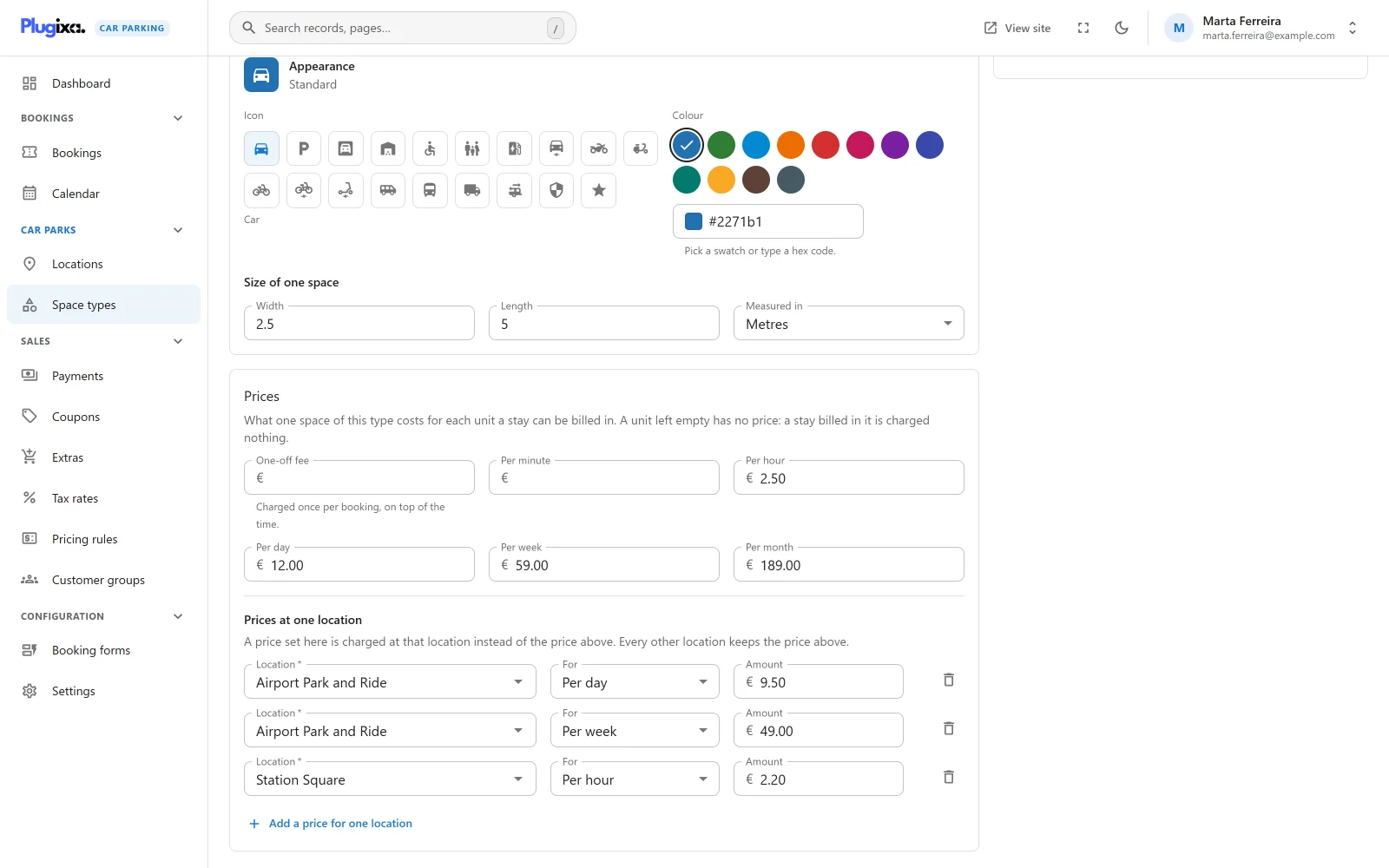
The Prices panel sets “What one space of this type costs for each unit a stay can be billed in. A unit left empty has no price: a stay billed in it is charged nothing.”
| Field | What it is |
|---|---|
| One-off fee | A fee added on top of the time. It appears on the customer’s order as the line “Booking fee”. |
| Per minute | The price of one minute. |
| Per hour | The price of one hour. |
| Per day | The price of one day. |
| Per week | The price of one week. |
| Per month | The price of one month. A month is counted as 30 days. |
Only one of the five time prices is used for a given booking: the one that matches the Billing unit of the location being booked. A type sold at a location billed per day and at another billed per hour needs both prices.
Rules for an amount:
- Zero or more, with up to four decimals and up to eight digits before the decimal separator. Anything else is refused with “An amount of zero or more, with at most four decimals.”
- You can type the decimal separator chosen in Settings.
- An empty field means no price for that unit.
The form’s hint for the one-off fee reads “Charged once per booking, on top of the time.” In version 1.0.0 the fee is multiplied by the number of spaces in the booking, so a booking of two spaces is charged the fee twice.
Prices at one location
“A price set here is charged at that location instead of the price above. Every other location keeps the price above.”
Click Add a price for one location and fill in a row:
| Field | Notes |
|---|---|
| Location | Required. “Choose a location.” |
| For | Which price the row replaces: the one-off fee or one of the five time units. |
| Amount | Required. “Enter an amount.” |
A location can have one price per unit. A second row for the same location and unit is refused with “This location already has a price for this.”
Saving
“These prices are saved with the space type, when you press Save.” Nothing changes until the form’s Save is pressed, and the whole set is replaced in one step. If any row has a problem the save stops with “Some prices need correcting before they can be saved.” and the old prices stay in force.
A changed price applies to quotes and bookings made from then on. Bookings that already exist keep the amounts they were saved with.
For how these prices become a total, see Pricing.
Status, trash and restore
An inactive type is not offered to customers. Deleting a type moves it to the trash. Switch the list to Trash to Restore it. A trashed type keeps its slug and its prices.
What is stored
| Table | Holds |
|---|---|
{prefix}plugixacarparking_space_types |
One row per space type. |
{prefix}plugixacarparking_space_type_prices |
One row per price: the space type, the unit, the amount and, for a price at one location, that location. |