

Contents
Multilingual settings — Plugixa Team
The Multilingual tab configures how Plugixa Team handles translations when WPML or Polylang is active. The tab is always visible — values only take effect when a multilingual plugin is detected.
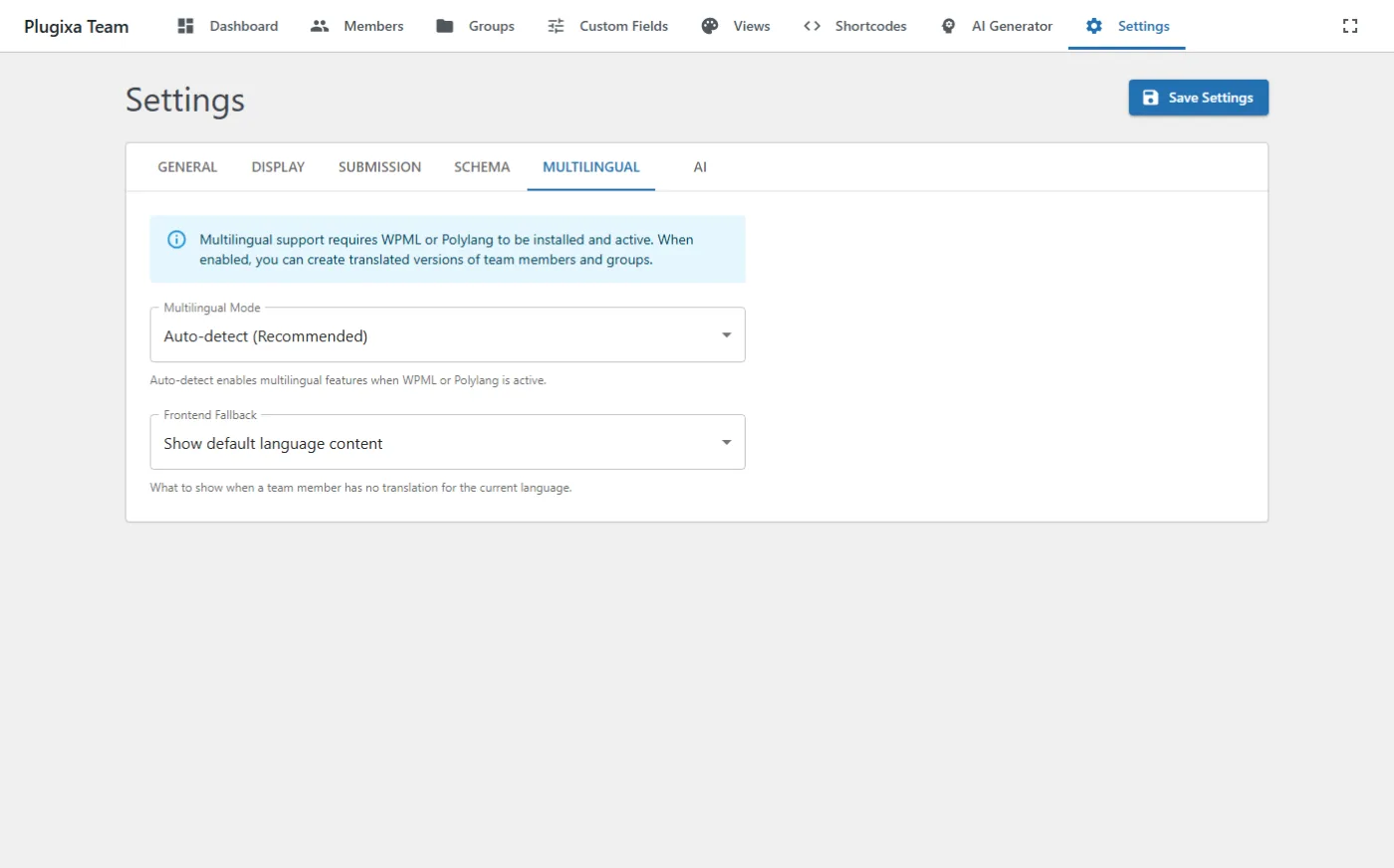
Options
| Key | Default | Values | Notes |
|---|---|---|---|
multilingual_enabled |
auto |
auto, off |
auto = active when WPML/Polylang is present. off = ignore language entirely. |
multilingual_fallback |
default_language |
default_language, hide |
What to show when a member has no translation in the current language. |
Behavior
- Admin: the members list has a language filter (EN / FR / All) rendered inside the Filters drawer. See the language-filtered shots in Members Management.
- Frontend: shortcode output is filtered by the current language automatically. Pass
lang=""on the shortcode to override per-shortcode. - REST: add
?lang=<code>to any list endpoint.
Supported plugins
- Polylang (free + Pro)
- WPML (Multilingual CMS)
If both are active, Polylang wins (first detected). Only one should be active per site.
Related
- Multilingual guide — end-to-end workflow.
- Members Management — language-filtered admin views.