

Contents
Submission settings — Plugixa Team
The Submission tab configures the [plugixa_team_form] shortcode — a frontend form where visitors can submit themselves (or an invited team member) as a new member record. See Submission Form for the end-to-end UX.
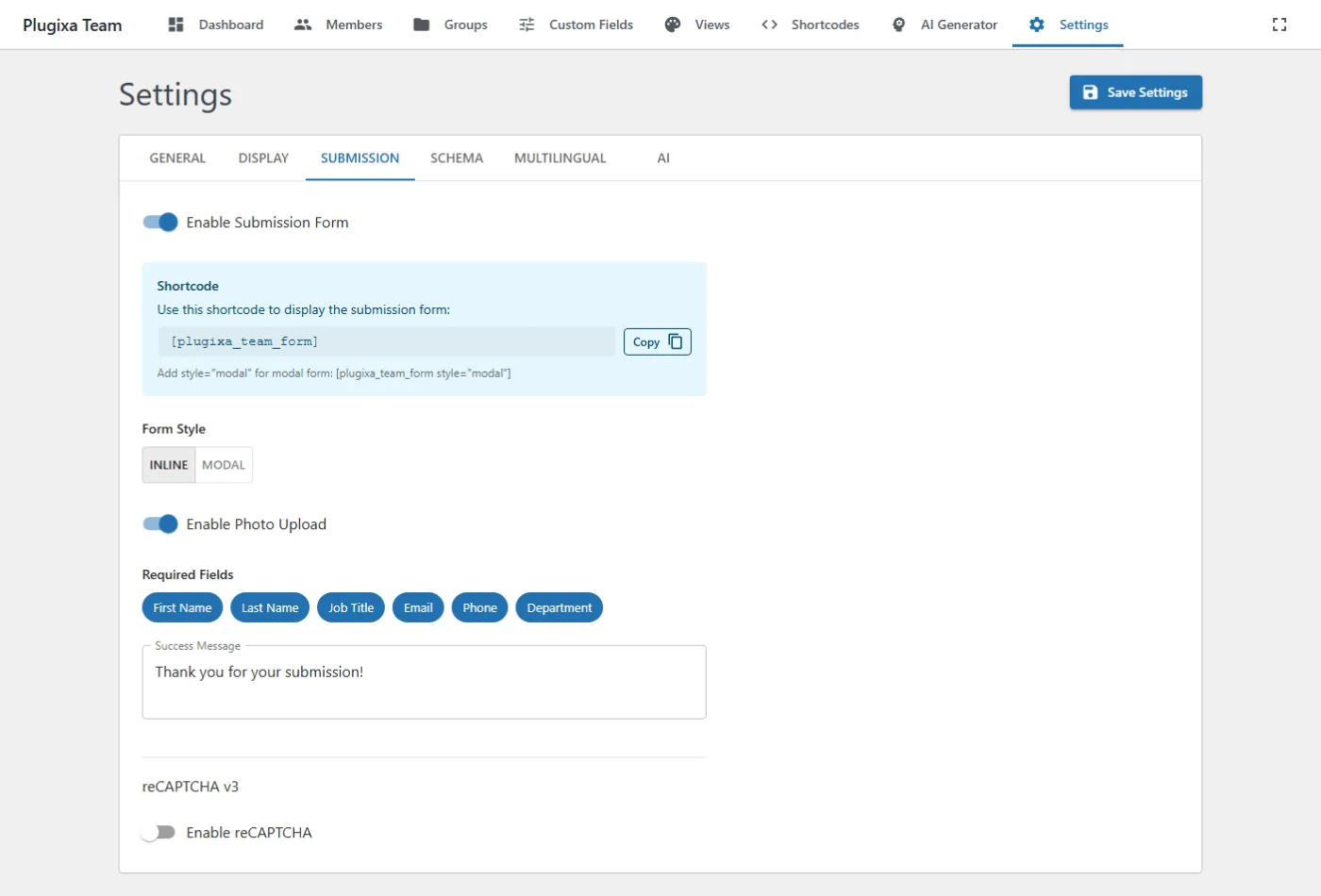
Options
| Key | Default | Values | Notes |
|---|---|---|---|
form_enabled |
false |
bool | Master toggle for the frontend form. |
form_style |
inline |
inline, modal |
Inline renders below the shortcode, modal opens via a trigger button. |
form_default_status |
draft |
draft, published |
Status assigned to submitted members. |
form_notify_email |
"" |
Email to notify on new submissions (empty = site admin email). | |
form_required_fields |
[first_name, last_name, email] |
string[] | Which fields are required. |
form_visible_fields |
[...] |
string[] | Which fields appear in the form. |
photo_upload_enabled |
false |
bool | Enable drag-and-drop photo upload. |
photo_upload_max_size |
2 |
MB | Max upload size (server-side validated). |
reCAPTCHA
| Key | Default | Values | Notes |
|---|---|---|---|
recaptcha_enabled |
false |
bool | Enable reCAPTCHA v3. |
recaptcha_site_key |
"" |
string | Your v3 site key. |
recaptcha_secret_key |
"" |
string | Your v3 secret key. |
recaptcha_threshold |
0.5 |
0.0–1.0 | Minimum score to accept a submission. |
Use reCAPTCHA v3, not v2. The threshold
0.5is the Google-recommended baseline; raise only if you see spam.
REST
POST /wp-json/plugixateam/v1/submissions
Public (no auth) when form_enabled=true. The server applies captcha validation and notifications.
Related
- Submission Form — full UX walkthrough.
- Custom Fields — custom fields included on the frontend form.