Contents
AI Team Generator — Plugixa Team
Generate team members automatically from a topic, a URL, or an uploaded document (PDF / DOCX / TXT). Uses OpenAI or Google Gemini behind the scenes.
Perfect for:
- Bootstrapping a demo team for a client site.
- Extracting real team data from an existing staff page.
- Turning a PDF company directory into structured member profiles.
Setup
1 · Get an API key
Pick a provider:
- OpenAI — sign up at platform.openai.com, generate an API key.
- Google Gemini — get a key at aistudio.google.com.
2 · Configure the plugin
Go to Plugixa Team → Settings → AI.

| Field | Notes |
|---|---|
| Enable AI Generator | Master toggle. |
| Provider | openai or google. |
| API key | Encrypted at rest. Never displayed after save. |
| Model | See Models. |
| Temperature | 0.0 (deterministic) to 1.0 (creative). 0.7 is a good default. |
| Max tokens | Response length cap. 2000 is typical, up to 8000 for large batches. |
| Default language | Target language for generated content (e.g., “English”, “French”). |
3 · Test the connection

Click Test connection. The plugin makes a minimal request and reports success, API error, or rate-limit.
The generator UI
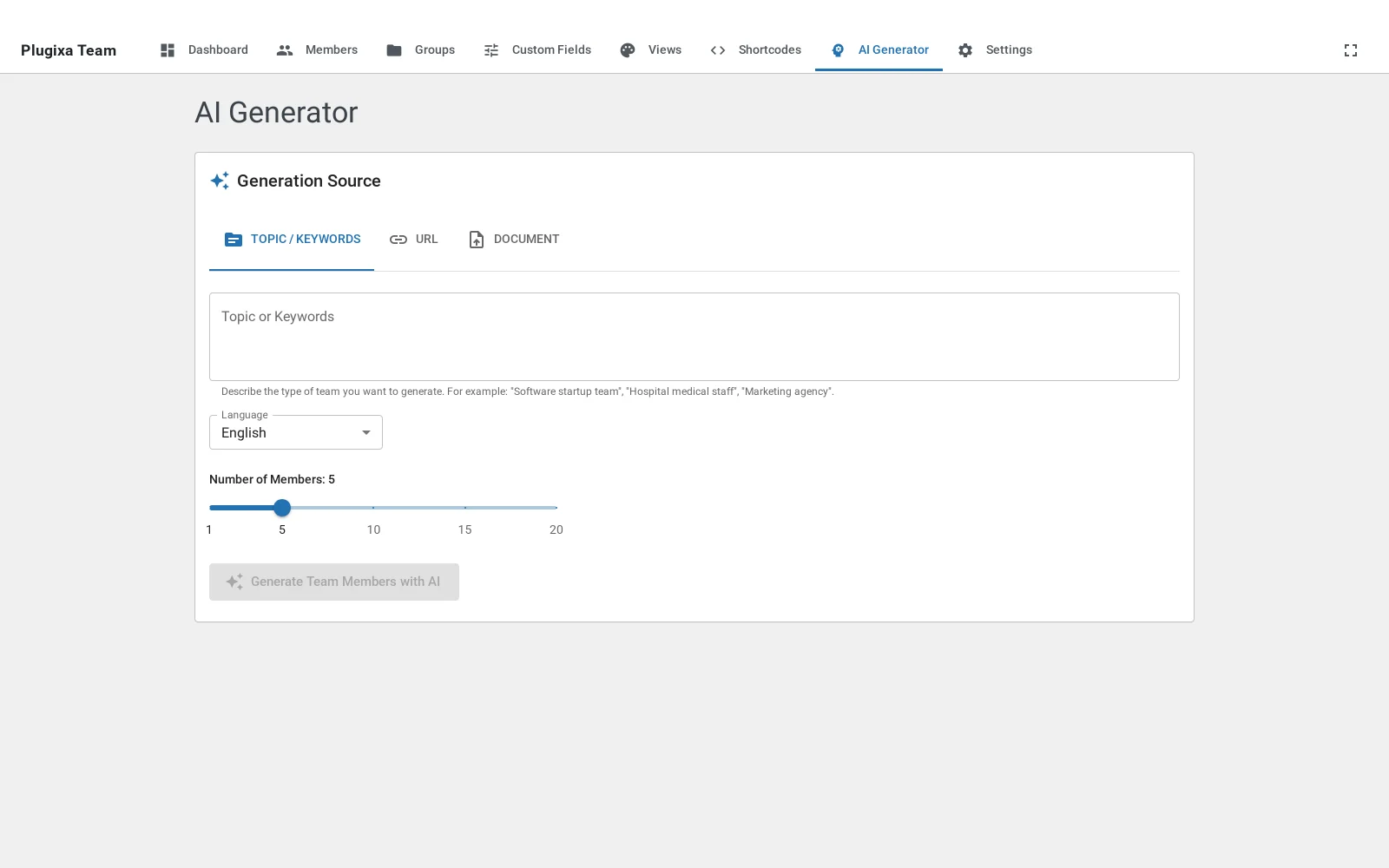
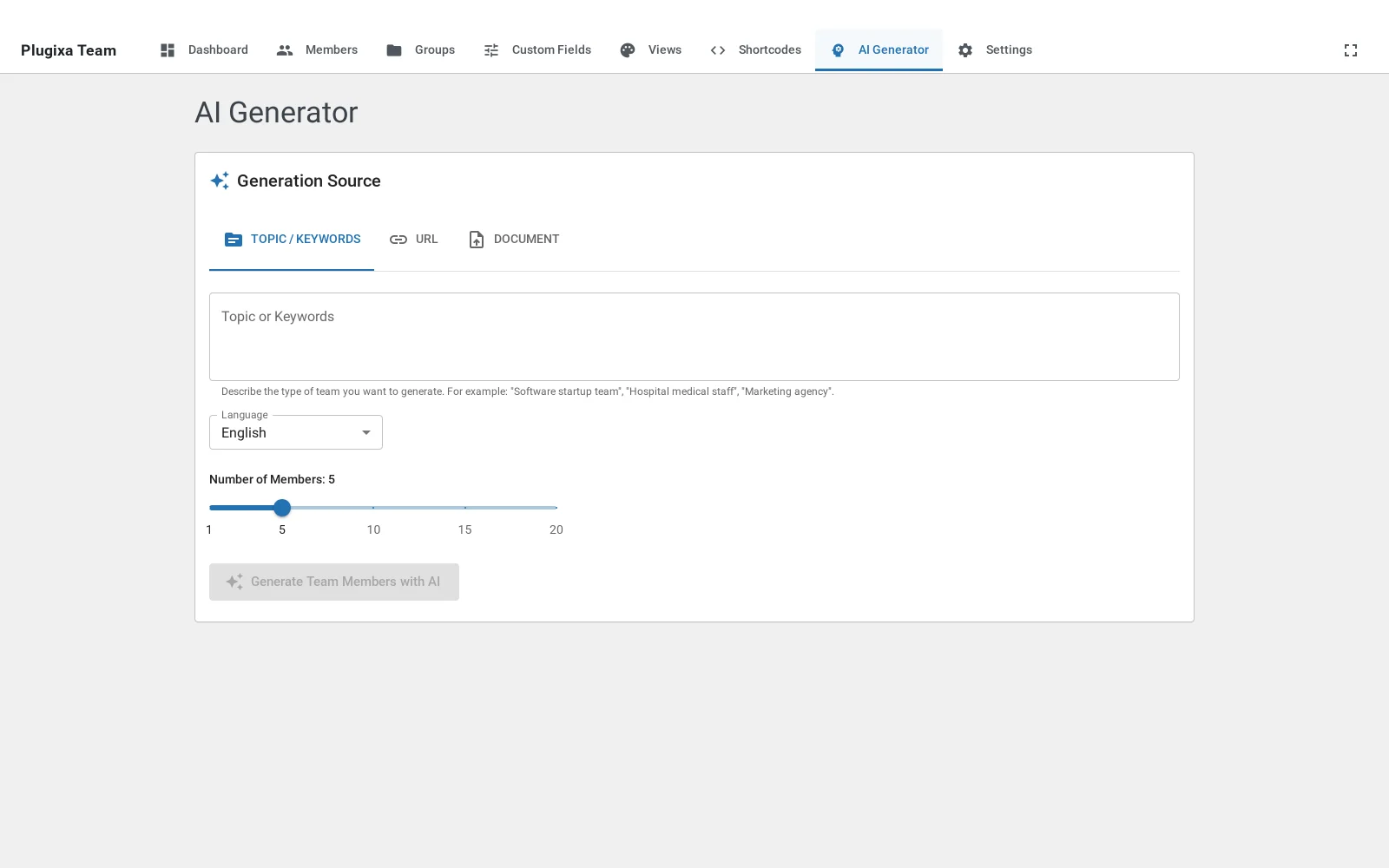
Open Plugixa Team → AI Generator to run a generation. Pick a provider, a source (topic, URL, or uploaded document), and the target language, then click Generate to preview and accept members before they’re saved.

Models
OpenAI
| Model | Cost | Speed | Quality | Recommended use |
|---|---|---|---|---|
gpt-4o-mini |
$ | Fast | Good | Default — bulk generation |
gpt-4o |
$$ | Fast | Excellent | Flagship content |
gpt-4-turbo |
$$ | Medium | Excellent | Legacy — prefer 4o |
gpt-3.5-turbo |
$ | Fast | OK | Budget draft |
Models are fetched dynamically from OpenAI via the Reload Models button, so new releases appear automatically.
Google Gemini
| Model | Cost | Speed | Quality | Notes |
|---|---|---|---|---|
gemini-2.0-flash |
$ | Fast | Good | Default |
gemini-1.5-pro |
$$ | Medium | Excellent | Long-context — good for big documents |
gemini-1.5-flash |
$ | Fast | Good | Legacy flash |
Three ways to generate
Open Plugixa Team → AI Generator. Pick a source tab:
From a topic
Enter a topic and a count, then click Generate. The AI produces N fictional member profiles with varied cultural backgrounds (randomized by the prompt to avoid stereotypes) and realistic job titles.
Topic: "Software engineering team for a fintech startup"
Count: 8
Language: English
Output per member:
first_name,last_namejob_title(role-appropriate)departmentbio(~3–4 sentences)short_bio(~1 sentence)skills(array of{ name, percentage, color })social_links(realistic platform mix)
Best for: Placeholder teams during design/demo work.
From a URL
Paste a URL (e.g. an existing “About us” / “Our team” page). The plugin:
- Fetches the page via
class-url-scraper.php(15,000 char content limit). - Strips HTML and boilerplate, extracting main content.
- Sends the content to the AI with a specialized prompt that asks for real names and jobs extracted from the source (not fictional generation).
Best for: Migrating from a WordPress team plugin that doesn’t have export, or seeding from a public staff page.
From a PDF or document
Upload a PDF, DOCX, or TXT file (max 5 MB). The plugin:
- Parses text via
smalot/pdfparser(PDF),PhpWord(DOCX), or encoding-aware decoder (TXT). - Sends the extracted text to the AI.
- Returns structured member records.
Common use: Turn a company’s internal staff directory PDF into structured WordPress members.
Group generation
From the Groups tab of the generator, generate group names and descriptions from a prompt like “departments for a marketing agency”. The AI returns a list of groups, which you can then import — handy when seeding a fresh site.
Review and import
After generation, members appear in a preview table:
- Regenerate a single row — click the regenerate icon to rewrite that row only.
- Inline edit — click any field to edit inline.
- Reject — remove a row from the batch.
- Group assignment — pick an existing group or generate new ones for the batch.
Click Import. The plugin saves the remaining rows as draft members with source = 'ai-generated'. You can then review and publish them normally.
Multilingual generation
If Multilingual is active, the Target language field lets you generate directly in any supported language. The imported members are tagged with the corresponding language_code and each gets its own translation_group.
REST API
All endpoints require the manage_options capability + valid Pro license.
POST /wp-json/plugixateam/v1/ai-generator/generate/topic
POST /wp-json/plugixateam/v1/ai-generator/generate/url
POST /wp-json/plugixateam/v1/ai-generator/generate/file
POST /wp-json/plugixateam/v1/ai-generator/generate/groups
POST /wp-json/plugixateam/v1/ai-generator/import
POST /wp-json/plugixateam/v1/ai-generator/test-connection
POST /wp-json/plugixateam/v1/ai-generator/load-models
GET /wp-json/plugixateam/v1/ai-generator/models
Example — generate 5 members from a topic:
POST /wp-json/plugixateam/v1/ai-generator/generate/topic
Content-Type: application/json
X-WP-Nonce: <nonce>
{
"topic": "DevOps team for a SaaS platform",
"count": 5,
"language": "English"
}
Response:
{
"success": true,
"members": [
{
"first_name": "Priya",
"last_name": "Raman",
"job_title": "Senior SRE",
"department": "Infrastructure",
"bio": "…",
"skills": [ { "name": "Kubernetes", "percentage": 90, "color": "#326ce5" } ],
"social_links": [ { "platform": "linkedin", "url": "https://linkedin.com/..." } ]
},
…
]
}
Cost estimation
Rough costs per batch of 10 members with gpt-4o-mini at default settings:
- ~3,000 input tokens (prompt + instructions)
- ~5,000 output tokens (10 full profiles)
- Cost: ~$0.005 USD
URL and document flows add input tokens proportional to the source length. A 20-page PDF adds ~10,000 input tokens.
Composer dependencies (installed with the plugin)
theodo-group/llphant^0.7 — OpenAI PHP clientsmalot/pdfparser^2.0 — PDF text extractionmpdf/mpdf^8.0 — PDF export (used by Import/Export, not the generator)- PhpWord (transitive via LLPhant) — DOCX parsing
All ship bundled in the Pro build — you don’t need to install anything manually.
Troubleshooting
“API error 401”
API key is wrong or revoked. Regenerate in the provider dashboard and re-save in Settings → AI.
“API error 429”
Rate-limited by the provider. Wait, or switch to a higher-tier plan. For OpenAI, the first $5 of usage on a new key often hits low rate limits.
Generated members look generic
- Raise specificity — “Engineering team” → “Engineering team for a ML platform startup, Python/Go heavy, remote-first culture”.
- Lower temperature to
0.5for more consistency; raise to0.9for more variation. - Provide context — many prompts accept a context paragraph you can paste in.
URL scraping returned nothing
Some sites block scrapers with bot detection, JavaScript-rendered content, or 403 responses. Workarounds:
- Save the page as PDF from your browser and upload that instead.
- Copy the visible content into a TXT file and upload.
- Paste the extracted text into the topic field directly.
PDF parsing fails
- Check the PDF is text-based, not scanned images. Scanned PDFs need OCR first (not included).
- Check file size — 5 MB max.
- Password-protected PDFs aren’t supported.
Related
- Settings → AI — configuration
- Members Management — reviewing AI drafts
- Multilingual — generating in other languages
- Import / Export PRO — bulk import from external sources