

Contents
Health check - Plugixa Advanced User Role Editor
Plugixa Role Editor -> Tools -> Health opens Permission health, a report on the roles and accounts of this site. It lists only things you can act on, and it changes nothing itself.
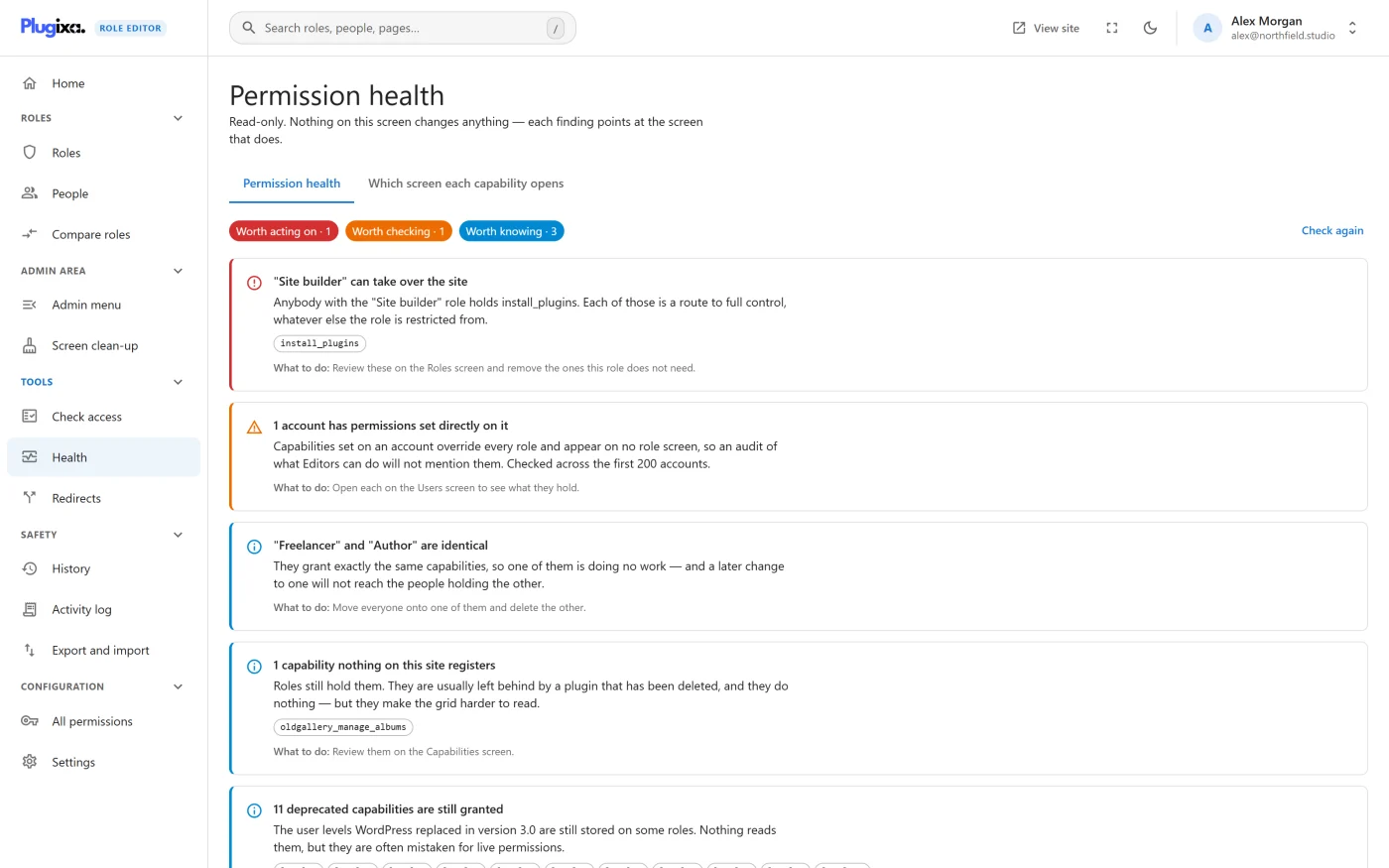
The screen is read-only
The subtitle says it: “Read-only. Nothing on this screen changes anything - each finding points at the screen that does.” There is no “fix all” button. Every remedy sends you to the screen that already does the job, where the review step, the guardrails and the restore point apply.
The report is built fresh each time you open the screen. After fixing something, press Check again to re-run it.
The three severities
Three counters sit at the top, and findings are listed most serious first.
| Severity | Meaning |
|---|---|
| Worth acting on | Somebody can do something you probably did not intend. Reserved for real risk. |
| Worth checking | Not wrong in itself, but worth a look. |
| Worth knowing | Housekeeping. Nothing is unsafe. |
When nothing is found, the screen says: “Nothing to report. No role below administrator holds a capability that amounts to administration, and nothing has been left behind.”
The score
The Permission health tile on Home shows one number out of 100. It starts at 100 and loses:
| Each finding that is | Costs |
|---|---|
| Worth acting on | 30 points |
| Worth checking | 10 points |
| Worth knowing | 2 points |
The score never goes below 0. The weighting is deliberate: one real risk costs more than a long list of leftovers. The tile is green at 90 or above, amber from 60 to 89, and red below 60.
Every finding and what to do
Worth acting on
| Finding | What it means | What to do |
|---|---|---|
| Nobody holds the administrator role | The site has no administrator. Some screens cannot be reached, and the editor cannot give the role back from here. | Run wp plugixa-aure rescue <user>. See Troubleshooting. |
| “[Role]“ can take over the site | A role other than Administrator holds one or more permissions that amount to full control, such as installing plugins or changing users. The permissions are listed. | Open the role and remove the ones it does not need. See Editing a role. |
The second finding is reported once for each role it applies to. Administrator is never reported, because holding those permissions is what Administrator is.
Worth checking
| Finding | What it means | What to do |
|---|---|---|
| Only one administrator | If that account is lost or locked out, nobody else can run the site. Not reported on multisite. | Give a second trusted account the Administrator role. |
| [N] accounts have no role | They can sign in and do nothing. It usually happens when a role was deleted without moving the people who held it. | Give them a role, or delete the accounts, from People. |
| [N] accounts have permissions set directly on them | Permissions on an account override every role and appear on no role page. This check looks at the first 200 accounts. Access to this editor given to an account is not counted. | Open each person to see what they hold. |
Worth knowing
| Finding | What it means | What to do |
|---|---|---|
| Nobody holds “[Role]” | An unused role is not a problem, only one more thing to keep correct. Never reported for Administrator. | Delete it if it is finished with. |
| “[Role]“ and “[Role]” are identical | Two roles grant exactly the same permissions, so a later change to one will not reach the people holding the other. | Move everyone onto one and delete the other. |
| [N] capabilities nothing on this site registers | Roles still hold permissions that are usually left behind by a deleted plugin. Up to 25 are listed. Permissions that probably belong to a plugin still installed are not counted. | Review them under Unknown source in All permissions. |
| [N] granted capabilities are never checked against a role | WordPress rewrites these before looking at any role, so granting them changes nothing. They are usually the singular form of a real one, such as edit_post where edit_posts was meant. |
Grant the one that works instead, then clear these. |
| [N] deprecated capabilities are still granted | The user levels WordPress replaced in version 3.0 are still stored on some roles. Nothing reads them. | Safe to leave. Remove them if you want tidier roles. |
The “Nobody holds” finding depends on counting the people in each role. On a site where counting has been switched off, it is skipped rather than reporting every role as unused.
The wording of a remedy sometimes names “the Capabilities screen” or “the Users screen”. In the sidebar those are All permissions and People.
Which screen each capability opens
The second tab reads the site the other way round: find the admin screen a person needs, and see the permission that opens it.
Each row is a capability name followed by the screens it opens, written as “Menu → Screen”. The search box filters by screen name, menu name or capability.
The list is taken from the WordPress admin menu as it was last built while an administrator was browsing the admin area, and the date and time are shown at the top right (“Taken from the admin menu on …”). A plugin activated since then appears after an administrator next loads any admin page.
If the tab says “Not captured yet. Open any WordPress admin page and come back.”, do exactly that.
Switching the report off
Health is a feature you can switch off under Settings -> Features. That hides this screen and the Home tile. See Settings.
What to do next
- Ask about one person in Check access.
- Put two roles side by side in Compare roles.
- Read what protects you while fixing things in Safety guardrails.