

Contents
AI settings — Plugixa FAQ
The AI tab configures which provider the AI FAQ Generator uses and tunes how much it generates. API keys are stored encrypted — never shown in plaintext after save.
Go to Plugixa FAQ → Settings → AI.
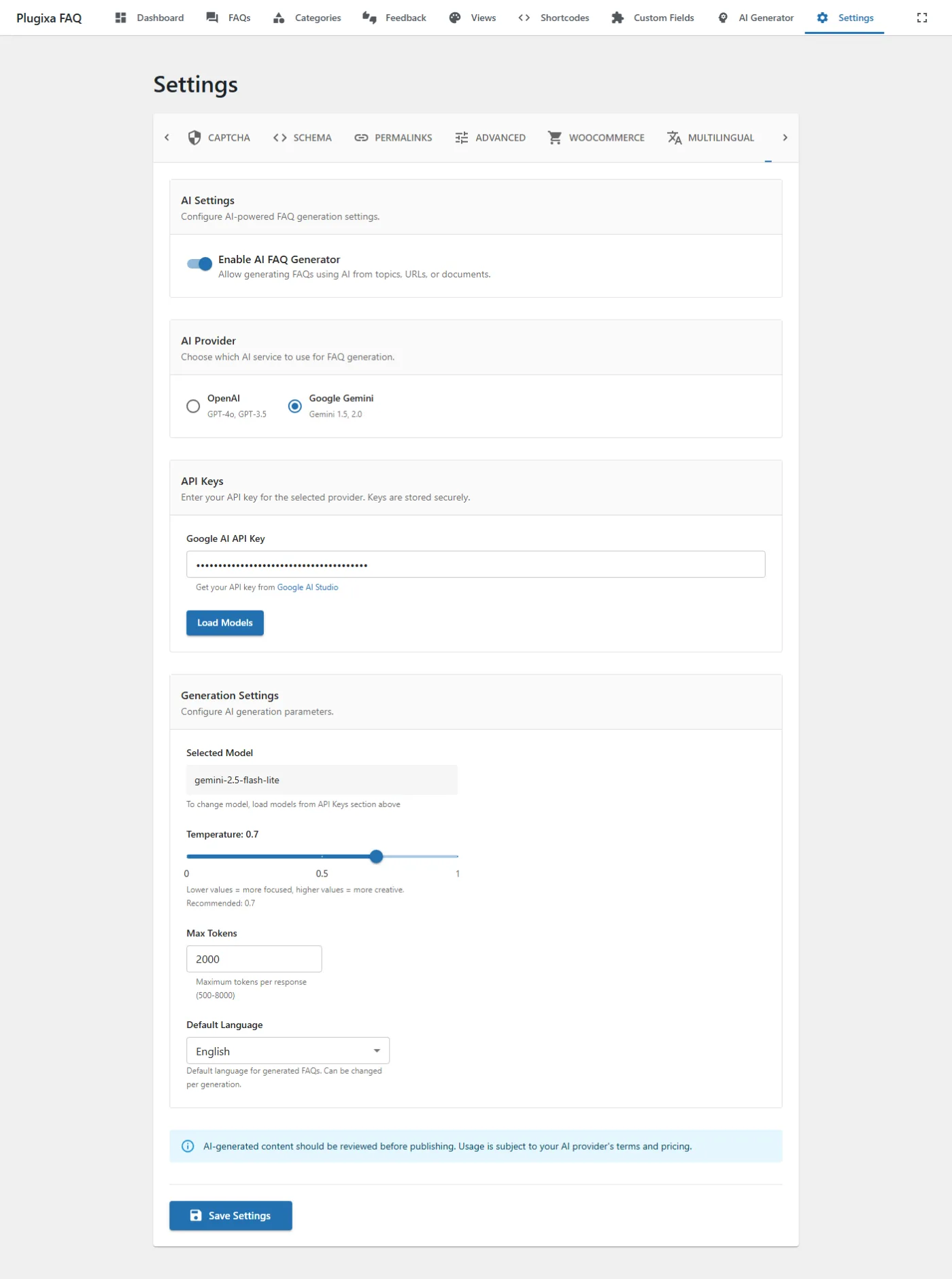
Options
| Key | Default | Notes |
|---|---|---|
ai_enabled |
false |
Master toggle. When off, the AI Generator admin menu item is hidden. |
ai_provider |
openai |
openai or google. |
ai_openai_api_key |
"" |
OpenAI API key. Get one. |
ai_google_api_key |
"" |
Google Gemini API key. Get one. |
ai_model_openai |
gpt-4o-mini |
Any OpenAI model ID (chat-completion compatible). |
ai_model_google |
gemini-1.5-flash |
Any Gemini model ID. |
ai_temperature |
0.7 |
0.0 = deterministic, 1.0 = most creative. |
ai_max_tokens |
2000 |
Max response length per generation call. |
ai_default_language |
English |
Target language for generated content — independent from the site’s language. |
Generation settings
Scroll within the AI tab to find per-generation tuning:
Temperature and max tokens are starting defaults — each AI Generator run can override them.
Provider selection
OpenAI
- Most reliable answers, highest cost per request.
- Models: GPT-4o, GPT-4o mini, GPT-4 Turbo, GPT-3.5 Turbo.
- Best for: production use, critical docs.
Google Gemini
- Lower cost, often faster.
- Models: Gemini 1.5 Flash, Flash 8B, Pro, Gemini 2.0 Flash (experimental).
- Best for: bulk generation, non-critical content, experimentation.
Key storage
API keys are encrypted at rest using WordPress salts (AUTH_KEY, SECURE_AUTH_KEY). After save, the field shows •••••••• — you can overwrite with a new key, but you can’t read the saved one back.
Related
- AI Generator — how to generate FAQs (topics, URLs, PDFs)
- AI Generator troubleshooting — API error codes
- Settings overview