

Contents
Settings - Plugixa FAQ
Where this appears: Plugixa FAQ, then Settings.
Site-wide defaults. Almost everything here can be overridden by a view or by a single shortcode, which is the part worth understanding before changing anything.
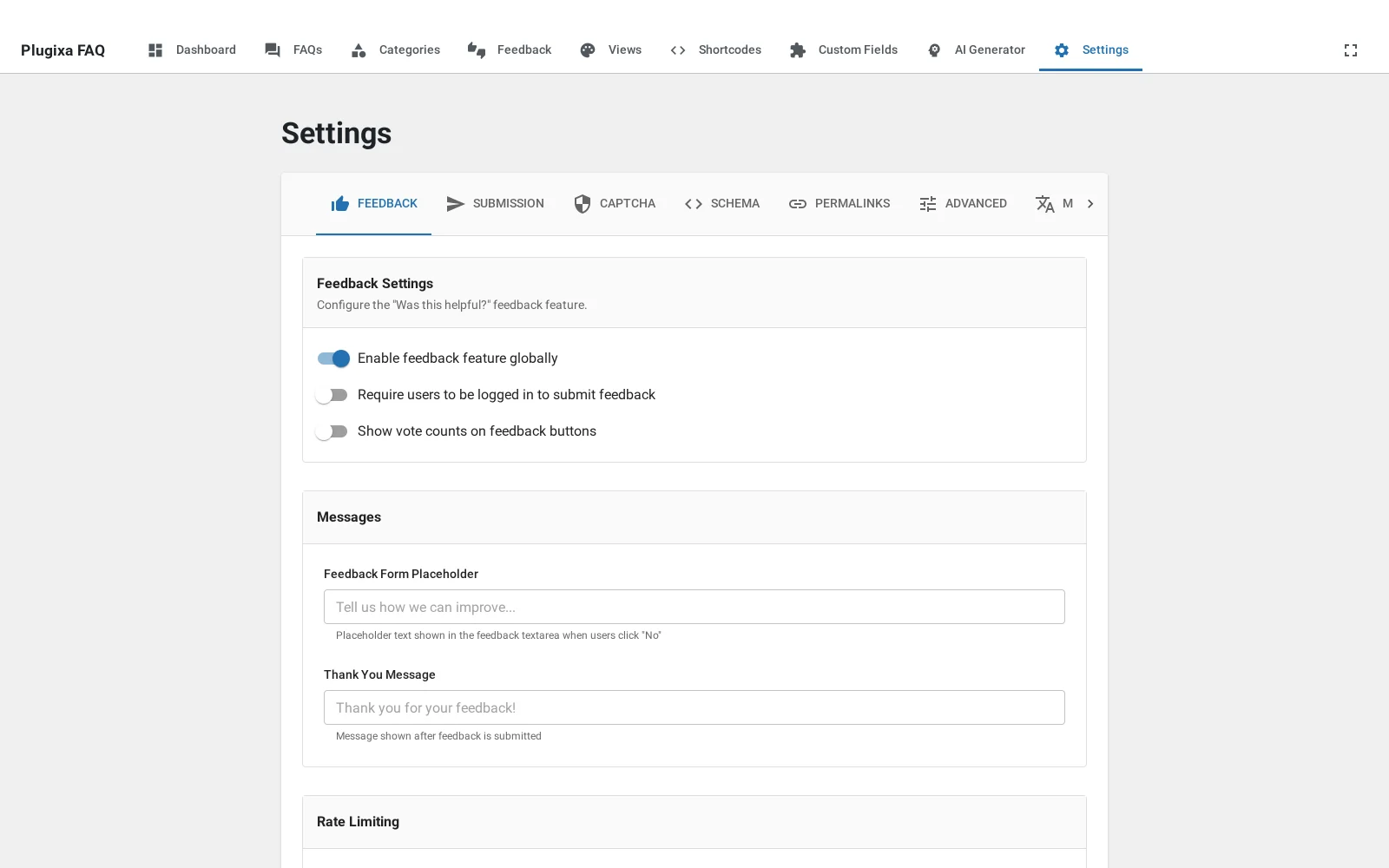
Precedence
From weakest to strongest:
- Settings sets the site default.
- A view overrides it for one design.
- A shortcode overrides both for one placement.
So a site-wide “show search” can be turned off on one quiet design, and turned back on for a single page. If a setting appears to have no effect, something further down this list is overriding it, and the shortcode is the usual culprit.
The nine tabs
| Tab | Covers |
|---|---|
| Feedback | Helpful and not-helpful voting PRO |
| Submission | The frontend question form PRO |
| Captcha | Cloudflare Turnstile |
| Schema | FAQPage markup |
| Permalinks | The page per answer |
| Advanced | Assets, styling and data |
| Multilingual | Polylang and WPML |
| WooCommerce | The product tab PRO |
| AI | Provider, model and key PRO |
Two of these, WooCommerce and AI, are registered by the premium build and are absent without it. The Feedback and Submission tabs are visible on a free install even though the features they configure are premium, which is confusing enough to be worth knowing.
The AI tab and your key
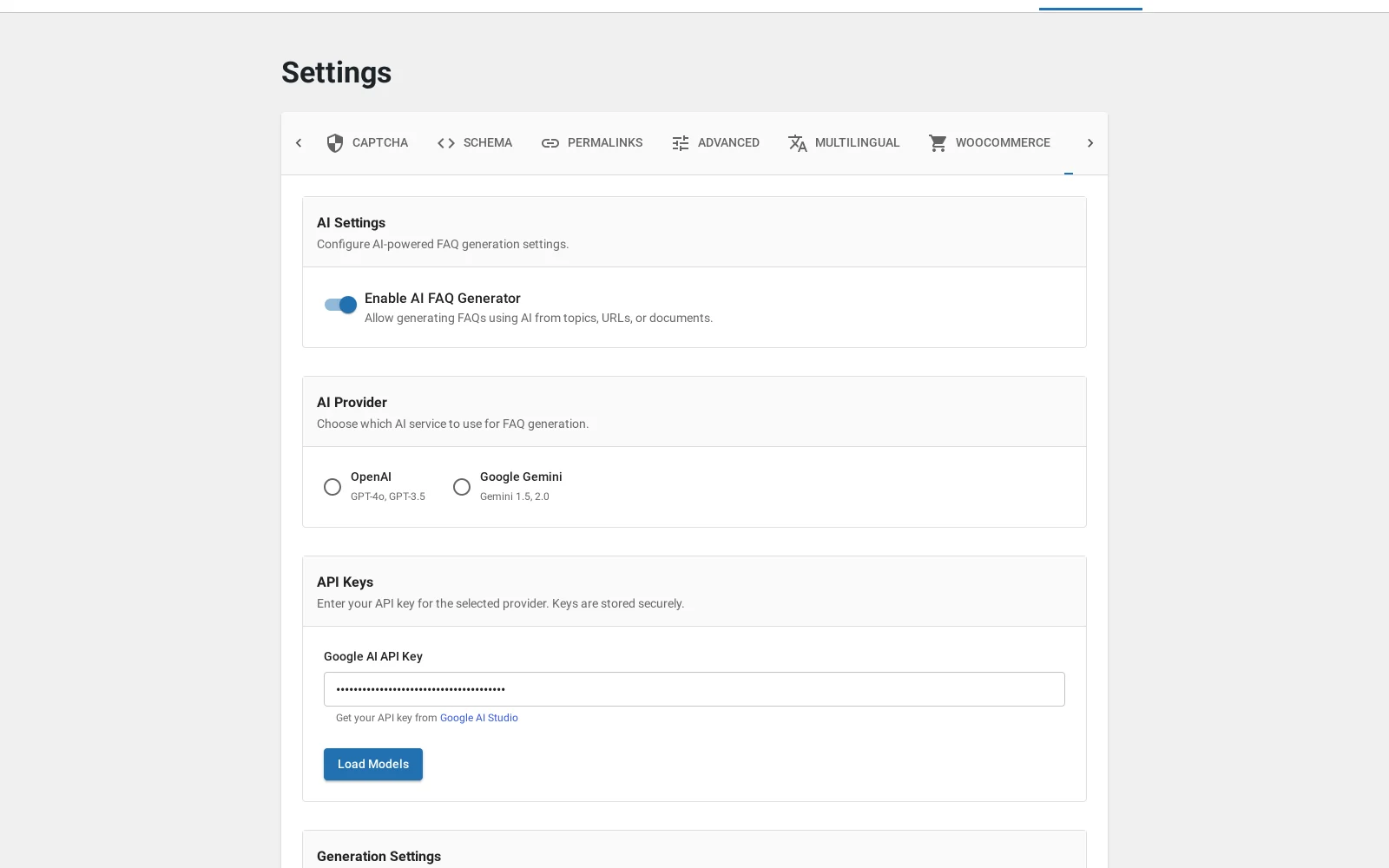
Your API key is stored in the WordPress options table. It is rendered as a password field in the admin, so it is not readable over somebody’s shoulder, but it is not encrypted at rest. Treat it the way you would treat any credential in your database: an administrator on your site can read it.
Use Test Connection after saving. It is faster than finding out during a generation run.
Troubleshooting
| What you see | Why | What to do |
|---|---|---|
| A setting has no effect | A view or a shortcode overrides it | Check the shortcode first |
| Fewer than nine tabs | This is the free build | WooCommerce and AI come with Pro |
| A tab configures nothing visible | Feedback and Submission are premium features | See free vs Pro |
| The AI key looks empty | It is masked after saving | Use Test Connection to confirm |
What to do next
Spam protection covers the Captcha tab.