

Contents
On this page
The FAQ editor - Plugixa FAQ
Where this appears: FAQs, then Add FAQ, or clicking any row.
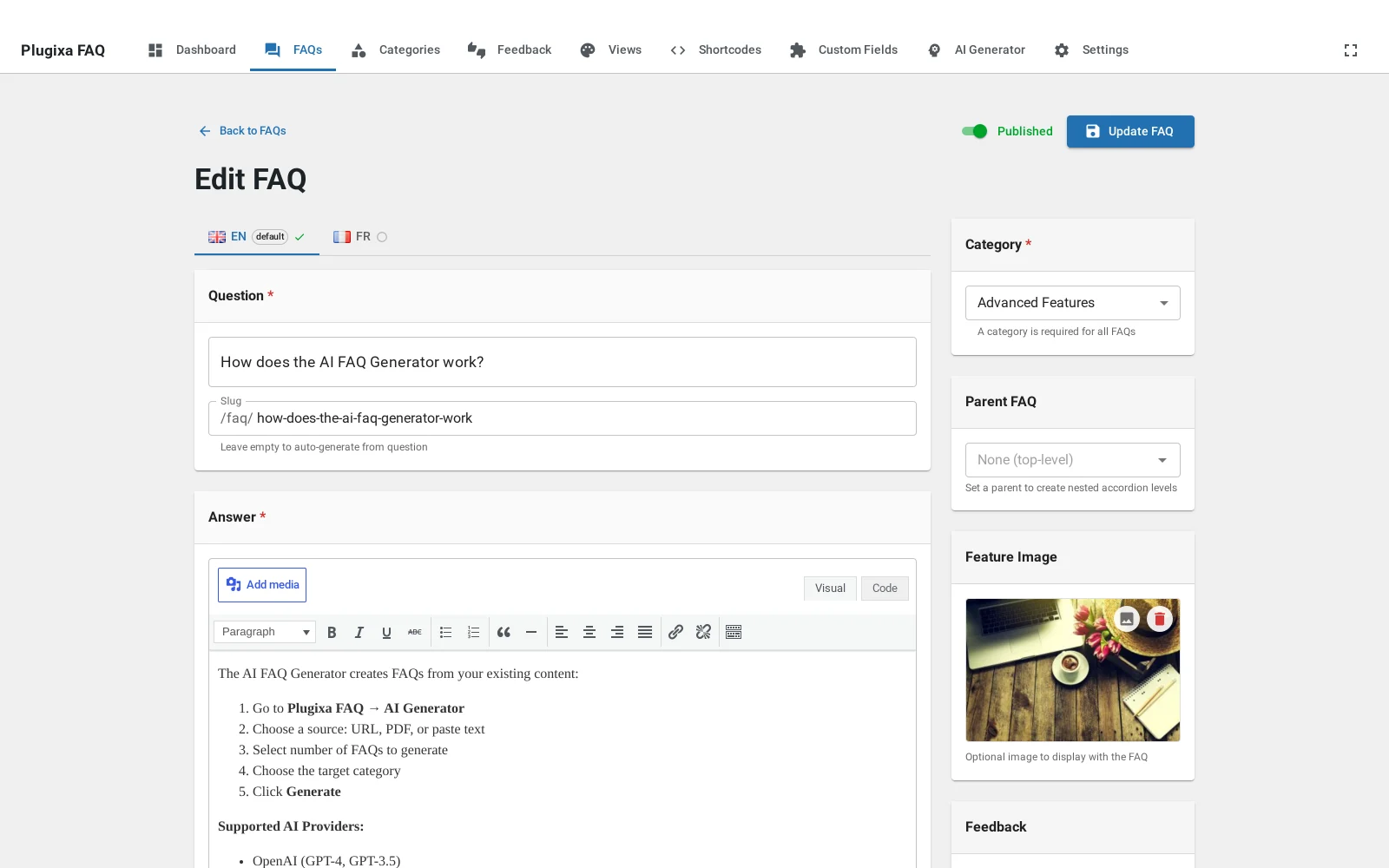
The fields
Question is the text in the clickable row. Keep it phrased as a visitor would ask it rather than as you would file it: “Can I change my plan later?” finds its reader; “Plan changes” does not.
Answer is a rich text editor. Lists, links, bold and images all render on
the front end. Images inside an answer are worth a thought, because with
open_first on a layout the image is the first thing a visitor sees.
Slug fills itself in from the question and is what the answer’s own page uses. Change it if you want a shorter URL; it has to stay unique.
Category is one per answer, and it is what the front-end filters group by.
Status is published, draft or private. Draft is also where submitted questions land.
Visibility controls who sees a published answer: everyone, logged-in users only, or behind a password.
Author alias replaces the WordPress username on the front end where the design shows an author. Use it so that “admin” does not appear on your support page.
Parent makes this a child of another question. See nested questions.
Order is a number, but you will rarely type it. Drag the rows on the ordering screen instead.
Image attaches a picture shown above the answer in layouts that support one, which is what the horizontal and timeline designs are built around.
Feedback can be left to inherit the site setting, or forced on or off for this one answer, which is useful for a legal notice you do not want rated.
Custom fields PRO
If you have defined any custom fields, their inputs appear at the bottom of this screen and their values render under the answer on the front end.
Troubleshooting
| What you see | Why | What to do |
|---|---|---|
| The slug did not update after renaming | Slugs are generated once, then kept, so existing links do not break | Clear the field and save to regenerate it |
| Formatting is stripped on save | The answer is filtered to safe HTML | Use the editor’s own controls rather than pasting raw markup |
| The author shows as a username | No alias is set | Fill in Author alias |
| No custom field inputs | None are defined, or this is the free build | See custom fields |
What to do next
Nested questions covers the parent field, or categories for the other way of grouping.
Quick Links
Share