

Contents
The shortcode - Plugixa FAQ
Where this appears: any page, post or widget area.
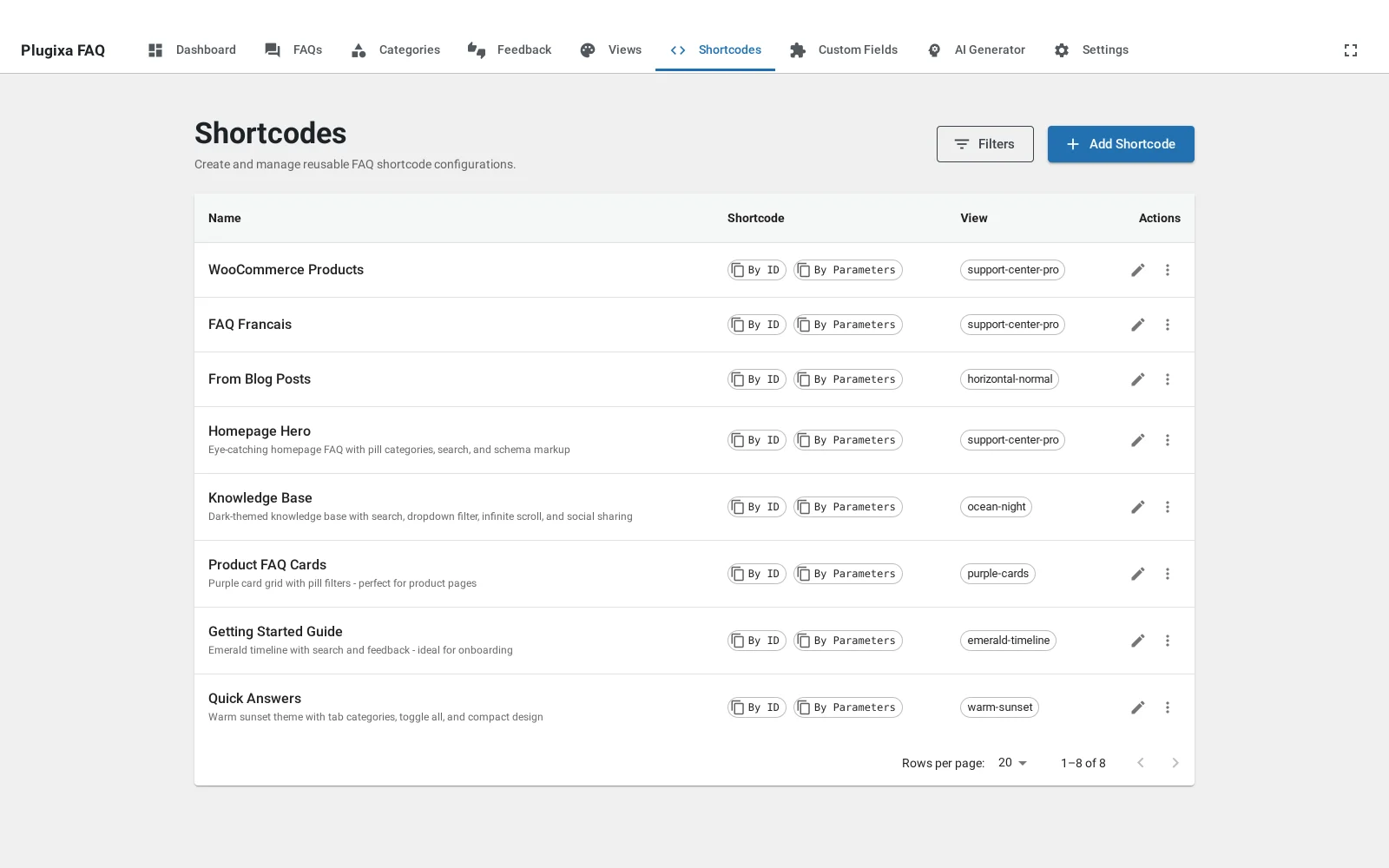
Two shortcodes are registered. [plugixa_faq] renders answers.
[plugixa_faq_form] renders the submission form.
The short version
[plugixa_faq]                                  every published answer, default view
[plugixa_faq view="ocean-night"]               a named design
[plugixa_faq category="billing" search="true"] one category, with search
[plugixa_faq id="3"]                           a saved configuration
Three selectors that read alike
This is the one thing worth getting right before anything else, because passing the wrong one does not produce an error.
| Attribute | Points at | Example |
|---|---|---|
id |
A row in the Shortcodes table | id="3" |
view |
A view’s slug | view="ocean-night" |
view_id |
A row in the Views table | view_id="6" |
Passing a view’s id as id finds no saved shortcode, falls through to the
default view, and renders something plausible under the wrong design. If a
placement is quietly showing the wrong look, check this first.
Choosing what to show
| Attribute | Default | What it does |
|---|---|---|
category |
Filter to one category, by slug | |
ids |
Show only these FAQ ids, comma separated | |
limit |
-1 |
How many to show. -1 is all |
orderby |
menu_order |
menu_order, question, id, created_at, view_count |
order |
ASC |
ASC or DESC |
content_source |
plugixa_faqs |
See content sources |
content_display |
excerpt |
full or excerpt, for the non-FAQ sources |
Appearance
| Attribute | Default | What it does |
|---|---|---|
view |
The saved design to use | |
style |
accordion |
Layout, when no view is named |
dark_mode |
from_view |
from_view, enabled, disabled, auto |
product_style |
default |
default, modern or minimal, for WooCommerce products |
Behaviour
| Attribute | Default | What it does |
|---|---|---|
search |
false |
Show the live search box |
search_placeholder |
Its placeholder text | |
group_by_category |
false |
Render each category as its own section |
show_category_description |
true |
Show the category description above its group |
open_first |
false |
Open the first answer on load |
allow_multiple |
true |
Allow more than one answer open at a time |
enable_toggle_all |
false |
Show an expand-all control |
show_read_more |
false |
Truncate long answers with a link |
read_more_text |
Read More |
That link’s label |
Pagination
| Attribute | Default | What it does |
|---|---|---|
pagination |
none |
none, numbers, load_more, infinite_scroll |
per_page |
10 |
Answers per page |
pagination_style |
numbers |
The control’s appearance |
load_more_label |
Load More |
The button’s label |
Metadata and sharing
| Attribute | Default | What it does |
|---|---|---|
schema |
true |
Output FAQPage JSON-LD |
enable_permalinks |
true |
Link each answer to its own page |
permalink_text |
Permalink |
That link’s label |
permalink_position |
answer-top-right |
Where it sits |
enable_social_share |
false |
Show share buttons |
feedback_enabled |
false |
Show helpful and not-helpful voting PRO |
show_author |
true |
Show the author or their alias |
show_date |
true |
Show the date |
show_category |
true |
Show the category name |
One schema block per page
If a page carries two FAQ placements, set schema="false" on the second. Two
FAQPage blocks on one URL is worse than one, because search engines have to
guess which is the page’s real FAQ.
Troubleshooting
| What you see | Why | What to do |
|---|---|---|
| The shortcode prints as text | It is in a code block, or misspelled | Retype it in a paragraph block |
| The wrong design | A view id was passed as id |
Use view="slug" |
| Nothing renders | Everything is a draft, or category matches nothing |
Publish, and check the slug |
limit seems ignored |
Pagination is on and controls the page size | Use per_page, or set pagination="none" |
What to do next
The shortcode builder assembles all of this visually.