

Contents
Layouts - Plugixa FAQ
Where this appears: the layout picker at the top of the view editor.
A layout is the structure: how a question and its answer are arranged on the page. A view is a layout plus every visual decision on top of it. Four layouts ship, and the ten shipped views are spread across them.
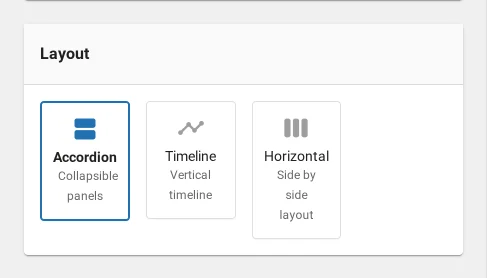
The four
| Layout | Tier | Shape |
|---|---|---|
| Accordion | Free | One question per row, expanding to reveal the answer |
| List | Free | Questions and answers both visible, no expanding |
| Timeline | PRO | A vertical line with each question as a node |
| Horizontal | PRO | Card panels side by side, expanding in place |
A note about list
list is accepted by the shortcode’s style attribute and by the layout
registry, but it renders through the same template as accordion and is not
offered in the view editor’s picker. In practice, choosing accordion and turning
its animation off gets you the same thing with more control.
We would rather write that down than have you spend an afternoon looking for a list design that is not there.
Choosing one
Accordion is right for most FAQ pages. It is scannable, it works at any length, and a visitor can see the shape of the whole set before reading any of it.
Timeline suits answers that are steps in an order, like a returns process or an onboarding sequence. It reads badly for unrelated questions, because the line implies a sequence that is not there.
Horizontal suits a small set with images: a product page with four questions, each with a picture. It reads badly past about eight, because the collapsed panels become slivers.
Layouts and the registration seam
The layout list is a filter, plugixa_faq_available_layouts, which is how the
premium build adds timeline and horizontal without the free build containing
them. It also means a plugin of yours can add one. See
hooks.
Troubleshooting
| What you see | Why | What to do |
|---|---|---|
| Only accordion in the picker | This is the free build | Timeline and horizontal come with Pro |
style="list" looks like the accordion |
It renders through the same template | Use accordion with animation off |
| The timeline has no line | One answer only | The line is drawn between nodes |
| Horizontal panels are slivers | Too many answers for the layout | Add a limit, or use accordion |
What to do next
Accordion is the one most sites use.