

Contents
Views: saved designs - Plugixa FAQ
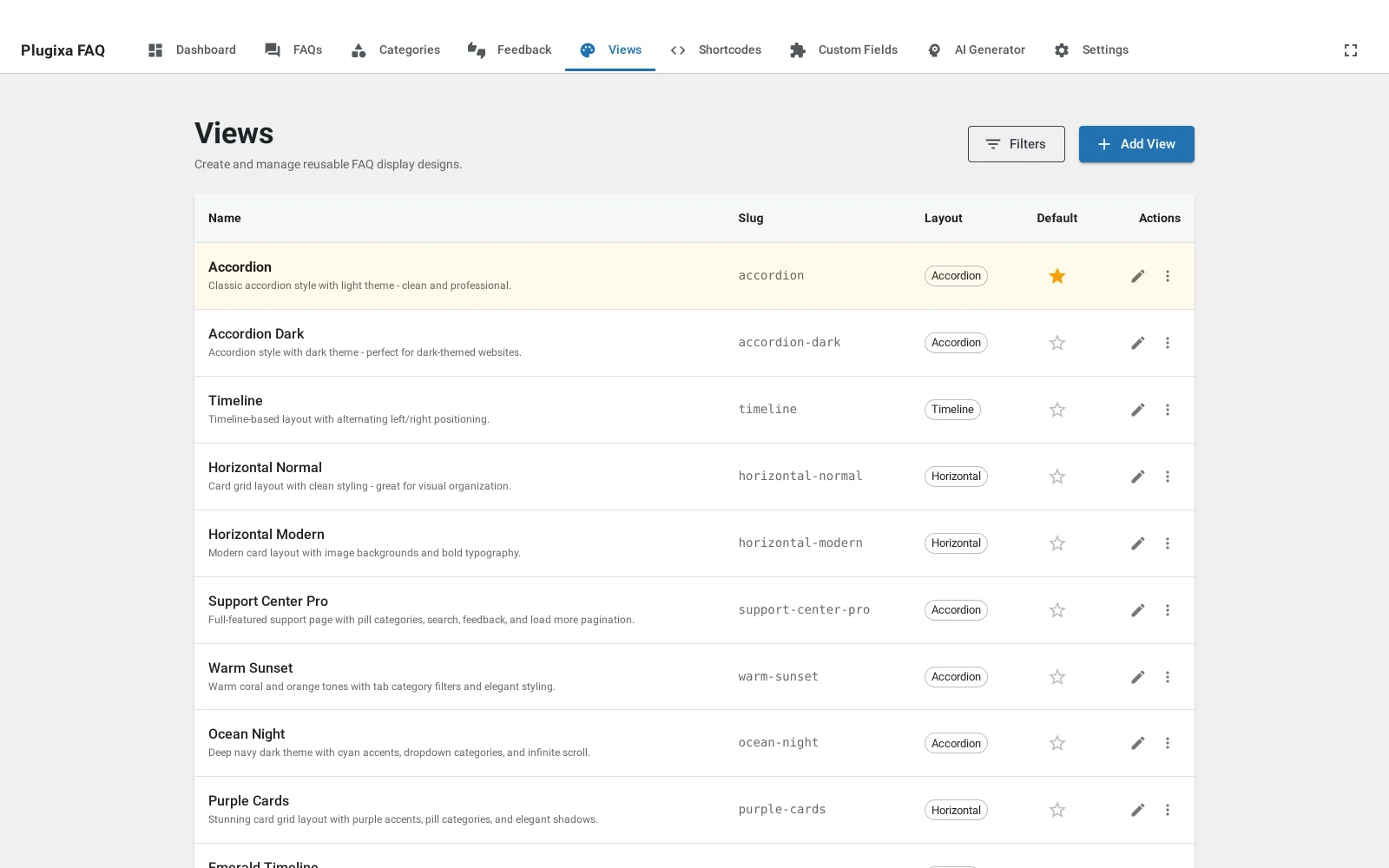
Where this appears: Plugixa FAQ, then Views, and the view
attribute on the shortcode.
A view is a saved design. It holds the layout, the colours, the typography, the spacing, the icons, the animation, the search behaviour and the pagination, as a record in the database. A shortcode points at a view by its slug.
Why this matters more than it sounds
Most FAQ plugins give you one look and a stylesheet to override. That works until the second page, because a support page and a pricing page want different things from the same answers, and CSS overrides accumulate into something nobody wants to touch.
Here the design is a thing you can point at:
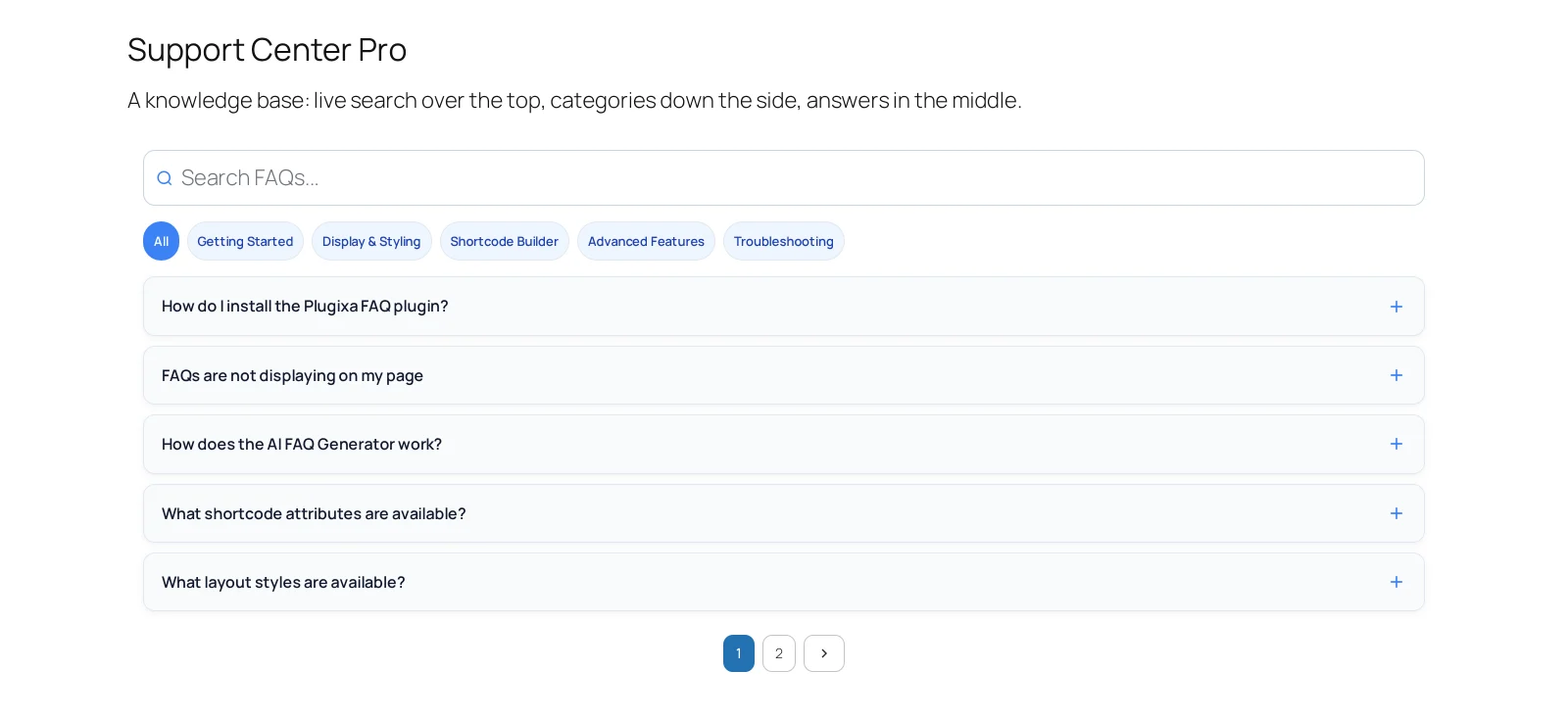
[plugixa_faq view="support-center-pro"]     <- the support page
[plugixa_faq view="warm-sunset" limit="3"]  <- the pricing page
Same answers, two designs, no stylesheet. And editing a view changes every page using it at once, which is what stops a rebrand becoming a find-and-replace across forty posts.
The ten that ship
| View | Layout | What it is for |
|---|---|---|
support-center-pro |
Accordion | A knowledge base: search on top, category filters, answers below |
ocean-night |
Accordion | The same idea on a dark ground |
warm-sunset |
Accordion | The default on a new install, warm and quiet |
accordion |
Accordion | The plain free accordion |
accordion-dark |
Accordion | The plain accordion, dark |
purple-cards |
Horizontal | Card panels, for a product page |
horizontal-modern |
Horizontal | Bold, image-led expanding panels |
horizontal-normal |
Horizontal | The same layout, quieter |
emerald-timeline |
Timeline | Steps in an order, with an accent |
timeline |
Timeline | The timeline without the palette |
Five of these are available in the free build’s layout, accordion. The timeline and horizontal designs need Pro.
Making your own
Add View starts from the defaults. There is no limit on how many you keep, and duplicating an existing one is usually faster than starting over: open a view and use Duplicate, then change the parts you want.
One view is the default, used by any shortcode that does not name one.
Views and shortcodes together
A view answers “what does it look like”. A shortcode answers “which answers, in what order, with search on or off”. They are separate because the same design is usually right for several different sets of answers.
Troubleshooting
| What you see | Why | What to do |
|---|---|---|
view="..." has no effect |
The slug does not match | Copy it from the Views screen; it is the slug, not the name |
| Every page changed at once | That is the point of a view | Duplicate it and point one page at the copy |
| A layout is missing from the picker | Timeline and horizontal are Pro | See free vs Pro |
| Deleting a view broke a page | Its shortcode still names it | The default view takes over; repoint the shortcode |
What to do next
The view editor covers the panels inside one.