

Contents
Horizontal layout - Plugixa FAQ
Where this appears: the layout picker in the view editor, and the
horizontal-modern, horizontal-normal and purple-cards views.
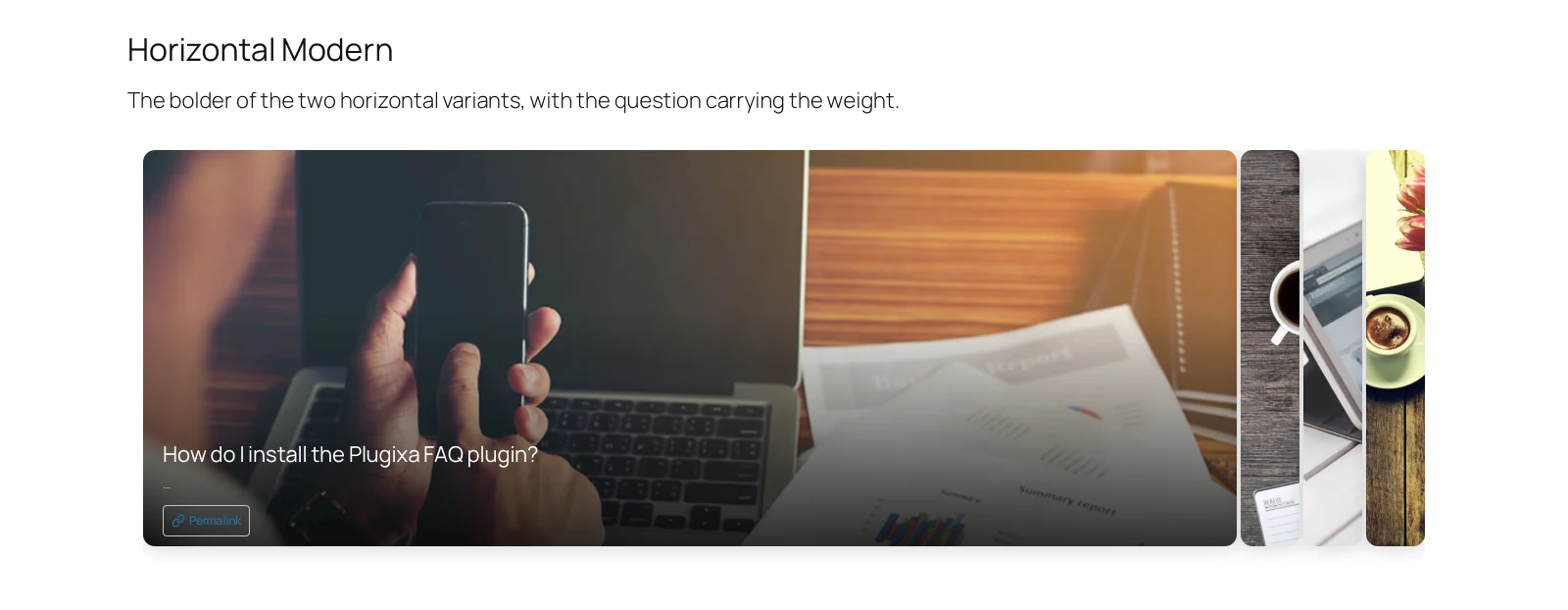
Answers sit side by side as panels. One is open and fills most of the width; the rest are collapsed into narrow strips you can click to swap in. It is the most visual of the four layouts and the one that does most with an image.
Two variants
The Horizontal style setting on the view chooses between them:
Modern is image-led. The open panel’s image fills the card and the question sits over it. It is the one in the screenshot above, and it wants an image on every answer.
Normal is quieter: the same expanding behaviour with the question and answer as text, and the image, if there is one, above the text rather than behind it.
purple-cards is a third treatment of the same layout, which is worth opening
if you want to see how far a view can move a design without changing its
structure.
Give the answers images
This layout is built around them. Attach one in the FAQ editor; without images the modern variant falls back to a flat colour and loses most of its argument.
Keep the set small
Four to six answers. Past eight, the collapsed panels are slivers too narrow to
read, and a visitor cannot tell what they would be opening. Set a limit on the
shortcode, or use accordion for the
long set and horizontal for a highlighted few.
On a phone
The panels stack into a single column and behave like an accordion, which is the right answer: side-by-side panels on a 390px screen would be four slivers and nothing else. See on a phone.
Troubleshooting
| What you see | Why | What to do |
|---|---|---|
| Panels are slivers | Too many answers | Add a limit of about six |
| The open panel has no image | That answer has none attached | Add one in the FAQ editor |
| It looks like an accordion | You are on a narrow screen | That is the responsive behaviour |
| The layout is missing from the picker | This is the free build | Horizontal is a Pro layout |
What to do next
On a phone covers how each layout reflows.