Contents

Custom Fields — Plugixa FAQ

Attach custom data to FAQs — anything from a “difficulty” tag to a product SKU to a downloadable resource URL. Each FAQ then renders those fields alongside the answer (or you can access them via the API for your own display logic).

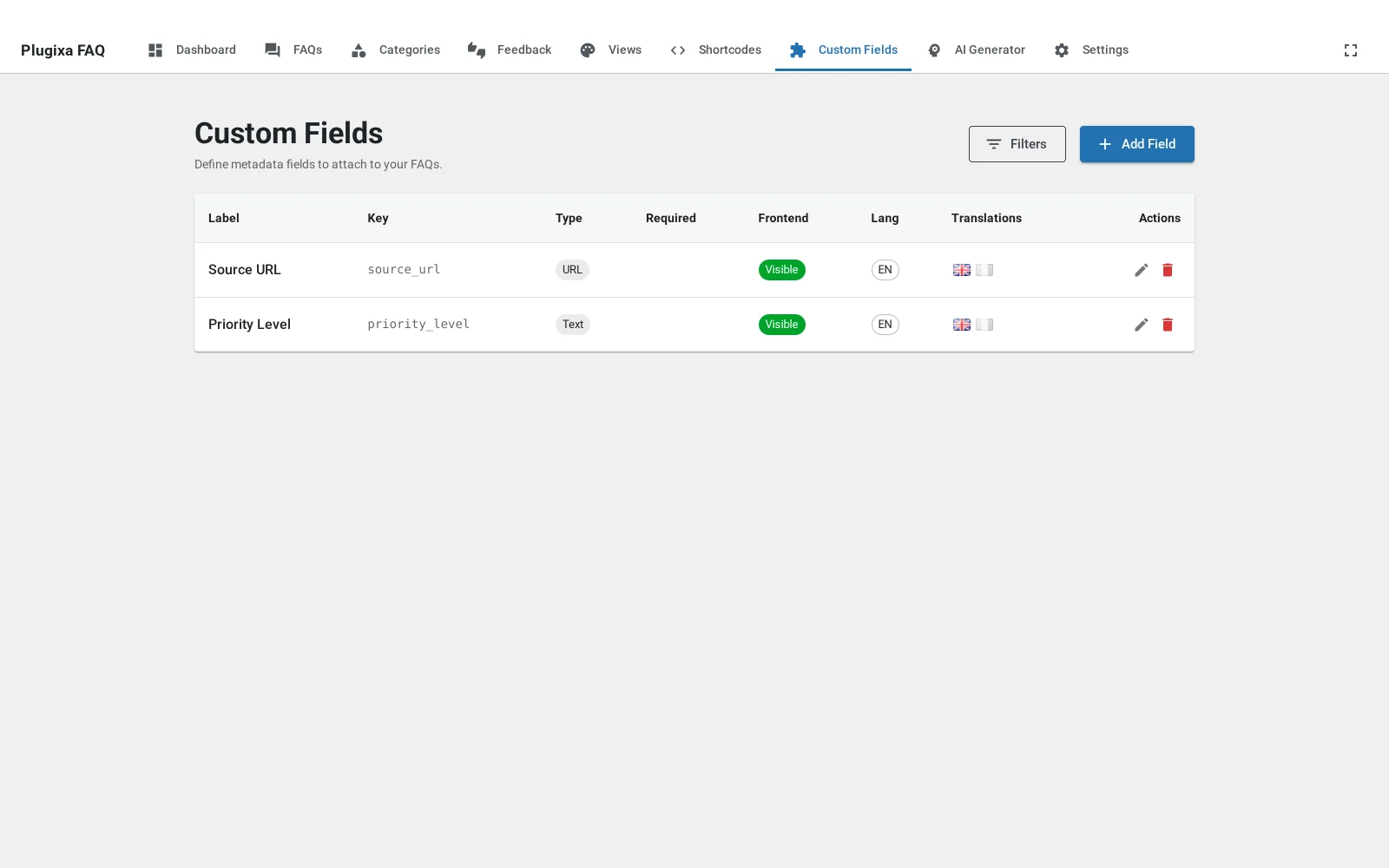
Custom fields admin list

Typical use cases

  • Support desks — tag FAQs with difficulty, last_reviewed, internal_notes.
  • E-commerce — attach product_sku, applies_to_versions, related_product_id.
  • Documentationcode_language, minimum_version, deprecated_in.
  • Multi-team workflows — ownership fields like owning_team, subject_matter_expert.

Creating a field definition

Go to Plugixa FAQ → Custom Fields → Add New.

Field Notes
Field label Displayed in the FAQ editor and (optionally) the frontend. Translatable.
Field key Machine name (difficulty, review_date). Must be unique per language. Used in REST responses and templates.
Field type See table below.
Options For select, radio, checkbox — one option per line (value|Label).
Placeholder Shown in the input. Translatable.
Required Gate save when empty.
Show in frontend Toggle public visibility.
Order Position in the FAQ editor.

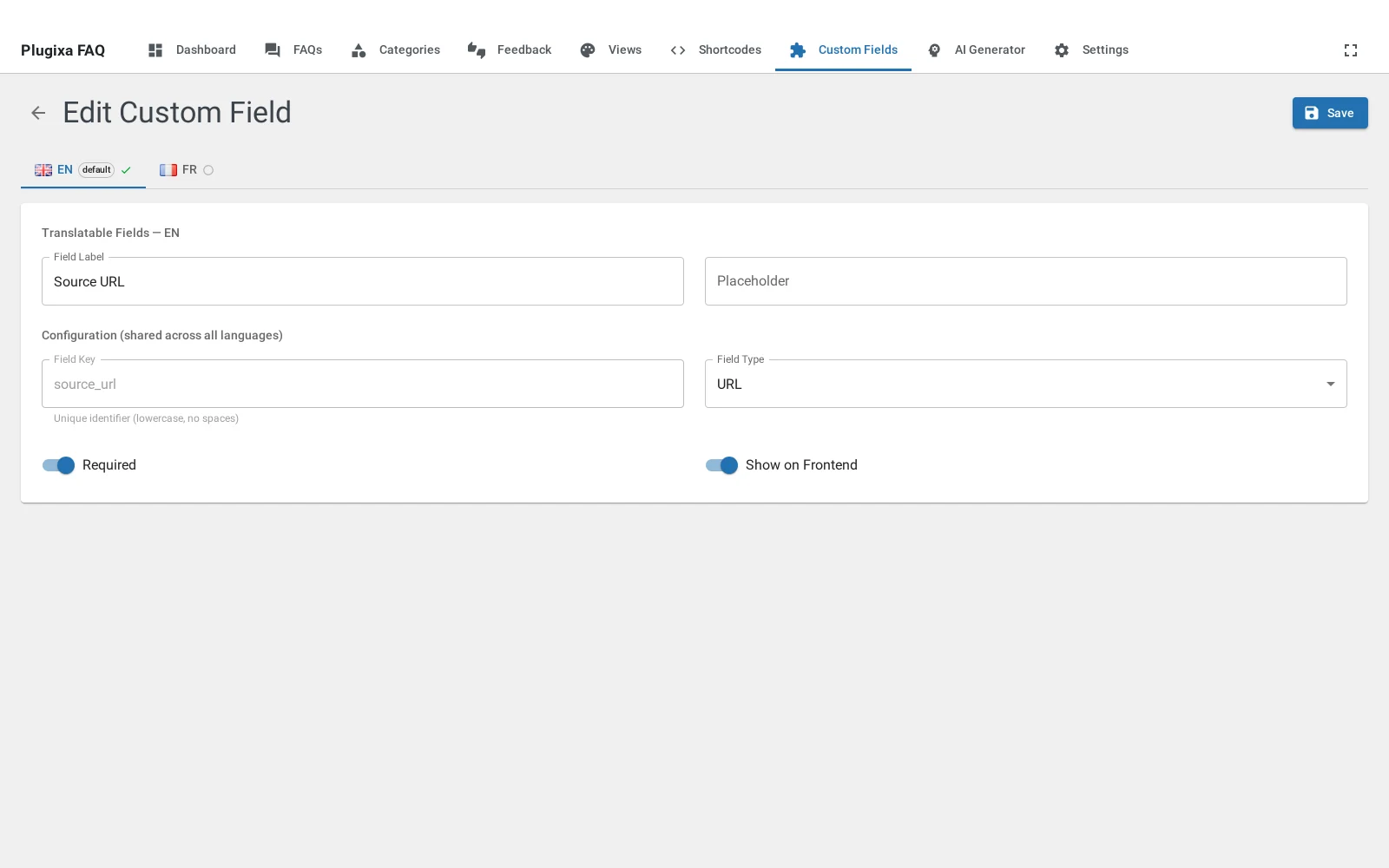
French custom-field in the list

Field types

Type Input Value stored
text Single-line text string
textarea Multi-line text string
email Email input string
url URL input string
number Number input number
date Date picker ISO date string
select Dropdown single option value
radio Radio buttons single option value
checkbox Checkbox group array of option values

Adding a new type? File a feature request — the field-type registry is designed to be extensible but requires a small plugin-side addition.

Assigning values to FAQs

When you open an FAQ editor, the custom-fields panel appears below the answer (only for fields where Show in frontend or the admin override is set).

Set values, save. Values are stored in wp_plugixa_faq_meta with meta_key = field_key.

Frontend rendering

FAQ answers have access to custom-field values via the template system. Example template override:

<?php
// my-theme/plugixa-faq/faq-item.php
$fields = plugixa_faq_get_custom_fields( $faq['id'] );
?>
<div class="pxf-faq-item">
    <h3><?php echo esc_html( $faq['question'] ); ?></h3>
    <div class="pxf-faq-answer"><?php echo wp_kses_post( $faq['answer'] ); ?></div>

    <?php if ( ! empty( $fields['difficulty'] ) ) : ?>
        <span class="pxf-faq-badge">
            Difficulty: <?php echo esc_html( $fields['difficulty'] ); ?>
        </span>
    <?php endif; ?>
</div>

See Hooks → Theme override.

Multilingual custom fields

Custom fields are multilingual-aware.

French custom field saved

Translatable fields: field_label, placeholder. Shared fields: field_key, field_type, field_options, is_required, show_in_frontend, menu_order.

This means you can translate the label that users see (Product SKURéférence produit) while the machine name (product_sku) stays the same across all languages — so your templates keep working regardless of language.

Deleting a field

Click Delete on a row. You’re prompted:

  • Delete values too — drops every meta_key = {field_key} row.
  • Orphan values — keeps the data but hides the field from the UI. Use this if you’re planning to re-add the field under the same key.

REST API

Method Endpoint
GET /wp-json/plugixa-faq/v1/custom-fields
POST /wp-json/plugixa-faq/v1/custom-fields
GET /wp-json/plugixa-faq/v1/custom-fields/{id}
PUT /wp-json/plugixa-faq/v1/custom-fields/{id}
DELETE /wp-json/plugixa-faq/v1/custom-fields/{id}
POST /wp-json/plugixa-faq/v1/custom-fields/reorder

Custom-field values for a specific FAQ appear on the FAQ’s custom_fields key in GET /faqs/{id}.

PHP helpers

// Get all custom-field values for an FAQ
$fields = plugixa_faq_get_custom_fields( $faq_id );
// → ['product_sku' => 'ABC-123', 'difficulty' => 'advanced', ...]

// Set a single field value
plugixa_faq_update_custom_field( $faq_id, 'difficulty', 'beginner' );

// Delete a field value
plugixa_faq_delete_custom_field( $faq_id, 'difficulty' );

// Get the full field definition
$def = plugixa_faq_get_custom_field_definition( 'difficulty' );

Import / Export integration

When you export FAQs via Import/Export, custom-field values appear as separate columns (CSV) or nested keys (JSON). On import, matching keys are auto-populated.

Hooks

Hook Type Purpose
plugixa_faq_custom_field_value filter Modify a value on read ($value, $faq_id, $field_key).
plugixa_faq_before_save_custom_field action Before a value is saved.
plugixa_faq_after_save_custom_field action After a value is saved.
plugixa_faq_custom_field_types filter Register new field types.

Quick Links