

Contents
Managing FAQs - Plugixa FAQ
Where this appears: Plugixa FAQ, then the FAQs tab.
The list is the screen you will spend most of your time on. It is also where submitted questions arrive, so it is worth knowing what the filters do.
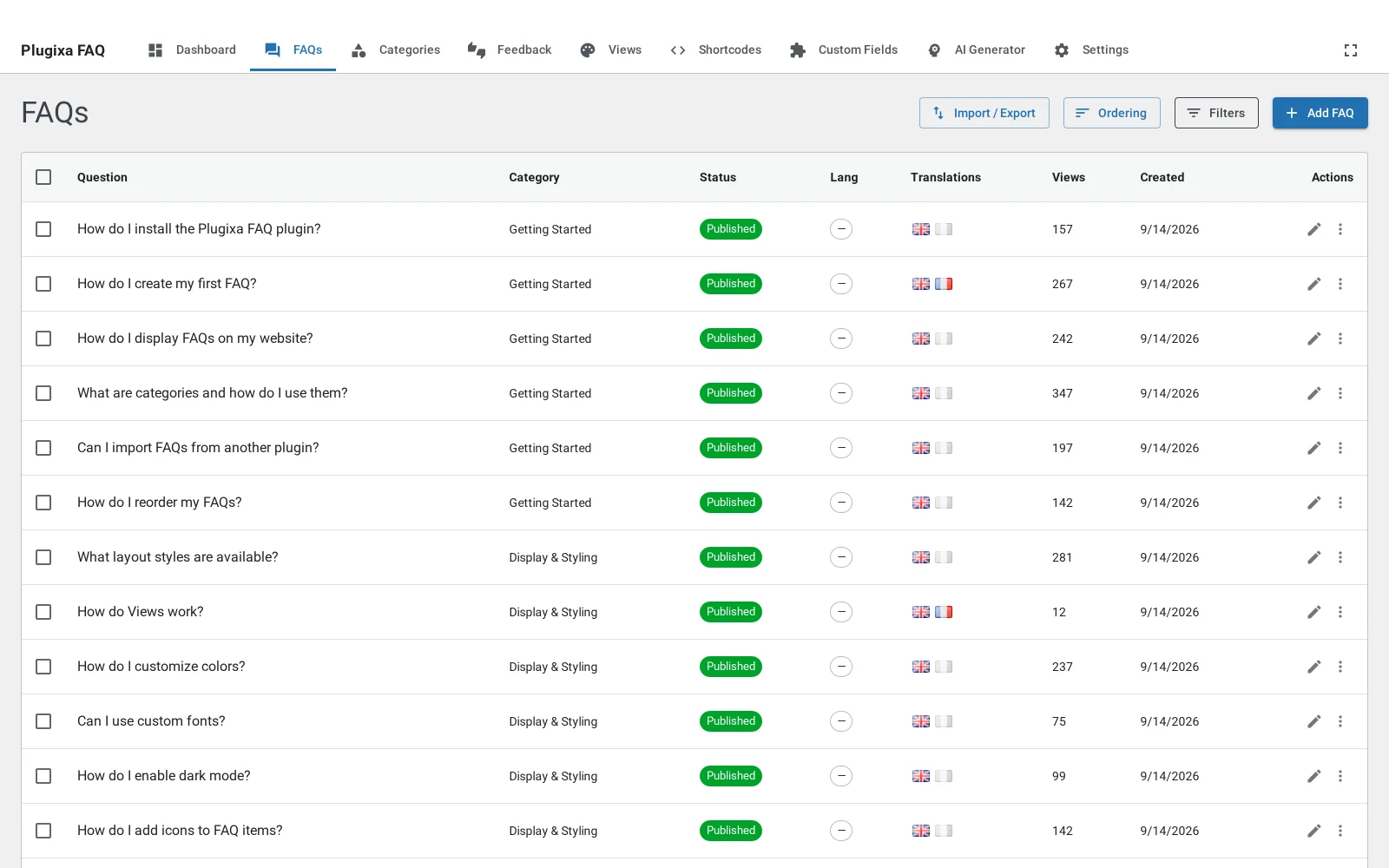
The columns
| Column | What it tells you |
|---|---|
| Question | The text a visitor sees, with an indent if it is a child question |
| Category | The one category the answer belongs to, with its colour |
| Status | Published, draft or private |
| Views | How many times the answer has been rendered or its page opened |
| Helpful | The feedback totals, if voting is on |
View counts are real rather than decorative. They increment when an answer renders in a list and when someone opens its own page, so the ordering by views is a fair indication of what people actually read.
Filtering
The search box matches the question and the answer body, so you can find “the one about refunds” without remembering how it was worded. The category, status and language dropdowns narrow the list further and combine with each other.
The status filter is how you find submissions. Questions sent in through the submission form are saved as drafts, so filtering to Draft is your review queue.
Bulk actions
Select rows with the checkboxes and apply an action to all of them: publish, move to draft, or delete. Deleting a question that has children does not delete the children; they are promoted rather than removed, so nothing disappears silently.
Adding and editing
Add FAQ opens the editor. Clicking any row opens the same screen for that answer. See the FAQ editor for what every field does.
Troubleshooting
| What you see | Why | What to do |
|---|---|---|
| A question you did not write | It came through the submission form | Check the Draft filter and the source column |
| The list is empty | A filter is still applied from last time | Clear the search box and set every dropdown back to All |
| An answer is not on the front end | It is a draft, or its category is filtered out by the shortcode | Publish it, and check the shortcode’s category attribute |
| Deleting one answer hid several | They were child questions | They are promoted, not deleted; check the top level of the list |
What to do next
The FAQ editor covers the fields on a single answer.