

Contents
On this page
The shortcode builder - Plugixa FAQ
Where this appears: Plugixa FAQ, then Shortcodes, then Add New.
The same options the shortcode takes as attributes, as a form with a live preview, saved under a name.
Why save one rather than write the tag
A saved configuration is edited in one place. [plugixa_faq id="3"] on forty
pages can be changed once; forty copies of a fifteen-attribute tag cannot.
It also means the tag on the page is readable. Somebody opening that page later
sees id="3" and can look up what it is, instead of parsing a line that runs
past the edge of the editor.
Three panels
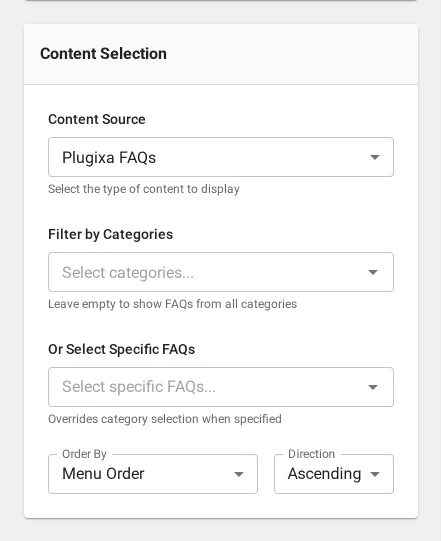
Content is which answers: the source, the view, a category filter, specific ids, a limit and the ordering.
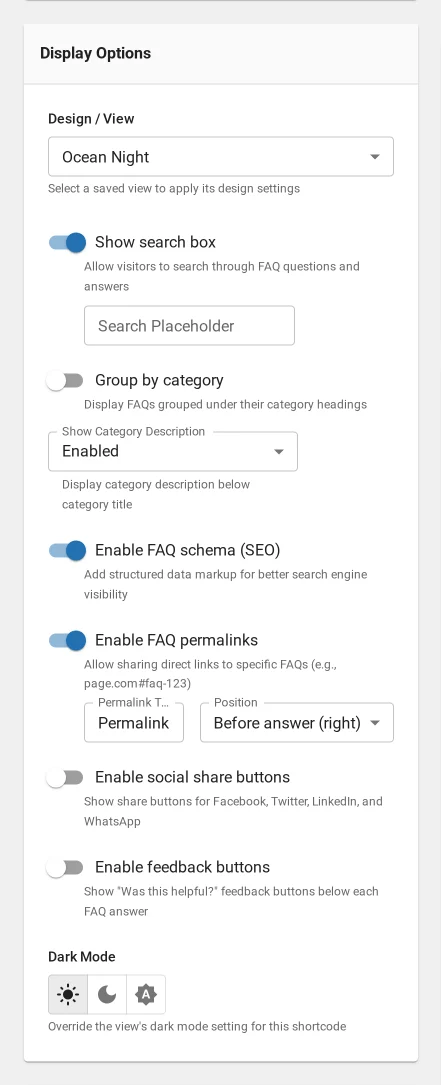
Display is what shows around them: search, category grouping, author, date, category name, permalinks, share buttons and the read-more treatment.
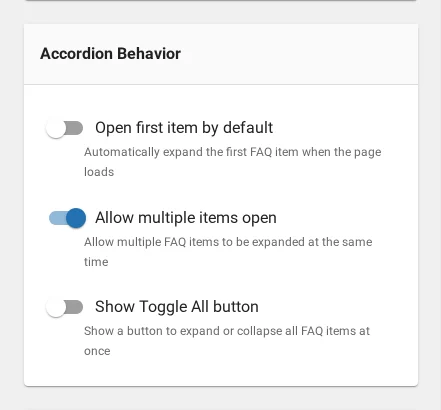
Behavior is how it acts: open first, allow multiple, the expand-all control, pagination and its page size.
The preview
Renders real answers as you change the options, so you can see that your limit of three cuts off mid-thought, or that grouping by category leaves one section with a single row.
Using it
Save, then copy the generated tag onto a page. Or use the Gutenberg block or the Elementor widget and pick the saved configuration from a dropdown, which avoids typing an id at all.
Duplicating
Duplicate copies a configuration so you can vary one thing. Two placements that differ only in category are better as two saved configurations than as one with an attribute overridden on the page, because the page tag stays readable.
Troubleshooting
| What you see | Why | What to do |
|---|---|---|
| The preview is empty | The filters match no published answers | Clear the category, or publish something |
| The saved tag shows the wrong design | The view was changed after saving | Reopen and reselect the view |
| The posts panel is missing | It appears only for the WordPress posts source | Change the content source first |
| Two configurations behave identically | They were duplicated and not changed | Edit one, or delete it |
What to do next
The Gutenberg block uses what you just saved.
Quick Links
Share