

Contents
Timeline layout - Plugixa FAQ
Where this appears: the layout picker in the view editor, and the
emerald-timeline and timeline views.
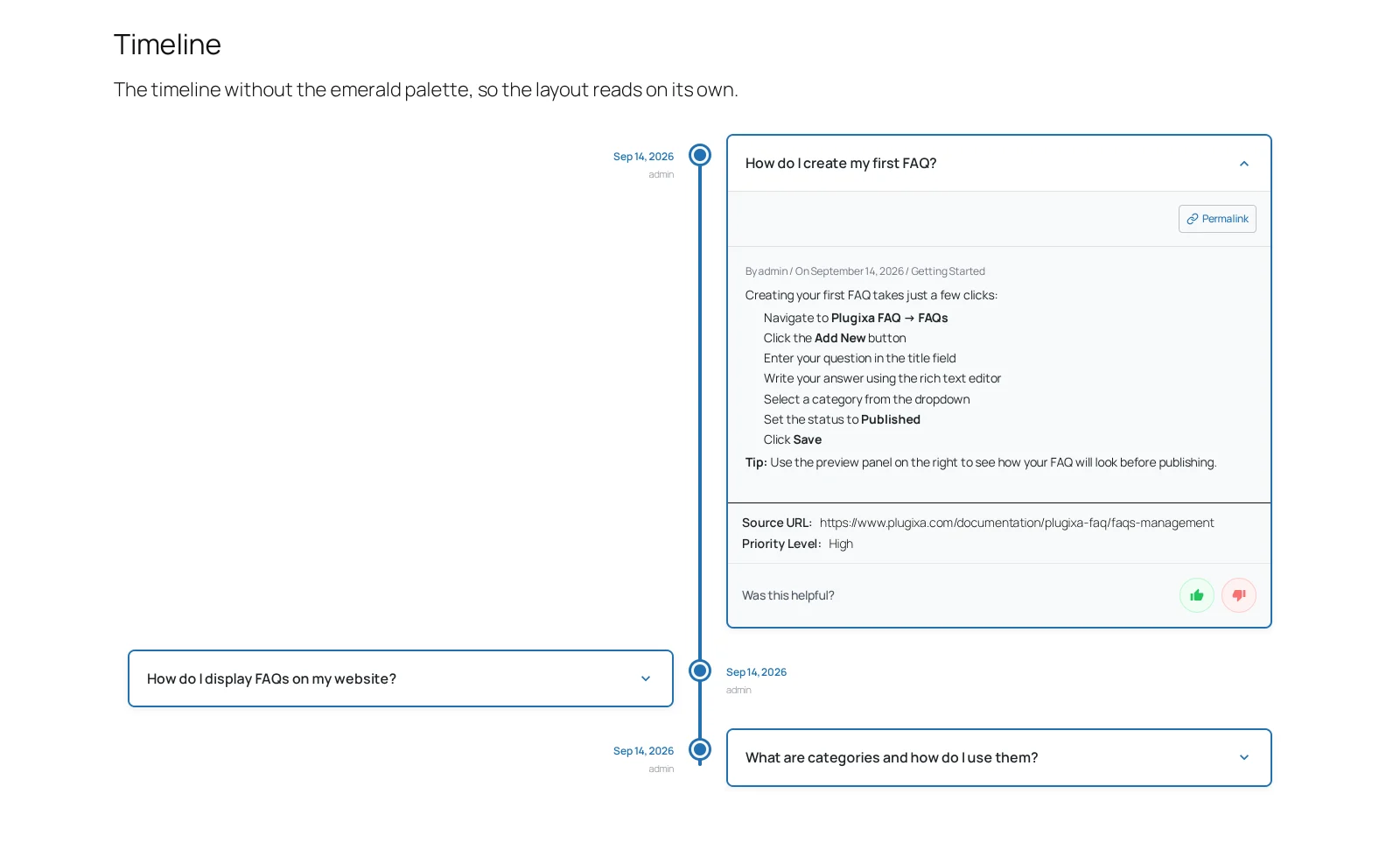
Each answer is a node on a vertical line. The line is the point: it says these answers are in an order, and reading them out of order would be strange.
When it is right
A returns process. An onboarding sequence. Anything where the honest answer to “which do I read first” is “the top one”.
When it is wrong
A general FAQ page. If your questions are Billing, Shipping and Do you ship to Ireland, a line between them implies a sequence that does not exist, and a visitor who starts in the middle feels like they have missed something.
Use accordion for those.
What you can change
The node marker and the connecting line have their own colours, separate from
the answer text and background, so the line can carry your accent without the
answers shouting. emerald-timeline and timeline are the same layout with and
without that treatment, which is the clearest illustration of the difference a
view makes.
Spacing between nodes is worth more attention here than in other layouts, because it is what makes the line read as a sequence rather than a list with a decoration down the side.
Length
Timelines get tired past about eight nodes. Set a limit on the shortcode, or
split the sequence across two pages, rather than rendering thirty.
Troubleshooting
| What you see | Why | What to do |
|---|---|---|
| No line is drawn | There is only one answer | The line connects nodes; it needs at least two |
| The layout is missing from the picker | This is the free build | Timeline is a Pro layout |
| Nodes are cramped | Spacing is set for a denser layout | Increase the item spacing on the view |
| The order looks wrong | The shortcode overrides it | Remove orderby, or set it to menu_order |
What to do next
Horizontal is the other Pro layout.